


TL;DR
x1 and Rork are both AI app builders that turn plain-English ideas into real mobile apps, but they work very differently. x1 is an iOS-only studio with a visual design canvas and a structured five-stage workflow that outputs native Swift/Xcode projects. Rork offers two products: Rork Pro (React Native, cross-platform) and Rork Max (native Swift, Apple ecosystem). The right choice depends on whether you need Android support, how much design control you want, and whether you prefer structured stages or open-ended chat.
X1 vs Rork: Which AI App Builder Is Better?
X1 is the better choice for founders building serious iOS apps who want native Swift output, visual design control, and a structured workflow. Rork Pro is better for quickly creating cross-platform apps for iOS and Android, while Rork Max is the closest competitor because it also creates native Swift apps. The main difference is workflow: X1 uses a guided five-stage process, while Rork relies on chat-based iteration.
What This Glossary Covers
Both x1 and Rork target the same person: a founder with an app idea and no desire to learn Xcode from scratch. Both promise to turn a description into a working app. But the tools take fundamentally different approaches to getting there, and the terminology around them can be confusing.
This glossary defines every key concept you need to understand when comparing x1 vs Rork. Each entry explains the term in plain language, then shows how it applies to each tool. If you’re trying to decide between them for an iOS project, this is your reference page.
For a broader look at the category, see the full AI builder comparison.
x1 vs Rork at a Glance
Before getting into definitions, here’s the quick summary.
x1 is a YC-backed AI app studio that produces native Swift/Xcode iPhone apps through a five-stage visual workflow (Plan, Design, Build, Launch, Iterate). iOS only. No chat-only interface. Pricing starts at $99/month.
Rork Pro is an AI builder that generates cross-platform apps using React Native and Expo. It covers iOS, Android, and web from a single codebase. Chat-only interface. Pricing starts free, with paid plans from $25/month.
Rork Max is Rork’s newer product (launched February 2026), built on native Swift/SwiftUI for the Apple ecosystem. It covers iPhone, iPad, Apple Watch, Apple TV, and Vision Pro. Chat-only interface. Priced at $200/month.
Dimension | x1 | Rork Pro | Rork Max |
|---|---|---|---|
Output code | Native Swift/Xcode | React Native + Expo | Native Swift/SwiftUI |
Platforms | iOS only | iOS + Android + Web | Apple ecosystem (iPhone, iPad, Watch, TV, Vision Pro) |
Interface | Five-stage visual studios | Chat-only | Chat-only |
Visual design control | Visual canvas | Text prompts only | Text prompts only |
App Store launch tools | Built-in screenshots, ASO copy, submission flow | Publishing support | 2-click App Store publishing |
Entry price | $99/mo | Free / $25/mo | $200/mo |
Billing model | Tier-based subscription | Credit/message-based | Credit/message-based |
Android support | No | Yes | No |
Backing | YC (F24) | a16z Speedrun, Left Lane Capital ($17.8M total) | Same as Rork |
See x1 pricing details for tier breakdowns and annual savings.
Quick Verdict: X1 vs Rork Winner
Category | Winner | Why |
|---|---|---|
Native iOS apps | X1 / Rork Max | Both produce Swift-based apps |
Android support | Rork Pro | React Native supports multiple platforms |
Design control | X1 | Visual canvas instead of prompting |
Fast prototypes | Rork Pro | Lower entry cost and chat workflow |
Apple ecosystem apps | Rork Max | Supports Watch, TV, Vision Pro |
App Store preparation | X1 | Built-in screenshots and ASO tools |
Predictable pricing | X1 | Subscription instead of credits |
Cheapest entry | Rork Pro | Free plan available |
Platform and Output Terms
Native Swift / SwiftUI
Code written in Apple’s Swift programming language, designed to run natively on Apple hardware and compiled through Xcode. SwiftUI is Apple’s modern framework for building user interfaces declaratively. Apps built this way have direct access to every iOS API, from camera and sensors to widgets and the Dynamic Island.
How it applies to x1 vs Rork: Both x1 and Rork Max output native Swift. Rork Pro does not. This is a critical distinction because it determines what your app can do and how it performs. If you want native iOS code, Rork Pro is off the table. The comparison that actually matters for iOS-focused founders is x1 vs Rork Max.
For deeper coverage of native iOS terminology, see the native iOS glossary.
React Native + Expo
React Native is a framework created by Meta that lets developers write mobile apps in JavaScript. Expo is a set of tools and services built on top of React Native that simplifies building, testing, and deploying. Together, they allow a single codebase to produce apps for both iOS and Android.
How it applies: Rork Pro uses React Native + Expo as its core stack. This means one build can target multiple platforms, which is genuinely useful if you need Android from day one. The trade-off: React Native apps can’t access every native Apple API, and performance on complex animations or hardware-intensive features tends to lag behind native Swift.
x1 | Rork Pro | Rork Max | |
|---|---|---|---|
React Native output | ✗ | ✓ | ✗ |
Native Swift output | ✓ | ✗ | ✓ |
Xcode Project
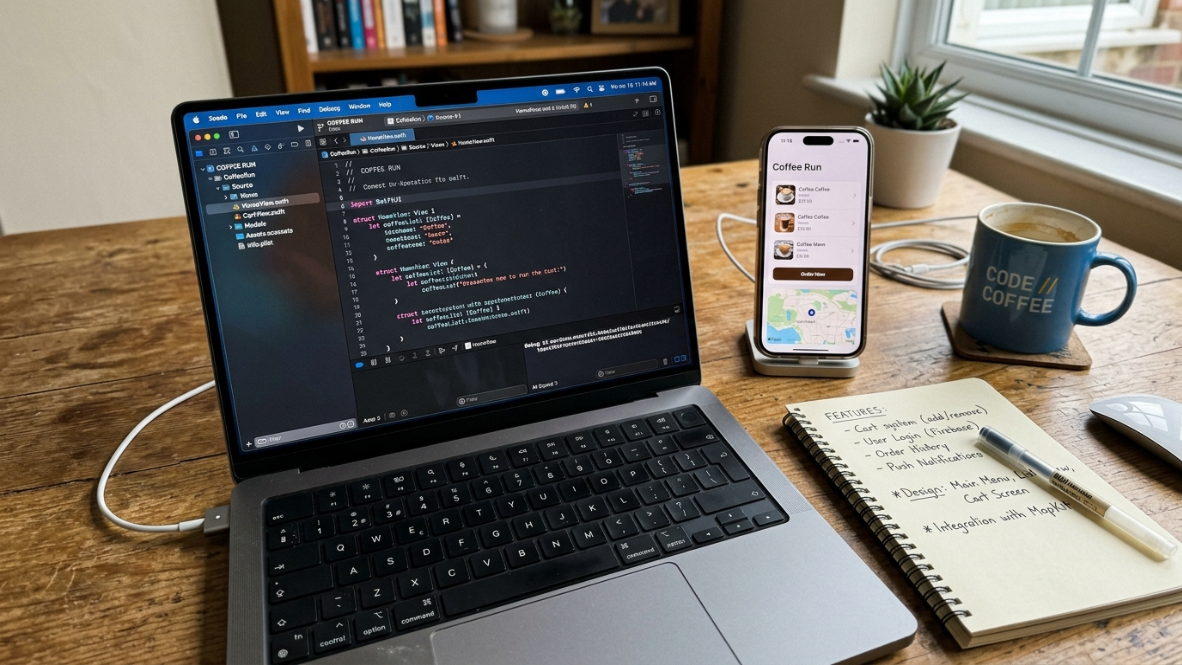
Xcode is Apple’s official development environment. An “Xcode project” is the complete set of files, configurations, and build settings that Xcode needs to compile your app into something the App Store accepts. Getting a proper Xcode project from an AI builder (rather than a demo or a web wrapper) means you can open it on a Mac, inspect every line, modify it freely, and submit it yourself.
How it applies: x1 outputs full Xcode projects. Rork Max compiles on Rork’s cloud Mac fleet, so you never need to open Xcode yourself, though you can export the code. Rork Pro exports via GitHub but produces a React Native codebase, not an Xcode project.
Cross-Platform vs. iOS-Only
Cross-platform means one codebase that runs on multiple operating systems. iOS-only means the tool produces apps exclusively for Apple’s mobile platform.
How it applies: This is the sharpest fork in the x1 vs Rork decision. Rork Pro is cross-platform (iOS + Android + web). x1 and Rork Max are Apple-only. If your roadmap requires Android from the start, Rork Pro is the practical choice. If iOS is your priority and you want native quality, x1 and Rork Max compete directly. You can explore what x1’s approach looks like in practice.
Workflow and Design Terms
Modular Studios (Structured Workflow)
A workflow where each stage of app creation has its own dedicated interface and purpose, rather than everything happening in a single prompt window. x1 calls these “studios.”
How it applies: x1 uses five sequential studios: Plan (map screens and features), Design (visual canvas for brand and layouts), Build (generate the app screen by screen), Launch (screenshots, listing copy, submission), and Iterate (refine post-build). Each stage produces a specific output that feeds the next.
Rork does not use a staged workflow. Both Rork Pro and Rork Max are chat interfaces where you describe what you want and iterate through conversation. This is faster for simple prototypes but can become unwieldy for complex apps.
A recurring complaint across Reddit’s r/nocode and r/SideProject is that AI builders generate an app in one shot, but the result falls apart when you try to change anything. The structured approach exists to address exactly this problem.
Chat-Only Interface

An interface where the primary (or only) way to interact with the tool is through text conversation. You type what you want, the AI generates it, and you refine through follow-up messages.
How it applies: Rork Pro and Rork Max both use chat-only interfaces. This is Rork’s most common pain point in community discussions. Practitioners note that nudging a layout by a few pixels or changing a single color sometimes feels like steering a ship with a teaspoon. Power users often combine Rork Max with a dedicated UI design tool for the visual phase.
x1 uses a visual canvas in its Design studio, which means you can directly edit layouts, buttons, spacing, and copy before any code is generated.
Visual Canvas
A graphical editing environment where you can see your app’s screens and directly manipulate elements (move buttons, adjust spacing, change colors) rather than describing changes in text.
How it applies: This is the single biggest workflow difference between x1 and Rork, and existing comparison pages barely mention it. x1’s Design studio provides a visual canvas. Rork offers no equivalent. Every design change in Rork goes through text prompts, which adds friction for anyone who thinks visually.
Vibe Coding
A term that gained traction in 2025 and 2026 to describe the practice of building software by describing what you want in natural language and letting AI generate the code. Both x1 and Rork fall under this umbrella, along with tools like Bolt, Lovable, Cursor, and Replit.
How it applies: Both tools are vibe coding platforms, but they take different philosophical stances. Rork leans into open-ended conversation, giving you maximum flexibility in how you prompt. x1 structures the vibe coding process into stages, which constrains freedom but improves coherence across a full app. For a deeper comparison of how vibe coding works across mobile tools, see vibe coding apps compared.
One-Shot Generation vs. Sequential Building
One-shot generation means the AI produces the entire app (or a large chunk) from a single prompt. Sequential building means the AI works through the app piece by piece, screen by screen, with validation between steps.
How it applies: Rork’s typical workflow is closer to one-shot generation. You describe your app, and Rork generates a working prototype. You then iterate through follow-up prompts. x1’s workflow is explicitly sequential: Plan first, then Design, then Build each screen in order. The sequential approach produces more coherent code because each step builds on verified outputs from the previous step.
One solo developer on Reddit shared that they settled into having Rork generate the scaffolding while rewriting the state management and data layer themselves. The reason: once features accumulate, you can’t move quickly through fixes in code whose structure you never internalized. This is the kind of technical debt that sequential building aims to prevent.
Pricing and Credit Terms
Credit-Based / Message-Based Pricing
A billing model where each prompt you send to the AI counts as one credit (or message). You buy a fixed number of credits per month, and they don’t roll over.
How it applies: Rork uses this model across both Pro and Max. The Junior plan ($25/month) includes 100 AI messages. A simple MVP with 5 to 8 screens typically uses 20 to 40 credits. Complex apps with heavy iteration can consume 100 to 200 credits. This means a seemingly cheap plan can run dry fast during UI tweaking sessions.
Practitioners on Reddit and Product Hunt consistently flag credit consumption as a source of anxiety. One reviewer reported that the free tier (5 credits per day) never actually delivered the credits, and they were pushed toward paid plans on their first attempt to use the tool.
Tier-Based Subscription
A billing model where you pay a flat monthly fee that unlocks a certain level of capacity and speed, without per-message metering.
How it applies: x1 uses tier-based pricing. Builder is $99/month, Pro is $199/month, and Max is $299/month (all with annual discounts available). Each tier increases build capacity, iteration speed, and priority access. There’s no per-prompt anxiety because you’re not watching a credit counter tick down.
For a full breakdown, see the x1 pricing guide.
Total Cost of Ownership
The real amount you’ll spend to go from idea to live App Store app, including tool subscriptions, Apple Developer Program fees, potential credit overages, and any external services you need.
How it applies: This is where the x1 vs Rork pricing comparison gets interesting.
On paper, Rork looks cheaper. The Junior plan is $25/month. But if you’re building a native iOS app, you need Rork Max at $200/month, which sits between x1’s Pro ($199/month) and Max ($299/month). The sticker prices are nearly identical for the iOS-native comparison.
The hidden cost difference is in the billing model. Rork’s credit-based system means you might need to upgrade mid-project if you burn through messages during iteration. x1’s tier-based model is more predictable for budgeting. Both require Apple’s $99/year Developer Program fee to publish.
Traditional native iOS development costs $5,000 to $50,000 or more. Either tool is dramatically cheaper than hiring a Swift developer, but knowing your real monthly spend matters when you’re bootstrapping.
For a broader look at costs, the app cost calculator guide covers hidden expenses most founders miss.
Launch and Publishing Terms
App Store Submission Flow
The process of getting your finished app into Apple’s App Store, including uploading the binary, filling out metadata, providing screenshots, setting pricing, and passing Apple’s review.
How it applies: x1 handles this in its Launch studio. You create App Store screenshots, write the listing, and submit for review from within the tool. This is a genuine differentiator because submission is where many first-time builders stall.
Rork Max offers “2-click” App Store publishing, which sounds simpler but has reported reliability issues. Users on Product Hunt and Trustpilot mention the Publish button occasionally failing on the first attempt, requiring a retry or manual submission via GitHub export. Rork Pro’s publishing support requires more manual work.
App Store Screenshots
The images that appear on your app’s listing page. Apple requires between 3 and 10 screenshots per device size, and they’re the single most influential factor in whether someone downloads your app. Most developers use external tools (Figma templates, dedicated screenshot generators) to create these.
How it applies: x1 generates App Store screenshots inside the tool as part of the Launch studio. Rork does not include screenshot generation; users need separate tools. This might seem like a small detail, but creating polished screenshots is a surprisingly time-consuming step that catches many first-time founders off guard. See the screenshots tools comparison for more context.
ASO (App Store Optimization)
The practice of optimizing your app’s title, subtitle, keywords, and description to rank higher in App Store search results. It’s the App Store equivalent of SEO.
How it applies: x1 includes ASO copy generation in its Launch studio, producing listing text optimized for App Store search. Rork does not offer ASO tooling. If you’re publishing through Rork, you’ll need to write your own metadata or use a separate ASO tool.
TestFlight
Apple’s official beta testing platform. It lets you distribute pre-release versions of your app to testers before submitting to the App Store.
How it applies: Both x1 and Rork support TestFlight distribution. Rork Max offers one-click TestFlight install, which is a convenient feature for quick testing loops.
App Review
Apple’s review process for every app submitted to the App Store. Apps are evaluated for bugs, policy compliance, metadata accuracy, and user experience. Rejection is common for first-time submissions, especially around paywall implementations, permission requests, and incomplete metadata.
How it applies: Structured metadata preparation (complete screenshots, accurate descriptions, proper privacy labels) reduces rejections. x1’s Launch studio handles much of this preparation. Rork’s 2-click submission in Max is fast but doesn’t include the same level of metadata scaffolding. The App Store launch checklist covers what Apple requires in detail.
Code Ownership and Export
Code Ownership / Export
Whether you can take the code your AI builder generates and do whatever you want with it, including modifying it, hosting it elsewhere, or handing it to a developer.
How it applies: Both x1 and Rork emphasize code ownership. x1 produces complete Xcode projects that you own. Rork exports code via GitHub. Neither tool locks you in to their platform after generation. The practical difference is in what you get: x1 gives you a structured Swift/Xcode project built stage by stage. Rork gives you whatever the chat conversation produced, which may be harder to navigate if you didn’t write the prompts in an organized way.
Platform Lock-In
The risk that you can’t leave a tool without losing significant work or needing to rebuild from scratch.
How it applies: Neither x1 nor Rork creates meaningful lock-in since both export real code. However, the workflow differences affect portability in practice. Code generated through x1’s sequential process tends to have more predictable architecture because each screen was planned and designed before being built. Code from chat-based iteration can end up with inconsistent patterns if the conversation wandered, making it harder for a human developer to pick up later.
The “Two Rorks” Problem
This deserves its own section because it confuses nearly everyone comparing x1 vs Rork for the first time.
Rork Pro vs. Rork Max
Rork is not one product. It’s two distinct products with different technology stacks, different capabilities, and different pricing.
Rork Pro uses React Native and Expo. It builds cross-platform apps (iOS, Android, web). It starts at $25/month. It’s the original Rork.
Rork Max uses native Swift/SwiftUI. It builds Apple-only apps (iPhone, iPad, Watch, TV, Vision Pro). It costs $200/month. It launched in February 2026 after Rork acquired Paperline, a macOS app for building native Swift applications with AI.
This distinction matters enormously for the x1 vs Rork comparison. If you compare x1 to Rork Pro, you’re comparing native Swift to React Native, which is an apples-to-oranges matchup. The real head-to-head is x1 vs Rork Max, where both tools produce native Swift and target the Apple ecosystem.
Rork Max runs on Claude Code paired with Opus 4.6 from Anthropic, which gives it strong performance on complex app logic. It also compiles on Rork’s cloud Mac fleet, so you never need Xcode installed locally. x1 does not publicly disclose its AI engine.
Rork Pro | Rork Max | |
|---|---|---|
Tech stack | React Native + Expo | Native Swift/SwiftUI |
Platforms | iOS + Android + Web | Apple ecosystem only |
Price | $25-$200/mo | $200/mo |
Interface | Chat | Chat |
Local Xcode required | No | No (cloud Macs) |
Who Should Avoid X1 and Rork?
AI app builders are powerful, but they are not replacements for every development scenario.
Avoid X1 if:
You need Android support immediately
Your app depends heavily on cross-platform features
You prefer completely open-ended AI prompting
Avoid Rork if:
You need precise visual control without repeated prompts
You want predictable monthly costs
You are building a complex native iOS application
Avoid both if:
Your app requires highly specialized backend architecture
You need enterprise-level security controls
You need complete human engineering oversight
Best Apps to Build With X1 vs Rork
App Type | Best Choice | Reason |
|---|---|---|
iPhone productivity app | X1 | Native iOS experience |
Fitness tracking app | X1/Rork Max | Sensors and HealthKit access |
Social media MVP | Rork Pro | Faster cross-platform testing |
Consumer iOS app | X1 | Better design workflow |
Apple Watch companion app | Rork Max | Apple ecosystem support |
Startup validating idea | Rork Pro | Cheapest testing path |
Premium iOS app | X1 | Better native workflow |
When to Choose x1 vs. Rork: Decision Framework
Forget feature tables for a moment. Here’s the decision logic.
Choose x1 if:
You’re building an iOS app and don’t need Android right now
You want visual control over your design before any code is written
You prefer a guided, stage-by-stage process over open-ended prompting
You need App Store screenshots, listing copy, and submission support built into the same tool
You want predictable monthly costs without credit-counting anxiety
You’re a non-technical founder who benefits from structure over flexibility
Try x1’s workflow for free with approximately 100 credits to see if the structured approach fits how you think.
Choose Rork Pro if:
You need iOS and Android from one codebase on day one
Budget is tight and you want to start at $25/month (or free)
You’re comfortable iterating through chat and don’t mind the lack of visual design tools
Cross-platform reach matters more than native iOS performance
Choose Rork Max if:
You want native Swift apps across the full Apple ecosystem (Watch, TV, Vision Pro, not just iPhone)
You’re comfortable with a chat-only workflow at $200/month
Cloud compilation without Xcode appeals to you
You don’t need App Store screenshot generation or ASO tooling built in
Key Differences That Matter Most
Five differences separate x1 from Rork more than any others.
1. Design control. x1 gives you a visual canvas. Rork gives you a text box. For founders who think visually, this gap is enormous. For prompt-fluent builders, it matters less.
2. Workflow structure. x1 enforces Plan, Design, Build, Launch, Iterate as discrete stages. Rork treats everything as a continuous conversation. Structure produces more coherent apps at the cost of flexibility. Open-ended chat is faster for simple prototypes but riskier for complex ones.
3. Launch asset generation. x1 generates App Store screenshots and ASO-optimized listing copy in-tool. Rork does not. If you’ve never submitted an app to the App Store, this saves hours and reduces rejection risk.
4. Platform scope. Rork Pro covers iOS, Android, and web. Rork Max covers the full Apple ecosystem including Watch and Vision Pro. x1 covers iPhone. If you need breadth, Rork wins. If you need depth on iPhone, x1’s focused approach has advantages.
5. Pricing predictability. x1 charges a flat tier-based fee. Rork charges per message. For builders who iterate heavily (and most do), x1’s model is easier to budget. Rork’s model can surprise you mid-project.
Rork: Traction and Trust Signals
Rork’s market position is worth understanding. The company has raised $17.8 million in total funding from investors including Left Lane Capital, Peak XV, True Ventures, Goodwater, and a16z Speedrun. It reportedly hit $1.5 million in annual recurring revenue within three days of the Rork Max launch. Over 500,000 projects have been built on the platform, with more than 2,000 apps published to the App Store.
That said, public user sentiment is mixed. Rork’s Trustpilot rating sits at 2.9 out of 5, driven by complaints about bugs and limited customer support. Product Hunt reviews are polarized: users praise the speed of going from prompt to working app, but flag crashes, black screens, persistent errors, and publishing friction. The general sentiment in subreddits like r/nocode and r/iOSProgramming is “cautiously positive but very honest,” as one thread put it.
x1 is backed by Y Combinator (F24 batch) with founders from Scale AI and Meta FRL. It’s an earlier-stage company with less public traction data but a tighter product scope.
Market Context
The no-code AI platform market is growing at a 30.2% CAGR, projected to reach $44.15 billion by 2033. AI-generated apps now account for 84% of new App Store submissions. The question for most founders isn’t whether to use an AI app builder, but which one.
Both x1 and Rork are positioned for this moment. The choice between them comes down to your specific needs: platform targets, design preferences, budget model, and how much structure you want in your building process.
For a broader framework on choosing between AI app builders, the buyer’s guide covers what to evaluate beyond just features.
Frequently Asked Questions
Is x1 or Rork better for a first-time app builder?
It depends on what you’re building. If you want an iOS app and benefit from guided steps, x1’s structured workflow reduces the chance of getting lost mid-project. If you need a quick cross-platform prototype and are comfortable prompting in chat, Rork Pro’s lower entry price and free tier let you experiment cheaply.
Can I build an Android app with x1?
No. x1 is iOS-only and outputs native Swift/Xcode projects. If you need Android, Rork Pro is the option among these two tools.
What’s the real price comparison between x1 and Rork Max?
They’re close. Rork Max is $200/month. x1 Pro is $199/month. The difference is in billing: x1’s fee is flat with tier-based capacity, while Rork Max uses per-message credits that can run out during heavy iteration.
Do I need a Mac to use either tool?
x1 produces Xcode projects, and you’ll need a Mac if you want to open and modify the project locally. Rork Max compiles on cloud Macs, so no local Mac is required. Rork Pro doesn’t require a Mac either, since React Native can be developed on any operating system.
Which tool is better for getting through Apple’s App Review?
x1 includes App Store screenshot generation, ASO copy, and submission preparation in its Launch studio, which directly addresses the most common rejection reasons. Rork Max offers 2-click submission but doesn’t include the same metadata preparation tooling.
Is Rork Pro the same as Rork Max?
No. This is one of the most common points of confusion. Rork Pro uses React Native for cross-platform apps starting at $25/month. Rork Max uses native Swift for Apple ecosystem apps at $200/month. They are separate products with different tech stacks. See the app builder selection checklist for a structured way to compare tools like these.
Can I export my code from both tools?
Yes. x1 gives you a complete Xcode project. Rork exports via GitHub. Neither platform locks you in. The practical difference is in code organization: x1’s stage-by-stage output tends to produce more structured, navigable code, while Rork’s chat-generated code can be harder for a new developer to pick up.
How do free tiers compare between x1 and Rork?
x1 offers approximately 100 free credits to try the product, with no ongoing free tier. Rork Pro offers a free plan with 5 credits per day (35 per month), though some users report the free credits don’t always materialize. Rork Max has no free tier.