

TL;DR
An AI app builder turns a plain-English description into a working application. Some tools stop at a single generated screen. Others, like x1, sequence the entire journey — planning, design, structured building, QA, and App Store prep — into one guided workflow instead of a single chaotic prompt window. This glossary walks through every term you'll run into while building a mobile app with AI in 2026: the core vocabulary, how these tools actually build under the hood, what happens during the build process, what it takes to get into the App Store, and the business decisions that come with all of it.
If you've spent any time in this space, you already know the jargon multiplies faster than anyone can keep up with. "Vibe coding," "context drift," "App Store Guideline 2.5.2" — these terms carry real weight once you're actually trying to ship something. This page exists so you don't have to piece the definitions together from five different Reddit threads.
Want to see how these ideas play out in an actual product? Take a look at x1's studio workflow to see how planning, design, building, and launch prep fit together in practice.
The terms below are grouped by theme, not alphabetized, so you can read straight through or jump to whatever's relevant to you right now.
What is an AI app builder? (Quick answer)
An AI app builder is a tool that converts plain-English descriptions into functional applications — generating code, interface, and project structure automatically. The category spans everything from one-shot generators that spit out a single screen to structured, multi-stage platforms that guide you through planning, design, development, and App Store submission.
Core Concepts
AI App Builder
A tool that takes a plain-English description of an app idea and turns it into working code with a real interface. AI app builders sit inside the broader no-code/low-code movement, but they go a step further — instead of dragging components onto a canvas, you describe what you want and the AI writes the code behind it.
The category is wide. On one end, you've got one-shot prompt tools: describe your app once, get a single output, done. On the other end are structured, multi-stage platforms that break planning, design, code generation, and QA into distinct phases. That distinction matters more than most founders realize going in. Generating a single polished screen has gotten easy. Keeping an entire product coherent across dozens of screens is still the hard, mostly-unsolved part.
x1 sits deliberately on the structured end of that spectrum. Instead of one long prompt thread, it runs your idea through separate stages — closer to how an actual product team works than how a chatbot works.
Vibe Coding
Building software by describing what you want in natural language and letting AI generate the code, without manually writing or deeply reviewing the output. Andrej Karpathy coined the term in February 2025, and it caught on fast as shorthand for the entire prompt-to-app movement.
It caught on really fast, actually — reporting from The Information pegged new App Store submissions as rising 84% in a single quarter once vibe coding went mainstream. That surge is a big part of why Apple started paying closer attention (more on that under Guideline 2.5.2 below).
Vibe coding isn't a dirty word. It's a legitimate way to build software now. But the quality of what comes out depends entirely on the structure — or lack of it — behind the tool doing the generating.
AI App Studio
A stage-based platform where each phase of building an app — planning, design, building, QA, launch — gets its own focused workspace instead of living inside one giant prompt box. The wider tech industry uses "AI studio" loosely, to mean any collaborative workspace for AI development. In the context of an AI app builder like x1, "studio" means something more specific: purpose-built stages that force a logical sequence instead of letting you jump around and lose the thread.
x1's workflow moves through a guided sequence: capturing your intent through product-style questions, planning the direction, a visual design studio for shaping the look and feel, a structured build phase, ongoing QA, and a publishing step aimed at getting you ready for the App Store. Each stage constrains what comes next — that's really the whole trick behind keeping a build coherent.
Structure is what separates tools that produce something shippable from tools that produce a nice-looking demo.
No-Code / Low-Code
Development approaches that reduce or eliminate manual coding. No-code tools rely entirely on visual interfaces. Low-code tools give you visual building with the option to drop in custom code where you need it. AI app builders are really a third category — you're not dragging and dropping, and you're not writing code either. You describe outcomes, and the AI handles the implementation.
Here's the distinction that actually matters for founders: a lot of no-code tools generate web apps or thin cross-platform wrappers, not real installable mobile apps. If you care about how your app performs and feels on a phone, what the tool actually outputs matters a lot more than whatever label it puts on its homepage.
Labels are marketing. Ask what the tool produces.
Prompt-to-App
The end-to-end process of going from a natural-language prompt to a working application. The phrase tends to imply a one-shot workflow — one prompt in, one app out. In practice, almost every real app needs iteration across multiple prompts, and the tools worth using structure that iteration on purpose rather than leaving you to figure it out.
"Prompt-to-app" sounds like magic, and honestly, the first screen usually looks like it. The real question is what happens once you need twenty screens that all have to work together.
How AI App Builders Actually Build Your App
Native App
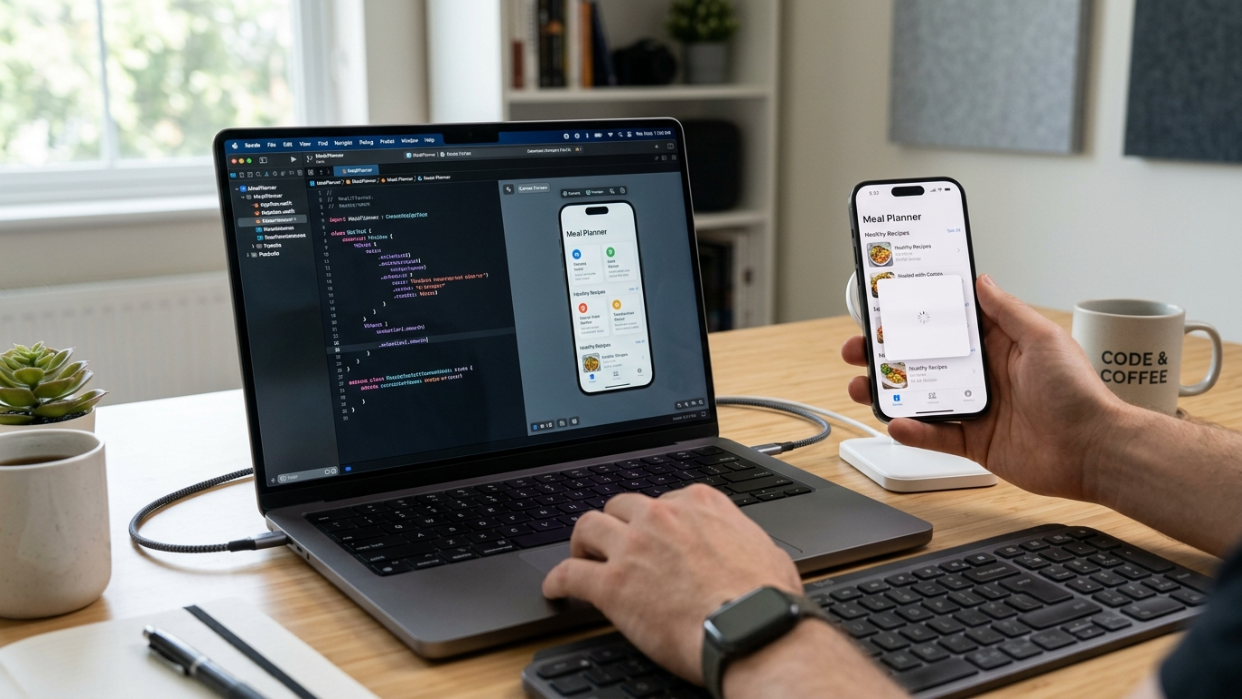
An application built using platform-specific languages and frameworks that talk directly to the operating system, with no translation layer in between. For iOS, that historically means Swift and SwiftUI running through Xcode. For Android, it's Kotlin and Jetpack Compose.
Not every AI app builder takes this route, and increasingly, most don't need to. Fully native code gives you maximum access to a device's hardware and the newest platform APIs, but it also means maintaining separate codebases if you ever want to expand beyond one platform.
Why this matters: if a builder tells you it outputs "native," ask what that actually gets you day-to-day — and what it costs you if you later want to reach Android users too.
Cross-Platform Framework
A development approach that uses a single codebase to target multiple operating systems, usually through a shared runtime layer. React Native is the dominant example here, and it's matured a lot over the past few years — modern cross-platform apps can look and feel genuinely native, while letting you ship to iPhone and Android from the same underlying build.
This is the direction x1 itself has moved toward. Rather than locking builders into iOS-only native output, x1's structured workflow is built around React Native, which means one product direction that can reach more of your eventual audience without doubling the build effort. For most founders — especially solo builders and small teams without a mobile engineering team behind them — that tradeoff strongly favors speed and reach over squeezing out the last few percent of raw performance.
The old assumption that "native beats cross-platform, full stop" doesn't really hold up the way it used to. Ask any team shipping consumer apps in 2026 — the gap has narrowed a lot.
Swift + Xcode
Apple's official programming language and IDE for building iOS, macOS, watchOS, and tvOS apps. Swift is the language; Xcode is the environment that compiles it into the binary that ends up on your phone. Every app on the App Store passes through Xcode at some point, no matter what tool wrote the original code.
That last part is worth sitting with: whether an AI builder generates Swift directly or produces a React Native project that gets compiled and packaged for submission, the end result still has to clear the same Xcode-to-App-Store pipeline. The language underneath is an implementation detail. What actually matters to you as a founder is whether the tool gets you to a submittable, working app — not which language did the writing.
SwiftUI
Apple's declarative UI framework for building interfaces across Apple's platforms. "Declarative" means you describe what the interface should look like, and the framework figures out how to render it — rather than you writing step-by-step drawing instructions.
It's become the default choice for teams writing native iOS by hand, and it integrates tightly with widgets, Live Activities, and App Intents. If you're evaluating a builder that hands you raw code you plan to extend yourself later, SwiftUI code is generally easier to maintain than older UIKit patterns. If you're using a guided studio like x1 that handles the build for you, this is less something you need to manage day-to-day and more background context worth knowing.
One-Shot Generation
Providing a single prompt and getting an entire app generated in one pass. It works fine for a simple app with a handful of screens. It breaks down — predictably, almost every time — once complexity climbs, because the AI has no structured way to keep two dozen screens consistent with each other.
The real question worth asking about any tool isn't "how good is one screen?" It's "does this generate a product, or just a screen?" One-shot tools are great for prototypes and demos. If you're planning to actually ship and maintain something, structured generation wins out.
See how x1's pricing lines up with different build stages — the plans are built around iteration, not a single one-and-done generation.
Context Drift
The point where an AI progressively loses track of earlier decisions as a project grows, and starts generating output that contradicts its own previous work. The footer suddenly uses a different font than the header. The color palette shifts screen to screen. The login flow on one page doesn't match the user model referenced on another.
This isn't a theoretical problem. Founders in builder communities regularly describe burning through tens of thousands of dollars in credits chasing a single bug the AI keeps reintroducing, because the tool never really "remembered" the fix in the first place.
Context drift is arguably the single biggest failure mode in this category. Tools that enforce phase transitions — locking requirements before design starts, locking design before code generates — structurally cut down on how often it happens.
How to Choose the Right AI App Builder
What you need depends on your technical comfort, how complex the app is, and what "done" looks like for you.
Goal | Best builder type |
|---|---|
Simple prototype or demo | One-shot generator |
Real, submittable App Store app | Structured AI app studio |
MVP you plan to iterate on | Guided AI app studio with QA built in |
Reaching iOS and eventually Android from one build | Cross-platform AI app builder |
What to actually evaluate
What the tool outputs (and whether that output actually reaches the App Store)
Whether it holds up across multiple screens, not just one
Support for App Store submission and compliance
How iteration works once the first build is done
Whether you own the result, or you're locked into the platform
Build Process
Screen Mapping / Flow Planning
Defining every screen in your app, the paths between them, and the user's journey from first open to core action — before a line of code gets generated. Think blueprinting a house before pouring the foundation.
Research from teams working on agentic development keeps landing on the same finding: what works is a rule-based workflow that enforces phase transitions — requirements locked before tasks generate, dependencies tracked, state managed deliberately. Screen mapping is the app-building version of that same principle.
Skipping this step is probably the single most common reason AI-built apps fall apart later. Planning is cheap. Rebuilding from scratch is not.
Modular Build

Generating an app screen by screen against a consistent underlying architecture, instead of dumping out an entire codebase in one pass. Each screen gets built inside the constraints set during planning and design, so the data model, navigation, and visual language stay aligned as the app grows.
This is what lets you fix one screen without accidentally breaking three others. It sounds like a basic expectation. In most AI-generated codebases, it's the exception, not the rule.
Iteration / Refinement
Testing, adjusting, and polishing an app before — and after — submission. No AI-generated app ships perfectly on the first pass, ever. The real question is whether refinement stays cheap and focused, or turns expensive and chaotic.
Structured tools keep iteration cheap because every change happens inside a known context. Unstructured ones tend to trigger cascading breaks — fix the signup flow, and somehow the settings page changes too. As one builder put it well: the code isn't really the hard part anymore. The hard part is good product design and real-world testing, and that takes intentional workflow, not luck.
Budget your time — and your credits — for iteration. The first build is a starting point, not a finish line.
Regression Loop
A cycle where fixing one issue reintroduces a previously-fixed problem, over and over. Fix A, break B. Fix B, and A comes right back. Repeat until you're out of patience or out of credits.
This happens because most AI builders don't hold a real, persistent model of your app between prompts — each request gets processed with limited memory of the full project state. It's arguably the number-one credit-waster in this entire category. If you're evaluating a tool, ask directly how it handles multi-turn coherence, because that answer tells you a lot about how much of your budget you'll spend fighting the tool instead of building your app.
Live Preview
Seeing your app take shape visually during or right after generation, before you compile or deploy anything. A live preview shortens the gap between "I asked for this" and "wait, that's not what I meant" — catching misunderstandings while they're still cheap to fix.
Waiting until the whole build finishes to see your first screen is a bit like waiting until a house is fully framed to check whether the bedroom is the right size.
Launch & Distribution
App Store Readiness
The point where your app meets all of Apple's technical, design, and policy requirements for submission. That means a self-contained app bundle, complete metadata (name, description, keywords, screenshots), Human Interface Guidelines compliance, and adherence to every relevant App Store Review Guideline.
A lot of AI app builders stop the moment the code is generated and leave everything else to you. This is one of the areas where a guided studio earns its keep — x1's publishing step is built specifically to help prepare the assets and workflow needed for App Store submission, which is often where solo founders get stuck.
A finished app that never actually ships is just an expensive hobby project. Launch readiness is the gap between "I built something" and "people can find and download it."
App Store Guideline 2.5.2
The Apple rule at the center of the 2026 crackdown on certain AI-built apps. Apple has told some developers directly that "vibe coding" capabilities inside their apps violate long-standing rules against apps running code that changes how they, or other apps, function.
The critical distinction: enforcement targets apps that generate and execute code inside themselves after the fact — changing their own behavior outside of App Store review. Apps that were built with AI tools but ship as a standard, self-contained app bundle and pass normal review checks are not affected by this. Apple seems perfectly fine with tools that help you build another app; it's apps that can rewrite their own behavior post-review that draw scrutiny.
If you're building with AI for the App Store, this distinction genuinely matters — the tool you pick determines whether your finished app is architecturally in the clear from day one.
Common Reasons AI-Built Apps Get Rejected
Even when an app is AI-generated, Apple reviews it the same way it reviews anything else. The usual culprits:
Incomplete or placeholder UI
Broken navigation flows
Misleading metadata or screenshots
Missing privacy policy
Incorrect handling of in-app purchases
Apps that execute dynamic or unreviewed code
Type | Example | Fix |
|---|---|---|
Technical | Crashes on launch | Debug the build |
UI | Inconsistent layouts | Redesign the affected screens |
Policy | Missing privacy policy | Add the required compliance assets |
ASO (App Store Optimization)
Optimizing your app's title, subtitle, keywords, description, and screenshots to maximize visibility in App Store search. ASO is basically SEO for the App Store — the mechanics differ, but the underlying logic is identical: if nobody can find your app, nobody downloads it.
Most founders treat this as an afterthought. It shouldn't be — the best time to think about ASO is during planning, when you're already defining what the app does and who it's for.
App Store Screenshots
The visual assets on your App Store listing that show people what your app looks like and does. Apple requires specific dimensions per device, and high-quality screenshots consistently drive the biggest lift in conversion from "viewing the listing" to "downloading the app."
Screenshots are your app's first impression. They're selling the experience before anyone taps "Get."
App Review
Apple's mandatory review every app must pass before it appears on the App Store. Reviews check technical stability, guideline compliance, metadata accuracy, and content appropriateness. Turnaround varies — some developers reported waits of one to four weeks during peak submission periods earlier this year.
Plan for review time in your launch timeline. A rejection doesn't mean your app is bad — usually it just means a metadata or policy detail needs a fix.
Launch Assets
The full package of screenshots, listing copy, keywords, and metadata required to submit an app. Assembling all of this manually is genuinely tedious. Founders consistently point to this last-mile submission work as more frustrating than the actual build.
Tools that generate launch assets alongside the app itself save you real days of manual work — and cut down on the small errors that get submissions bounced back.
Business & Strategy
One-Person App Company
A solo founder who builds, ships, and monetizes an app without a team. This idea has gained real traction as AI tools cut down on the labor needed at every stage of building. What used to take a designer, a developer, and a marketer can increasingly be handled by one person with the right tooling behind them.
x1 is built around exactly this vision — the idea of one person having everything they need to take an app from idea to App Store on their own. You can read more of the thinking behind it in the era of the one-person unicorn.
If you're a solo founder, the tool you pick needs to cover more than just code. Planning, design, launch assets, and submission support all matter, because there's genuinely no one else around to catch what falls through the cracks.
App Mafia Builders
A newer wave of young, often college-aged builders who produce apps in bulk and market them through TikTok, Reels, and Shorts rather than traditional channels. They're not necessarily trained developers — think of them more as internet-native app entrepreneurs, testing a lot of ideas fast and using social platforms as their entire distribution strategy.
What this group tends to want is pretty consistent: build fast, test a lot of ideas, launch quickly, and avoid getting stuck in a raw code editor they never wanted to learn in the first place. A structured, guided app builder fits that pattern well — it gives you the planning, design, and QA layers a traditional team would provide, without needing to hire one.
MVP (Minimum Viable Product)
The simplest version of your app that delivers enough value to actually validate your idea with real users. An MVP isn't a prototype or a demo — it's something someone would use repeatedly or pay for, stripped down to its essential features.
The general consensus among builders is pretty blunt: free tiers exist to show you what a tool can do, not to let you build something real for free indefinitely. Budget somewhere in the $20–$30/month range if you're serious about shipping. x1 gives new users around 100 free credits to try the workflow, with paid plans starting at $19/month for builders ready to commit — with higher tiers unlocking more credits and faster iteration as your project grows.
Scope your MVP ruthlessly. The fastest way to validate an idea is to ship the smallest version that either proves or disproves your core assumption.
Coherent Architecture
A consistent data model, authentication system, permissions structure, and navigation pattern maintained across every single screen of your app. This is the direct opposite of context drift — every screen knows about the same user model, the same data structure, the same design tokens.
This is arguably the single biggest thing separating an app that feels "real" from one that feels like a pile of disconnected screens stitched together. A structured build workflow enforces this by locking architectural decisions early, so they carry through consistently as the app grows.
Ownership-First
A philosophy where you own the generated code and can extend, modify, or take it elsewhere. Some AI tools lock your app inside their own ecosystem — if the platform shuts down or changes its pricing overnight, your app goes with it. Ownership-first means you get a working project you can hand to another developer or take with you, independent of whatever tool built it in the first place.
If you're putting real time and money into a product, you should own what comes out the other end. It's a fair question to ask any builder you're evaluating: "Can I take the code and leave?"
Paywall / Subscription Compliance
The rules governing how iOS apps handle in-app purchases, subscriptions, and monetization. Apple requires digital goods and services sold inside an app to run through its in-app purchase system (with Apple's cut). Physical goods and some service categories are exempt. Subscription apps also need specific UI elements — clear terms, and a visible link to the privacy policy.
Getting this wrong is one of the most common reasons apps get bounced on review. Paywalls that obscure pricing, auto-renew without clear disclosure, or try to route around Apple's payment system get rejected, pretty much every time.
If your app makes money, compliance isn't optional. Build it into your plan from day one, not as an afterthought right before you hit submit.
Putting It All Together
None of this is academic. Every term above maps to a real decision you'll actually face somewhere between "I have an idea" and "it's live on the App Store." Choosing a structured workflow over a single mega-prompt. Planning your screens before you generate anything. Understanding exactly why Apple rejects some AI-built apps and waves others through. Knowing what "ownership-first" really means for your business down the line.
The broader shift in this space has moved away from "just use whatever tool is most popular" toward something more specific: pick the right builder for what you're actually trying to build. If a real, working iPhone app is the goal — not a demo, not a screen, an actual product — that points toward a tool purpose-built for mobile app creation rather than a general-purpose code generator.
Curious what a real build looks like end to end? Take a look at examples of what people are building with x1, or read x1's honest take on where it stands today — no fake reviews, just an early, growing product being upfront about what it is right now.
If you're ready to try it yourself, x1 offers free credits to test the workflow before you commit to a plan.
Frequently Asked Questions
What is an AI app builder, and how is it different from no-code tools?
An AI app builder generates real code from a plain-English description, while traditional no-code tools rely on drag-and-drop interfaces built from pre-made components. AI app builders like x1 aim for a genuinely working mobile app, not a web-based mockup dressed up to look like one.
Will Apple reject my app just because it was built with AI?
Not if it ships as a standard, self-contained app and passes normal App Store review. Apple's 2026 enforcement under Guideline 2.5.2 targets apps that execute dynamically-generated code inside themselves after launch — not apps that happened to be built using AI tools and submitted the normal way.
What is context drift, and why should I actually care about it?
It's when an AI gradually loses track of earlier design decisions as your project grows, and starts generating code that contradicts itself. It's the main reason a lot of promising AI demos never scale into something shippable — and it's the fastest way to burn through your credit budget on nothing.
What does "native app" mean, and does it matter which approach a builder uses?
A native app is built with a platform's official languages and runs directly on the OS with no translation layer — Swift and SwiftUI, historically, on iOS. Cross-platform frameworks like React Native have closed a lot of the performance gap in recent years, and let you reach more users from a single codebase. Which approach is "better" really depends on what you're building and who you're trying to reach — it's less of a hard rule than it used to be.
How much does x1 cost?
x1 currently offers monthly plans starting at $19, with higher tiers unlocking more credits, more active projects, and faster iteration — plus the option to top up with credit packs if you need more in a given month. New users also get around 100 free credits to try the product before paying anything. Full details are on the pricing page.
What are regression loops in AI-generated code?
They happen when fixing one issue reintroduces a problem you already solved. Fix the login screen, and the settings page breaks. Fix the settings page, and the login screen breaks again. It's a symptom of an AI builder that doesn't hold a persistent model of your full project between prompts.
Do I need to know how to code to use an AI app builder?
No — x1 is built specifically for non-technical founders, creators, students, and small teams. You describe your app in plain English, and the tool handles planning, design, building, and launch prep. Knowing how to code helps if you want to customize things further down the road, but it's not required to ship.
What are launch assets, and why do they matter so much?
They're the full package Apple requires alongside your app binary — screenshots, listing copy, keywords, metadata. Most founders underestimate how long this takes to put together by hand. Tools that generate launch assets as part of the build process cut out a real bottleneck between "the app is done" and "the app is live."
Who's behind x1?
x1 is a YC-backed AI app studio built by Manil Lakabi and a small founding team, based in San Francisco. You can read more about x1's mission here.