

App Store submissions surged 84% in a single quarter as vibe coding tools flooded the platform, but most of those tools quietly ship web apps, not real mobile products. This guide focuses on the tools that actually produce shippable mobile apps. For builders who want a guided path from idea to App Store without touching code, x1 is the standout — it's the only tool here built around a full product workflow rather than a single prompt box. Developers who want full control should look at Cursor or Claude Code. Cross-platform builders like Rork and Vibecode offer speed but come with real tradeoffs around Apple's recent crackdown.
What are the best vibe coding apps for mobile in 2026?
The best vibe coding apps for mobile in 2026 depend on your skill level and how much structure you want in the build process:
x1 → Best guided AI app studio for non-technical founders who want to plan, design, build, QA, and publish a real iPhone app
Rork Max → Best for generating full Apple ecosystem apps using SwiftUI with cloud build tools
Cursor → Best AI coding IDE for developers building iOS apps with full control
Claude Code / OpenAI Codex → Best for advanced developers who want AI-assisted coding in large projects
Vibecode / Replit / Bolt → Fast prototyping tools, but mostly web or React Native-based apps with App Store limitations
If you want a structured, guided workflow that takes you from idea to App Store submission without writing code, x1 is the strongest option in 2026.
Vibe Coding Apps in 2026: The Three Categories You Must Know
Most comparisons fail because they lump together completely different kinds of tools.
In 2026, vibe coding tools fall into three distinct categories.
1. Guided App Studios and App Builders
These tools take you from an idea through planning, design, and a structured build, rather than generating an entire app from a single prompt.
Examples:
x1
Rork
Vibecode
Lovable
Best for founders and non-developers who want more than a one-shot demo.
2. AI Coding Assistants
These tools help you write and manage real code inside a development environment.
Examples:
Cursor
Claude Code
OpenAI Codex
Best for developers building production apps.
3. Web App Generators
These tools focus on browser-based apps, not true mobile apps.
Examples:
Replit
Lovable (mostly web output)
Best for prototypes, not App Store-first products.
The Vibe Coding Boom Is a Mobile Story

App Store submissions jumped 84% in a single quarter as AI-powered tools flooded Apple's platform with generated apps. Monthly new subscription app launches climbed from roughly 2,000 in January 2022 to over 14,700 by January 2026, according to RevenueCat's data. The term "vibe coding," coined by AI researcher Andrej Karpathy in early 2025, describes a workflow where you guide an AI to generate, refine, and debug an application through conversation rather than writing code line by line.
Here's the problem: most listicles ranking vibe coding apps are actually ranking web app builders. They mention mobile as an afterthought. But the data tells a different story. iOS now accounts for approximately 77% of all new subscription app launches, up from around 67% in 2023. Between 66% and 75% of apps generate over 80% of their revenue from the App Store. If you're building something you want people to pay for, mobile is where the money is.
This guide cuts through the noise. Every tool below is evaluated on whether it actually ships a mobile app, what kind of process it gives you for getting there, and what it costs once you factor in credits, hosting, and the Apple Developer Program's $99/year fee.
→ Build an iPhone app with x1's guided studio workflow, starting with roughly 100 free credits.
At-a-Glance Comparison Table
Tool | Starting Price | Free Tier | Output Type | App Store Support | Best For |
|---|---|---|---|---|---|
x1 | Plans starting around $19–$99/mo, plus credit top-ups | ~100 free credits | React Native, mobile-first | Built-in publishing prep and submission support | Non-technical founders who want a guided, structured build |
Cursor | $0 (Hobby) / $20/mo (Pro) | Yes | Any (SwiftUI, React, etc.) | None built-in | Developers wanting an AI-powered IDE |
Rork / Rork Max | $25/mo (Junior) / $200/mo (Max) | 35 credits/mo | React Native or Native SwiftUI (Max) | 2-click publish (Max) | Cross-platform MVPs or Apple ecosystem apps |
Vibecode | $20/mo (Plus) | Yes (limited) | React Native/Expo | Partial (Apple blocked updates in March 2026) | Mobile-first builders on iPhone/iPad |
Claude Code | Bundled with Claude sub | No standalone free tier | Any (developer-directed) | None | Experienced devs wanting a terminal agent |
OpenAI Codex | Bundled with ChatGPT ($20+/mo) | No | Any (developer-directed) | None | Developers in the OpenAI ecosystem |
Lovable | $0/mo (5 daily credits) | Yes | React + Supabase web apps | None | Non-technical founders building web apps |
Replit | $0 (Starter) / $20/mo (Core) | Yes | Web apps primarily | None | Solo builders testing ideas with built-in hosting |
$0 / ~$20/mo (Pro) | Yes | Web apps | None | Fast browser-based prototyping | |
Varies | Limited | Flutter (iOS + Android) | Yes (submission support) | Cross-platform mobile via Flutter |
For a deeper breakdown of x1's pricing, including what each plan unlocks and how the free credits work, the pricing page lays out exactly what's included.
Which Vibe Coding App Should You Choose?
Use this decision flow:
Step 1: Do you write code?
Yes → Go to Cursor, Claude Code, or OpenAI Codex
No → Go to Step 2
Step 2: Are you building a real app for the App Store?
Yes → Use x1 or Rork Max
No → Go to Step 3
Step 3: Are you building a web app or prototype?
Yes → Use Lovable, Replit, or Bolt.new
No → Re-evaluate your goal (most tools here are web-first)
Two Categories You Need to Understand First
Before picking a tool, answer one question: do you already write code?
Your answer splits this market into two fundamentally different categories. App builders take a plain-English description and produce a working application, guiding you through the decisions along the way. AI coding assistants sit inside a development environment and help you write, debug, and refactor code faster. They assume you know what a codebase looks like.
This distinction matters more than any feature comparison. A non-technical founder using Claude Code will hit a wall within minutes. A senior developer using a guided app builder will feel constrained within hours. Check out x1's product overview for a fuller picture of how the guided workflow compares to prompt-first tools.
The second question is what kind of process the tool gives you. Most vibe coding apps either generate a one-shot demo from a single prompt or wrap a web app in a mobile shell. Few are actually built around the sequence a real product team would follow: capturing intent, designing the product, building in structured steps, testing the work, and preparing for launch. That distinction has real consequences, especially after Apple's March 2026 crackdown on AI-generated apps, which is covered in detail below.
1. x1
Best for: Non-technical founders, creators, students, and small teams who want a real iPhone app in the App Store, not a one-off demo.
x1 is a guided AI app studio that helps you plan, design, build, QA, and prepare your app for launch without getting stuck in chaotic prompt loops. Instead of trying to generate a whole app from a single prompt, x1 walks you through the same steps a traditional product team would use: capturing intent through guided questions, designing the product visually, building it in structured milestones, testing the work, and preparing it for the App Store.
How it works:
You start with a written idea, a more detailed description, or an uploaded file. From there, x1 organizes the project into a set of focused studios rather than one long, sprawling prompt thread:
Idea Studio — keeps your app's decisions, milestones, and product direction aligned as the project develops
Brand Studio — shapes the app's name, icon direction, subtitle, and description
Build Studio — designs, builds, reviews, and QA's the app through structured milestones instead of one-shotting the whole product
Publishing Studio — helps prepare launch assets and App Store submission materials
Revenue Studio — helps you think through monetization, paid features, subscriptions, and pricing logic
Pricing:
Plans currently start in the range of roughly $19 to $99 per month, with higher tiers unlocking more credits, more active projects, and faster iteration
Users can also top up with credit packs as needed
Around 100 free credits are available for new users to try the product, build a feature, and experience the workflow before paying
For the exact current breakdown, x1's pricing page covers what each plan includes and who it's built for.
Key features:
Feasibility check before you commit to a full build, so unrealistic scope gets caught early
Guided product planning that asks the questions a product manager would ask: who the user is, what the core flow looks like, what data matters, and how monetization should work
Visual design review before any milestone is built, so you make layout and flow decisions before spending build cycles
Milestone-based building with QA after each step, instead of a single massive generation pass
Built-in support for preparing App Store launch assets and submission materials
Free Flow Mode for continued, more flexible editing once the structured milestones are complete
Why it matters for mobile builders: The structured, milestone-based approach directly addresses what practitioners call the "one-shot generation" trap. As one developer wrote on DEV Community, "When building gets this easy, you stop asking if you should build something. You just build it." That's exactly the problem x1 is designed to solve: its sequential studios force you to think through screens, data logic, and monetization before generating code, which means fewer throwaway builds and more coherent products that are still standing after the first version ships.
Tradeoffs:
Focused on iPhone apps today, with no Android output yet
Early-stage product backed by Y Combinator (Fall 2024 batch) with a small team, so it's still expanding its track record
No fully open free tier, though the free credits let you explore the full workflow before paying
x1 is backed by Y Combinator (F24 batch) and was founded by Manil Lakabi and Pranav Raja in San Francisco. Because x1 hasn't fully launched publicly yet, there aren't a large number of independent customer case studies in the wild — x1's reviews page is upfront about this and separates real builder feedback from demo examples rather than presenting one as the other. If you want a closer look at how the product positions itself against prompt-first tools, x1's AI App Studio page and x1's App Builder page both go deeper on the workflow.
2. Cursor
Best for: Developers who want an AI coding assistant inside a full IDE, for iOS (SwiftUI) and everything else.
Cursor is an AI-native code editor built on a VS Code fork. It's one of the most widely used tools in the vibe coding space among professional developers, and the numbers back that up: Anysphere, the company behind Cursor, crossed $2 billion in annualized revenue by February 2026 with over 1 million paying subscribers.
Pricing:
Hobby: $0
Pro: $20/mo
Pro+: $60/mo
Ultra: $200/mo
Key features:
Xcode 26.3+ ships with a built-in MCP server that connects Cursor directly to your Xcode environment
Cursor's agent can build your project, run tests, capture SwiftUI previews, and search Apple's documentation without switching windows
Works across any language or framework, not just iOS
What practitioners say: An iOS developer testing Cursor for native development noted you need to add a .cursorrules file for SwiftUI-specific guidance, and that it will likely require a fair amount of back-and-forth between Cursor and Xcode. Another developer shared a workflow tip that's become common advice in 2026: pairing Claude Code for backend and architecture work with Cursor for frontend and visual work, calling it one of the most productive developer setups available right now.
Tradeoffs:
Requires real coding knowledge; not built for non-technical builders
No deployment, hosting, or App Store submission built in
You manage your own project structure, provisioning profiles, and submission workflow
The Xcode MCP integration is powerful but adds setup complexity
3. Rork / Rork Max
Best for: Cross-platform mobile MVPs (standard Rork) or native Swift apps across the full Apple ecosystem (Max tier).
Rork takes a different approach depending on which tier you choose. The standard plans output React Native apps. Rork Max generates native SwiftUI applications for iPhone, iPad, Apple Watch, Apple TV, Vision Pro, and iMessage. Describe what you want in plain English, and it writes Swift code, compiles it on a cloud Mac fleet, and streams a live simulator to your browser. The company is backed by $2.8 million from Andreessen Horowitz.
Pricing:
Free: 35 credits/month (5 per day)
Junior: $25/mo
Senior: $100/mo
Rork Max: $200/mo
Key features:
Rork Max supports the entire Apple device ecosystem from a single prompt
2-click App Store publishing on the Max tier
Live simulator streaming in the browser, no local Xcode required
Free tier lets you validate an idea before committing
What practitioners report: Testers on community forums have flagged a recurring pattern of iteration loops, where small UI requests caused the model to rewrite larger sections of the app than necessary, occasionally breaking working features. This isn't unique to Rork; it's a common failure mode across AI app builders in 2026. Users also note that credit consumption, occasional instability, and limited UI control are tradeoffs worth weighing.
Tradeoffs:
Android support is only available on the React Native tier, not Rork Max
Credit consumption is unpredictable, making it hard to budget
Iteration loops can break working features when making small changes
The free tier's 5 daily credits run out fast
4. Vibecode
Best for: Mobile-first builders who want to generate and test apps directly from an iPhone or iPad.
Vibecode carved out a unique niche by being an app that builds apps, right on your phone. It launched with $9.4 million in seed funding from Reddit co-founder Alexis Ohanian's Seven Seven Six and carries a 4.7 out of 5 rating with 3,200+ ratings on the App Store.
Pricing:
Free: Limited features
Plus: $20/mo
Pro: $50/mo
Max: $200/mo
Key features:
Build and test apps directly on an iPhone or iPad
Uses React Native and Expo under the hood
Mobile-first interface designed for on-the-go building
The Apple problem: In March 2026, Apple quietly blocked updates for both Vibecode and Replit, citing Guideline 2.5.2 (which prohibits in-app code generation). This is a fundamental tension: Vibecode's core value proposition, generating and running app code on your device, is exactly what Apple's guideline targets. While workarounds have emerged, the regulatory risk remains.
Tradeoffs:
Caught directly in Apple's Guideline 2.5.2 crackdown
The app's own disclaimer notes it requires some programming knowledge
Uncertain long-term availability on the App Store
5. Claude Code
Best for: Experienced developers who want a powerful terminal-based coding agent for large, multi-file projects.
Claude Code is a terminal-based AI coding agent built by Anthropic. It connects to your entire codebase, reads files, runs commands, and makes multi-file edits. Before it starts working, it shows its reasoning so you can review and approve the plan.
Pricing: Bundled with Anthropic's Claude subscription plans. When developers began using Claude for long, iterative coding sessions, the API costs became unsustainable fast, and Anthropic responded with fixed-price subscriptions.
Key features:
Works from the command line with full codebase awareness
Shows reasoning before executing, giving you approval checkpoints
Multi-file editing and command execution in a single session
Claude Opus 4.6 is highly competent at SwiftUI, according to Simon Willison's experience vibe-coding macOS apps
What practitioners say: Justin McKelvey, a fractional CTO who tested eight vibe coding tools, ranked Claude Code as his top pick "if you can code." The emphasis on that qualifier matters. Claude Code has no visual interface. You need to understand Git, programming languages, and software architecture to get value from it.
Tradeoffs:
No GUI whatsoever: pure terminal interaction
No deployment, hosting, or App Store submission support
Requires strong technical skills
API-based pricing can spike during extended coding sessions
6. OpenAI Codex
Best for: Developers already in the ChatGPT/OpenAI ecosystem who want asynchronous coding agent capabilities.
Codex is OpenAI's answer to the AI coding agent space. It doesn't have its own subscription. Instead, it comes bundled with all paid ChatGPT plans. Its benchmark performance is notable: GPT-5-Codex hits 85.5% autonomous task completion on SWE-bench, compared with 54% for GitHub Copilot and 74% for Cursor.
Pricing:
Bundled with ChatGPT Plus ($20/mo)
Pro Plus ($60/mo) offers higher usage limits
No standalone subscription
Key features:
Browser-assisted frontend work and parallel agents
Strong benchmark performance on autonomous coding tasks
Integrates with the broader ChatGPT ecosystem (app, CLI, IDE)
Good continuity across different interfaces
Practitioners tracking the space have noted that Codex is now one of the biggest new entrants and belongs near the top for technical founders. But the key distinction remains: Codex writes code. It doesn't build apps. There's no deployment pipeline, no hosting, and no App Store workflow.
Tradeoffs:
Not an app generator; it writes code only
No hosting, deployment, or submission support
Usage-based pricing can be unpredictable for heavy users
Requires developer-level knowledge to direct effectively
7. Lovable
Best for: Non-technical founders building web apps quickly. Not mobile-native.
Lovable is the closest thing to "describe your app and ship it" available in 2026 for web applications. It outputs React + Supabase web apps with GitHub export. Notably, Lovable's own mobile app survived Apple's crackdown and is available on both app stores.
Pricing:
Free: $0/mo with 5 daily credits (up to 30/month)
Pro: $25/mo for 100 monthly credits
Key features:
Natural language to working web app with Supabase backend
GitHub export for version control and collaboration
Available as a mobile app on iOS and Android
The credit problem: Lovable charges by credits, a variable-cost consumption unit where every message costs a different number of credits depending on complexity. That variability is the source of most billing surprises. Indie hackers who have shipped products with Lovable report that credits burn through faster than the plan implies. Practitioners on Reddit describe Lovable as excellent for rapid development and getting ideas live fast, but warn that complexity, maintenance, and support can become issues as projects grow.
Tradeoffs:
Web-first platform with no native iOS output
Credit consumption surprises are common
Maintenance becomes difficult as apps grow in complexity
No App Store submission support
8. Replit
Best for: All-in-one cloud workspace with built-in hosting for solo builders testing ideas quickly.
Replit's killer feature is that hosting is included out of the box. Click publish and your app gets a URL. For prototypes, demos, and small apps, this is a massive time saver compared to tools that leave deployment entirely to you.
Pricing:
Starter: $0
Core: $20/mo (billed annually, ~$240/year) with $25 of monthly credits
Pro: $95/mo
Key features:
Built-in hosting and deployment with one click
Cloud-based IDE accessible from any browser
AI agent for generating and iterating on code
Tradeoffs:
Web-focused with limited mobile output capabilities
Hit by Apple's Guideline 2.5.2 enforcement in March 2026
Usage-based charges can surprise, similar to other credit-based tools
Not suitable for native mobile app development
9. Bolt.new
Best for: Fast browser-based prototyping and layout testing for web projects.
Bolt offers two AI agents: Claude Agent for reliable, production-quality apps and v1 Agent for fast prototypes and layout testing. This dual-agent approach gives users flexibility to choose between accuracy and speed.
Pricing:
Free tier available
Pro: approximately $20/mo
Key features:
Browser-based, no local setup required
Two agent options for different quality/speed tradeoffs
Good for quick visual prototyping
What practitioners warn: Justin McKelvey, the fractional CTO mentioned earlier, listed Bolt as one of "the 2 tools to avoid in 2026," calling it great in demos but prone to breaking under real complexity. One Substack user documented losing 80 uploaded images in a Bolt-built app with no clear recovery path. The pattern is consistent: Bolt works well for initial prototypes but struggles when projects grow beyond simple layouts.
Tradeoffs:
Breaks down with complexity, a well-documented issue
Web-focused with very limited mobile-native output
Data loss risks for larger projects
Not designed for production applications
10. Rocket.new
Best for: Cross-platform mobile apps via Flutter with native device access.
Rocket.new takes a different technical path than most tools on this list by generating Flutter apps rather than React Native or web apps. This means genuine iOS and Android output from a single codebase, with access to native device features.
Key features:
Generates native iOS and Android apps using Flutter
Push notifications, camera access, and native device APIs
Full app store submission support built in
Single codebase for bot
Tradeoffs:
Flutter ecosystem is smaller than React Native's
Fewer community resources and templates compared to more established tools
Newer entry with less practitioner feedback available
The Apple Crackdown: What It Means for Your Tool Choice
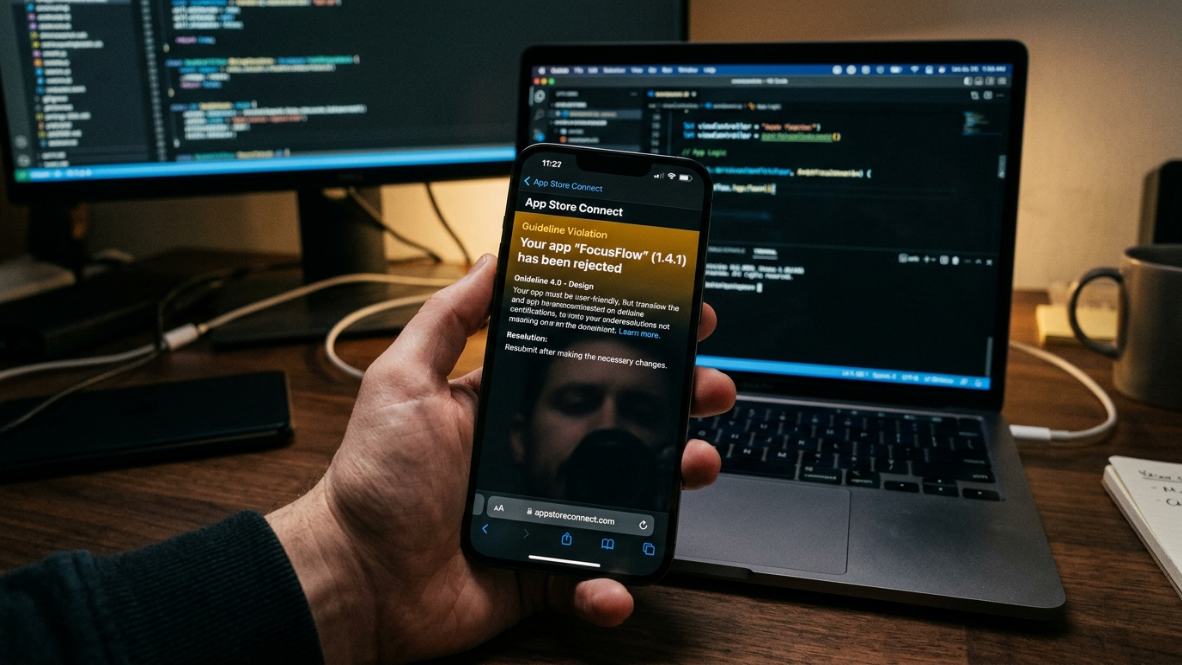
In March 2026, Apple started enforcing Guideline 2.5.2 against vibe coding apps on the App Store. The company removed apps like Anything and blocked updates for Replit and Vibecode, citing rules against in-app code generation. The defining capability of a vibe coding app, generating and running new functionality on demand, is precisely what Guideline 2.5.2 prohibits.
The irony is hard to miss. Apple is restricting third-party vibe coding apps while simultaneously building similar AI coding features into its own Xcode development tool.
But the crackdown doesn't affect all vibe coding tools equally. The critical distinction is between tools that execute generated code inside themselves (which is what Apple targeted) and tools that guide you through building a separate, submittable app. Guided studio tools like x1, and developer-directed setups like Cursor paired with Xcode, fall outside the apps Apple targeted, since the generated app itself is what gets submitted, not a code-execution engine running live inside another app.
If you're building for mobile, this isn't an academic distinction. It's the difference between shipping your app and having your primary tool blocked from receiving updates.
Apple's 2026 Vibe Coding Rule (Guideline 2.5.2 Explained Simply)
Apple's Guideline 2.5.2 restricts apps that:
Generate code inside the app
Execute generated code dynamically
Let users build apps within the same environment
What this means in practice:
❌ Replit-style in-app coding tools → restricted or blocked
❌ Vibecode-style live generators → high risk
✅ Tools that produce a separate, submittable app project → lower risk
Key takeaway: Apple is not banning AI coding — it is banning in-app runtime code generation.
The Retention Problem Nobody Talks About
Here's a statistic that should temper the excitement around vibe coding apps: AI-powered apps have significantly worse retention than non-AI apps. RevenueCat's 2026 data shows that annual retention for AI apps is 21.1%, compared with 30.7% for non-AI apps. Monthly retention tells the same story: 6.1% for AI apps versus 9.5% for non-AI apps. Users cancel annual subscriptions to AI-powered apps 30% faster.
The implication for vibe coding tools is direct. Building fast means nothing if nobody sticks around. Tools that emphasize one-shot generation (type a prompt, get an app) may get you to launch quickly, but they don't help you build something people actually want to keep using. Tools with structured planning stages, iteration support, and the ability to refine post-launch have a real advantage here, even if they feel slower at first. The builders who succeed with vibe coding spend more time on planning and data logic than on visual polish.
How to Choose the Right Vibe Coding App
Start with two questions:
Do you write code?
Yes → Cursor, Claude Code, or OpenAI Codex. These tools amplify existing skills.
No → x1 (for a guided iPhone app workflow) or Lovable (for web apps). These tools replace the need to code.
Do you need a mobile app, specifically?
Yes → x1 (guided, structured workflow with no coding required), Rork Max (native SwiftUI, more technical), or Cursor + Xcode (full developer control)
No → broader options including Lovable, Replit, and Bolt for web apps
Budget considerations: Credit-based pricing is the industry's dirty secret. Lovable, Rork, Bolt, and Replit all use variable-cost credit systems where every interaction costs a different number of credits depending on complexity. This makes budgeting unpredictable. x1's tiered plans aim to give you a more predictable starting point, plus optional credit top-ups when you need more room. Don't forget the Apple Developer Program fee ($99/year) on top of whatever tool you choose.
And if you're ready to compare plans, x1's pricing page shows exactly what's included at each tier.
Common Mistakes When Choosing a Vibe Coding App
1. Assuming all tools build mobile apps
Most tools actually generate web apps, not true mobile experiences.
2. Choosing based on price instead of process
A cheaper tool that one-shots a demo is not equivalent to a tool that walks you through planning, design, build, QA, and launch.
3. Ignoring Apple's 2026 policy changes
Tools that execute generated code inside their own environment are now at risk.
4. Using AI coding assistants without coding experience
Tools like Cursor and Claude Code require real developer knowledge.
5. Underestimating credit-based pricing
Many tools look cheap but scale unpredictably based on usage.
The Bottom Line
The vibe coding apps market in 2026 is crowded but poorly understood. Most tools that claim to build "mobile apps" actually produce web apps or thin wrappers. For non-technical founders serious about shipping a real iPhone product, the field narrows quickly to x1 for a guided, studio-based workflow, Rork Max for broader Apple ecosystem coverage, or Cursor paired with Xcode for developers who want full control.
The Apple crackdown has made the in-app-generation-vs-standalone-app distinction more than theoretical. It's a practical risk factor. And the retention data suggests that the tools enabling careful planning and iteration will produce better outcomes than the ones optimized purely for speed.
Building an app has never been easier. Building one that lasts is still the hard part.
→ Start building with x1 and see how the guided studio workflow takes you from idea to App Store.
Key Takeaways
Most vibe coding apps are not true mobile app builders
Apple's 2026 rules changed which tools carry App Store risk
Non-technical founders should focus on x1 or Rork Max
Developers should focus on Cursor + Claude Code workflows
Web-first tools like Lovable and Bolt are best for prototypes, not production apps
x1 is early-stage and backed by Y Combinator, so check x1's reviews page for the most current, honestly-labeled builder feedback
Frequently Asked Questions
What is vibe coding?
Vibe coding is a term coined by AI researcher Andrej Karpathy in early 2025. It describes a workflow where you guide an AI assistant to generate, refine, and debug an application through natural language conversation rather than writing code manually. You describe what you want the app to do, and the AI produces the code.
Which vibe coding apps are built for mobile, not web wrappers?
Most vibe coding tools output web apps or thin mobile wrappers. For a workflow built specifically around mobile app creation, the main options are x1 (a guided, no-code studio for planning, design, build, QA, and App Store prep), Rork Max (SwiftUI for the full Apple ecosystem), and Cursor paired with Xcode (requires developer skills). x1's how-it-works page walks through the guided mobile workflow in more detail.
Did Apple ban vibe coding apps?
Not all of them. In March 2026, Apple enforced Guideline 2.5.2 against apps that generate and execute code inside themselves. Vibecode, Replit, and an app called Anything were affected. Tools built around producing a separate app for you to submit yourself were not targeted by this enforcement action.
Can I build a mobile app with no coding experience?
Yes, but your tool choices narrow significantly. x1 is designed specifically for non-technical founders who want a guided path to a real iPhone app. Lovable works for web apps. Rork offers a free tier that lets you experiment. Tools like Cursor, Claude Code, and Codex require real programming knowledge.
Why do AI-built apps have worse retention?
RevenueCat's 2026 data shows AI apps retain users at roughly 21% annually versus 31% for non-AI apps. The likely cause is that speed of creation doesn't correlate with quality of the product concept. When building is nearly free, people skip validation. Tools with structured planning stages help counteract this by forcing you to think through user flows and value propositions before generating code.
How much does vibe coding actually cost per month?
Sticker prices range from free to $300/month, but the real cost depends on the pricing model. Credit-based tools (Lovable, Rork, Bolt, Replit) charge variable amounts per interaction, which makes costs unpredictable. x1 currently offers tiered plans starting in the roughly $19–$99/month range, plus optional credit top-ups, alongside about 100 free credits to try the workflow first. Add Apple's $99/year Developer Program fee if you're shipping to the App Store.
What's the difference between an app builder and an AI coding assistant?
App builders (x1, Lovable, Rork, Vibecode) take a natural language description and produce a working application. AI coding assistants (Cursor, Claude Code, Codex) sit inside a development environment and help you write code faster. The first category replaces coding skill. The second amplifies it. Choosing wrong is the most common mistake new users make.
Is React Native output good enough for the App Store?
React Native apps can absolutely ship to the App Store, and millions do. x1 itself builds iPhone apps on React Native rather than treating native Swift as the differentiator — the workflow around planning, design, QA, and launch prep matters more than the underlying framework for most builders. For apps where deep, low-level platform integration is the main requirement from day one, a developer-directed tool like Cursor or Claude Code paired with Xcode gives you more granular control.
Have an app idea? Start building with x1 and turn it into a real iPhone app, step by step, from your browser. Learn more about how x1 works, see example apps built with the studio workflow, or check current pricing to find the right plan.
Written by Manil Lakabi, Founder of x1.