


TL;DR
An app cost calculator is an online tool that estimates development costs based on your feature selections, platform choice, and complexity level. Most traditional calculators are off by 30 to 50%, and none of them account for the hidden costs that can add 30 to 40% on top of your initial estimate. In 2026, AI app studios have introduced a subscription model ($5 to $300/month) that most calculators don’t even attempt to model, making the entire “hours times rate” formula feel increasingly outdated for solo founders and small teams.
Quick Answer: How Much Does an App Cost in 2026?
If you're using an app cost calculator in 2026, treat the estimate as a starting point rather than a final budget. Traditional calculators estimate development costs based on features, platform, and hourly rates, but they often miss maintenance, infrastructure, compliance, AI functionality, and post-launch expenses.
For most projects:
App Type | Typical Budget |
|---|---|
Simple MVP | $15,000–$60,000 |
Mid-size app | $80,000–$120,000 |
Enterprise app | $180,000–$500,000+ |
AI app studio | $5–$300/month |
A practical rule is to add a 30–40% contingency above any calculator estimate to cover hidden costs.
What Is an App Cost Calculator?
An app cost calculator is an online tool that provides a rough estimate of app development costs. You answer questions about what you want to build, and the tool spits out a number. That number represents what an agency or freelance team would likely charge to build it.
The concept sounds straightforward, but the mechanics behind it matter. Almost every app development cost calculator runs a version of the same formula: your feature selections map to hour estimates from a lookup table the company built. The hourly rate is usually fixed to the agency’s own billing rate or a regional market average. Add a buffer for QA, project management, and design, and that’s the number on screen.
The basic formula looks like this:
Total hours × hourly rate + 10 to 20% for project management = estimated cost
If you’re early in your journey and trying to turn your idea into a real app, a calculator gives you directional guidance. It won’t tell you what your app will cost. It will tell you what a certain type of build process typically costs for apps with similar features.
Types of App Cost Calculators
Not all calculators work the same way:
Traditional dropdown calculators. The most common type. You pick a platform, check feature boxes (user login, payments, push notifications, maps), select a design quality tier, and get a range. These dominate the search results, and almost all of them are built by agencies to capture leads.
AI-powered calculators. Newer tools use project data from thousands of completed apps to generate estimates. Ptolemay’s calculator, for example, draws on data from over 10,685 completed projects. With precise inputs, these can reportedly get within 5 to 10% of a real contract price.
Spreadsheet templates. Some consultants and product managers share Google Sheets or Excel templates that let you plug in features and rates manually. Less polished, but more transparent about the math.
One practitioner from Upstack Studio, an agency that built their own calculator, put it bluntly: “Every calculator reflects the biases of the developer that built it.” That framing is worth keeping in mind as you evaluate any estimate.
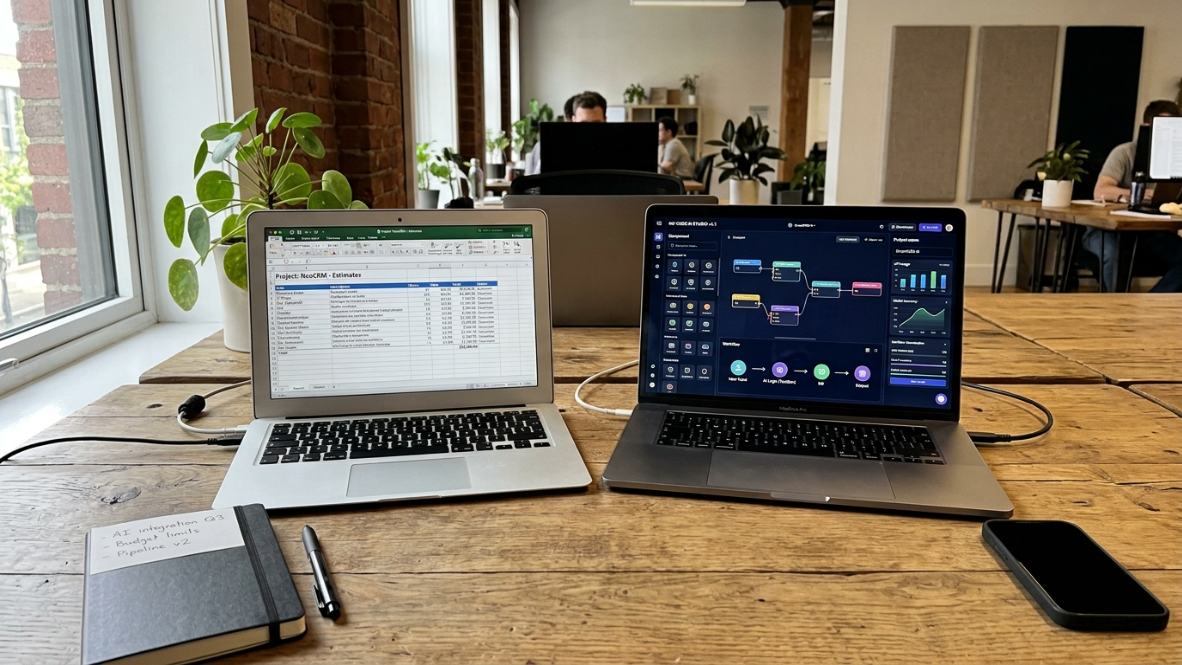
Traditional App Cost Calculator vs AI App Builder
Factor | Traditional Calculator | AI App Studio |
|---|---|---|
Pricing Model | Hourly development | Monthly subscription |
Typical Cost | $20k–$250k+ | $5–300/month |
Build Time | Weeks to months | Hours to weeks |
Requires Developers | Usually | Often No |
Best For | Enterprise software | MVPs & startups |
Ongoing Costs | Maintenance contracts | Subscription |
What App Cost Calculators Actually Estimate
Standard Inputs
Based on analysis of the top-ranking calculators in 2026, most tools ask about some combination of these variables:
Platform: iOS, Android, or both
Features: Authentication, payments, messaging, social feeds, admin panels, analytics
Design complexity: Basic templates vs. custom UI with animations
Number of screens: Typically 5 to 50+
Third-party integrations: Payment gateways, maps, CRMs, APIs
Security level: Standard vs. HIPAA/PCI compliance
Supported languages: Single language vs. multi-locale
Some calculators go deeper, asking about device types, screen orientation modes, supported OS versions, and deployment specifics.
What the Numbers Say in 2026
Here’s where app development costs land across complexity tiers, compiled from multiple agency guides and industry data:
Complexity Tier | Estimated Cost Range |
|---|---|
Simple MVP (1 platform, basic features) | $15,000 to $60,000 |
Medium (multi-feature, both platforms) | $50,000 to $180,000 |
Complex (regulated, enterprise-grade) | $180,000 to $500,000+ |
Industry data compiled from over 5,000 app development projects puts the average cost of custom mobile app development at $171,450 in 2025 to 2026. For a mid-market mobile product with custom UI, backend APIs, authentication, analytics, and one major third-party integration, expect roughly $80,000 to $120,000.
Where Does the Budget Go?
Category | Typical Share |
|---|---|
UI/UX Design | 10–20% |
Frontend Development | 20–30% |
Backend Development | 25–35% |
QA Testing | 10–15% |
Project Management | 10–15% |
Deployment | 5–10% |
What Factors Affect App Development Cost?
Feature Complexity
Authentication, payments, messaging, AI, analytics, and integrations each increase development effort.
Platform Choice
Native iOS, Android, or cross-platform development all have different cost profiles.
Design Requirements
Custom UI, animations, accessibility, and branding significantly affect pricing.
Backend Infrastructure
Cloud hosting, APIs, databases, authentication, and storage often account for a large portion of development.
Compliance
HIPAA, GDPR, PCI DSS, SOC 2, and accessibility requirements increase engineering and testing costs.
Team Structure
Agency, freelancers, in-house developers, or AI builders all use different pricing models.
Cost by Platform
Platform choice has a real impact on your budget:
iOS app development: $30,000 to $250,000
Android app development: $35,000 to $280,000 (slightly higher due to device fragmentation)
Cross-platform: Typically 50 to 75% of building two separate native apps
The cross-platform savings are real, but they come with tradeoffs in performance and platform-specific polish. For iOS-first founders, the native route often makes more sense despite the higher per-platform cost.
Developer Rates by Region
The hourly rate plugged into a calculator changes everything:
Region | Hourly Rate Range |
|---|---|
North America | $100 to $200 |
Western Europe | $80 to $150 |
Eastern Europe | $40 to $80 |
South/Southeast Asia | $25 to $60 |
According to Indeed.com data, hiring a US-based mobile app developer full-time costs around $110,000 per year. UK-based developers average $85,000, and French developers around $70,000.
This is why running the same feature set through calculators built by agencies in different regions produces wildly different estimates. The calculator isn’t wrong. It’s just reflecting its builder’s cost structure.
How Accurate Are App Cost Calculators? (The Honest Answer)

This is the part most calculator pages won’t tell you.
Traditional Calculators: 30 to 50% Off
Most app development cost calculators miss the mark by 30 to 50%. The reason is structural. A checkbox list of features can’t capture the complexity of how those features interact, what your data model looks like, or how many edge cases your specific use case introduces.
If you put in “iOS app, 12 screens, Stripe payments, push notifications, user authentication” and get back $60,000 to $90,000, that number is telling you something useful. It’s a zone, not a budget. If three agencies then quote $80,000 to $100,000, the calculator was in the ballpark. If they come in at $120,000 to $150,000, the calculator missed something, usually integration complexity or compliance requirements.
AI-Powered Calculators: Getting Closer
Newer AI-powered calculators perform significantly better. ScaleupAlly claims their AI calculator achieves 5 to 10% accuracy against real market rates when inputs are precise. Tools built on large datasets of completed projects can identify patterns that simple lookup tables miss.
But “with good inputs” is doing a lot of work in that sentence. Most founders at the idea stage don’t have precise inputs. They have a vision, some feature ideas, and uncertainty about scope. Feed vague inputs into even the best calculator and you’ll get a vague output.
Where Every Calculator Breaks Down
Regardless of sophistication, app cost calculators systematically miss three things:
Integration complexity. A “Stripe integration” checkbox treats all payment implementations as equal. In reality, the gap between a simple checkout and a marketplace with split payments, subscriptions, and refund logic is enormous.
Post-launch costs. Calculators won’t tell you if they factor in updates, bug fixes, growing server costs, and ongoing improvements after development wraps.
Uniqueness. As one practitioner noted, a “custom app development calculator” is an oxymoron. A custom app is meant to be unique, but a general-use calculator can’t capture that uniqueness.
The practical takeaway: treat any calculator estimate as a starting point for conversation, not a number you can take to the bank.
Calculator Type | Typical Accuracy |
|---|---|
Generic online calculator | ±30–50% |
Agency estimator | ±20–30% |
Discovery workshop | ±10–15% |
AI-powered estimator | ±5–10% (good inputs required) |
Hidden Costs No App Cost Calculator Tells You About
This is consistently the biggest blind spot. Even founders who get an accurate development estimate end up surprised by what comes after.
Annual Maintenance: 15 to 25% of Build Cost
Industry estimates suggest you should budget 15% to 25% of the initial development cost annually for maintenance. For a $200,000 app, that’s $30,000 to $50,000 per year just for upkeep.
The first year is worse. During the first 12 months after launch, maintenance costs can hit 50% of the initial development cost. Bugs surface. Users request features. OS updates break things. The app you launched is not the app you’ll be running six months later.
App Store Fees and Commissions
Apple charges $99 annually to list apps on the App Store. Google Play charges a one-time $25 fee. But the real cost is the commission: up to 30% on in-app purchases and subscriptions (15% for small businesses under $1M in annual revenue on Apple’s platform).
If your monetization model depends on in-app purchases, this commission needs to be in your financial model from day one. If you’re preparing for launch, an App Store launch checklist can help you avoid costly submission mistakes.
Compliance and Security
Ensuring apps comply with regulations like GDPR, CCPA, HIPAA, and PCI DSS adds significant cost. Security implementation, penetration testing, and vulnerability assessments typically run $10,000 to $50,000 depending on the regulatory environment.
If you’re building in healthcare, fintech, or anything that handles sensitive personal data, no calculator is going to model this accurately.
AI Features (Now Expected, Not Optional)
In 2026, users increasingly expect AI-powered features as baseline:
A basic AI recommendation engine costs $15,000 to $40,000
A conversational AI chatbot built on a third-party API costs $8,000 to $20,000 to integrate
Custom machine learning models start at $50,000
These costs are additive. An app that a calculator prices at $80,000 might actually cost $100,000 to $120,000 once you add AI features that your target users consider table stakes.
The Real Buffer Rule
Add 30 to 40% on top of your development estimate to cover QA testing, infrastructure setup, app store fees, and the first three months of post-launch maintenance. This isn’t pessimism. It’s what experienced builders budget for.
Common App Budgeting Mistakes
Underestimating Post-Launch Costs
Many founders budget only for development and ignore ongoing maintenance.
Choosing Features Before Defining Goals
Adding unnecessary features dramatically increases cost without improving validation.
Ignoring Technical Debt
Quick shortcuts today often create expensive rebuilds later.
Forgetting Infrastructure Costs
Servers, databases, monitoring, analytics, storage, and APIs continue after launch.
Why the App Cost Calculator Model Is Outdated for Many Builders in 2026
Here’s the elephant in the room that no top-ranking page acknowledges: the entire cost calculator paradigm assumes you’re hiring an agency, assembling a freelance team, or building an in-house engineering org. For a growing number of founders in 2026, that assumption is wrong.
The AI App Studio Cost Paradigm
AI app builders have created a fundamentally different cost structure:
Build Path | Typical Cost |
|---|---|
AI app builder (subscription) | $5 to $300/month |
Freelancer team | $10,000 to $50,000 |
Agency | $40,000 to $400,000+ |
Industry research suggests companies can report up to 70% cost savings by switching to low-code or AI-powered platforms. While a traditionally coded prototype might still cost $15,000 to $30,000, AI-native platforms allow you to build functional versions for under $1,000 in platform fees.
This isn’t about replacing every type of development. Complex enterprise apps with deep regulatory requirements still need traditional teams. But for MVP validation, solo founders testing an idea, and iOS-first products that need to get to market fast, the math has changed completely.
Explore x1 pricing tiers to see how a native iOS AI studio compares to traditional development costs.
When Traditional Development Still Makes Sense
Traditional development is worth the cost when you need:
Complex backend systems with custom infrastructure
Regulatory compliance (HIPAA, SOC 2, PCI DSS)
Enterprise-grade scalability from day one
Deep integrations with legacy systems
A large cross-functional team coordinating across platforms
When an AI Studio Is the Smarter Path
An AI app studio fits better when you’re:
Validating an MVP before committing serious capital
A solo founder or small team with limited budget
Building iOS-first and want native Swift/SwiftUI output
Prioritizing speed to market over feature breadth
Iterating rapidly based on user feedback
For non-technical founders especially, the gap between “idea” and “App Store” has narrowed dramatically. The cost question is no longer just “how much does an agency charge?” It’s “which build path fits my stage, budget, and timeline?” If you’re exploring this route, understanding the different types of AI app builders is a useful first step.
Today, a single person can launch AI-powered apps that used to demand a large team and a six-figure budget. That reality makes the traditional app cost calculator formula, hours times rate plus PM buffer, feel like it’s measuring the wrong thing for a significant chunk of builders.
How to Use an App Cost Calculator Effectively
Despite their limitations, calculators aren’t useless. They just need to be used correctly.
Step 1: Run Multiple Calculators
Use two or three calculators from agencies in different regions. This gives you rate variance and helps you understand how geography affects pricing. If one calculator says $40,000 and another says $120,000 for the same feature set, the difference is almost entirely in the hourly rate assumption.
Step 2: Add Your Hidden Cost Buffer
Take whatever number you get and add 30 to 40%. This accounts for QA, infrastructure, app store fees, and early post-launch maintenance that calculators don’t model. If the calculator says $80,000, budget $104,000 to $112,000.
Step 3: Cross-Check with Discovery Calls
The discovery engagement is the step most founders skip because it feels like spending money before spending money. Agencies typically charge $3,000 to $15,000 for a proper discovery phase. It’s also the step that converts a 40% accurate calculator estimate into a 10 to 15% accurate quote with a scope document attached.
If three agency quotes cluster around a similar range, your calculator estimate was probably reasonable. If they’re significantly higher, the calculator missed complexity that only a human review could catch.
Step 4: Question Whether You Need the Traditional Build Path
Before committing to a $50,000+ project, ask whether your v1 actually requires it. Many founders discover that a no-code or AI app builder can get their MVP to market for a fraction of the cost, letting them validate demand before investing in a full custom build.
Step 5: Factor in Total Cost of Ownership
A calculator gives you the build cost. Your real cost includes:
Year one maintenance (potentially 50% of build cost)
Ongoing maintenance (15 to 25% annually after that)
Server and infrastructure costs (scaling with users)
Marketing and user acquisition ($2 to $5 cost per install)
Feature iterations based on user feedback
The build is just the beginning. The total cost of ownership over three years can be three to five times the initial development estimate.
See how x1 works from idea to App Store to understand what a subscription-based build path looks like in practice.
Cost Category | Year 1 | Year 2 | Year 3 |
|---|---|---|---|
Development | ✔ | ||
Maintenance | ✔ | ✔ | ✔ |
Hosting | ✔ | ✔ | ✔ |
AI APIs | ✔ | ✔ | ✔ |
Marketing | ✔ | ✔ | ✔ |
Feature Updates | ✔ | ✔ | ✔ |
Which Build Path Is Right for You?
If You Are... | Best Choice |
|---|---|
Solo founder | AI app studio |
Startup validating idea | AI builder |
Enterprise | Agency |
Healthcare | Traditional development |
Fintech | Traditional development |
Internal business app | Low-code |
The Bottom Line
App cost calculators serve a purpose. They give you a rough sense of what traditional app development costs in 2026, typically $80,000 to $250,000 for a production-ready v1. But they reflect a specific build model (agency or freelance teams billing hourly) and consistently miss 30 to 40% of your actual costs.
The more important question for founders in 2026 isn’t “what does my app cost?” It’s “which build path makes sense for my stage?” For complex, regulated, enterprise-grade applications, traditional development remains the right choice, and calculators are a decent starting point for budgeting. For MVP validation, iOS-first products, and solo founders working with limited capital, AI app studios offer a fundamentally different cost structure that most calculators don’t even attempt to model.
The smartest move is using calculators for directional awareness while staying clear-eyed about what they can’t tell you.
Start building with x1 and see what’s possible at a fraction of traditional development cost.
How Long Does It Take to Build an App?
App Complexity | Typical Timeline |
|---|---|
MVP | 4–8 weeks |
Medium app | 3–6 months |
Large product | 6–12 months |
Enterprise platform | 12–18 months |
Frequently Asked Questions
How much does it cost to build an app in 2026?
The average cost for a mid-market mobile app with custom UI, backend APIs, authentication, and analytics is roughly $80,000 to $120,000 through traditional development. Simple MVPs start around $15,000 to $60,000, while complex enterprise apps can exceed $500,000. AI app studios offer an alternative path starting at $5 to $300 per month for subscription-based building.
How accurate are app cost calculators?
Traditional dropdown-style calculators are typically off by 30 to 50%. AI-powered calculators that draw on large datasets of completed projects can get within 5 to 10% of actual costs when you provide precise inputs. Either way, treat the output as a ballpark, not a budget.
What costs do app cost calculators miss?
The biggest blind spots are annual maintenance (15 to 25% of build cost per year), first-year post-launch costs (up to 50% of the initial build), compliance and security ($10,000 to $50,000), App Store commissions (up to 30%), and user acquisition marketing. Adding 30 to 40% to any calculator estimate is a practical buffer.
Is it cheaper to build for iOS or Android?
iOS app development typically ranges from $30,000 to $250,000, while Android ranges from $35,000 to $280,000 (slightly higher due to device fragmentation). Cross-platform frameworks can reduce costs to 50 to 75% of building two native apps, but with tradeoffs in performance and platform-specific polish.
Can I build an app for under $1,000?
In 2026, yes, if you use an AI app builder or no-code platform. While a traditionally coded prototype still costs $15,000 to $30,000 minimum, AI-native platforms let you build functional versions for under $1,000 in platform fees. The tradeoff is that highly complex or regulated apps still require traditional development resources.
Should I hire developers from a cheaper region to save money?
Developer rates vary dramatically by region, from $25 to $60 per hour in South and Southeast Asia to $100 to $200 in North America. Cheaper rates can reduce costs significantly, but communication overhead, timezone gaps, and quality variance can erode those savings. Many founders find that running a calculator with different regional rates helps them understand the tradeoff before making a decision.
What’s the difference between an app cost calculator and an agency quote?
A calculator uses generic feature-to-hours lookup tables and fixed rate assumptions. An agency quote comes after a discovery phase (typically $3,000 to $15,000) where someone reviews your specific requirements, data model, integration needs, and edge cases. The agency quote is usually 10 to 15% accurate. The calculator is a starting point for the conversation that leads to that quote.
Do app cost calculators account for AI features?
Most don’t. Adding AI capabilities like recommendation engines ($15,000 to $40,000), chatbots ($8,000 to $20,000), or custom ML models ($50,000+) increases costs substantially. In 2026, users increasingly expect AI-powered features as standard, so these costs should be part of your planning even if the calculator doesn’t include them.