

TL;DR
Most AI app builder comparisons lump web-only tools and native mobile builders into the same list, which wastes your time. This guide categorizes seven tools into four types (iOS-native, cross-platform mobile, web-only, and code-assist), compares them on pricing, output quality, and App Store viability, then gives you a decision framework. If you want a native iOS app that actually ships, your options are far narrower than the marketing suggests.
Quick Answer: Best AI App Builder in 2026 (Summary)
The best AI app builder in 2026 depends on your goal:
- Best for native iOS App Store apps: x1 (Swift-based, App Store-ready workflow)
- Best cross-platform MVPs: FlutterFlow (Flutter export + Android/iOS support)
- Best web apps only: Lovable (fast React/TypeScript prototypes, no mobile)
- Best for developers: Cursor or Claude Code (AI-assisted coding tools)
👉 If your goal is a real App Store app, only native or cross-platform mobile builders qualify—web-only tools cannot publish to iOS.
Tool | Best for |
|---|---|
x1 | Solo founders wanting real iOS apps |
Rork | Cross-platform MVP validation |
FlutterFlow | Teams wanting exportable code |
Lovable | Web MVPs and SaaS prototypes |
Vibecode | Devs with CLI comfort |
Cursor | Developers who already code |
Claude Code | Senior devs, complex projects |
Compare every option side by side in the x1 comparison hub.
AI App Builder Categories Explained (Why This Comparison Is Different)
Most comparisons fail because they mix tools that serve completely different purposes. This guide separates them into four real-world categories based on output and App Store eligibility.
Why this matters
Choosing the wrong category leads to:
Apps that cannot be submitted to the App Store
Higher rebuild costs later
Misleading “AI builder” expectations
Poor performance or rejected submissions
The 4 Categories at a Glance
Category | Output | App Store Ready | Example Tools |
|---|---|---|---|
iOS-Native Builders | Swift / Xcode | Yes | x1, Rork |
Cross-Platform Builders | Flutter / React Native | Yes (with limits) | FlutterFlow |
Web App Builders | React / TypeScript | No | Lovable |
Code Assist Tools | Any (developer-led) | Manual | Cursor, Claude Code |
👉 This distinction is the most important factor in selecting an AI app builder in 2026.
Why Your AI App Builder Choice Actually Matters
Gartner projects that 75% of new applications will be built using low-code or no-code tools by the end of 2026, up from less than 25% in 2020. The market is enormous. Consumer spending on iOS alone reached $117.6 billion in 2025, and AI app revenues grew 180% that same year.
But here’s the part those growth numbers obscure: Apple’s App Review team rejected approximately 1.93 million submissions out of 7.77 million in 2024. That’s nearly 1 in 4 apps. With stricter rules in 2026 around privacy, functionality, and dynamic code execution, many AI-generated apps fail before they reach users.
The tool you pick determines whether you ship or spin your wheels. And the most common mistake in AI app builder comparisons is treating fundamentally different tools as interchangeable. A web app builder, a native iOS studio, and a code editor are not the same thing, even if all three use AI.
This article breaks the field into four categories, then compares tools within and across those categories on what matters: pricing, output type, App Store readiness, and real user feedback.
App Store Approval Reality in 2026
Apple’s review process is now one of the biggest constraints on AI-generated apps.
Key App Store stats
~25% of app submissions are rejected
AI apps face stricter privacy and functionality checks
Guideline 4.2 (minimum functionality) frequently affects low-quality or wrapper apps
Dynamic code execution is increasingly restricted
What gets rejected most often
Web wrapper apps disguised as native apps
Apps with minimal functionality (“template apps”)
Missing privacy disclosures for AI features
Poor onboarding or broken UI flows
👉 Direct takeaway:
Even if your AI tool generates working code, it does NOT guarantee App Store approval. Native-first builders have a structural advantage.
Try x1’s native iOS builder with free credits to see the difference firsthand.
At-a-Glance Comparison Table
Tool | Starting Price | Output Type | App Store Publish | Free Tier | Best For | Key Limitation |
|---|---|---|---|---|---|---|
x1 | $99/mo ($66 yearly) | Native Swift/Xcode | Yes (built-in) | ~100 free credits | Solo founders wanting real iOS apps | iOS-only; no Android |
Rork | $25/mo | React Native (Swift at $200/mo Max) | Guided workflow | Free for small ideas | Cross-platform MVP validation | Credit burn; chat-only UI |
FlutterFlow | $39/mo ($29.25 yearly) | Flutter/Dart | Yes (Basic+) | 2 projects, no export | Teams wanting exportable code | Learning curve; backend costs extra |
Lovable | $25/mo | React/TypeScript web | No | 5 daily credits | Web MVPs and SaaS prototypes | No native mobile at all |
Vibecode | ~$20/mo | Multi-framework | CLI deploy | Experimental | Devs with CLI comfort | Removed from App Store; early-stage |
Cursor | $20/mo | Any (code editor) | Manual | Free Hobby tier | Developers who already code | Not an app builder |
Claude Code | API-based | Any (terminal agent) | Manual | N/A | Senior devs, complex projects | No visual interface |
Key Differences That Most Comparison Tables Ignore
Most AI app builder comparisons only show pricing and features—but ignore these critical factors:
1. App Store survivability
Native Swift apps → highest approval rate
Flutter / React Native → moderate scrutiny
Web wrappers → highest rejection risk
2. Iteration cost
Chat-based builders burn credits quickly during edits
Structured builders reduce rework loops
Code editors shift cost to developer time
3. Maintenance burden
One-shot AI apps = harder long-term updates
Structured architecture = easier scaling
Web apps = fastest iteration but no App Store path
Understanding the Four Categories
Before jumping into individual tools, it’s worth understanding why these categories exist. The distinction isn’t academic. It determines whether your finished product can actually reach the App Store, how Apple reviewers will treat it, and what your users experience.
iOS-native builders output Swift and Xcode projects. These apps inherit iOS design patterns automatically: blur effects, gesture navigation, animation curves. Native-compiled apps generally have smoother App Store reviews.
Cross-platform mobile builders generate React Native or Flutter code that runs on both iOS and Android. Convenient for reach, but Apple scrutinizes these more heavily under guideline 4.2, and performance rarely matches native.
Web app builders produce browser-based applications. No App Store publishing. Period.
Code-assist tools accelerate developers who already know what they’re doing. They don’t guide you from idea to App Store. They make existing coding faster.
A Reddit moderator on r/nocode captured the shift well: “The consensus has shifted over the past year from ‘just use Bolt.new for everything’ to a clearer tool specialization: pick the right builder for your project type rather than defaulting to the most popular name.”
With that taxonomy in mind, here are the seven tools.
Category 1: iOS-Native App Builders
1. x1
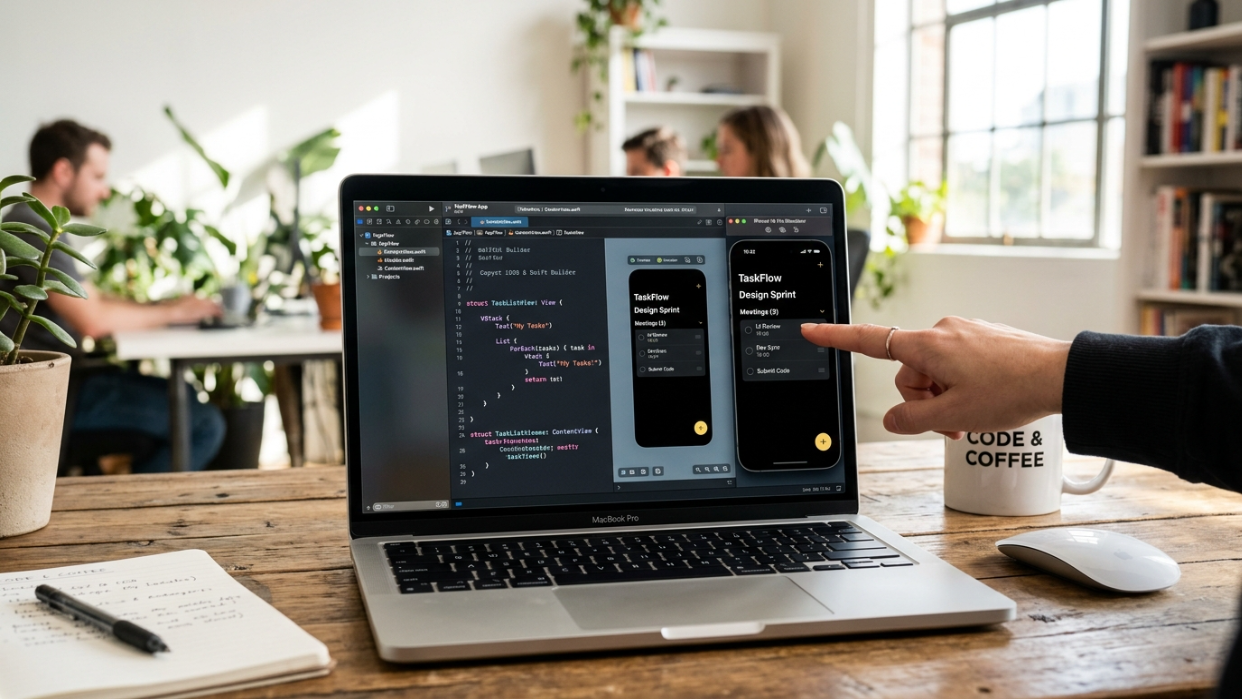
Best for: Solo founders and indie makers who want a real native iOS app in the App Store, not a web wrapper or throwaway demo.
x1 is an AI app studio purpose-built for iOS. It walks you from idea through plan, design, build, launch, and iteration, producing native Swift and Xcode projects that go directly to the App Store. The core philosophy is structured sequencing over one-shot generation.
Pricing:
Builder: $99/mo ($66/mo billed yearly)
Pro: $199/mo ($133/mo billed yearly)
Max: $299/mo ($200/mo billed yearly)
Roughly 100 free credits to try the product
Compare x1’s plan tiers to find the right fit for your build pace.
Key features:
Five modular “studios” (Plan, Design, Build, Launch, Iterate) instead of a single prompt window
Outputs native Swift + Xcode projects, not React Native or web wrappers
Plan studio handles architecture decisions upfront: authentication, data models, subscriptions
Built-in App Store screenshot creation and listing drafts
Design studio lets you shape brand, screens, and layouts before any code is generated
Why this matters for AI app builder comparisons: Most tools generate code from a single prompt. The result is often brittle, and changing one thing cascades into unexpected breaks elsewhere. Practitioners on Reddit and dev forums call this the “one-shot coherence problem.” x1’s studios approach sequences decisions (intent, then plan, then architecture, then build, then verified launch), which directly addresses that brittleness.
The built-in launch assets are another differentiator most comparisons miss. App Store screenshots, ASO metadata, and listing copy are typically handled by separate tools or manual work. x1 keeps them inside the same workflow.
Tradeoffs:
iOS-only. No Android or cross-platform output today.
Early-stage product with a smaller ecosystem of public integrations compared to older tools.
No free tier, only free credits to test. The $99/mo entry point is higher than chat-based builders.
Who should pick this: If your goal is a polished, native iPhone app that passes App Store review and feels like it belongs on iOS, x1 is the most direct path. The one-person app company model is exactly the use case it’s built for.
2. Rork
Best for: Builders who want Swift output but prefer a chat-driven interface and are willing to pay the premium.
Rork’s Max tier ($200/month) is positioned as the first Swift app builder on the web, supporting development across iPhone, iPad, Watch, TV, Vision Pro, and iMessage.
Pricing:
Rork Max: $200/mo for native Swift output
Standard Rork tiers (React Native) start at $25/mo
Key features:
Native Swift output at the Max tier
Advanced native hardware integration (HealthKit, ARKit/LiDAR, NFC, Dynamic Island, Metal 3D)
Support across all Apple platforms, not just iPhone
Tradeoffs:
Chat-only interface limits fine-grained UI control
Multiple reviewers report it as “a credit-guzzling no-code app builder,” with iteration loops where small UI requests cause the model to rewrite larger sections than necessary
ICON POLLS rates Rork Max 3.8 out of 5 due to pricing concerns and stability issues
One reviewer found it “more impressive in the pitch than in the workflow,” noting preview builds sometimes failed to load on the first try
User perspective: A practitioner shared online: “This is a real pain point (that even a few Rork reviews on Reddit mention), that’s why I prefer to vibe design my app before vibe coding to save credits.”
Category 2: Cross-Platform Mobile Builders
1. FlutterFlow
Best for: Teams with some technical skill who want exportable Flutter code and cross-platform publishing.
FlutterFlow is a low-code builder focused on pixel-perfect UI generation. It outputs Flutter/Dart code, which you can export and take anywhere.
Pricing:
Free: $0 (2 projects, no code export)
Basic: $39/mo ($29.25/mo annual)
Growth: $80/mo first seat ($60/mo annual)
Business: $150/mo first seat ($112.50/mo annual)
Enterprise: custom
Key features:
Clean Flutter code export, avoiding vendor lock-in
Figma design import for converting existing designs into functional apps
Direct publishing to Apple App Store and Google Play from Basic tier and up
AI-generated UI components, screens, and functional logic from prompts
Tradeoffs:
Non-developers typically spend 40 to 100+ hours learning the platform before producing a quality app
The free tier offers only 5 lifetime AI requests and no App Store deployment. One reviewer notes: “If you’re building anything beyond a prototype to show investors, you’ll outgrow this within days.”
Estimated total monthly costs for production apps run $75 to $600+ when you factor in Firebase or Supabase backend costs
Per-seat pricing gets expensive for teams quickly
Category 3: Web App Builders (Not Mobile-Native)
1. Lovable
Best for: Founders building web-based MVPs, SaaS prototypes, and internal tools who prioritize speed above everything else.
Lovable is a “vibe coding” tool that turns natural language prompts into full-stack web applications. Founded in 2024, it hit $100 million in annual revenue in just 8 months, which tells you something about demand for fast web prototyping.
Pricing:
Free: 5 daily credits
Pro: $25/mo (100 credits)
Business: $50/mo (SSO included)
Key features:
Full-stack web apps using React, TypeScript, Tailwind CSS, and Supabase
GitHub two-way sync for code ownership
Natural language to running app in as little as 10 minutes
Speed is the most frequently praised quality across G2, Reddit, Product Hunt, and Trustpilot reviews
Tradeoffs:
No native iOS or Android output whatsoever. No App Store publishing.
Many users report that 100 credits per month are insufficient for complex projects
Credit system punishes heavy iteration, which is exactly what real building requires
Why it’s on this list: Lovable appears in virtually every AI app builder comparison, and for web projects it genuinely delivers. But including it in a “mobile app builder” list without flagging the web-only limitation is misleading. If you need the App Store, Lovable is not an option.
A practitioner on r/SideProject captured the common experience: “Bolt got me to a demo in 20 minutes. It took me two more weeks to add auth and a real database.” The same dynamic applies to Lovable. Fast to demo, slow to production.
2. Vibecode
Best for: Developers comfortable with the command line who want to bring their own AI agent.
Vibecode is a CLI-first platform providing sandboxed environments for AI agents to build and deploy apps. It works with Claude Code, Cursor, Codex, and Gemini as a multi-agent execution layer.
Pricing:
$1 in credits = $1 in AI usage (pass-through pricing from Anthropic, OpenAI, etc.)
Tiers from $20 to $200/mo
Credits roll over and never expire
Key features:
30+ pre-authenticated APIs, built-in database and auth
Works with multiple AI agents, not locked to one model
App Store deploy capability via CLI
Tradeoffs:
Apple removed Vibecode from the App Store under Guideline 2.5.2, which prohibits apps that download, execute, or interpret arbitrary code. (This applies to the builder tool itself, not apps built with it, but the enforcement action signals Apple’s direction.)
App Store reviews describe instability: “charged $20/month during its beta phase, where the app was very unstable and some days usable other days not at all”
Pricing structure is experimental and may change
Requires genuine comfort with terminal workflows
One user offered a more optimistic view: “It started off rather clunky, but very quickly got smoother and more sophisticated. I can’t think of anywhere else that you could build out a fully functional app for a couple hundred bucks.”
Category 4: Code-Assist Tools (Developer-First)
1. Cursor
Best for: Developers who already code and want AI acceleration inside their existing workflow.
Cursor is an AI-powered code editor (a VS Code fork) with autocomplete, chat, and a multi-file Composer mode. It is not an app builder. This distinction matters for AI app builder comparisons because Cursor consistently appears on these lists despite serving a fundamentally different purpose.
Pricing:
Free Hobby tier to start
Pro: $20/mo
SOC 2 certified for enterprise security
Key features:
Composer mode enables multi-file natural language editing, the feature that separates Cursor from standard code editors
Works with any language and framework
Scales across large repos and shared workflows (adopted by companies like eBay)
Tradeoffs:
Not an app builder. You manage your own project setup, build pipeline, and deployment.
No guided workflow from idea to App Store
Users on r/cursor_ai consistently note that the quality jump when switching to Pro models is significant, but the Pro rate limit complaint is real

2. Claude Code
Claude Code is a terminal-based coding agent from Anthropic. Like Cursor, it’s a developer tool, not an app builder. Maximum flexibility, maximum setup required. No visual interface, no publishing workflow. Best for senior developers tackling complex, multi-file projects where autonomous coding saves significant time.
The App Store Factor Most Comparisons Miss
This is the section that separates useful AI app builder comparisons from marketing roundups.
Apple rejected roughly 1 in 4 app submissions in 2024. In 2026, stricter rules around AI privacy disclosures and dynamic code execution have made that number climb further. Apple also blocked both Replit and Vibecode from distributing app-building tools on iOS, citing Guideline 2.5.2. That enforcement drew a sharper line around what “native” actually means to Apple.
A real example: a solo founder built an app called HadaBuddy starting March 28, 2026 and had it live in the App Store 24 days later. But that timeline included four separate Apple rejections covering IAP submission queues, Terms of Use metadata, and AI privacy disclosure requirements. Each of those rejections was preventable with better tooling.
As one practitioner put it: “Demo-ready is not review-ready.”
Native Swift apps have structural advantages in the review process. They automatically inherit iOS design patterns, which means they’re less likely to trigger guideline 4.2 rejections (the “minimum functionality” catch-all that hits web wrappers disproportionately). Tools that handle App Store screenshots, ASO metadata, and privacy disclosures inside the build workflow eliminate the most common last-mile failures.
This is exactly why x1’s end-to-end studios include a dedicated Launch stage. Planning for App Store submission during the build, not after, prevents the rejection cycles that cost solo founders weeks.
Check x1’s latest product updates to see how the launch workflow continues evolving.
Which AI App Builder Should You Use? (Simple Decision Flow)
Use this quick decision framework:
Step 1: Are you publishing to the App Store?
Yes → Use iOS-native or cross-platform builders
No → Web builders or code assistants are fine
Step 2: Do you know how to code?
No → x1, Rork, FlutterFlow
Yes → Cursor or Claude Code
Step 3: Do you need speed or control?
Speed → Lovable (web MVPs only)
Control → FlutterFlow or native Swift builders
Full control → Cursor / Claude Code
How to Choose: A Decision Framework
Skip the feature-by-feature paralysis. Answer four questions:
1. Are you building for the App Store?
If yes, only Categories 1 and 2 apply. Lovable, Vibecode, Cursor, and Claude Code cannot get you there directly. This single filter eliminates half the tools on most comparison lists.
2. Do you code?
If not, code-assist tools (Cursor, Claude Code) won’t help. You need a guided builder that handles project setup, build pipelines, and deployment for you.
3. Is native iOS quality your priority?
The hierarchy is clear: native Swift produces the best user experience and smoothest App Store reviews. React Native is a step down. Flutter is comparable to React Native. Web wrappers are a different category entirely.
4. Do you need launch assets?
Most tools stop at code generation. If you also need App Store screenshots, ASO-optimized descriptions, and metadata handled inside the same workflow, your options narrow to tools with integrated launch studios.
For a deeper look at how a single tool handles this entire pipeline, explore x1’s blog for build walkthroughs and launch strategies.
Real Cost Breakdown of AI App Builders (2026 Reality)
Subscription pricing is only part of the cost.
Typical monthly cost breakdown
Cost Type | Range |
|---|---|
AI Builder Subscription | $20–$300 |
Backend (Firebase/Supabase) | $75–$600+ |
API & AI credits | $20–$200+ |
Apple Developer Fee | $8.25/month ($99/year) |
Hidden cost insight
Most founders underestimate:
Credit burn during iteration (largest hidden cost)
Backend scaling costs after launch
Time spent fixing AI-generated architecture
👉 Direct takeaway:
Expect total real cost to be 2–4× higher than the subscription price.
Hidden Costs That Comparison Tables Don’t Show
The subscription price on AI app builders is rarely the full cost. Here’s what to budget for:
Credit burn during iteration. This is the biggest surprise for new users. Building the first version of an app might use 20% of your monthly credits. Iterating, fixing bugs, and refining the remaining 80% consumes the rest. Practitioners on Reddit consistently flag credit-based pricing as a trap that penalizes the most important phase of development.
Backend infrastructure. FlutterFlow’s subscription doesn’t include your database. Firebase or Supabase costs run $75 to $600+ monthly for production apps, depending on usage.
Apple Developer Program fee. $99/year, regardless of which builder you use. Non-negotiable for App Store publishing.
Learning curve time. FlutterFlow’s 40 to 100+ hour ramp-up for non-developers is a real cost. Tools with guided workflows (like x1’s studios approach) reduce this, but there’s no zero-effort path to a production app. 87% of developers report concerns about AI code reliability, and complex features typically require human iteration regardless of the tool.
Post-launch maintenance. Almost no AI app builder comparison addresses what happens after you ship. iOS updates, user feedback, bug fixes, and feature additions are ongoing. Tools that produce clean, well-architected code make this manageable. Tools that produce monolithic one-shot output make it painful.
Frequently Asked Questions
What’s the difference between an AI app builder and an AI code editor?
An AI app builder guides you from an idea to a finished, deployable application, handling project structure, UI design, and often App Store submission. An AI code editor (like Cursor) accelerates coding within an existing project but doesn’t manage the overall workflow, deployment, or launch process. If you don’t already know how to set up a project and deploy it, you need a builder, not an editor.
Can AI app builders actually get apps approved in the App Store?
Some can. Tools that output native Swift and include App Store submission workflows (like x1) are designed specifically for this. Tools that output React Native or Flutter can also reach the App Store, but face more scrutiny under Apple’s guidelines. Web-only builders like Lovable cannot publish to the App Store at all. Apple rejected about 25% of all submissions in 2024, so your builder choice directly impacts approval odds.
Why did Apple remove Replit and Vibecode from the App Store?
Apple cited Guideline 2.5.2, which prohibits apps that download, execute, or interpret arbitrary code. This applies to the builder tools themselves (which ran on iOS), not to the apps created with those tools. The enforcement signals Apple’s increasing scrutiny of platforms that blur the line between native app functionality and dynamic code execution.
Are AI-generated apps safe and reliable?
According to the Cloud Security Alliance’s 2025 report, 62% of AI-generated solutions contain design flaws or known vulnerabilities. This doesn’t mean AI-built apps are unusable, but it does mean human review of generated code is essential for anything handling user data, payments, or sensitive functionality. Tools with structured, multi-step workflows tend to produce more coherent and maintainable code than single-prompt generators.
How much do AI app builders really cost per month?
Subscription prices range from free tiers to $299/month, but the real cost includes credit overages, backend hosting ($75 to $600+/month for production apps on platforms like FlutterFlow), the Apple Developer fee ($99/year), and time spent learning the tool. Budget for at least 2 to 3 times the listed subscription price to cover a realistic build and launch cycle.
What does “native” mean, and why does it matter?
A native iOS app is built with Swift and SwiftUI, compiled specifically for Apple’s hardware. It inherits platform design patterns (animations, gestures, blur effects) automatically, performs better, and faces fewer App Store rejections. React Native and Flutter apps use a compatibility layer to run on iOS, which can introduce performance gaps and trigger more review scrutiny. Web wrappers package a website inside an app shell, which Apple increasingly rejects.
Can a non-technical founder use these tools?
It depends on the category. Guided builders like x1 and Rork are designed for non-technical users, walking you through decisions step by step. FlutterFlow requires significant ramp-up time (40 to 100+ hours for non-developers). Code editors like Cursor and terminal agents like Claude Code assume you already know how to code. Match the tool to your skill level, not to its marketing claims.
Which AI app builder is best for a solo founder?
For a solo founder targeting iOS, x1 is the most direct path because it handles planning, design, build, and App Store launch in one workflow. For cross-platform MVPs on a tighter budget, Rork’s standard tiers work for validation. For web-only products, Lovable is the fastest option. The right answer depends entirely on what you’re building and where you want to publish it.
See x1’s pricing to find the plan that matches your launch timeline.