
How x1 helps you turn an app idea into a working product
x1 guides you from rough idea to working iPhone app through a structured workflow: idea input, feasibility check, planning, studio setup, visual design, milestone-based building, QA, publishing prep, revenue, and iteration.
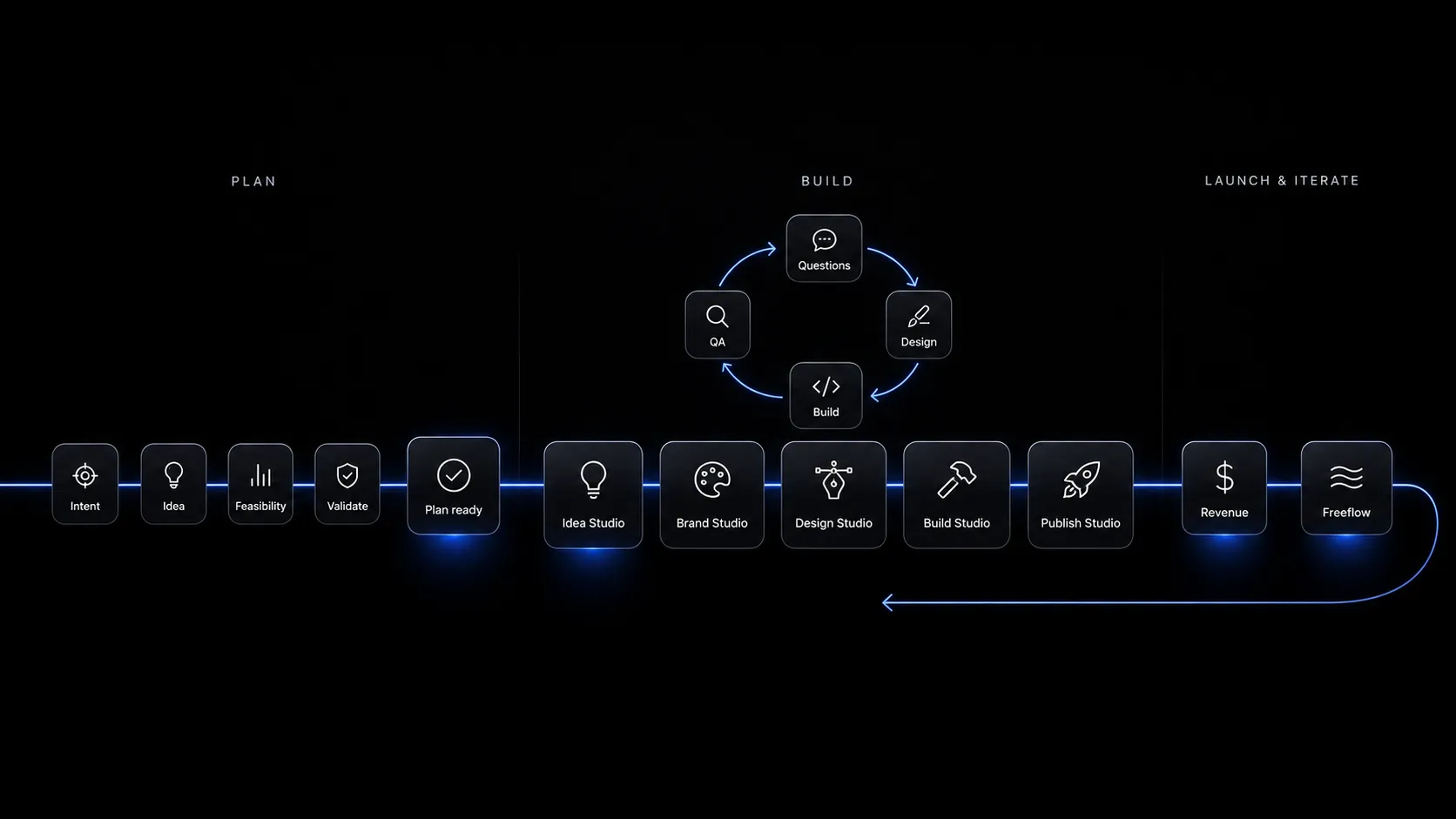
Why x1 uses a process
Most AI app tools make the first step feel easy: type a prompt, get a demo. The harder part comes after that, when you need onboarding, profiles, saved data, paid features, edge cases, visual polish, launch assets, and a coherent app structure.
x1 uses a guided process because app creation is not one action. It is a sequence of decisions.
From idea to launch, step by step
Submit your idea
Describe what you want to build. The idea can be rough, or you can upload a file such as a PDF.
Check feasibility
x1 checks whether the idea is realistic for the platform and narrows it into a better launch version when needed.
Create the plan
x1 asks the missing questions, then turns your answers into a product plan: user, job, screen map, core flows, milestones, and launch priorities.
Enter the studio
Instead of one long chat thread, your app is organized into studios, each owning a specific part of app creation.
Design the milestone
Review screens and flow visually in Design Mode before code generation, so you make UX decisions before the build starts.
Build and QA
Build Mode generates the milestone with a live preview and chat-based editing, then x1 QAs it against the plan.
Prepare for launch
Publishing Studio prepares launch assets and App Store submission materials; Revenue Studio shapes monetization.
Iterate after build
Free Flow Mode lets you keep refining screens, copy, and flows with a mix of visual iteration and chat.
x1 vs one-prompt tools
Start with the idea
x1 will help you turn it into a plan, a design, a working app, and a launch-ready package.
Start With Your App Idea