
Build real apps with x1's guided AI app studio
x1 helps you turn an app idea into a working iPhone app through a guided AI studio for planning, visual design, milestone-based building, QA, publishing prep, revenue, and iteration.
Best for
- Non-technical founders with iPhone app ideas
- Creators turning audience insights into mobile products
- Students building serious app projects
- Product managers moving from concept to working product
- Designers who want a faster path from screens to app
- Operators and small teams validating mobile ideas
- Builders who want structure, polish, and launch direction
Not best for
- A complete app in seconds
- A complex 3D game
- A deeply custom hardware app
- An Android-first product
- A heavily regulated medical or financial product
- A backend-heavy enterprise system
- Advanced third-party integrations as the day-one requirement
- Full manual control over every line of code from the start
What x1 helps with
What is x1?
x1 is an AI app studio for people who want to create iPhone apps without managing a traditional mobile engineering process from day one.
Start with a rough idea, a detailed product description, or an uploaded file. x1 analyzes the idea, checks feasibility, asks the missing product questions, and turns the concept into a structured app plan.
From there, x1 gives you a studio workspace for the parts of app creation that usually get scattered across different tools: product memory, brand, design, build, QA, publishing, revenue, and iteration.
Built for products, not throwaway demos
A first AI-generated demo can look impressive. That does not mean it is ready to become a product.
A real app needs decisions: user flows, data, navigation, onboarding, empty states, edge cases, monetization, launch assets, and future edits. x1 is built around those decisions.
The goal is not to generate a screenshot that looks good once. The goal is to help you keep building after the first version works.
Everything from idea to launch
Start with an idea or upload a file
Describe the app in plain English or upload a file such as a PDF. x1 analyzes the input and extracts the product direction.
Feasibility check before building
x1 checks whether your idea is realistic for the platform, and shapes an unclear or oversized scope into something buildable.
Guided product planning
x1 asks focused questions to clarify the user, core flow, screens, features, edge cases, launch scope, and monetization.
Studio-based workspace
Your project is organized into specialized studios instead of one endless prompt thread.
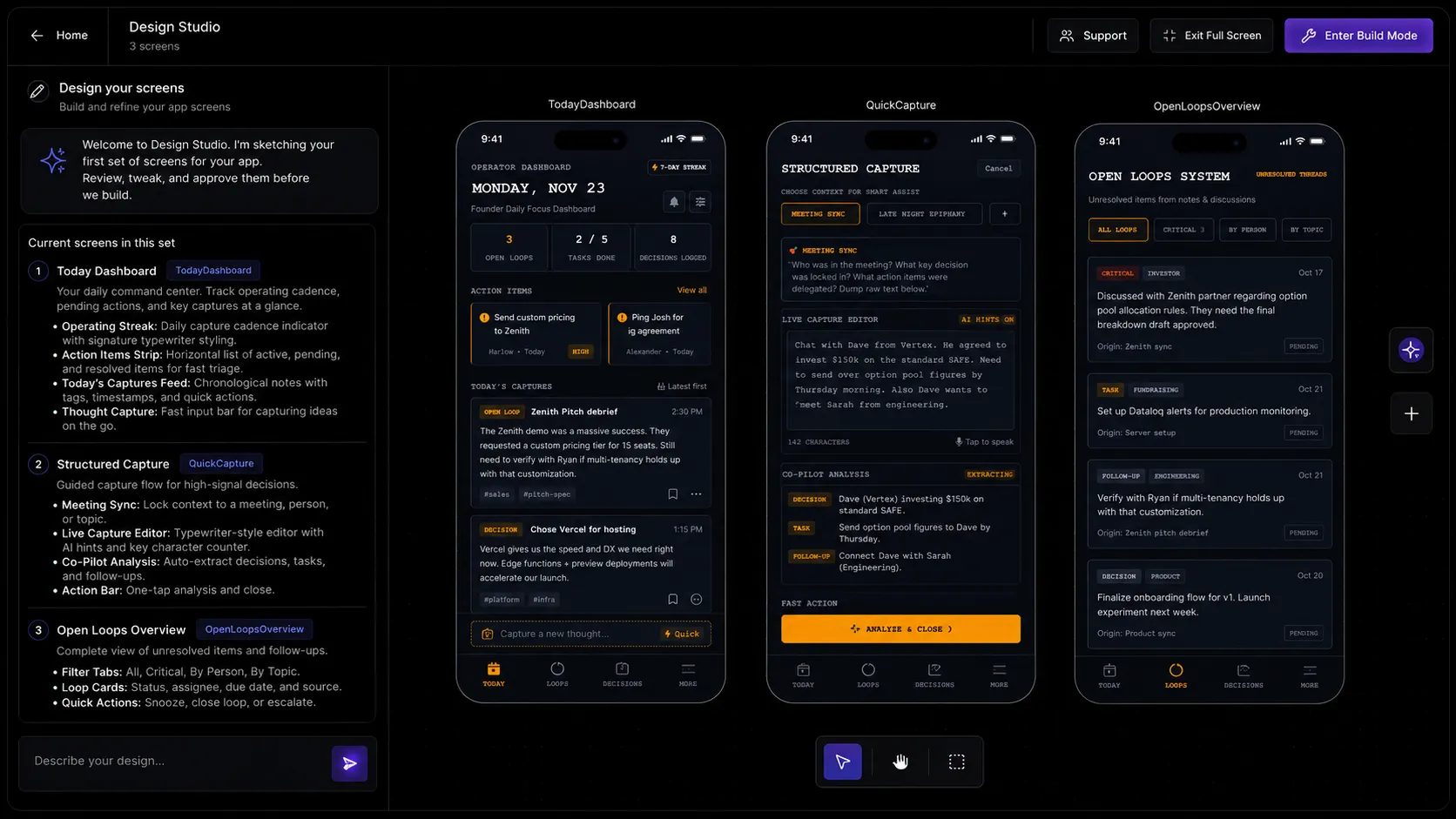
Visual design before build
Review screens and flows visually before generating each milestone, so you decide before spending build cycles.
Milestone-based building
Build Studio breaks the app into focused milestones, each handling one meaningful part of the product.
QA after each milestone
x1 reviews each milestone after it is built so issues are caught while the app is still manageable.
Publishing prep
Publishing Studio helps prepare the launch assets and App Store submission materials needed to move toward release.
Revenue planning
Revenue Studio helps you think through paid features, subscriptions, paywalls, and upgrade logic.
Free Flow Mode
After the structured milestones are complete, keep refining the app in a more flexible editing environment.
One workspace, specialized studios
Why not just use Lovable or Bolt?
Lovable, Bolt, Replit, Cursor, Bubble, Glide, and v0 can all be useful depending on what you are building. The difference is focus.
Many AI tools are optimized for generating a fast first version. x1 is focused on the guided path from idea to launch-ready iPhone product: feasibility, product intent, visual design, milestone-based building, QA, publishing prep, and revenue.
Use a prompt-first tool when you mainly want a quick prototype. Use x1 when you want a structured process for building a mobile product that can keep improving after the first version.
Start with your app idea
x1 will help you shape it, plan it, design it, build it, QA it, and prepare it for launch.
Start Building