

TL;DR
An app store launch checklist is the structured sequence of requirements, assets, and compliance steps you must complete before submitting an iOS app to Apple for review. About 25% of all submissions get rejected, and for first-time founders that number climbs to 40-60%. The vast majority of rejections stem from incomplete paperwork and missing compliance items, not bad apps. This guide defines every term you’ll encounter during submission, flags the items most likely to cause rejection, and covers the 2026-specific rules that make this year’s checklist longer than ever.
Roughly 1.93 million out of 7.77 million App Store submissions were rejected in a recent year. That’s one in four. For first-time submissions, practitioners report rejection rates between 40% and 60%.
Here’s the thing most first-time founders get wrong: they assume rejection means their app isn’t good enough. In reality, the overwhelming majority of rejections happen because the submission materials were incomplete. Missing a privacy policy URL. Forgetting to include a demo account for reviewers. Bundling a third-party library without a privacy manifest. These are paperwork problems, not quality problems, and they’re preventable with a proper app store launch checklist.
This guide walks through every term, requirement, and step in the order you’ll encounter them. Each section includes a rejection risk rating (High, Medium, or Low) so you can prioritize what matters most. If you’re looking for a tool that handles much of this process end to end, see how x1 works from idea through App Store submission.
If you're launching an iPhone app in 2026, complete your App Store launch checklist in this order:
1. Join the Apple Developer Program.
2. Create your App Store Connect listing.
3. Build with Xcode 26 and the iOS 26 SDK.
4. Prepare all metadata and screenshots.
5. Complete privacy declarations and privacy manifests.
6. Test the app using TestFlight on real devices.
7. Provide review credentials if login is required.
8. Verify In-App Purchases, Sign in with Apple, and account deletion requirements.
9. Submit the Release build.
10. Monitor review status and fix any rejection issues immediately.
Skipping privacy compliance, metadata, or review credentials causes far more rejections than actual software bugs.
App Store Launch Checklist at a Glance
Step | Required | Rejection Risk | Time Needed |
|---|---|---|---|
Apple Developer Account | Yes | High | 1–14 days |
App Store Connect Listing | Yes | High | 30 minutes |
Build with Xcode 26 | Yes | High | Varies |
Screenshots | Yes | Medium | 1–3 hours |
Privacy Policy | Yes | High | 30 minutes |
Privacy Manifest | Yes | High | 1–4 hours |
TestFlight Testing | Recommended | Medium | 1–7 days |
Demo Account | If login required | High | 10 minutes |
Sign in with Apple | If using social login | High | 1–2 hours |
In-App Purchases | If selling digital goods | High | 1–2 days |
App Store Submission Timeline
Timeline | Tasks |
|---|---|
2–4 weeks before launch | Developer enrollment, D-U-N-S registration |
2 weeks before | Metadata, screenshots, privacy policy |
1 week before | TestFlight testing |
3 days before | Final Release build |
Submission day | Upload build, verify checklist |
Review period | Respond to Apple if requested |
Launch day | Monitor crashes and reviews |
Pre-Submission Foundations
Before you touch App Store Connect, several foundational pieces need to be in place. Skipping these or setting them up incorrectly will block you before you even reach the review queue.
Apple Developer Program
What it is: Apple’s paid membership ($99/year) that grants access to development tools, beta software, and the ability to distribute apps on the App Store.
Why it matters: You cannot submit an app without an active enrollment. Individual accounts work for solo developers. Organizations need a D-U-N-S Number from Dun & Bradstreet, which can take 1-2 weeks to obtain. Start this early.
Rejection risk: HIGH. Entity mismatches between your developer account type and your app’s branding (for example, publishing under a personal account when your app represents a company) can cause rejection or force you to re-enroll.
App Store Connect
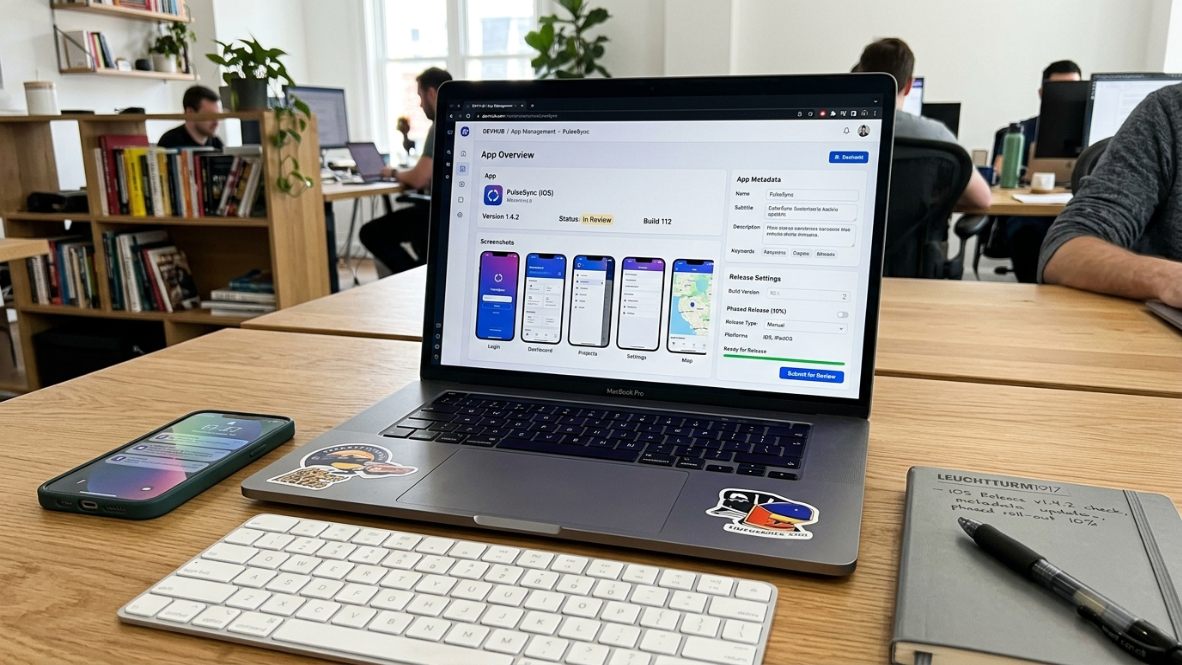
What it is: Apple’s web portal where you manage app listings, upload builds, configure TestFlight, view analytics, and handle the review process. Think of it as the control room for everything that happens after your code is written.
Why it matters: Every metadata field, screenshot, and privacy declaration lives here. The single biggest time-waster in App Store submission, according to practitioners, is stopping mid-process to create an asset you didn’t know you needed. Getting to the screenshots section and realizing you need images in five different dimensions. Reaching the privacy section and discovering you need a hosted privacy policy URL.
Xcode and the iOS SDK
What it is: Xcode is Apple’s integrated development environment (IDE) for building iOS apps. The iOS SDK is the set of frameworks and tools bundled with each Xcode version.
Why it matters in 2026: Starting April 28, 2026, all apps submitted to App Store Connect must be built with Xcode 26 and the iOS 26 SDK. No exceptions. Builds compiled with older versions are automatically rejected before a human reviewer sees them.
Rejection risk: HIGH. This is a binary gate. Either your build uses the correct SDK or it doesn’t.
If you’re a non-technical founder intimidated by Xcode, provisioning profiles, and SDK versions, you’re not alone. Many founders in this position explore app builders designed for non-technical founders to handle the toolchain complexity.
Code Signing and Provisioning Profiles
What they are: Code signing verifies that your app comes from a known source and hasn’t been tampered with. Provisioning profiles tie your app’s bundle ID, your developer account, and specific device permissions together.
Why it matters: This is consistently cited as the most confusing step for people who aren’t professional iOS developers. Modern tools automate much of it, but understanding the concept prevents panic when something goes wrong.
Rejection risk: MEDIUM. Automated tools catch most errors, but manual misconfigurations can waste hours.
TestFlight
What it is: Apple’s beta testing platform. You upload a build to App Store Connect, invite testers via email or a public link, and they install the app on their devices to test it before you submit for production review.
Why it matters: TestFlight is your safety net. Running a beta before production submission catches the blockers that would otherwise kill your launch timeline. Crashes, broken login flows, missing permission prompts, and confusing UI all surface during beta testing. One agency reduced their rejection rate from roughly 50% to under 8% by running a thorough pre-submission audit on every client app. TestFlight is the easiest way to do that audit with real users on real devices.
App Identity and Metadata
These fields define how your app appears in search results and on its product page. They’re also reviewed by Apple for accuracy, so misleading information here triggers rejection.
App Name
30-character limit. Must be unique on the App Store. You cannot include competitor brand names or generic terms that Apple considers misleading. Choose carefully because changing your app name after launch resets any keyword equity you’ve built.
Subtitle
30 characters. Appears directly below your app name in search results. This is prime real estate for a keyword. “Budget Tracker for Freelancers” is better than “The Best App Ever.”
Bundle ID
A reverse-domain identifier like com.yourcompany.appname. You set this once during project creation and cannot change it. Ever. If you realize later that you want a different bundle ID, you’re creating a new app listing from scratch.
App Category
You choose a primary category and an optional secondary category. This affects where your app appears in the App Store’s browse sections. Pick the category that most accurately describes your app’s core function.
Keywords Field
100 characters total, comma-separated, no spaces after commas. This hidden field influences search ranking. Don’t repeat words already in your app name or subtitle (Apple indexes those separately). Don’t waste characters on “app” or your brand name.
Description
No hard character limit, but only the first three lines display before the “more” button. Front-load your value proposition. Apple reviews this text for accuracy, so don’t claim features your app doesn’t have.
Promotional Text
170 characters. Appears above your description. The key advantage: you can update promotional text anytime without submitting a new build. Use it for seasonal messaging, feature announcements, or limited-time offers.
For a deeper look at the native iOS terminology you’ll encounter in these metadata fields, the glossary of native iOS terms covers the technical vocabulary.
Visual Assets

Your visual assets serve two purposes: they’re reviewed by Apple for accuracy, and they determine whether users actually download your app. Most pages treat visuals as decoration, not conversion assets. That’s a mistake.
App Icon
1024x1024 PNG. No alpha channel, no transparency, no rounded corners (Apple applies the mask automatically). This is the single most visible brand asset your app has. It appears in search results, on the home screen, and in notifications.
Screenshots
Required device sizes include iPhone 6.9", 6.7", 6.5", and 5.5", plus iPad 13" and 12.9" if you support iPad. In most categories, the first two screenshots determine whether users explore your listing or bounce.
Screenshots must accurately represent what the app does. If your screenshots show features that don’t exist in the actual app, you’ll be rejected. This trips up founders who design aspirational mockups before the app is finished.
Rejection risk: HIGH for misleading screenshots. MEDIUM for missing device sizes (won’t block review but limits distribution to certain devices).
App Preview Video
An optional 15-30 second video that autoplays in your listing. It can significantly boost conversion when done well, but a bad preview video is worse than none at all. Keep it focused on the core user flow.
Most Common App Store Rejection Reasons
Issue | Risk |
|---|---|
Missing Privacy Manifest | High |
Missing Privacy Policy URL | High |
Crash on Launch | High |
Demo Account Doesn't Work | High |
Wrong SDK Version | High |
Fake Screenshots | High |
Missing Account Deletion | High |
Incorrect ATT Prompt | High |
Broken In-App Purchases | High |
Estimated Cost of Launching an iPhone App
Item | Cost |
|---|---|
Apple Developer Program | $99/year |
D-U-N-S Number | Usually Free |
Privacy Policy Generator | Free–$100 |
ASO Screenshots | $0–300 |
Crash Monitoring | Free–$50/month |
App Store Submission vs Google Play Submission
Feature | Apple | |
|---|---|---|
Developer Fee | $99/year | $25 one-time |
Review Speed | 1–7 days | Usually hours |
Privacy Manifest | Yes | No |
Closed Testing | No | Yes (new personal accounts) |
App Review | Strict | Moderate |
Privacy and Legal Compliance
This section of the app store launch checklist causes more rejections than any other. The rules expanded significantly in 2025 and 2026, and the enforcement is increasingly automated.
Privacy Policy URL
Required for every app, period. It must be a publicly accessible, live URL (not a PDF, not a localhost link, not a broken page). Apple’s reviewers click this link. If it returns a 404, you’re rejected.
Rejection risk: HIGH.
App Privacy Details (Nutrition Labels)
In App Store Connect, you declare what data your app collects, how it’s used, and whether it’s linked to the user’s identity. These declarations appear on your App Store listing as “nutrition labels.” They must accurately match what your app actually does. If your app collects location data but you don’t declare it, that’s a rejection.
Privacy Manifest (PrivacyInfo.xcprivacy)
What it is: A file bundled in your app that declares your data practices in a machine-readable format.
Why it matters in 2026: Privacy manifests are the sneakiest blocker. Now every third-party library bundled in your app needs one. Miss a single library, and you’re rejected before a human even looks at your app. This is an automated check.
Rejection risk: HIGH.
Required Reason APIs
Apple now classifies certain system APIs as “required reason APIs.” These include UserDefaults, the disk space API, and the system boot time API. If your app (or any SDK you bundle) calls these APIs without including a privacy manifest that declares the specific reason for using them, the submission is rejected automatically.
App Tracking Transparency (ATT)
If your app uses the IDFA for tracking, you must present Apple’s standard permission prompt before any tracking occurs. No prompt, no tracking. This has been a requirement since iOS 14.5 but still catches developers who integrate analytics SDKs without realizing those SDKs use the IDFA.
Rejection risk: HIGH.
AI Consent Disclosure
New as of November 2025: apps that use external AI services must include a consent modal specifying the AI provider and the data types being shared before any personal data is transmitted. This applies whether you’re using OpenAI’s API, Anthropic’s API, or any other third-party AI service.
Rejection risk: HIGH. This is a new rule and reviewers are actively looking for it.
Account Deletion
If your app lets users create an account, it must let them delete that account. A visible, functional “Delete Account” button must exist in the app’s settings. This has been required since 2022 and is still one of the top rejection causes in 2026. Apple’s reviewers specifically test for this.
Rejection risk: HIGH.
Technical Readiness
These items are about making sure your app actually works correctly when Apple’s reviewers test it. Sounds obvious. But crashes on launch and missing test accounts remain among the most common rejection reasons.
Build Configuration (Release vs. Debug)
Submit production (Release) builds only. Debug builds contain logging, slower performance, and development flags that will cause rejection. This is a toggle in Xcode’s build settings. Double-check it.
Physical Device Testing
The iOS Simulator is useful during development but insufficient for a final check. Test on at least one physical iPhone, ideally including an older device like the iPhone SE (2nd generation) or iPad (9th generation). Hardware-specific bugs (camera access, GPS, performance on older processors) only appear on real devices.
Demo / Test Account
If your app requires login, you must provide working credentials in App Store Connect’s “App Review Information” section. This is the number one most easily preventable rejection cause. Create a dedicated test account, verify the credentials work, then test them again immediately before submitting.
Rejection risk: HIGH. Reviewers cannot review what they cannot access.
In-App Purchase (IAP)
All digital goods and services sold within an iOS app must use Apple’s In-App Purchase system. You must also include a “Restore Purchases” button so users can recover purchases on new devices. Incorrect IAP implementation (or attempting to circumvent it with external payment links) triggers rejection under Apple’s Business guidelines.
Sign in with Apple
If your app offers any third-party sign-in option (Google, Facebook, etc.), you must also offer Sign in with Apple. No exceptions. This catches a surprising number of developers who integrate Google Sign-In and forget.
Background Modes
Only declare background capabilities (audio, location, Bluetooth, etc.) that your app actually uses. Apple checks this. Declaring background location access for an app that never needs GPS in the background will raise flags and likely cause rejection.
Age Rating Questionnaire
Updated in 2025 to include 13+, 16+, and 18+ tiers. All developers had until January 31, 2026 to complete the updated questionnaire. If you haven’t filled this out or your responses don’t match your app’s content, expect a rejection.
Submission and Review Process
You’ve prepared everything. Now you submit. Here’s what happens next and the terms you’ll encounter.
App Review
Apple evaluates every app and every update against five pillars: Safety, Performance, Business, Design, and Legal. Automated systems catch technical violations (missing privacy manifests, wrong SDK version). Human reviewers evaluate the rest.
Review Timeline
Apple states that roughly 90% of submissions are reviewed in under 24 hours. First submissions and complex apps can take 3-7 days. However, developers across categories have reported 7-30+ day waits during the March 2026 delays, with most time spent in “Waiting for Review” status. Budget conservatively.
Rejection Resolution Center
If your app is rejected, this is where you communicate with the review team. Reply with specific fixes and documentation showing what you changed. Be concrete. “We added the privacy manifest for LibraryX declaring Y usage” is better than “We fixed the issue.”
Phased Release
An option to roll out your app to a percentage of users over 7 days rather than making it available to everyone at once. This is smart for monitoring stability and catching issues that only appear at scale.
Expedited Review
Apple offers expedited reviews for critical bug fixes. Don’t abuse this. It’s meant for situations where a live app has a security vulnerability or crashes for all users, not for speeding up your initial launch because you’re impatient.
For founders who want the submission flow handled inside one product, x1’s Launch studio covers screenshots, ASO copy, and submission as part of its end-to-end workflow.
Post-Launch Checklist Items
Most app store launch checklist guides end at “Submit for Review.” But several items after approval determine whether your launch actually succeeds.
Crash Monitoring
Monitor crash reports in Xcode Organizer (or a third-party service like Firebase Crashlytics) within the first 72 hours after launch. A high crash rate tanks your App Store ranking and triggers automatic review flags for future updates.
App Store Optimization (ASO)
Your initial keywords, screenshots, and description are a starting point. After launch, monitor which search terms drive impressions and downloads, then optimize. ASO is ongoing, not a one-time task.
Review Management
Respond to early App Store reviews quickly. Ratings in the first week matter disproportionately for your app’s visibility. A thoughtful response to a negative review often leads the user to update their rating.
Promotional Text Updates
Remember, you can update the 170-character promotional text field anytime without submitting a new build. Use this to highlight new features, seasonal campaigns, or social proof after launch.
You can see what launched apps look like in practice on the x1 examples page.
2026-Specific Rule Changes
This year’s app store launch checklist is longer than last year’s. Here are the changes that make 2026 the strictest year yet for App Store submission:
Xcode 26 SDK mandate. Effective April 28, 2026. All submissions must use Xcode 26 and the iOS 26 SDK. Older builds are auto-rejected.
AI consent disclosure. Enforced since November 2025. Apps using external AI services need a consent modal before sharing personal data.
Expanded age ratings. New 13+, 16+, and 18+ tiers. Questionnaire completion was required by January 31, 2026.
Privacy manifests for all third-party SDKs. Not just your own code. Every library you bundle must include its own privacy manifest.
Liquid Glass design language. iOS 26 introduces Liquid Glass as the default design language for native UI components. Apps that haven’t updated their interface may look broken or inconsistent.
Increased scrutiny of AI-generated apps. This is the big one for the growing community of founders using AI tools to build apps.
How AI App Builders Change the Checklist
With the rise of AI-built and “vibe-coded” apps, app stores are dealing with a flood of low-quality submissions. Apps that would have passed review a year ago are now getting rejected. In many cases, the issue isn’t new bugs, it’s higher expectations and more compliance requirements.
Apple blocked Replit and Vibecode from the App Store under Guideline 2.5.2, which restricts apps that distribute code or enable code execution in ways Apple doesn’t permit. Practitioners on Reddit and developer forums report that web wrappers (apps that are essentially a browser loading a website) face near-certain rejection under Guideline 4.2’s minimum functionality requirements.
Common rejection traps for AI-built apps include:
Web wrappers flagged under Guideline 4.2 for not providing native functionality
Placeholder content caught under Guideline 2.1 (apps must be finished)
Missing native features like proper navigation, accessibility, and platform conventions
Lack of meaningful differentiation from existing apps in the same category
The structural advantage of AI tools that produce native Swift and Xcode output is that they sidestep these rejection triggers entirely. A native app built in SwiftUI with proper navigation patterns, accessibility labels, and platform-appropriate UI doesn’t trigger the same scrutiny as a web view wrapped in an app shell.
For a detailed comparison of how different AI app builders handle this, see the breakdown of vibe coding apps tested and compared. And if you want to understand the full journey from idea through App Store submission, x1’s idea-to-App Store workflow covers each stage.
The Best Time to Think About the Checklist
One final point worth emphasizing: the best time to think about your app store launch checklist is before you start building, not when you’re ready to submit.
Architecture decisions made early (how you implement authentication, whether you use Apple’s IAP system for subscriptions, how you handle permissions and data collection) determine whether the checklist items pass or fail later. A two-week rejection-and-resubmit cycle can defer $700+ in monthly recurring revenue for apps targeting just 50 users at $29/month. For bootstrapped founders, that delay is real money.
Building the app is the creative work. The checklist is the operational work. And 95% of rejections are predictable, well-documented, and avoidable if you know what to look for.
Ready to build a native iOS app that passes review? See x1’s pricing and plans to understand what’s included at each tier.
Frequently Asked Questions
What is an app store launch checklist?
An app store launch checklist is a structured list of every requirement, asset, and compliance step needed to submit an iOS app to Apple’s App Store for review and publication. It covers everything from developer account enrollment to metadata, screenshots, privacy declarations, technical testing, and post-launch monitoring.
How long does Apple’s App Review take?
Apple reports that about 90% of submissions are reviewed in under 24 hours. First-time submissions and complex apps typically take 3-7 days. During high-volume periods (like March 2026), developers have reported waits of 7-30+ days. Budget at least one week for your first submission.
What percentage of App Store submissions get rejected?
Overall, about 25% of submissions are rejected. For first-time iOS app submissions, the rejection rate is estimated at 40-60%. The vast majority of these rejections are caused by incomplete metadata, missing privacy declarations, or procedural errors rather than fundamental problems with the app itself.
What are the most common reasons for App Store rejection in 2026?
The most common reasons include missing privacy manifests (especially for third-party SDKs), missing or broken privacy policy URLs, crash on launch, missing demo/test accounts for apps requiring login, incorrect In-App Purchase implementation, and failing to include the account deletion feature.
Do I need a privacy manifest for every third-party library?
Yes. As of 2026, every third-party SDK bundled in your app must include its own PrivacyInfo.xcprivacy file. If even one library is missing its privacy manifest, your submission will be automatically rejected before a human reviewer sees it.
How much does it cost to publish on the App Store vs. Google Play?
The Apple Developer Program costs $99 per year. The Google Play Console requires a one-time fee of $25. Note that Google Play personal accounts created after November 2023 must complete a closed testing period with at least 12 testers for 14 continuous days before publishing to production.
Can AI-built apps pass App Store review?
Yes, but it depends on the tool. AI builders that produce native Swift and Xcode output have a structural advantage because the resulting app behaves like any other native iOS app. AI builders that produce web wrappers or cross-platform shells face rejection under Apple’s Guideline 4.2 (minimum functionality) and Guideline 2.5.2 (code distribution restrictions).
Should I use TestFlight before submitting for review?
Strongly recommended. TestFlight lets you run a beta test with real users on real devices, catching crashes, broken flows, and missing features that would otherwise cause rejection. One agency reduced their rejection rate from about 50% to under 8% by running thorough pre-submission testing on every app.