


TL;DR
Most AI tools that promise you can build an app for free with AI are actually offering limited free tiers, not unlimited free products. The majority generate web apps, not native mobile apps you can put on the App Store. “Free” works for validating an idea or building a prototype, but production apps carry real costs. This glossary defines every term you’ll encounter and helps you make honest decisions about what’s possible at zero cost.
The promise is everywhere: describe your app idea in plain English, let AI build it, pay nothing. And to be fair, the technology has caught up enough that this is partially true. According to Gartner, 75% of new applications will be built using low-code or no-code tools by the end of 2026. Stack Overflow’s developer survey found AI tool adoption among developers rose 76% in the past year. The tools are real. The question is whether “free” means what you think it means.
This glossary cuts through the confusion. It defines every term a non-technical founder, student, or side-project builder encounters when trying to build an app for free with AI. More importantly, it explains what each term means in practice, not just what the marketing page says.
If you’re earlier in your journey and want a broader overview, our AI app building glossary covers the general vocabulary. This piece zooms in on the “free” angle specifically.
→ Want to see what a native iOS app studio looks like? Explore how x1 works.
Quick Answer: Can You Build an App for Free With AI?
Yes—but only to a point.
You can build and test an app for free using AI app builders like Lovable, Bolt.new, Base44, Replit, or similar platforms. However, "free" almost always means a limited free tier with daily credits, restricted hosting, platform branding, and feature limits.
If your goal is to validate an idea, create an MVP, or build an internal tool, free AI builders are usually enough.
If your goal is to publish an App Store app, remove branding, use a custom domain, scale to real users, or access premium AI models, expect ongoing costs for hosting, infrastructure, developer accounts, APIs, and subscriptions.
For most builders, "free" is best viewed as a way to test an idea—not as a permanent production solution.
What "Free" Usually Includes
Feature | Usually Free | Usually Paid |
|---|---|---|
AI-generated prototype | ✓ | |
Basic web app | ✓ | |
Limited daily credits | ✓ | |
Public projects | ✓ | |
Builder branding | ✓ | |
Custom domain | ✓ | |
Private projects | ✓ | |
More AI generations | ✓ | |
Team collaboration | ✓ | |
Production hosting | ✓ | |
Native mobile publishing | ✓ | |
Priority AI models | ✓ |
How Building an App With AI Actually Works
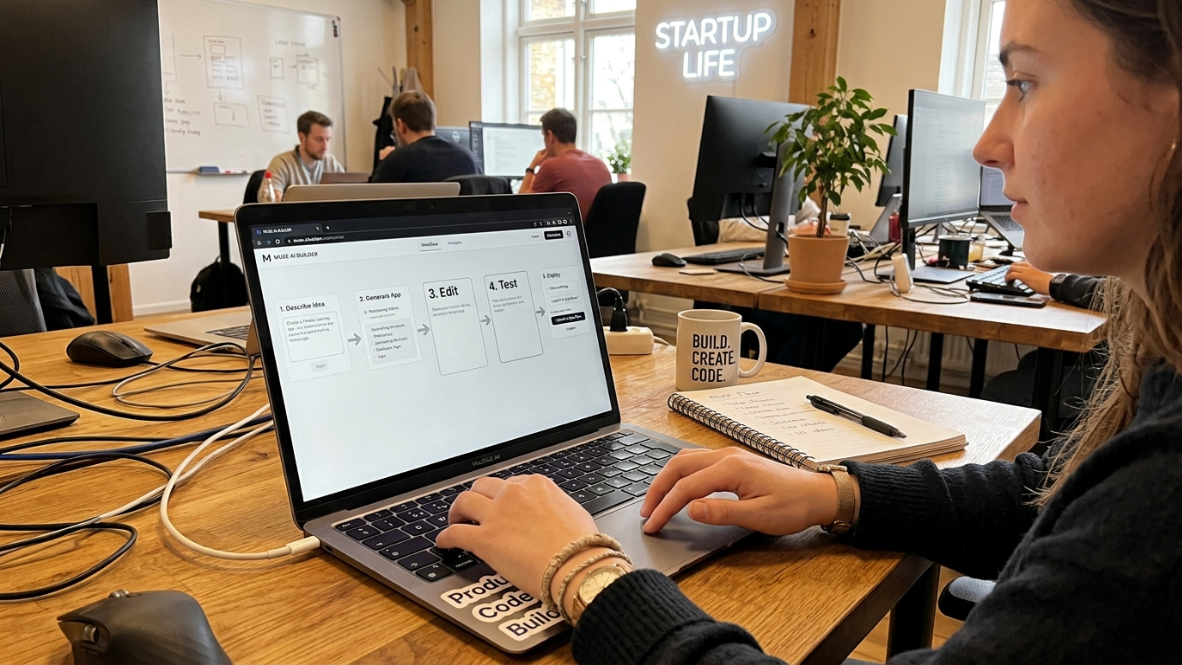
Many beginners imagine AI generating a finished mobile app from a single prompt. In reality, most AI app builders follow a predictable workflow:
Describe your app idea in plain English.
AI generates the first version.
Review the generated interface.
Ask AI to modify features.
Connect databases and authentication.
Test the application.
Deploy the web app or export the code.
Continue refining until it's production ready.
The important point is that AI speeds up development—it does not eliminate software development. Even with the best builders, you'll spend time refining prompts, testing functionality, fixing edge cases, and configuring deployment.
Foundational Terms: What You’re Actually Dealing With
AI App Builder
A platform that takes a natural language description of what you want and generates a working application. That’s the broad definition. The critical detail is that AI app builders split into two distinct categories, and the difference determines everything about your experience.
Prompt-to-app platforms (Lovable, Bolt.new, Base44) generate a fully functional, hosted app with a built-in database, authentication, and permissions baked in. These work best for non-technical people who need business software that just works.
Prompt-to-code builders (Cursor, Windsurf, v0) generate source code that you then host and deploy yourself. These are built for developers and code-literate founders who want AI to accelerate their workflow but can handle infrastructure on their own.
The distinction matters because prompt-to-app tools are easier to start with but harder to customize later, while prompt-to-code tools require more technical knowledge upfront but give you more control. For a deeper breakdown, this guide covers AI app builder types in detail.
No-Code
Building software without writing any code. You drag, drop, click, and configure using visual interfaces. Traditional no-code tools like Bubble and Glide limit you to pre-built components and templates. You can build useful things, but you’re always working within the boundaries the platform sets.
Low-Code
A step between no-code and full coding. Visual builders with the option to drop into actual code when you need something custom. FlutterFlow is a common example. Low-code gives more flexibility than no-code but requires some programming literacy.
Vibe Coding
The newer paradigm, and the one most people actually mean when they search for how to build an app for free with AI. Vibe coding changes your role from code writer to solution architect. You describe what the app should do in plain language, and AI generates real source code: React, Python, Swift, whatever fits.
This is fundamentally different from no-code. No-code constrains you to pre-built components. Vibe coding generates actual source code that you can inspect, modify, and own. The trade-off is that AI-generated code may contain subtle issues you won’t catch if you can’t read code at all.
Practitioners on Reddit have noted a clear evolution in how people talk about this. Communities have been running live comparisons of AI app builders since 2025, and the consensus has shifted from “just use Bolt.new for everything” to a clearer understanding that different tools serve different purposes.
Prompt-to-App
The full-stack generation approach. You type a description, and the platform gives you a running app with hosting, backend, database, and authentication included. No terminal, no deployment steps, no server configuration. The app just exists at a URL.
Prompt-to-Code
The code-generation approach. You type a description and get source code files. You’re responsible for hosting, deploying, and maintaining those files. More powerful, more flexible, more demanding.
Freemium Model
The pricing structure used by every single AI app builder on the market. Out of 21 tools analyzed, 100% offer a free plan and none uses a classic time-limited free trial. Why? Because users need to try building before they can understand whether the product fits their needs. But there’s a deeper reason: every free interaction still creates inference cost. An open-ended free tier is an inference budget the company hasn’t charged anyone for. Freemium lets companies absorb that cost for acquisition while steering serious builders toward paid plans.
Output Types: What You Actually Get When You Build an App for Free with AI
This section addresses the single biggest misconception in this entire space.
Web App
An application that runs in a web browser. It can look great on a phone. It can feel like a native app. But it cannot be downloaded from the Apple App Store or Google Play Store. Most AI app builders, including Lovable, Bolt.new, Base44, Replit, and v0, generate web apps only. They run in a browser, look good on phones, but cannot be submitted to the stores.
When most people say “I want to build an app,” they picture something on the App Store. What most free tools actually produce is a web app.
Native App
A native app is compiled specifically for one platform. On iOS, that means Swift code compiled through Xcode, producing a binary that runs directly on the iPhone hardware. Native apps get full access to device features (camera, GPS, notifications, biometrics) and meet App Store submission requirements without workarounds.
The reason most AI builders avoid native output is practical: generating real Swift and handling the native build pipeline (certificates, provisioning profiles, TestFlight, App Store review) is genuinely hard. It’s far easier to generate web technologies that run anywhere.
Only a handful of tools generate native mobile code. Most build web applications that either run in a browser or get wrapped in a thin native shell. For a direct comparison of these approaches, see native iOS vs. web app builders.
→ x1’s app builder generates native Swift/Xcode projects for iPhone, not web apps in disguise.
Cross-Platform App
One codebase that runs on multiple platforms. React Native (from Meta) and Flutter (from Google) are the dominant frameworks. The trade-off: you ship to both iOS and Android simultaneously, but you sacrifice some platform-specific polish and performance compared to fully native code.
Wrapped App / Hybrid App
A web app packaged inside a thin native container so it can appear in app stores. This is the approach many “free” builders default to when they claim to support mobile. The app technically appears in the store, but it has limited device access, often performs worse than native apps, and frequently gets rejected by Apple’s review process for not meeting quality standards.
If you see a free tool claiming App Store support, ask whether it produces a native binary or a wrapped web app. The difference is night and day.
Progressive Web App (PWA)
An enhanced web app that can be “installed” on a phone’s home screen directly from the browser. PWAs can work offline, send push notifications (with limitations on iOS), and load quickly. They’re a legitimate middle ground for many use cases, but they don’t appear in app store search results, which limits discoverability.
SwiftUI
Apple’s modern UI framework for building native iOS apps. If a tool generates SwiftUI code, you’re getting genuinely native output. SwiftUI is declarative (you describe what the interface should look like, not how to draw it pixel by pixel), which makes it a natural fit for AI code generation.
React Native
Meta’s framework for building cross-platform mobile apps using JavaScript and React. Popular because web developers already know the underlying technologies. React Native apps can access native device features through “bridges,” but heavy animations and complex interactions sometimes feel less fluid than pure SwiftUI.
Which Type of App Should You Build?
Different projects need different outputs.
Your Goal | Best Choice |
|---|---|
Internal business tool | Web app |
Startup MVP | Web app |
SaaS product | Web app |
Customer portal | Web app |
iPhone App Store app | Native iOS |
Android Play Store app | Native Android or Flutter |
Cross-platform mobile app | Flutter or React Native |
Offline business app | Native app |
The Economics of “Free”: Terms That Determine What You Actually Pay
Credits
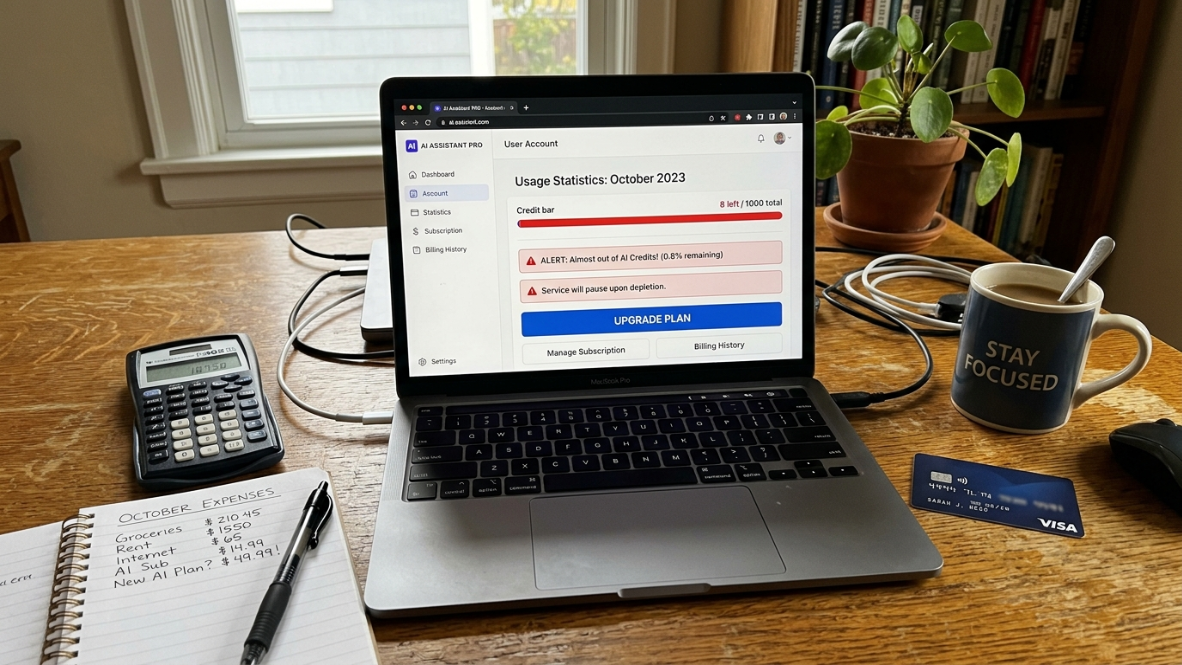
The unit most AI app builders use to meter your usage. Here’s the problem: credits are not standardized across platforms. Five credits on Lovable means something completely different from five credits on Base44 or Emergent.
Some real numbers as of mid-2026:
Lovable gives 5 credits per day on its free tier. Each edit uses 1 to 5 credits, meaning a day’s allocation can vanish in an afternoon. Projects must be public, and a Lovable badge appears on your app.
Base44 offers 5 messages per day, capped at 25 per month, plus 100 integration credits monthly. Though its own documentation is contradictory: the pricing page lists 100 integration credits while the FAQ says 500.
Bolt.new gives 150,000 to 300,000 tokens per day with a monthly cap of 1 million tokens, which translates to roughly 3 to 8 meaningful prompts per day.
Emergent offers just 10 monthly credits with no daily refresh, the smallest clearly published recurring free allowance among major builders.
Some platforms are even more restrictive: Rocket.new offers 20 free credits that never replenish. That’s not a free tier. That’s a one-time sample.
Tokens
The underlying compute unit that AI models consume. When a model reads your prompt and generates a response, it processes tokens (roughly, chunks of words). Tokens and credits are not the same thing. Bolt.new offering 300,000 tokens per day sounds generous compared to 30 monthly build credits elsewhere, but comparing these numbers directly is meaningless because they measure different things.
Free Tier vs. Free Trial
A free tier gives you limited ongoing access indefinitely. A free trial gives you full access for a limited time. In AI app building, free trials are rare. Free tiers are universal. The distinction matters because free tiers limit what you can do (fewer credits, slower builds, mandatory branding), while free trials limit how long you can do it.
Inference Cost
Every time you interact with an AI model, the platform pays for compute. Generating code, answering questions, iterating on designs: all of it costs real money on the backend. There is no “free” in AI. Someone is always paying for the compute. Free tiers exist because companies absorb inference costs as a customer acquisition expense, not because the service is actually costless to deliver.
Credit Burnthrough
The experience of exhausting your free allocation mid-build. This is the most common frustration practitioners report. You start building, momentum is high, the app is taking shape, and then you hit the wall. No more credits until tomorrow, or until next month. A telling comment from r/SideProject captured it well: one user noted that Bolt got them to a demo in 20 minutes, but it took two more weeks to add auth and a real database, and they wished they had started with a different tool.
Paywall
The point where free ends and payment begins. In AI app builders, paywalls typically hit at one of three moments: when you need more credits, when you want to remove the platform’s branding, or when you need a custom domain. App Store reviews for mobile vibe coding tools reveal genuine frustration with this pattern. Users frequently complain about bait-and-switch experiences.
For a detailed breakdown of what paid tiers actually include, this pricing guide walks through the cost structures.
Hidden Costs
The expenses that don’t appear on a builder’s pricing page. Even if the builder itself is “free,” shipping a real app requires infrastructure.
Backend hosting through services like Supabase ($25/month), hosting upgrades ($20/month), domain registration ($15/year), and API overages can push real costs to $50 to $100 per month for production apps.
One practitioner documented a particularly painful example: an $800 Vercel bill from just two weeks of AI-assisted shipping. Dozens of rapid iterations, a product that actually works, and then the invoice arrives. The bigger cost driver was the architecture of the app itself. AI coding agents generate code that works, but they don’t always generate code that’s efficient at scale or cost-optimized for the hosting platform.
Why AI App Builders Can't Stay Free Forever
Every AI-generated screen, feature, database query, or code edit consumes cloud computing resources.
Behind every prompt are costs for:
AI model inference
GPU compute
cloud hosting
databases
storage
bandwidth
deployment infrastructure
Unlike traditional software, AI companies pay these costs every time you ask the model to generate code.
That is why nearly every AI builder eventually limits usage through credits, tokens, subscriptions, or premium plans.
Common Mistakes Beginners Make
Many people searching "build app for free with AI" make the same assumptions.
Assuming "free" means unlimited
Most builders include strict daily or monthly usage limits.
Expecting App Store apps automatically
Most platforms generate web applications rather than native iOS or Android apps.
Ignoring hosting costs
Even exported code still needs somewhere to run.
Burning credits too quickly
Large prompts often consume significantly more credits than smaller iterative changes.
Choosing the wrong builder
A platform optimized for websites may not be appropriate if your goal is a mobile application.
The Build Process: Terms That Describe How AI Creates Your App
MVP (Minimum Viable Product)
The simplest version of your app that tests your core idea with real users. This is what free tiers are designed for. They give you enough to validate whether people want what you’re building. They are not designed to carry a real app with real users at scale. Most AI app builders price their entry tier for evaluation, not production.
Understanding this reframes the whole “build app for free with AI” question. Free is for learning and validating. Production requires investment.
Scaffolding
The initial structure and boilerplate code that AI generates when you first describe your app. This includes the file organization, basic routing, database schema, and UI skeleton. Scaffolding gets you from zero to something visible fast. The challenge comes when you need to modify that scaffolding significantly.
One-Shot Generation
The AI generates your entire app from a single prompt. Impressive for demos. Problematic for real projects. One-shot generation often produces brittle results because the AI makes hundreds of interconnected decisions at once. Change one thing later and other parts may break in unexpected ways.
Stepwise / Modular Generation
Building your app in deliberate stages, each with its own focused prompt. First the data model. Then authentication. Then the main feature. Then the UI polish. Stepwise generation produces more coherent, maintainable code because each stage builds on a verified foundation.
This is why tools that guide you through structured stages tend to produce better results than tools that try to generate everything at once. x1 takes this approach explicitly, walking you through plan, design, build, and launch as separate stages.
Backend
The server-side infrastructure users never see: databases, authentication logic, API endpoints, file storage. When a free tool says it “includes a backend,” check whether that backend is hosted (they manage it) or generated (you manage it). Hosted backends are easier but create lock-in. Generated backends give you control but require technical knowledge.
Frontend
Everything users see and interact with. Buttons, screens, animations, text, images. AI excels at generating frontends quickly because there are clear visual patterns to follow. The risk is that AI-generated frontends sometimes make more API calls than necessary and skip basic optimizations like caching.
Full-Stack
Both frontend and backend together. When a tool claims “full-stack generation,” it means it handles both the user interface and the server logic. This is the most valuable capability for non-technical builders because the backend is typically the harder part to set up manually.
Shipping and Launching: The Terms Between “It Works” and “People Can Use It”
Deployment
Making your app live and accessible. For web apps, deployment means putting your code on a server and pointing a URL at it. For native apps, deployment means compiling a binary and submitting it to an app store. Free tiers often include deployment on the platform’s own domain (yourapp.lovable.app, for example) but charge for custom domains.
If you’re targeting the App Store specifically, this launch checklist covers what you need to prepare.
App Store Submission
The process of packaging your native app and submitting it to Apple or Google for review and distribution. This involves creating screenshots, writing descriptions, setting pricing, configuring metadata, and uploading the binary. It’s a multi-step process that free web-app builders simply cannot help with, because they don’t produce native apps in the first place.
App Store Review
Apple and Google review every app before it appears in their stores. Common rejection reasons include misleading metadata, missing privacy policies, broken functionality, and (relevant here) wrapped web apps that don’t provide a native experience. Apple in particular has been increasingly aggressive about rejecting thin wrappers.
Provisioning Profile
An Apple-specific certificate that links your developer account, your app, and the devices it can run on. Without a valid provisioning profile, your app cannot run on a real iPhone or be submitted to the App Store. This is one of the iOS-specific hurdles that makes native app generation significantly harder than web app generation. For more on these iOS-specific concepts, the native iOS terms glossary goes deeper.
TestFlight
Apple’s official beta testing platform. Before your app goes live in the App Store, you can distribute it to up to 10,000 testers through TestFlight. This lets you gather feedback and catch bugs before the public launch.
ASO (App Store Optimization)
The equivalent of SEO but for app stores. ASO involves optimizing your app’s title, subtitle, keywords, description, and screenshots to rank higher in App Store search results. Most free AI app builders don’t address ASO at all. Effective App Store metadata requires deliberate keyword research and compliance with Apple’s strict character limits.
Custom Domain
Your own URL (myapp.com) instead of the builder’s subdomain (myapp.builder-name.app). Almost universally paywalled. If you’re building something you want people to take seriously, you’ll need a custom domain, which means you’re no longer building for free.
Quality and Maintenance: Why “Built” Doesn’t Mean “Done”
The 80% Wall
The most important concept in this entire glossary for anyone seriously trying to build an app for free with AI. AI builders consistently hit a quality ceiling. Most work well for the first 80% of a project. As complexity grows, the AI starts making decisions that conflict with earlier decisions. You end up fighting the tool instead of building with it.
This is the most common pattern: impressive early progress, then a wall. The last 20% of a project, the parts that make it production-ready, often takes longer than the first 80%.
Technical Debt
Shortcuts in code that create future maintenance costs. AI-generated code is particularly prone to technical debt because the AI optimizes for “does it work right now?” rather than “will this be maintainable in six months?” Generated code often lacks error handling, retry logic, rate limiting, and proper logging. You won’t notice these gaps in testing. You’ll notice when real users hit them.
Coherence
Whether different parts of AI-generated code work together logically. In a one-shot generation, the AI might create a login system in one style, a dashboard in another, and a settings page in a third. These might all work individually but feel inconsistent as a product. Stepwise generation with a clear architectural plan produces better coherence.
Code Ownership
Whether you can export your code, modify it independently, and host it wherever you want. This varies dramatically across platforms. Some free tiers lock your code behind the platform. Others let you export but don’t guarantee the exported code will run without their proprietary libraries. Always check the export policy before building anything substantial on a free tier.
Lock-In
Dependency on a platform that makes leaving expensive or impossible. Lock-in happens when your app uses proprietary features, when exported code requires the platform’s infrastructure, or when migration would mean rebuilding from scratch. Free tiers are particularly susceptible because they often include the most platform-specific constraints.
How to Choose the Right Free AI App Builder
Instead of comparing marketing claims, compare these practical questions.
Question | Why It Matters |
|---|---|
Does it generate code or apps? | Determines flexibility |
Can you export the code? | Prevents lock-in |
Does it include hosting? | Reduces setup work |
Does it include a database? | Required for real apps |
Does the free tier reset daily? | Affects long-term usability |
Does it support native apps? | Important for App Store publishing |
Can you collaborate with others? | Useful for teams |
Making the Right Choice: A Decision Framework
After defining all these terms, here’s how they fit together when you’re deciding how to build an app for free with AI.
When Free Is Enough
Free tiers genuinely work for three scenarios:
Learning. You want to understand what AI app building feels like. Five credits per day is enough to experiment and learn the workflow.
Validating an idea. You need a clickable prototype to show potential users or investors. A web app on the builder’s subdomain, with their branding, is fine for this purpose.
Building internal tools. If the only users are you and your team, free-tier limitations (branding, public projects, limited scale) may not matter.
When Free Isn’t Enough
Free won’t cut it when:
You need an app in the App Store (requires native output and a paid developer account)
You have real users generating real traffic (free-tier hosting and database limits will choke)
You need a custom domain and no third-party branding
You’re iterating rapidly and burning through credits daily
The Free Tier Honest Checklist
Before committing to any tool, ask these five questions:
Does the free tier include hosting, or just code generation?
Is there a database included, and what are its storage limits?
How many credits or tokens do you get per day and per month?
What happens when you run out: do you wait, or does your app stop working?
Can you export your code and run it independently?
If the answer to question 5 is “no,” think carefully before building anything you care about on that platform.
Web App vs. Native App: The Core Decision
If your goal is a web-based tool, dashboard, or internal app, web-app generators on free tiers can get you surprisingly far. If your goal is a native iPhone app in the App Store, the pool of tools shrinks dramatically, and building without coding tools requires a platform specifically designed for native output.
→ x1 offers approximately 100 free credits to try the platform. That’s enough to see whether the native iOS workflow fits your project before committing to a paid plan.
Key Takeaways
If you only remember five things, remember these:
Free AI app builders are excellent for prototypes.
Most free tools generate web apps rather than native mobile apps.
Credits, tokens, and free tiers are different concepts.
Hosting and infrastructure usually become your first paid expense.
Exporting your code reduces long-term platform lock-in.
FAQ
Can I really build an app for free with AI?
You can build a prototype or proof of concept for free. Every major AI app builder offers a freemium tier. But “free” means limited credits, platform branding, and restricted features. Production apps with real users, custom domains, and App Store presence require paid tools and infrastructure that typically costs $50 to $100 per month.
Will a free AI app builder create an iPhone app I can put on the App Store?
Almost certainly not. The vast majority of free AI builders generate web apps, not native iOS apps. Even the handful that produce native code require you to have a paid Apple Developer account ($99/year) for App Store submission. If App Store presence is your goal, you need a tool specifically designed for native output.
What’s the difference between vibe coding and no-code?
No-code tools constrain you to pre-built components and templates. Vibe coding generates actual source code from natural language descriptions. With no-code, you’re assembling pieces. With vibe coding, AI writes the code and you direct the architecture. Vibe coding produces more flexible output but requires more judgment about what the AI generates.
How many credits do free AI app builders actually give you?
It varies wildly and the numbers aren’t directly comparable. Lovable gives 5 credits per day. Bolt.new offers 150,000 to 300,000 tokens per day. Emergent provides 10 monthly credits. Some platforms like Rocket.new give a one-time grant that never replenishes. The rough translation: most free tiers support 3 to 8 meaningful editing sessions per day, at best.
What is the 80% wall in AI app building?
It’s the point where AI-generated apps hit a complexity ceiling. The first 80% of the project goes fast and feels magical. Then, as you add more features and edge cases, the AI starts making decisions that contradict earlier ones. You spend more time fixing AI mistakes than building new features. This is the most common pattern across every AI app builder.
What hidden costs should I expect beyond the “free” builder?
Backend hosting (Supabase, Firebase), deployment platform fees (Vercel, Netlify), domain registration, SSL certificates, API usage overages, and Apple Developer Program fees if you’re targeting iOS. One practitioner documented an $800 hosting bill from just two weeks of AI-assisted development on what was supposed to be a side project.
Should I start with a free tool or pay from the beginning?
Start free to validate your idea and learn the workflow. Switch to paid once you’ve confirmed that the tool fits your needs and your idea has traction. The free tier exists specifically for evaluation. Trying to stretch it into production use leads to frustration, workarounds, and often more wasted time than the subscription would have cost.
What’s the difference between a web app and a native app?
A web app runs in a browser and can look good on a phone, but it can’t be downloaded from the App Store, can’t access all device features, and doesn’t appear in App Store search results. A native app is compiled for a specific platform (Swift for iOS, Kotlin for Android), gets full hardware access, and distributes through app stores. Most free AI builders produce web apps. Only a few generate native code.