

TL;DR
Building an app with AI means describing what you want in plain language and letting AI tools generate a working foundation of code, design, and logic. The space has its own vocabulary, from “vibe coding” to “one-shot generation” to “web wrapper,” and not knowing these terms leads to costly mistakes. This glossary defines every key concept, explains the distinctions that actually matter (especially native vs. web apps), and maps the three paths available to builders in 2026.
The gap between “I have an idea” and “here’s a working app” has collapsed from months to hours. But the language around this shift hasn’t caught up. Guides assume you already know what a context window is, why web wrappers get rejected from the App Store, or what separates vibe coding from real engineering.
This glossary exists to fix that. Whether you’re a non-technical founder exploring the space for the first time or an experienced builder evaluating tools, these are the terms you’ll encounter the moment you try to build an app with AI. Each one is defined plainly, with the real-world context that generic definitions skip.
If you’re specifically looking to build a native iOS app, x1’s studio workflow walks you from idea through App Store submission in one place, and several of the concepts below map directly to how it works.
Build an App With AI: Quick Answer
The most important distinction is whether the platform generates a native mobile app or a web wrapper. Native apps offer better performance, full device access, and easier App Store approval, while web wrappers are faster to create but face more limitations.
Building an app with AI in 2026 means using natural-language prompts to generate app designs, code, workflows, and deployment assets. Most builders choose one of three approaches:
Approach | Best For | Technical Skill | Output |
|---|---|---|---|
No-Code AI Builders | Beginners | None | Usually web apps |
Low-Code AI Builders | Intermediate users | Basic coding knowledge | Editable codebases |
Native AI App Builders | Mobile app creators | Low to moderate | Native iOS/Android apps |
Foundational Terms
AI App Builder (Prompt-to-App Platform)
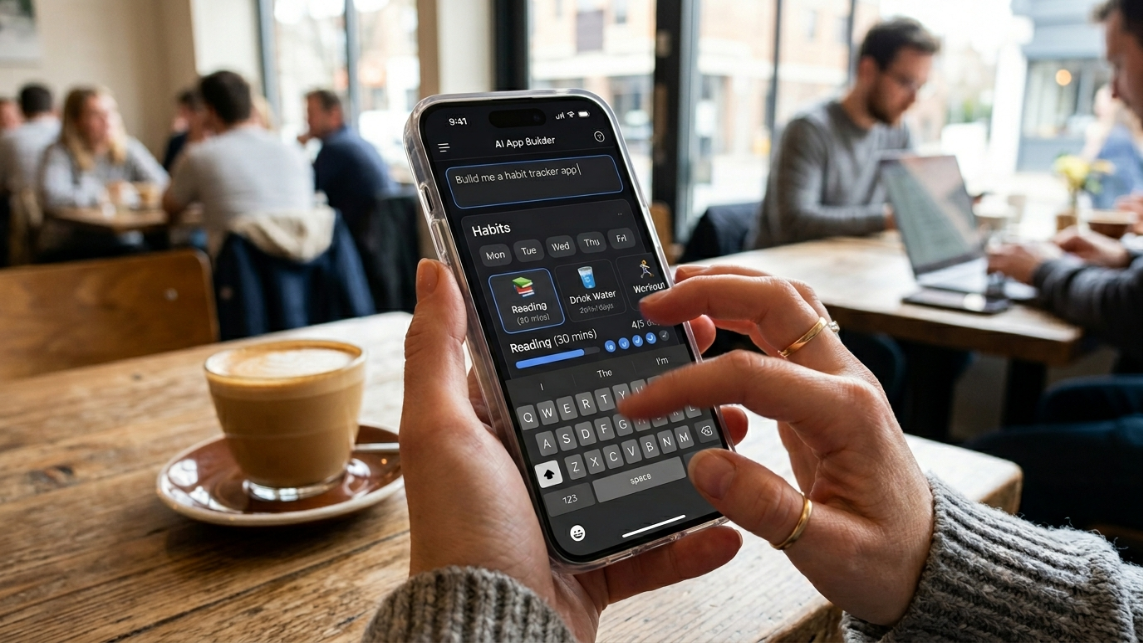
An AI app builder is a platform where you describe the app you want in natural language and receive a working application. You type something like “a habit tracker with daily reminders and a streak counter,” and the tool generates a user interface, database structure, and connecting logic.
These are not traditional no-code builders where you drag and drop elements onto a canvas. They are prompt-to-app tools that produce a working interface from a text description in minutes.
The critical thing to understand: most AI app builders generate web applications, not native mobile apps. There is no compiled Swift or Kotlin binary, no built-in push notification infrastructure, and no direct path to App Store submission. Practitioners on Reddit’s r/iosdev frequently point out this distinction, noting that many people don’t realize the app they “built” is actually a website until they try to submit it to Apple.
The no-code AI platform market is projected to grow from $6.56 billion in 2025 to $75 billion by 2034, so this category is only getting bigger and more confusing.
Vibe Coding
Vibe coding is a software development approach where you describe what you want to an AI model and it generates source code automatically. The term was coined in February 2025 by Andrej Karpathy, a co-founder of OpenAI and former AI leader at Tesla. It was named the Collins English Dictionary Word of the Year for 2025.
The defining characteristic: the developer may never read the code. You describe, the AI generates, you test the result, and you describe the next change. It prioritizes speed and exploration over correctness and maintainability.
There’s a spectrum here that matters. On one end, pure vibe coding where you never look at the code. On the other, AI-assisted engineering where you use AI to draft code but review, structure, and test it yourself. Most successful projects land somewhere in the middle. Google engineer Addy Osmani has framed this well, noting that spec-driven development, where you plan before prompting, produces dramatically better results than pure vibe coding.
One surprising finding: a randomized controlled trial by METR in July 2025 found that experienced open-source developers were actually 19% slower when using AI coding tools, despite believing they were 20% faster. AI-assisted coding seems to help beginners more than experts in many contexts.
Large Language Model (LLM)
The engine behind every AI app builder. An LLM is a neural network trained on enormous amounts of text (including code) that can generate new text and code based on patterns it learned. When you build an app with AI, you’re giving instructions to an LLM that translates your plain-language description into working code.
The quality of the LLM determines the quality of your starting point. Models like GPT-4, Claude, and Gemini each have different strengths. Some are better at UI generation, others at complex logic, others at maintaining consistency across a long conversation.
Citizen Developer
A citizen developer is someone who builds applications without formal programming training, typically using no-code or low-code tools. By 2026, an estimated 80% of low-code and no-code users sit outside IT departments, up from 60% in 2021. Citizen developers already outnumber professional software developers four to one.
This isn’t a niche trend. Organizations embracing citizen development report up to 5.8x faster application development compared to traditional methods. If you’re a non-technical founder exploring how to build an app with AI, you’re part of this wave.
No-Code / Low-Code
Two adjacent categories that describe how much technical involvement a builder needs.
No-code platforms (V0, Lovable, Bolt.new) let you describe apps in plain English. You never see or touch code. The platform handles everything.
Low-code tools (Cursor, Replit, Claude Code) give you generated code that you can read, modify, and extend. They’re for intermediate builders who want more control than a no-code tool allows but don’t want to write everything from scratch.
The third path is full-stack development, where experienced engineers use AI as a productivity multiplier while maintaining full control over architecture and code quality.
Gartner projects that 70% of new enterprise applications will use low-code or no-code tools by 2026, up from less than 25% in 2020. The community consensus on Reddit and developer forums has shifted over the past year from “just use Bolt.new for everything” to a clearer understanding: pick the right builder for your project type rather than defaulting to the most popular name.
Minimum Viable Product (MVP)
An MVP is the simplest version of your app that delivers enough value to test with real users. In AI app development, the definition hasn’t changed but the timeline has. What used to take a funded team three to six months can now be prototyped in a weekend.
The danger: confusing a prototype with a product. AI tools excel at generating MVPs quickly, but the gap between “working demo” and “something people will pay for” still requires iteration, testing, and refinement. Twenty-five percent of Y Combinator’s W25 batch had codebases that were 95% or more AI-generated, showing that AI-built MVPs are being taken seriously at the highest levels. But every one of those startups still iterated extensively after the initial generation.
For indie makers building on iOS, the MVP stage is about proving the concept works and feels right before investing in polish and App Store optimization.
Prompt Engineering (for App Building)
When you build an app with AI, your prompt is the blueprint. A vague prompt like “make me a fitness app” produces a generic, forgettable result. A detailed prompt like “a bodyweight workout timer for beginners with three difficulty levels, rest period countdowns, and a weekly progress chart” produces something much closer to what you imagined.
Effective prompt engineering for app building means specifying: who the user is, what screens they’ll see, what actions they can take, what data the app needs to store, and what the app should look like. The more specific your input, the less iteration you need afterward.
Context Window
The context window is the amount of text (measured in tokens) that an AI model can consider at once. Think of it as the model’s working memory. When your conversation with an AI builder grows long, describing screen after screen, fixing bugs, adding features, the model eventually hits the edge of its context window and starts “forgetting” earlier instructions.
This is why complex apps break down in prompt-to-app builders. Token consumption is the core pain point. The AI can lose track of decisions made earlier in the conversation, forcing you to restart or re-explain your architecture. It’s also why structured, stage-based workflows tend to outperform single long conversations.
One-Shot Generation
One-shot generation means asking an AI to produce a complete, finished app from a single prompt. For simple utilities (a tip calculator, a unit converter), this can work surprisingly well.
For anything beyond that, one-shot perfection is a myth. The AI doesn’t understand the “why” behind a complex business problem. It can generate code that runs, but it has no grasp of your users, your edge cases, or the architectural decisions that will matter six months from now.
The alternative is iterative building: constructing your app feature by feature, testing each piece, and refining as you go. This mirrors Agile development methodology and consistently produces better results. It’s the core philosophy behind tools like x1’s build studio, which works through each screen and feature in sequence rather than attempting to generate everything at once.
Technical Debt (AI-Generated)
Technical debt is the cost of shortcuts in code that you’ll eventually need to fix. AI-generated codebases accumulate this debt fast. The AI optimizes for making the current prompt work, not for long-term maintainability.
Typical symptoms: variable names that are inconsistent across files, architecture decisions that conflict from one generation to the next, duplicated logic, and almost no test coverage unless you specifically request it. One YouTube walkthrough of a vibe-coded app showed the developer spending more time fixing AI-introduced inconsistencies than they would have spent writing the code themselves.
This doesn’t mean AI-generated code is bad. It means the code needs review and refactoring, just like any first draft.
Code Ownership / Code Export
Code ownership refers to whether you actually control the source code your AI tool generates. Some platforms let you export clean, standard code (Swift projects, React repos) that you can take anywhere. Others keep your project locked inside their ecosystem.
Many vibe coding platforms have proprietary elements that make migration painful. Moving a project off the platform or transitioning to traditional development can require significant refactoring. Before committing to any tool, ask: can I export my code? In what format? Will it run without the platform?
This is especially important for iOS apps, where you may eventually want a developer to extend or maintain the codebase. x1 emphasizes native iOS output in Swift and Xcode, meaning the generated project files work in Apple’s standard development environment.
AI App Building Glossary at a Glance
This creates a snippet-friendly table and improves user experience.
Term | Simple Definition |
|---|---|
AI App Builder | Software that creates apps from prompts |
Vibe Coding | Building software primarily through AI instructions |
LLM | The AI model generating code and content |
MVP | Simplest version of an app used for testing |
Prompt Engineering | Writing detailed instructions for AI |
Context Window | The amount of information AI can remember |
Technical Debt | Future maintenance caused by shortcuts |
SwiftUI | Apple's UI framework for native apps |
Web Wrapper | Website packaged as a mobile app |
App Store Connect | Apple's app publishing platform |
iOS-Specific Terms
Swift / SwiftUI
Swift is Apple’s programming language for building iOS apps. SwiftUI is Apple’s framework for designing user interfaces in Swift, using a declarative syntax where you describe what the interface should look like rather than writing step-by-step instructions for drawing it.
When an AI tool says it produces “native iOS apps,” this usually means it generates Swift code using SwiftUI. This matters because Swift compiles to machine code that runs directly on the iPhone processor, which translates to faster performance, smoother animations, and full access to device features like the camera, GPS, and push notifications.
Xcode Project
Xcode is Apple’s official development environment for building iOS apps. An Xcode project is the bundle of files, configurations, and settings that Xcode needs to compile your app into something that runs on an iPhone.
If an AI builder gives you an Xcode project, you can open it on any Mac, make changes, and submit it to the App Store through standard channels. If a builder gives you a web app in a container, you don’t have this flexibility.
App Store Connect

Apple’s web portal where developers manage their apps. You use App Store Connect to upload builds, write descriptions, set pricing, manage TestFlight beta testing, respond to reviews, and monitor sales. Any iOS app builder workflow eventually ends here, which is why tools that integrate this step (like x1’s publish studio) reduce friction significantly.
TestFlight
Apple’s official beta testing service. Before submitting your app for public review, you can distribute it to up to 10,000 testers through TestFlight. Testers install your app through the TestFlight app on their iPhones and can provide feedback directly.
For AI-built apps, TestFlight is where you discover whether your app works in the real world, on real devices, with real users, rather than just in a simulator.
Provisioning Profile
A provisioning profile is a digital certificate that ties your app to your Apple Developer account and specifies which devices can run it. Setting up provisioning profiles is one of the most frustrating parts of iOS development for beginners, a tangle of certificates, identifiers, and entitlements that trips up even experienced developers.
App Store Review and Guideline 2.5.2
Every app submitted to the App Store goes through Apple’s review process. Reviewers check that your app follows Apple’s Human Interface Guidelines and doesn’t violate any App Store Review Guidelines.
Guideline 2.5.2 is especially relevant in 2026. It prohibits apps from downloading, installing, or executing code that changes the app’s features or functionality. In March 2026, Apple began blocking updates for popular vibe coding apps like Replit and Vibecode, citing violations of this guideline. These tools let users build and modify apps through natural language prompts, which Apple interpreted as dynamically generating code that alters app functionality.
This enforcement action sent shockwaves through the builder community. It means apps that generate or modify code at runtime face rejection, while apps built with AI but compiled into standard native binaries before submission are unaffected. The distinction matters: using AI to write your code is fine. Shipping an app that uses AI to write code on the user’s device is not.
Apple also requires apps to clearly disclose what data they collect, how it’s used, and to obtain consent before sharing it with third parties, particularly AI services.
Workflow and Strategy Terms
Screen Mapping
Screen mapping is the process of planning every screen in your app and the flows between them before any code is generated. Which screen does the user see first? What happens when they tap “Sign Up”? Where does the main feature live? How do they get back to the home screen?
Skipping this step is the most common mistake when building an app with AI. Without a clear map, the AI generates screens in isolation and the result feels disconnected. x1’s screen mapping feature handles this as a dedicated step before design or code generation begins.
Iterative Building
Iterative building means constructing your app in small, testable increments rather than generating it all at once. Build the login screen, test it, refine it. Then add the main feature. Then the settings. Each cycle catches problems early before they compound.
This approach matters more with AI-generated apps than with traditional development because AI doesn’t maintain consistent internal logic across large generations. Working in focused increments keeps each piece coherent. The x1 studio workflow structures this as separate stages: plan, design, build, publish, and iterate.
App Store Optimization (ASO)
ASO is the process of optimizing your App Store listing to improve discoverability and download conversion. It covers keywords in your title and subtitle, the app description, screenshot design, preview videos, and category selection.
Building the app is only half the work. If nobody finds it, nothing else matters. Effective ASO means researching what terms your target users search for, incorporating those terms naturally, and designing screenshots that communicate your app’s value in seconds. The App Store publishing workflow in x1 includes screenshot creation and listing drafts as part of the launch process.
Launch Assets
Launch assets are everything you need beyond the app itself to get listed in the App Store: screenshots for multiple device sizes, an app icon, a preview video (optional but recommended), a privacy policy URL, and all the metadata fields App Store Connect requires.
Preparing these assets is tedious but unavoidable. Many builders spend days on their app and then stall at the launch asset stage because they didn’t budget time for it.
Native App vs. Web Wrapper
This is the single most important distinction for anyone trying to build an app with AI for mobile.
A native app is built specifically for iOS or Android using platform-specific tools (Swift/SwiftUI for iOS, Kotlin for Android). It compiles into machine code, runs directly on the device, and has full access to hardware features.
A web wrapper (also called a WebView app) takes a web application and packages it inside a native shell. It looks like an app on your home screen, but it’s really a browser displaying a website. Web wrappers are faster and cheaper to build but rely on a translation layer that affects performance and limits hardware access.
Here’s the part that catches people off guard: App Store reviewers actively reject apps that are essentially website wrappers. Apple’s guidelines specifically call out apps that are “not useful, unique, or app-like.” Practitioners on Reddit’s iOS development forums regularly share stories of wrapper apps being rejected, sometimes after months of development.
When you see an AI builder claiming you can “build an app” in minutes, check whether the output is a real native app or a web wrapper. The difference determines whether your app runs smoothly, accesses device features fully, and survives App Store review.
Native App vs Web App vs Web Wrapper Comparison
Many builders use these terms interchangeably, but they are fundamentally different products.
Feature | Native App | Web App | Web Wrapper |
|---|---|---|---|
App Store Distribution | Yes | No | Yes |
Offline Support | Strong | Limited | Limited |
Push Notifications | Full Support | Limited | Partial |
Device Hardware Access | Full | Limited | Limited |
Performance | Best | Good | Moderate |
App Store Approval Risk | Low | N/A | Higher |
Development Speed | Slower | Fast | Fast |
Rule of thumb: If your goal is App Store growth, subscriptions, notifications, and long-term scalability, choose native development.
Common AI App Building Mistakes
Most failed AI-generated apps suffer from the same problems.
Starting With a Generic Prompt
"Build me a fitness app" rarely produces useful results.
Skipping User Flow Planning
Without screen mapping, generated apps often feel disconnected.
Choosing the Wrong Builder
Many users need native apps but accidentally build web apps.
Ignoring Technical Debt
AI-generated code still requires maintenance.
Building Before Validating Demand
The easiest app to build is often not the app people want.
The Landscape in 2026
The market for building apps with AI is not a side experiment anymore. The global AI app development market was valued at $40.3 billion in 2024 and is projected to reach $221.9 billion by 2034, growing at 18.6% annually. Gartner estimates worldwide AI spending will hit $2.52 trillion in 2026.
Some numbers that capture where things stand: 90% of developers now use at least one AI tool. Lovable grew from $7 million to $206 million in annual recurring revenue during 2025. Cursor went from zero to over $1 billion ARR in roughly 24 months. These aren’t fringe tools. They’re reshaping how software gets made.
The Three Paths for Builders
The community has settled into three clear categories for anyone wanting to build an app with AI:
No-code (describe in English, get an app): Tools like V0, Lovable, and Bolt.new. Best for non-technical builders creating web apps and simple utilities. Fastest time to first prototype. Limited customization depth.
Low-code (generate code, then customize): Tools like Cursor, Replit, and Claude Code. Best for intermediate builders who want to understand and modify the generated code. More flexibility, steeper learning curve.
Native-first studios (guided workflow for specific platforms): Tools focused on producing real, compiled apps for iOS or Android. x1 fits here, with its five-stage studio approach from idea through App Store submission. Best for builders who specifically want a native mobile app, not a web app.
Apple’s 2026 Enforcement
Apple’s decision to block updates for vibe coding apps in March 2026 created a clear dividing line. Apps that generate or execute code dynamically on device now face Guideline 2.5.2 enforcement. Apps that use AI during development but ship compiled, static binaries are unaffected.
This enforcement doesn’t mean you can’t build an app with AI for iOS. It means the output format matters. A Swift/Xcode project that goes through standard compilation and App Store review is treated exactly like any traditionally built app. The AI is a development tool, not a runtime dependency.
AI App Builder Pricing Models
Most AI app builders use one of two pricing approaches:
Credit-based: You buy credits that are consumed with each generation, revision, or deployment. Complex apps burn through credits quickly, and running out mid-project means paying more or starting over.
Flat-rate tiers: You pay a monthly fee for a set level of build capacity, iteration speed, and priority access. x1 uses this model, with plans ranging from $99 to $299 per month depending on build capacity and speed.
Credit-based pricing creates unpredictable costs, especially during the iterative phase when you’re making frequent changes. Flat-rate pricing is more predictable but requires committing upfront.
How to Choose the Right AI App Builder
The best platform depends on your goals.
Choose a No-Code Builder If
You have no coding experience
You need a quick prototype
You are building an internal tool
App Store distribution is not a priority
Choose a Low-Code Builder If
You want source-code access
You plan to customize features
You can review generated code
You expect long-term growth
Choose a Native App Builder If
You want an App Store app
You need push notifications
You need camera or GPS access
You want the best mobile experience
Key Takeaways
AI app builders turn text prompts into working applications.
Most AI builders generate web apps rather than native mobile apps.
Native apps provide better performance and App Store compatibility.
Vibe coding prioritizes speed while AI-assisted engineering prioritizes maintainability.
Technical debt remains a challenge in AI-generated codebases.
Successful apps require planning, testing, and iteration beyond initial AI generation.
Choosing the correct builder is often more important than choosing the most popular builder.
Frequently Asked Questions
Can I really build an app with AI if I don’t know how to code?
Yes, but with important caveats. No-code AI builders can generate working prototypes from plain English descriptions. For web apps and simple utilities, this can be enough. For native mobile apps, you’ll want a guided workflow that handles the technical steps (compilation, provisioning, App Store submission) you wouldn’t know how to do manually. The gap between “generated a demo” and “shipped a real app” still requires iteration and testing, but it no longer requires a computer science degree.
What’s the difference between vibe coding and AI-assisted engineering?
Vibe coding means describing what you want and accepting the generated code without reviewing it. AI-assisted engineering means using AI to draft code that you then review, test, and refine. Vibe coding is faster for exploration and prototyping. AI-assisted engineering produces more maintainable, production-ready results. Most successful builders use a mix, vibe coding for the initial prototype and switching to a more structured approach as the project matures.
Will Apple reject my AI-built app?
Not because it was built with AI. Apple reviews the submitted binary, not your development process. If your app is a compiled Swift/Xcode project that follows App Store guidelines, it’s treated like any other app. What Apple will reject: apps that dynamically generate or execute code at runtime (Guideline 2.5.2), apps that are thin web wrappers with no native functionality, and apps that don’t properly disclose data collection practices.
How long does it take to build an app with AI?
A basic prototype can be generated in minutes. A polished, App Store-ready app typically takes days to weeks, depending on complexity. The AI handles the initial generation quickly, but testing on real devices, refining the design, preparing launch assets, and navigating App Store review all take time. The biggest time savings are in the early stages, going from zero to a working first version.
Should I use a web app builder or a native app builder?
It depends on your goal. If you’re building an internal tool, a dashboard, or something that lives in a browser, a web app builder is the right choice. If you want an app in the App Store that uses push notifications, runs offline, accesses the camera or GPS, and feels like a real iPhone app, you need a native builder. The two categories solve different problems, and choosing wrong means rebuilding later.
What is technical debt in AI-generated apps and should I worry about it?
Technical debt in AI-generated code means inconsistent naming, conflicting architecture decisions, missing tests, and duplicated logic. You should be aware of it but not paralyzed by it. The practical approach: use AI for the initial generation, then review and refactor the areas that matter most (data handling, authentication, payment flows). For an MVP, some technical debt is acceptable. For a production app with paying users, plan to clean it up.
How much does it cost to build an app with AI?
Costs range widely. Free tiers on web app builders get you a prototype. Credit-based tools can cost anywhere from $20 to several hundred dollars depending on complexity and iteration count. Flat-rate platforms like x1 start at $99/month. You’ll also need an Apple Developer account ($99/year) if you’re targeting the App Store. The total cost is almost always lower than hiring a development team, but it’s not zero.
What’s the most common mistake people make when building an app with AI?
Skipping the planning step. Most people jump straight into generation with a vague prompt and end up with a generic app they immediately want to change. Spending 30 minutes mapping your screens, defining your user flow, and writing a detailed prompt saves hours of iteration later. The second most common mistake: not testing on a real device before submitting to the App Store.
Ready to build a native iOS app with AI, from idea through App Store submission? Explore x1’s pricing plans and see how the studio workflow handles each stage.