

TLDR
x1 is a guided AI app studio that helps you turn a plain-English app idea into a working iPhone app — without getting trapped in chaotic prompt loops. Instead of one open-ended prompt, x1 walks you through a structured workflow: capturing your intent, planning the product, designing it visually, building it milestone by milestone, QA'ing the work, and preparing it for App Store submission.
You make the product decisions. x1 provides the structure to get from idea to launch.
What is x1 and how does it work?
x1 is a guided AI app studio for mobile app creation. It works step-by-step: you describe your idea, x1 checks feasibility, maps screens and features, helps you design the app visually, builds it through structured milestones, QA's each one, and prepares everything needed for App Store submission. Instead of a single prompt, x1 uses a guided process that takes an app from concept to launch-ready product.
What Is x1?
x1 is an AI app studio for building iPhone apps from a plain English idea. You describe what you want to create, and x1 guides the entire process — from feasibility check and product planning through visual design, milestone-based building, QA, and App Store launch prep.
That category distinction matters. A coding assistant helps you write or edit code. A no-code builder gives you drag-and-drop components. x1 is built around the process of creating a real mobile product — what the app is, what screens it needs, how it looks, how it gets built, and how it gets packaged for launch.
The honest positioning: most AI app tools make the first step feel easy. Type a prompt, get a demo. x1 is built for what comes after that — the onboarding, the edge cases, the real user flows, the App Store assets, the things that turn a demo into a product.
How x1 Works in One Sentence
x1 works by asking you to describe your app idea in plain English, running a feasibility check, turning the idea into a structured app plan, guiding you through visual design, building the app milestone by milestone with QA at every step, and preparing all the assets and materials needed for App Store submission.
x1 Workflow Summary (Idea → App Store)
Stage | What Happens | Your Role | x1 Role |
|---|---|---|---|
Idea Input | Describe app concept in plain English | Define users, problem, features | Analyzes and structures requirements |
Feasibility Check | x1 assesses whether the idea is buildable | Review and adjust scope | Checks platform fit and complexity |
Product Planning | Turns rough idea into a clear app direction | Answer clarifying questions | Creates structured app plan |
Design Mode | Visual review of screens before building | Choose style, flows, branding | Generates visual design system |
Milestone Build | App built in focused stages, not one shot | Review each milestone | Builds and iterates each feature set |
Milestone QA | Quality check after each build stage | Test on device | Catches and fixes issues per milestone |
Publishing Studio | App Store assets and submission prep | Final review and approval | Generates listing package |
Why x1 Matters in 2026 AI App Development
AI app builders are moving away from "type one prompt, get a full app" toward something more useful: structured product workflows.
The main limitation of early AI tools wasn't the code output — it was the lack of product architecture. You could generate a UI screen in seconds, but the app had no real state management, no edge case handling, no coherent data model, and no path to the App Store. The demo looked good once. Then it fell apart.
x1 approaches this differently. By embedding product thinking into the workflow before any code gets generated, the app structure, design, and launch requirements are defined while there's still time to make good decisions. This reduces broken builds and improves the odds of actually shipping something real.
The shift also matters competitively. Rork and Vibecodeapp have entered the AI app builder space, and broader AI coding tools like Cursor, Claude Code, and Codex are increasingly capable. What separates x1 is the guided structure — not just the code generation.
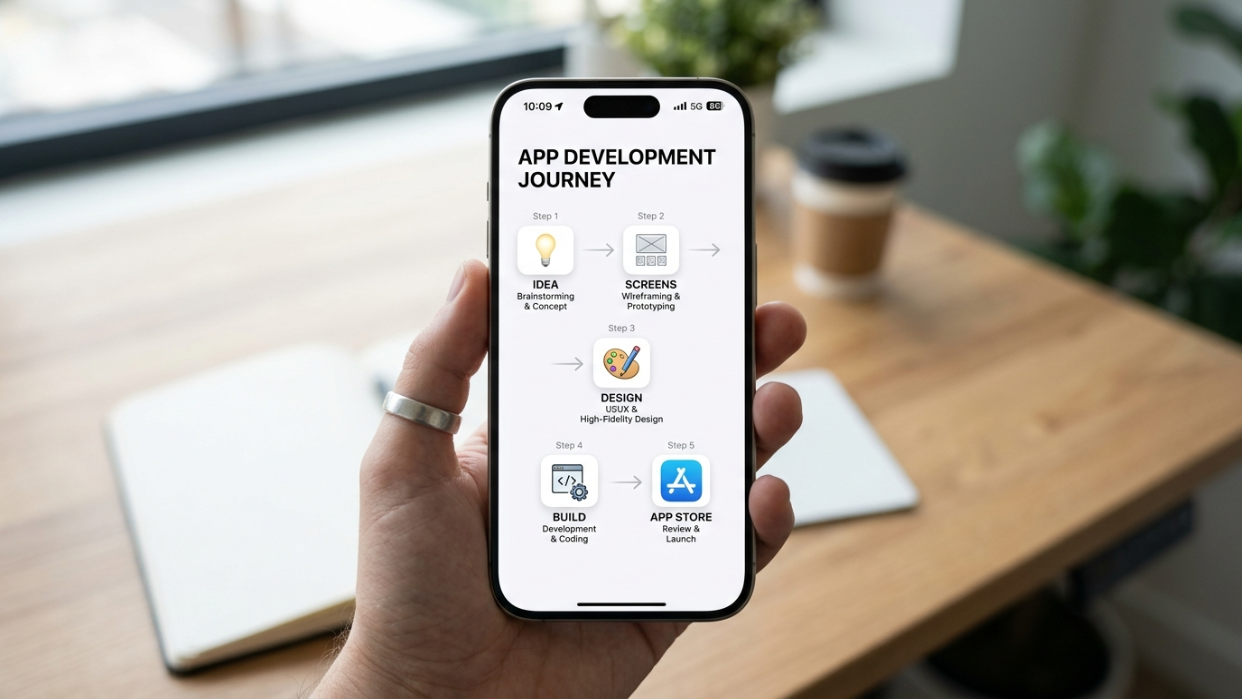
The x1 Workflow, Step by Step
Understanding how x1 works means understanding that app creation isn't a single prompt. It's a sequence of decisions, and the quality of those decisions determines whether you end up with a product or a dead-end demo. Here's how that sequence plays out.
1. Describe Your App Idea
Everything starts with what you want to build. x1 asks you to describe the app in normal language — who it's for, what problem it solves, what users should be able to do, and what features matter most. You can type a description or upload a file like a PDF.
The important inputs at this stage:
Target user and their situation
The core problem being solved
Must-have features for a first version
What data the app needs to store
Whether users need accounts
Whether the app needs native capabilities (camera, location, notifications, in-app purchases)
Monetization model, if any
This planning step is not filler. Practitioners who have shipped AI-built iOS apps consistently report that vague prompts break down as apps grow more complex. One software engineer with 16 years of experience described shipping an iOS app with AI in under a month, and their key advice was to write PRDs, keep tasks small, and test outputs frequently. x1 builds that discipline into the workflow from step one.
2. x1 Checks Feasibility
Before pushing you into a full project, x1 checks whether your idea is realistic for the platform.
This is a meaningful difference from prompt-only tools. Not every app idea is equally buildable at the same scope. If the concept is too complex, too vague, or too far outside what's achievable in a first version, x1 helps reshape it into something that can actually ship.
This step alone saves builders weeks of frustration — building the wrong thing, or building the right thing at the wrong scope.
3. Map Screens and Features
Once the idea is clear and scoped, x1 maps the app into screens and flows. This is where a real app diverges from a demo. A demo can show one polished screen. A real product needs a full sequence:
Onboarding
Sign up and login (if needed)
Main dashboard or home screen
Core action screen
Detail pages
Settings
Paywall or upgrade screen (if monetized)
Empty states, error states, success states
Permission prompts
Support and privacy screens
Screen mapping is product architecture for a non-technical builder. Without it, features pile up without structure and the app becomes impossible to reason about. One practitioner writing on Medium described exactly this problem: a previous AI-built app became hard to extend because adding features broke other parts of the codebase. A structured rewrite shipped successfully.
See how x1 structures the build process →
4. Design the App's Look and Feel
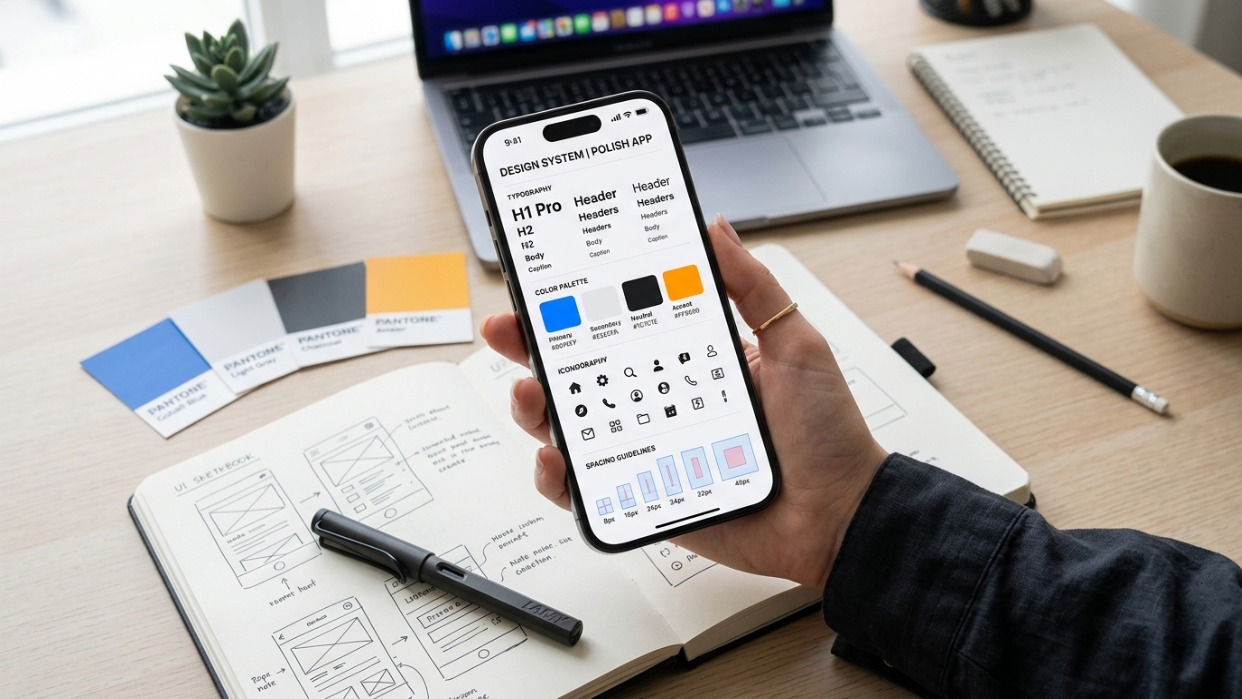
The app needs a visual system before a single milestone gets built. x1's Design Mode lets you review screens and flows visually — shaping the name direction, icon, colors, typography, spacing, UI patterns, and copy tone — before spending build cycles.
Design also matters beyond the app itself. Apple's product page guidance notes that the app icon creates a first impression and that screenshots should communicate the user experience and main benefits clearly. A careless design step doesn't just hurt the app — it hurts the App Store listing too.
5. Build the App Through Milestones
x1 builds the app milestone by milestone rather than attempting to one-shot the entire product. Each milestone handles one meaningful part of the product. You review the milestone, test it, and move to the next.
This matters. One-shot generation works for small experiments. Real mobile apps have dependencies between screens, user state, stored data, permissions, payment status, and App Store metadata. When one change breaks three other things, a prompt loop becomes chaos. Milestone-based building keeps the project manageable.
x1 builds iPhone apps using React Native, which lets it deploy to iOS while keeping the development process flexible and iterative.
Explore examples of apps built with x1 →
6. QA After Every Milestone
The build isn't the last step. x1 QA's the app after each milestone is complete, so issues get caught while the app is still manageable — not after the entire codebase is tangled.
Before moving toward launch, the app needs to be checked for:
Sign-up and login working correctly
Empty states handled (what does the user see with no data?)
Bad network conditions
Permission denials (what happens if the user says no to camera access?)
Payment and subscription flows, if included
No placeholder text or fake data remaining
Privacy and support links working
Crashes on real devices
Apple's App Review Guidelines explicitly require developers to test for crashes and bugs, ensure metadata is complete, provide demo credentials for account-based features, and keep backend services live during review.
7. Prepare for App Store Submission
The final stage is launch preparation. This is more than uploading a binary. x1's Publishing Studio helps prepare the launch assets and App Store submission materials needed to move toward release.
App Store launch requires:
Apple Developer Program membership at $99 per year, which includes distribution, TestFlight beta builds, analytics, and sales reports
App Store Connect setup with app name (max 30 characters), subtitle (max 30 characters), privacy policy URL (required for all iOS apps), Bundle ID, age rating, and category
Screenshots and app previews (up to 10 screenshots, previews up to 30 seconds)
Description, keywords, and support URL
Demo account or demo mode if the app requires login
Review notes for anything non-obvious
x1's Publishing Studio makes these requirements part of the process rather than a last-minute scramble.
Apple App Store Requirements x1 Must Align With
To successfully publish an iOS app, every build needs to align with Apple's submission standards. These aren't optional — they influence design, performance, and metadata from the start.
Core App Store requirements include:
Stable app performance (no crashes or incomplete flows)
Complete App Store metadata (name, subtitle, keywords, category)
Privacy policy URL (mandatory for all apps)
App icon and screenshot assets
Functional login/demo credentials (if authentication exists)
Compliance with Apple review guidelines for payments, content, and permissions
Apple reviews millions of apps annually and rejects a significant portion due to performance, design, and policy issues — not just code errors. In Apple's 2024 App Store Transparency Report, Apple reported 7.77 million reviewed app submissions and 1.93 million rejections — roughly one in four.
Performance was the biggest rejection category by far. Crashes, incompleteness, and reliability problems account for more rejections than anything else.
What x1 Handles vs. What You Still Own
How x1 works becomes clearer when you see the division of responsibility:
Area | x1 helps with | You still need to decide or verify |
|---|---|---|
Idea | Turns rough idea into structured app plan | Target user, real problem, must-have features |
Feasibility | Checks scope and platform fit | Whether the scoped version is the right v1 |
Screens | Maps screens and user flows | Whether the flow matches actual user behavior |
Design | Shapes the app's look and feel | Brand taste, copy clarity, accessibility |
Build | Builds the app milestone by milestone | Feature accuracy, edge cases, bugs |
QA | Reviews each milestone after build | Real-device testing, user feedback, data checks |
Monetization | Revenue and growth support | Pricing strategy, offer design, subscription compliance |
App Store assets | Screenshots, listing, submission prep | Legal accuracy, privacy policy, support URL |
Launch | Prepares for App Store process | Apple Developer account, approval, ongoing updates |
x1 does not guarantee App Store approval. Apple's review process is real and independent. The app needs to meet Apple's standards for performance, design, legal compliance, and safety regardless of how it was built.
What "App Store-Ready" Actually Means
"App Store-ready" should mean the app has the assets, metadata, build quality, and compliance preparation needed to submit. It does not mean guaranteed approval.
Before submission, a launch-ready app should have:
Final app name and subtitle (each max 30 characters)
App category and age rating
Privacy policy URL (required for all iOS apps)
Support URL
Screenshots that communicate the user experience
App description and keywords
App icon
Demo account or demo mode if login is required
Live backend services
Tested build with no placeholder content
Accurate data-collection disclosures
Review notes for non-obvious features or in-app purchases
If your app includes user-generated content — community features, chat, posts, or reviews — Apple requires moderation capabilities: filtering, reporting mechanisms, blocking tools, and published contact information. Plan for this before launch, not after.
Why a Guided Workflow Beats a Prompt Loop
The hard part of AI app building isn't generating the first screen. It's keeping the app coherent as features, states, data, permissions, and launch requirements pile up.
A prompt loop is open-ended: ask, generate, inspect, fix, repeat. That works for small experiments. Real mobile apps have dependencies between screens, user state, stored data, permissions, payment status, and App Store metadata. When one change breaks three other things, the loop becomes chaos.
On Reddit, a build-in-public post described creating an iOS app in two weeks by assigning different AI tools to different roles — one for product thinking, one for frontend screens, one for backend logic. The biggest lesson was to stop treating AI like one magic chatbot and instead treat tools like teammates with specific jobs.
x1 is an integrated attempt to bring those roles into one guided product. Instead of juggling multiple tools and hoping the outputs fit together, x1 structures the work into studios — Idea Studio, Brand Studio, Build Studio, Publishing Studio, Revenue Studio. That's how x1 works differently from a raw coding agent or prompt-first tool.
The broader shift matters. The era of the one-person app business depends on tools that go beyond generating code. They need to guide decisions.
See what x1 looks like in practice →
Who Should Use x1
x1 is built for people who have an app idea and want to ship it as a real iPhone app:
Indie makers and solo founders aiming to ship a real iOS product
Non-technical founders who know the problem and audience but don't write code
Designers who want to turn product thinking into a working native app
Small startup teams validating an MVP on iOS first
Agencies and consultants accelerating native iOS delivery for clients
Students and career switchers learning by building something real
Content creators launching companion mobile apps
App Mafia builders — college-aged founders building and launching multiple app ideas through social platforms like TikTok
x1 is most relevant when iPhone is the first platform and the goal goes beyond a clickable mockup.
See real examples of apps built with x1 →
What to Prepare Before Using x1
The better your inputs, the better x1 works. Before starting, gather these:
App concept in one sentence. "An app that helps [audience] do [task] without [pain point]."
Target user. Who is the first user? What situation are they in? Why would they reach for this app instead of Notes, a spreadsheet, or an existing tool?
Core action. What is the single most important thing users should be able to do in version one?
Screen list. Onboarding, main screen, create/add screen, detail screen, settings, upgrade screen if monetized.
Data model. What does the app save? Does it need accounts? Is data local, cloud-synced, or shared between users?
Native features. Push notifications, camera, location, contacts, calendar, health data, in-app purchases.
Launch needs. App name, icon direction, privacy policy, support email, screenshots, Apple Developer account.
Risk check. Apps involving kids, health, finance, user-generated content, payments, or AI-generated advice face additional App Store scrutiny. A community guide on Reddit emphasizes planning compliance early rather than scrambling after the build is done.
x1 vs. Other App Building Options
Method | Best For | Strength | Weakness |
|---|---|---|---|
x1 | Guided mobile app creation from idea to App Store | End-to-end structured workflow with feasibility, design, QA, and publishing | Mobile-focused; less suited for web apps or advanced custom backends |
AI coding tools (Cursor, Claude Code, Codex) | Developers building custom apps | Maximum flexibility and control | Requires technical skill and architecture discipline |
No-code builders | Simple apps and MVPs | Fast drag-and-drop development | Limited native iOS depth and scalability |
Prompt-first AI builders (Bolt, Lovable, Replit) | Quick prototypes and demos | Fastest first version | Weak on product architecture and App Store readiness |
Traditional Swift/Xcode | Professional iOS development | Full Apple ecosystem control | Steep learning curve and slow iteration |
The right choice depends on your technical skill, timeline, platform priority, and how much structure you want built into the process.
Read what others say about x1 →
Common Mistakes When Building an App with AI
These failure modes apply to any AI app builder. Knowing them in advance helps you avoid them.
The app has screens but no product logic. A generated UI can look polished while missing real behavior: data persistence, permission handling, payment state, offline fallbacks.
The app only works on the happy path. Real users create bad data, deny permissions, lose internet, forget passwords, and tap buttons in unexpected order. Testing needs to cover those cases.
The app uses placeholder data. Discussions on Hacker News around AI-generated apps flag silent fake data as a real issue when the AI can't connect to a real backend. x1's QA process is designed to catch this before launch.
The app ignores App Store metadata. Screenshots, privacy policy, support links, categories, age rating, and demo credentials are part of launch. Apple's review checklist calls out complete metadata, demo access, and live backends as explicit requirements.
The app gets more complex than anyone can manage. Practitioners repeatedly point to structure — PRDs, small steps, version control, documentation, and testing — as what separates a demo from a maintainable product. x1's studio-based milestone approach is built to prevent this kind of collapse.
For more walkthroughs and examples, visit the x1 blog.
Ready to build your app? Start with x1 →
FAQ
What is x1?
x1 is a guided AI app studio that helps users turn plain-English app ideas into working iPhone apps through a structured workflow covering feasibility checking, planning, visual design, milestone-based building, QA, and App Store launch preparation. Learn more about x1 →
How does x1 work?
x1 works by analyzing your app idea, running a feasibility check, asking clarifying product questions, creating a structured app plan, guiding you through visual design, building the app milestone by milestone with QA at each stage, and preparing App Store assets and submission materials. The workflow is organized into studios rather than relying on a single open-ended prompt. See the full workflow →
Can I use x1 if I don't know how to code?
Yes. x1 is built for non-technical founders, designers, indie makers, students, creators, and App Mafia-style builders who can describe the product and make decisions. But "non-technical" doesn't mean passive — you still review milestones, test the app, and make product choices throughout the process.
Does x1 build real iPhone apps or just prototypes?
x1 is built around real iPhone apps and App Store launch, not throwaway demos. In practical terms, "real" means complete user flows, a testable build, launch assets, and App Store readiness.
What technology does x1 use to build apps?
x1 builds iPhone apps using React Native, which is purpose-built for mobile app creation and allows fast, iterative development across the milestone workflow.
Does x1 guarantee my app will be approved?
No. Apple reviews every submission independently. In 2024, Apple rejected roughly one in four reviewed submissions. The app needs to meet Apple's standards for performance, design, legal compliance, and safety.
How much does x1 cost?
x1 offers paid monthly plans starting around $19/mo, with higher tiers for more credits, more active projects, and faster iteration. New users also get around 100 free credits to try the product and build a feature before committing to a plan. Check x1 pricing for current details.
Do I need an Apple Developer account to publish?
Yes. Apple's Developer Program costs $99 per year and includes app distribution, TestFlight beta testing, analytics, and sales reports. You need an active membership before submitting to the App Store.
How is x1 different from Cursor, Claude Code, or Codex?
Cursor, Claude Code, Codex, and similar tools are AI coding assistants. They help you write and edit code within a development environment. x1 is an AI app studio for the complete mobile app workflow: idea, feasibility, planning, design, milestone-based build, QA, and App Store launch preparation. The difference is scope and structure, not just code generation.
How is x1 different from Rork or Vibecodeapp?
Rork and Vibecodeapp focus primarily on generating app output from a prompt. x1 is built around a guided product process — intent capture, feasibility checking, visual design, structured milestone building, and automated publishing support. x1 is designed for builders who want a structured path to a real product, not just a fast first demo.
Written by Manil Lakabi, Founder + Engineer at x1. x1 is a YC-backed AI app studio that helps people build real iPhone apps from the web.
x1 Product · How It Works · Examples · Reviews · Pricing · x1 AI App Studio · x1 App Builder · About