

TL;DR
An AI app builder is a platform that uses artificial intelligence to generate working applications from plain-English descriptions, replacing months of manual coding with minutes of guided creation. These tools fall into four distinct categories (prompt-to-app, visual builder with AI, AI coding assistant, and native-platform studio), each suited to different project types. Most generate web apps only, so choosing the right type matters more than choosing the “best” tool. About 63% of users have no coding background, and the category is growing at over 30% annually.
Building software used to require a developer, a six-month timeline, and a budget starting around $50,000. In 2026, you can describe what you want in conversational English and watch a working prototype appear in minutes. That shift is driven by a category of tools called AI app builders, and understanding what they actually are (and aren’t) is the first step toward using them well.
If you want to see how one AI app studio handles the full journey from idea to App Store, explore x1’s studio workflow.
Quick Answer: What Is an AI App Builder?
An AI app builder is a software platform that turns natural language descriptions into working applications. Instead of writing code manually, you describe what you want—such as “a habit tracker with login and reminders”—and the AI generates the app’s interface, database structure, and logic.
Most AI app builders in 2026 fall into four categories:
- Prompt-to-app builders (fast web app generation)
- Visual builders with AI (drag-and-drop + AI assistance)
- AI coding assistants (AI that helps developers write code)
- Native-platform studios (AI-generated mobile apps for iOS/Android)
The key difference is not just speed—it’s what kind of app you can actually ship: web app, internal tool, codebase, or native mobile product.
What Is an AI App Builder?
An AI app builder is a platform that uses artificial intelligence to generate, configure, and deploy applications based on natural language instructions. Instead of manually designing interfaces, writing backend logic, or setting up infrastructure, you describe the app’s purpose, features, and workflows. The system translates those requirements into a working application.
That description sounds simple. The reality is more nuanced.
Traditional software development requires someone who knows a programming language, understands database design, and can wire together APIs. A traditional no-code builder removed the programming language requirement but still asked users to manually drag elements onto a canvas, configure workflows, and structure databases. An AI app builder goes further: you describe what you want the app to do, and the AI reasons about the structure, data models, integrations, and user flows on your behalf.
The audience is broader than you might expect. According to survey data from 2025, 63% of AI app builder users have no coding background. They’re founders validating ideas, designers prototyping experiences, and small business owners solving operational problems. The remaining 37% are developers using these tools to skip boilerplate and move faster.
But “AI app builder” is not one thing. It’s a label covering at least four fundamentally different tool types, and picking the wrong one is the most common mistake newcomers make.
How Does an AI App Builder Work?
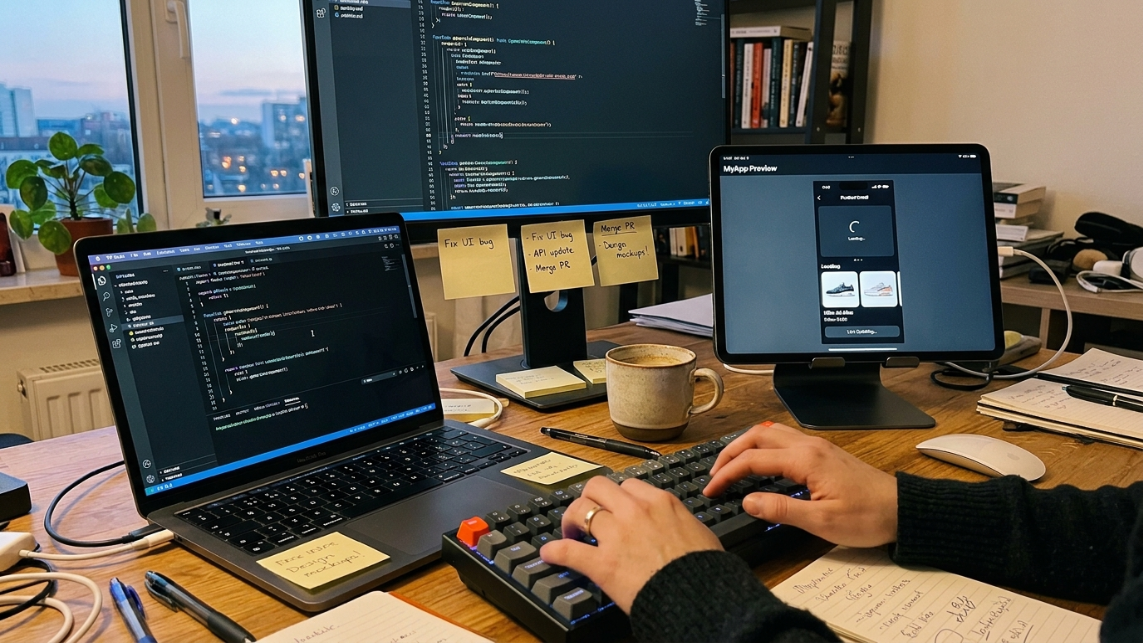
Behind every AI app builder sits a large language model, the same category of AI that powers conversational tools like ChatGPT. These models have been trained on billions of lines of code, technical documentation, and developer Q&A, so they understand programming patterns across dozens of languages.
Here’s the typical workflow:
1. You describe the app. This could be a single sentence (“a habit tracker with streaks and reminders”) or a detailed brief with specific screens, user roles, and payment flows. The quality of your description directly affects the quality of the output. Garbage in, garbage out applies here as much as anywhere.
2. The AI interprets your intent. Natural language processing parses your description into structured requirements. The model identifies what screens you need, what data needs to be stored, and how different features connect.
3. Code generation happens across three layers simultaneously. The AI generates the user interface (screens, buttons, forms), structures the database (how to store user data, relationships between entities), and writes the business logic (when a user taps “Buy,” the app processes a payment and updates the stock level). This is where screen mapping becomes critical, because the AI needs a clear map of how screens relate to each other before generating coherent code.
4. You iterate. The first output is rarely perfect. You refine through additional prompts, visual adjustments, or direct edits, depending on the platform.
5. Deployment. Some platforms handle hosting and publishing automatically. Others export code you deploy yourself.
The model doesn’t copy-paste from a library of templates. It generates code dynamically, combining patterns it learned during training to fit your specific use case. This is both its strength (flexibility) and its weakness (inconsistency), a tension that matters more as projects grow in complexity.
Types of AI App Builders
This is where most explanations fail. They treat “AI app builder” as a single category when it actually covers four distinct tool types with different inputs, outputs, and ideal users.
AI App Builder Types at a Glance
This breakdown helps you quickly match the right tool type to your goal before diving into details.
Type | Output | Skill Level | Best Use Case | Biggest Limitation |
|---|---|---|---|---|
Prompt-to-App | Web app | Beginner | MVPs, SaaS prototypes | No native mobile apps |
Visual + AI | Web / hybrid app | Beginner–Intermediate | Internal tools, workflows | Slower iteration |
AI Coding Assistant | Codebase | Intermediate–Advanced | Production development | Requires coding knowledge |
Native Studio | Native mobile app | Beginner–Intermediate | App Store apps | Smaller ecosystem |
Type | How You Work | What You Get | Best For | Examples |
|---|---|---|---|---|
Prompt-to-app builders | Describe the app in text | Full-stack web app | Quick MVPs, SaaS prototypes | Lovable, Bolt.new, Base44, Replit Agent |
Visual builders with AI | Drag-and-drop canvas + AI assist | Web or hybrid app | Complex workflows, internal tools | Bubble, Adalo, FlutterFlow |
AI coding assistants | Write code with AI suggestions | Code files (you manage everything else) | Experienced developers | Cursor, Claude Code, GitHub Copilot |
Native-platform studios | Guided multi-step workflow | Native iOS or Android app | App Store-ready mobile products | x1 (iOS-native) |
Prompt-to-app builders
These are what most people picture when they hear “AI app builder.” You type a description, and the platform generates a complete web application. Lovable, which hit $206M in annual recurring revenue by late 2025, is the most visible player. Bolt.new and Replit Agent occupy similar territory.
The important word is web. These tools generate web applications, not native iOS or Android apps. There is no App Store submission, no compiled Swift or Kotlin binary, no built-in push notification infrastructure. If your goal is a web-based SaaS product, they’re a strong starting point. If you need something in the Apple App Store, they won’t get you there.
Visual builders with AI features
Platforms like Bubble, Adalo, and FlutterFlow spent years building visual editors, database engines, hosting infrastructure, and app store publishing pipelines. They’ve now layered AI on top of that foundation. The AI helps generate components, suggest workflows, or auto-configure data structures, but you’re still working in a visual canvas.
These tools offer more control than pure prompt-to-app builders and tend to be more reliable for complex, production-grade applications. The tradeoff is speed: they take longer to learn and longer to build with.
AI coding assistants
Tools like Cursor, Claude Code, and GitHub Copilot help experienced developers write code faster. They autocomplete functions, generate boilerplate, refactor existing code, and answer technical questions inline. They’re powerful, but they assume you already know how to code. These are a separate conversation from AI app builders aimed at non-technical users.
Native-platform studios

This is the newest and least crowded category. Native-platform studios generate actual compiled code for a specific operating system, most commonly iOS (Swift/Xcode). Rather than a single prompt window, they typically use a structured, multi-step workflow: plan the app’s architecture, design the screens, generate the code, then handle launch assets and store submission.
x1 is an example of this approach, focused exclusively on native iOS app generation. The distinction matters because native apps perform better, feel more polished, and have access to device features (camera, push notifications, sensors) that web wrappers can’t match.
AI App Builder vs. No-Code Builder vs. AI Coding Assistant
This comparison is the single most common source of confusion. The three categories overlap in marketing but differ in practice.
AI App Builder | No-Code Builder | AI Coding Assistant | |
|---|---|---|---|
Input method | Natural language descriptions | Visual drag-and-drop | Code with AI suggestions |
Output | Generated application | Configured application | Code files |
Who it’s for | Anyone with an idea | Non-developers willing to learn a platform | Professional developers |
Code ownership | Varies by platform | Usually locked in | Full ownership |
Learning curve | Low (prompting) | Medium (platform-specific) | High (requires coding skill) |
Customization depth | Limited by AI capability | Limited by platform features | Unlimited |
The distinction goes deeper than interface differences. They represent fundamentally different philosophies about how software should be created. No-code platforms say: “You build it visually, we handle the code.” AI app builders say: “You describe it, we build it.” AI coding assistants say: “You write the code, we help you go faster.”
There’s a convergence happening. No-code platforms are adding AI features. AI app builders are adding visual editing capabilities. But in mid-2026, the lines are still clear enough that choosing the wrong category wastes more time than choosing the wrong tool within the right category.
For a deeper look at how these categories compare in practice, see AI app builder comparisons.
Output Differences: Why Tool Choice Actually Matters
The most important distinction between platforms is not features—it’s what you get at the end.
AI App Builder → functional application
No-code builder → configured application inside a platform
AI coding assistant → raw code you control
This creates three very different outcomes:
If you need speed, choose AI app builders
If you need control, choose coding assistants
If you need simplicity, choose no-code tools
Most users mix these up and expect one tool to behave like all three.
What Can You Build?
AI app builders handle a real but bounded set of use cases. Here’s where they work well and where they don’t.
MVPs and startup validation
This is the strongest use case. You can validate an idea with real user flows, real data, and production-like behavior in days rather than months. A quarter of Y Combinator’s Winter 2025 batch had codebases that were 95% or more AI-generated, which tells you something about how seriously the startup world takes these tools.
The cost difference is stark. Compare a freelance developer ($5,000 to $15,000 for an MVP) or an agency ($15,000 to $50,000+) against AI app builder subscriptions that typically run $20 to $300 per month. Even at the premium tier, you’re spending 3 to 10 times less than traditional development.
Internal business tools
Teams can create custom inventory trackers, approval workflows, reporting dashboards, and data entry forms on the same day the need arises. These apps don’t need to be beautiful. They need to work. AI app builders excel here because internal tools rarely face the edge cases and scale demands that break AI-generated code.
Customer-facing web apps
Signup flows, client portals, lightweight SaaS products. These are buildable as long as the platform outputs real, deployable code and handles authentication and data persistence properly. The caveat is that “properly” is doing a lot of work in that sentence (more on limitations below).
Native mobile apps
Here’s where the market has a genuine gap. Most prompt-to-app tools generate web applications. If you need an app in the Apple App Store or Google Play, your options shrink dramatically.
Consumer spending on mobile apps reached $117.6 billion in 2025. Users expect apps that feel native: smooth animations, offline support, deep OS integration. Web wrappers packaged as mobile apps rarely meet that bar, and Apple’s review process rejected roughly 31% of submissions in 2025, often for exactly this kind of quality gap.
Platforms focused on native iOS output address this by generating actual Swift code and handling the full pipeline through App Store publishing. This is still a small category, but it’s the only path from “AI-generated” to “real app in someone’s pocket.”
Prototyping and client demos
Agencies can deliver functional prototypes that demonstrate real user flows. Clients click through actual behavior, not static mockups. This alone can justify the subscription cost for agencies and consultants who currently spend days building presentation prototypes.
What AI App Builders Can and Cannot Build
Understanding limitations is critical before starting a project.
Best-fit projects:
MVPs and startup prototypes
Internal dashboards and tools
Simple SaaS products
Landing pages with logic
Client demos and prototypes
Poor-fit projects:
High-performance mobile games
Real-time trading systems
Banking or healthcare systems
Large-scale distributed platforms
Deep offline-first native apps (unless using native tools)
Rule of thumb: If failure has high financial or regulatory risk, AI app builders should only be used for prototyping—not final production.
AI App Builder Output vs Traditional Development
Factor | AI App Builder | Traditional Development |
|---|---|---|
Time to MVP | Minutes–days | Weeks–months |
Cost | $20–$300/month | $5,000–$50,000+ |
Flexibility | Medium | High |
Maintenance | Platform-dependent | Fully manual |
Scaling ability | Limited by platform | Unlimited |
Skill required | Low–medium | High |
Limitations and Trade-offs
No honest guide to AI app builders skips this section. The marketing promises are real but incomplete, and the gap between “looks like an app” and “works as a product” is where projects succeed or fail.
The demo-vs-ship gap
Most platforms can produce something that looks like an app within minutes. Practitioners on Reddit, particularly in r/vibecoding and r/nocode, have converged on a pointed heuristic: “The question is not which AI app builder is best. The question is whether you are building to impress or building to ship.”
A demo-quality app handles the happy path. A shippable app handles errors, edge cases, authentication, data persistence, and performance under load. The distance between those two states is where most AI-generated projects stall.
The fix-one-break-ten problem
This is the most frequently reported frustration across Reddit communities and practitioner forums. You ask the AI to fix a bug, and it introduces two new ones. In codebases beyond a few hundred lines, the AI loses track of how components connect. One developer on a Medium walkthrough documented generating 69 Swift files and a 2,830-line view controller, at which point making targeted changes without collateral damage became nearly impossible.
In an August 2025 survey, 16 of 18 CTOs reported production disasters directly caused by AI-generated code, ranging from performance collapses to data corruption. The pattern is consistent: AI generation works well at small scale and degrades as complexity grows.
Hallucination
The AI sometimes generates code that looks correct but doesn’t function as intended. It might reference an API that doesn’t exist, use a deprecated method, or structure data in a way that seems logical but fails at runtime. You can’t trust AI output without testing it, which means someone, human or automated test suite, needs to verify the results.
Security blind spots
Exposed API keys, missing authentication checks, overly permissive database rules. These are common in AI-generated code because the model optimizes for functionality, not security. Practitioners on Reddit consistently flag this as a reason not to ship AI-generated apps to production without a security review.
Context window limits
Large language models can only process a fixed amount of text at once. As your project grows, the AI literally cannot hold the entire codebase in its working memory. This is a fundamental architectural constraint, not a bug that will be patched next quarter.
No native mobile output from most builders
Worth repeating: the majority of AI app builders produce web applications. If you describe a “mobile app,” most platforms will generate a responsive website, not something you can submit to the App Store. The terminology is misleading, and many first-time users discover this only after building.
How to Evaluate an AI App Builder
With the landscape this varied, a structured evaluation matters more than reading “Top 10” lists. Here’s what to check.
Output type. Does the platform generate web apps, hybrid apps, or native mobile apps? This is the first and most important filter. If you need an iPhone app, most AI builders are immediately disqualified.
Code ownership. Can you export the code and host it yourself? Some platforms lock you in. Others give you full access to the generated codebase. This matters if you ever want to switch tools, hire a developer, or sell the product.
Backend depth. Does the platform handle authentication, persistent databases, file storage, and third-party integrations? Or does it only generate a frontend?
Iteration reliability. Can you make changes without breaking what already works? This is the fix-one-break-ten question, and it separates tools with structured workflows from tools with single-prompt interfaces.
App Store readiness. If you’re targeting mobile, does the platform generate launch assets (screenshots, metadata), handle submission, and produce apps that pass review?
Pricing model. Free tiers exist but often cap generation limits. Paid tiers range from $20 to $300 per month. Compare that to your alternative: freelance developer, agency, or learning to code yourself. For reference, x1’s pricing runs $99 to $299 per month depending on build capacity and speed.
Built-in monetization support. If you plan to charge users, does the platform handle subscriptions, paywalls, and payment processing? Or do you need to build that from scratch?
A simple decision tree: If you need a web-based MVP fast, start with a prompt-to-app builder. If you need complex workflows with data logic, try a visual builder with AI. If you’re a developer wanting speed, use an AI coding assistant. If you need a native iOS app ready for the App Store, look at a native iOS studio.
The Market in 2026
The numbers are striking. The no-code AI platform market was valued at $6.56 billion in 2025 and is projected to reach $75.14 billion by 2034 at a 31.13% CAGR. The broader low-code development market has reached $28.75 billion in 2026.
Adoption among professional developers has become nearly universal: 90% regularly use at least one AI tool at work as of January 2026, with 74% using specialized AI coding tools beyond general chatbots. Gartner projects that 75% of new applications will be built using low-code or no-code tools by the end of 2026, up from less than 25% in 2020.
Revenue growth at the platform level reflects this momentum. Cursor went from zero to over $1 billion in annualized revenue in roughly 24 months. Lovable hit $206 million ARR by late 2025, up from $7 million at the end of 2024, a 2,800% year-over-year growth rate. Base44 was acquired by Wix for $80 million.
The trend worth watching is the shift from “one-shot generation” (type a prompt, get an app) to structured, multi-step workflows. The first generation of AI app builders bet everything on a single prompt box. The next generation, including platforms focused on native mobile, breaks the process into deliberate stages: plan, design, build, publish. This mirrors how experienced developers actually work and produces more coherent results.
The rise of one-person app companies is another signal. Solo founders are using AI app builders to do what previously required a team of five or ten. This isn’t theoretical. It’s happening in YC batches, on indie maker forums, and in App Store listings right now.
If you’re ready to build a native iOS app from idea to App Store, start with x1’s studio.
Frequently Asked Questions
Can AI actually build a real app?
Yes, but “real” has a wide range. AI app builders can produce functional applications with user interfaces, databases, and business logic. For MVPs, internal tools, and simple customer-facing products, the output is genuinely usable. For complex, high-scale production systems, the AI-generated code typically needs human review, refactoring, and ongoing maintenance. The technology is real. The expectations just need to be calibrated.
Is an AI app builder the same as a no-code builder?
No. A no-code builder gives you a visual canvas where you manually configure screens, workflows, and data. An AI app builder lets you describe what you want in plain language and generates the application. Some no-code platforms have added AI features, blurring the line, but the core interaction model is different. No-code is “build by clicking.” AI app builder is “build by describing.”
Can an AI app builder create a native iOS app?
Only specific tools handle this. The majority of AI app builders generate web applications, not native iOS or Android apps. If you need a compiled Swift app that submits to the Apple App Store, you need a platform specifically designed for native output. Most “Top 10” lists don’t distinguish between web output and native output, which leads to confusion.
How much does an AI app builder cost?
Free tiers exist but cap what you can generate. Paid plans typically range from $20 to $300 per month. Compare that to hiring a freelance developer ($5,000 to $15,000 for an MVP) or an agency ($15,000 to $50,000+). Even at premium pricing, AI app builders are 3 to 10 times cheaper than traditional development.
Do I own the code an AI app builder generates?
It depends entirely on the platform. Some give full code export and ownership. Others keep the code on their infrastructure with no export option, effectively locking you in. Check the terms of service before building anything you plan to sell or scale. This is a non-negotiable evaluation criterion.
What is the “fix-one-break-ten” problem?
It’s the pattern where asking the AI to fix a bug introduces new bugs elsewhere in the codebase. This happens because the AI model can’t hold the entire project in its context window as complexity grows. It’s the most common frustration reported by practitioners and the primary reason structured, multi-step workflows outperform single-prompt generation for anything beyond simple apps.
What types of apps should I NOT build with an AI app builder?
Apps requiring complex real-time systems (multiplayer games, financial trading platforms), apps with strict regulatory compliance needs (healthcare, banking), and apps that demand extreme performance optimization are poor fits today. AI-generated code can serve as a starting point for these, but it won’t get you to production quality without significant human engineering.