


TLDR
Rork is an AI-powered mobile app builder with two distinct products: Rork (cross-platform via React Native) and Rork Max (native Swift for Apple devices). It excels at speed, turning prompts into working MVPs in minutes. But real users consistently report credit consumption problems, a chat-only interface that fights you on design tweaks, context loss after a few rounds of iteration, and unreliable publishing. It’s a strong prototyping tool with significant gaps for anyone trying to ship a polished, production-ready app.
Quick Answer: Is Rork Worth It in 2026?
Rork is worth using in 2026 if you need to quickly prototype a mobile app or validate an idea without coding. Its biggest strengths are speed, AI-generated code, and no-code accessibility. However, it is less suitable for production apps because users report credit limits, chat-only design iteration, context loss, and publishing reliability issues. Choose Rork for MVPs; choose a more structured development workflow for serious apps.
What Is Rork?
Rork is an AI app builder founded by Levan Kvirkvelia and Daniel Dhawan. The company has raised $15 million in total funding, including early backing from Andreessen Horowitz (a16z), and reportedly hit $1.5 million in annual recurring revenue within three days of launching its premium product in February 2026.
The first thing any Rork review needs to clarify: this is not one product. It’s two.
Rork (Standard/Pro) uses React Native and Expo to build cross-platform apps that run on iOS, Android, and the web from a single codebase. Plans start at $20 per month.
Rork Max is an entirely separate product that generates native Swift apps targeting the full Apple ecosystem: iPhone, iPad, Apple Watch, Apple TV, Vision Pro, and iMessage. It starts at $200 per month.
These two products share a brand name but run on different tech stacks, serve different audiences, and carry very different price tags. Confusing the two is easy, and many users do. The rest of this review treats them distinctly.
If you’re still exploring what types of AI app builders exist, understanding this split is essential before evaluating Rork against anything else.
How Rork Works
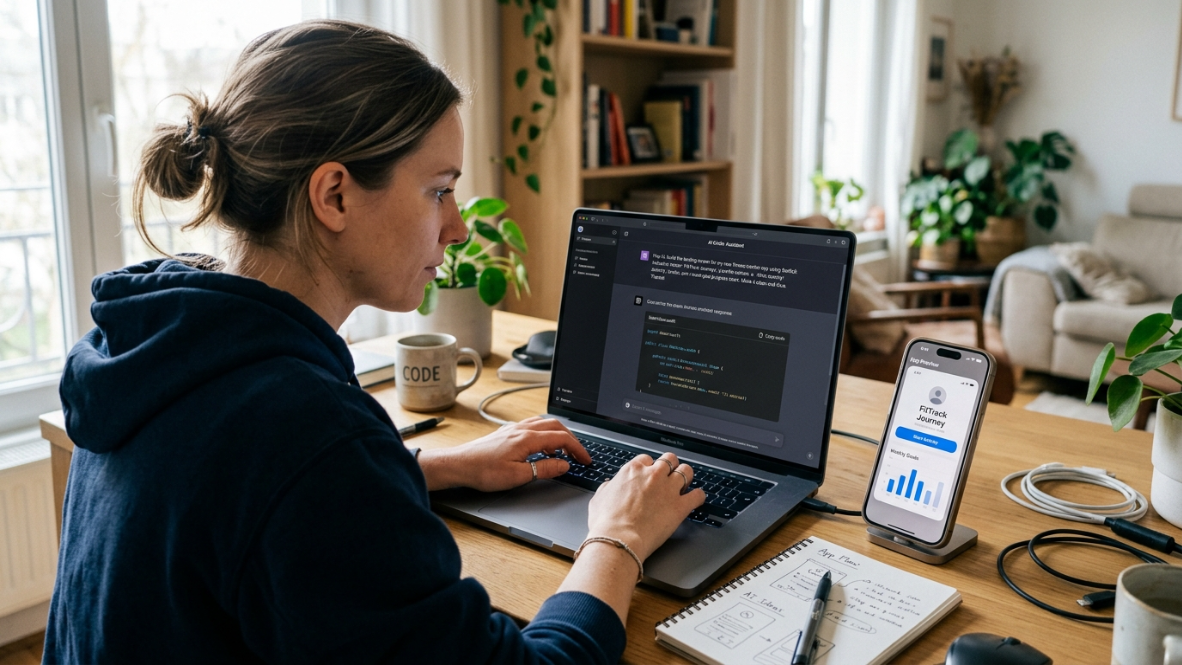
The workflow is chat-based. You describe your app in plain English, and Rork’s AI (powered by Anthropic’s Claude) writes the code, compiles it, catches errors, and iterates until the app runs. For Rork Max, this compilation happens on a cloud Mac, and a streaming simulator lets you interact with the app directly in your browser tab, tapping through screens as if holding a phone.
The core loop looks like this:
Prompt your app idea (e.g., “a habit tracker with daily streaks, reminders, and a stats dashboard”).
The AI generates a multi-screen app with navigation and basic logic.
Test it via QR code on your phone or the in-browser simulator.
Iterate by chatting with the AI to change features, fix bugs, or tweak the design.
Publish to the App Store (Max) or export the code (Pro).
Everything happens through the chat window. There is no visual editor, no drag-and-drop canvas, no way to directly manipulate layouts. This is the defining characteristic of the Rork experience, and, as this review will cover, the source of its biggest pain points.
Rork Architecture Explained: What Actually Gets Built?
Component | Rork | Rork Max |
|---|---|---|
AI Model | Claude-powered generation | Claude-powered generation |
Frontend Framework | React Native + Expo | Swift + SwiftUI |
Output Type | Cross-platform mobile app | Native Apple app |
Code Access | React Native source export | Native Swift project |
Development Environment | Cloud-based | Cloud Mac environment |
Best Use Case | MVP validation | Apple ecosystem apps |
Rork vs. Rork Max: Key Differences
This distinction matters more than most Rork reviews acknowledge. Choosing the wrong product means either overpaying or hitting a platform wall.
Feature | Rork (Pro) | Rork Max |
|---|---|---|
Tech stack | React Native (Expo) | Native Swift (SwiftUI) |
Platforms | iOS, Android, Web | iPhone, iPad, Apple Watch, Apple TV, Vision Pro, iMessage |
Starting price | $20/mo | $200/mo |
Performance | 30-60 fps (React Native) | Consistent 60 fps (native) |
Apple-specific features | Limited | AR/LiDAR, Metal graphics, Widgets, Dynamic Island, Live Activities, Siri Intents, HealthKit, HomeKit, NFC, Core ML |
App Store publishing | Manual export | 2-click submission |
Best for | Cross-platform MVPs on a budget | Apple-focused products needing native capabilities |
The simple decision framework from RorkLab’s three-month review: choose Rork if you need iOS plus Android from a single codebase at a lower price; choose Rork Max if you’re Apple-only and want native Swift performance with deep ecosystem integration.
For a broader look at how mobile AI builders compare across frameworks, see this vibe coding apps comparison.
Rork Pricing and the Credit System Explained
Rork uses a credit-based pricing model. Each credit represents one prompt to the AI, regardless of complexity. Asking the AI to “change the button color” costs the same one credit as asking it to “build a complete user authentication flow.”
Plan | Monthly Price | Credits per Month | Platforms |
|---|---|---|---|
Free | $0 | 35 (5/day cap) | Web, Expo |
Pro | $20-$100 | 100-500 | Android, Expo (React Native), Web |
Max | $200+ | 1,000-10,000 | All Pro platforms + iPhone, iPad, Apple Watch, Vision Pro |
Credits reset monthly. They do not roll over. And there’s a hidden cost that catches people off guard: Apple’s Developer Program fee ($99/year) is required on top of any Rork plan if you want to publish to the App Store.
How Fast Credits Actually Burn
This is where the Rork review conversation gets heated. According to NocCode MBA’s analysis, a simple MVP with 5 to 8 screens typically uses 20 to 40 credits. Complex apps with heavy iteration can burn through 100 to 200 credits.
A product designer who reviewed Rork noted that “the biggest credit drain isn’t building logic, it’s UI iterations. The small design tweaks through chat quickly add up.” Multiple practitioners on Reddit and review sites corroborate this: Rork consumes credits faster than expected, especially during the polish phase when you’re nudging layouts and refining visual details.
On a Pro plan with 100 credits per month, you might build two simple MVPs or struggle to finish one complex app. The credit system creates a constant cost-consciousness that shapes how you use the tool.
To understand how credit-based pricing compares to flat subscription models, the difference matters more than most people realize.
Rork Credit Cost Calculator: How Much Will Your App Really Cost?
App Type | Estimated Screens | Typical Credits | Likely Plan |
|---|---|---|---|
Simple calculator app | 2-4 screens | 10-20 credits | Free/Starter |
Habit tracker | 5-8 screens | 20-40 credits | Pro |
Marketplace MVP | 10-20 screens | 100+ credits | Higher plan |
Production app | Multiple iterations | 200+ credits | Expensive |
The biggest variable is not initial generation. It is iteration. Most credits are consumed when refining layouts, fixing bugs, and changing previously generated features.
What Rork Does Well
A fair Rork review has to acknowledge the genuine strengths. They’re real, and for the right use case, they’re compelling.
Raw Speed
Rork’s speed is its strongest selling point. One reviewer’s test is telling: “My test prompt was ‘a habit tracker with daily streaks, reminders, and a simple stats dashboard.’ It produced a five-screen app with working navigation in under three minutes.”
For founders validating ideas, this is transformative. You can test whether an app concept resonates with real users in an afternoon instead of weeks.
No Mac or Xcode Required

Rork Max genuinely removes the traditional barriers to iOS development. No Mac hardware, no Xcode installation, no Swift knowledge needed. Everything runs in the browser. For non-technical founders, this is a meaningful unlock.
App Store Publishing (When It Works)
The two-click App Store submission in Rork Max handles bundle identifiers, app icons, version numbers, and the submission flow automatically. One thorough review confirmed that their “test app was successfully submitted to TestFlight and then to the App Store review queue without touching Xcode at all.”
Code Ownership
You retain full ownership of generated code and can export React Native source code freely on paid plans. This matters if you eventually want to hand the project to a developer for further work.
Platform Reach
With over 743,000 monthly visits and 85% growth, Rork has built a large community quickly. That scale means more prompt patterns, more shared projects, and faster iteration on the platform itself.
How Reliable Is Rork for Building Real Apps?
Use a scoring table.
Category | Rating |
|---|---|
Initial app generation | ⭐⭐⭐⭐⭐ |
Prototype speed | ⭐⭐⭐⭐⭐ |
UI refinement | ⭐⭐⭐ |
Complex features | ⭐⭐ |
Production readiness | ⭐⭐ |
Publishing reliability | ⭐⭐ |
Rork performs best during the first 80% of app creation: generating screens, navigation, and basic functionality. The final 20%—polish, edge cases, debugging, and App Store preparation—is where users report the most friction.
Where Rork Falls Short: Documented Weaknesses
This section is the core of any honest Rork review. These aren’t edge cases or nitpicks. They’re recurring problems reported across Trustpilot, Product Hunt, Reddit, Medium, and multiple independent reviewer sites.
The Chat-Only Interface Problem
Because Rork is entirely chat-driven, every change, no matter how small, requires a text prompt. Want to move a button 10 pixels to the left? Write a prompt. Want to change a single color? Write a prompt. Each prompt burns a credit.
One practitioner described it this way: “Because the platform is chat first, nudging the layout by a few pixels or changing a single color sometimes feels like steering a ship with a teaspoon.” Another review noted that “all output design is determined entirely by the AI based on your prompt… If the AI misreads your description, you have no visual way to correct the code output.”
This is Rork’s fundamental design tension. The same chat interface that makes initial generation fast becomes a bottleneck during refinement. There’s no visual canvas, no direct manipulation, no way to grab an element and move it. Every design tweak goes through the same text-prompt pipeline, and each one costs a credit.
For anyone evaluating builder approaches, understanding the difference between chat-only and studio-based workflows is worth the time.
Context Loss During Iteration
Multiple independent reviews document the same pattern: after three to four rounds of changes, the AI starts losing track of your app’s state. Features you already built disappear. Styles revert. New changes break previously working screens.
As one detailed review put it: “Rork’s most frustrating problem is that after 3 to 4 rounds of changes, the AI loses track of your app.” The React Native codebase becomes increasingly difficult to maintain as state management complexity accumulates across iterations.
This creates a painful dynamic where the tool is fastest at the start and slowest when you need it most, during the polishing phase right before launch.
Instability and Publishing Failures
Rork’s Product Hunt page tells a split story. While the product received 782 upvotes at launch, user reviews include “repeated complaints about crashes, black screens, persistent errors, missing app features, publishing friction, and uneven or absent support.”
Publishing failures are particularly common. Practitioners on Medium and review forums describe hitting the “Publish” button only to find that nothing happens. For a tool that markets one-click publishing as a headline feature, this gap between promise and reality is significant.
No Built-in Backend
Rork generates frontend code but ships no database, authentication, or storage layer. Anything beyond a static UI requires setting up Firebase, Supabase, or another third-party service yourself. For non-technical users who chose Rork specifically to avoid technical complexity, this is a meaningful limitation.
Free Tier Reliability
The free plan (35 credits per month, 5 per day) doesn’t always work as advertised. Multiple reviewers report that new accounts sometimes don’t receive promised credits, making it difficult to evaluate the product before committing to a paid plan.
Customer Support
Rork holds a 2.9 out of 5 on Trustpilot across 19 reviews as of June 2026. A recurring theme in negative reviews: users contacted support multiple times about application failures and received no adequate responses. When your app is stuck in a broken state and you’re burning credits trying to fix it, unresponsive support becomes a serious problem.
Rork Review Scores Across Platforms
Source | Score | Notes |
|---|---|---|
Trustpilot | 2.9/5 (19 reviews) | Recurring complaints about instability and support |
Product Hunt | 4.4/5 (25 reviews) | Launch enthusiasm; mixed long-term feedback |
ICON POLLS | 3.8/5 | Balanced editorial assessment |
Vibecoding Gallery | 8.3/10 | Favorable structured review |
The pattern is notable: editorial and structured reviews rate Rork favorably, while unfiltered user review platforms reveal deeper frustrations. This split suggests that Rork demos well and impresses on first contact, but the experience degrades during sustained, production-focused use.
Who Should Use Rork (And Who Shouldn’t)
Rork is a good fit if:
You have an app idea and want to test it with real users before investing in full development
You need a quick, throwaway prototype to validate market interest
You’re comfortable with React Native and want to accelerate cross-platform development
You’re building a simple utility app with minimal backend requirements
Rork is probably not right if:
You’re building a production-quality iOS app that needs to be polished and reliable at launch
Your app requires complex backend logic (real-time payments, push notifications, server-side processing)
You need fine-grained control over your UI and layouts
You want predictable costs without credit anxiety during iteration
You need the full Apple ecosystem (Watch, Vision Pro) but can’t justify $200/month
The honest assessment, shared by several independent reviewers: Rork is exceptional for going from idea to working prototype in an afternoon. It’s less reliable for going from prototype to polished, App Store-ready product.
If you’re a non-technical founder trying to navigate this decision, this guide to choosing an app builder breaks down the criteria that actually matter.
Rork vs Traditional App Development
Factor | Rork | Traditional Development |
|---|---|---|
Time to first prototype | Minutes/hours | Weeks/months |
Coding knowledge | Low | High |
Design control | Limited | Full |
Backend flexibility | Limited | Full |
Long-term scalability | Depends | Strong |
Initial cost | Lower | Higher |
AI builders do not replace developers in every scenario. They reduce the cost of experimentation, but complex apps still require architecture decisions, backend engineering, security review, and ongoing maintenance.
Rork Alternatives for iOS Development
Rork exists in a growing category. Here’s how the main alternatives compare for iOS-focused builders:
Cursor and Claude Code are powerful for developers who already know Swift but want AI acceleration. They’re code editors with AI assistance, not complete app builders, so they assume technical proficiency.
FlutterFlow offers a visual drag-and-drop builder for cross-platform apps using Flutter. It gives you the design control Rork lacks, but outputs Dart code rather than native Swift.
Vibecode targets mobile app generation with a focus on simplicity, though it’s still early in its development.
x1 takes a fundamentally different approach. Rather than cramming everything into a single chat window, x1 uses a modular studio workflow (Plan, Design, Build, Launch, Iterate) where each phase has its own focused interface. It outputs native Swift and Xcode projects from the start, at every pricing tier, not just a premium add-on.
See how x1’s studio approach works
Where Rork’s chat-only interface burns credits on UI tweaks and loses context after a few iterations, x1’s sequential studio approach is designed to maintain coherence across the entire project lifecycle. And where Rork charges $200 per month for native Swift output, x1 includes it starting at $99 per month on the Builder plan.
For a side-by-side look at how these tools stack up, see the full AI app builder comparison.
The Bottom Line
Rork is a fast, impressive prototyping tool that has earned its rapid growth. For throwing together a working MVP to test an idea, it’s genuinely useful. The speed is real. The accessibility is real. The ability to go from English prompt to working app in minutes is a meaningful advance.
But the documented weaknesses are equally real. The credit system punishes iteration. The chat-only interface fights you during design refinement. Context loss after three to four rounds of changes creates a frustrating ceiling. Publishing failures undermine the core promise. And a Trustpilot score of 2.9 out of 5 suggests these aren’t isolated incidents.
For anyone serious about shipping a polished, native iOS app to the App Store, the gaps between Rork’s prototype-stage speed and production-stage reliability are worth taking seriously. A structured, studio-based approach that maintains coherence from idea through launch, and gives you direct design control without burning credits on every pixel adjustment, is the more predictable path to a real product.
Explore x1’s pricing and plans
Frequently Asked Questions
Is Rork free to use?
Rork offers a free plan with 35 credits per month (capped at 5 per day). However, the free tier does not include App Store publishing, and multiple users report that new accounts sometimes don’t receive credits as advertised. It’s enough to experiment with basic prompts but not enough to build and iterate on a real app.
What’s the difference between Rork and Rork Max?
Rork uses React Native (Expo) to build cross-platform apps for iOS, Android, and web, starting at $20 per month. Rork Max generates native Swift apps for the full Apple ecosystem (iPhone, iPad, Apple Watch, Vision Pro) starting at $200 per month. They share a brand but are essentially different products with different tech stacks.
How many credits does it take to build an app with Rork?
A simple MVP with 5 to 8 screens typically consumes 20 to 40 credits. More complex apps with heavy iteration can burn through 100 to 200 credits. UI tweaking is the biggest credit drain, since every small design change costs one credit regardless of complexity.
Can Rork really publish apps to the App Store?
Rork Max supports two-click App Store submission, and it does work in many cases. However, publishing failures are a common complaint in user reviews. You’ll also need an Apple Developer Program membership ($99/year) on top of your Rork subscription.
Does Rork have a visual editor?
No. Rork is entirely chat-based. All design changes must be described in text prompts. There is no drag-and-drop canvas or direct manipulation of UI elements. If the AI misinterprets your description, your only option is to write another prompt (and spend another credit).
What happens to my code if I cancel Rork?
On paid plans, you can export your React Native source code. You retain full ownership of the generated code. However, some Trustpilot reviews mention limitations on exporting work and downloading files on certain plans, so verify export capabilities for your specific tier before committing.
Is Rork good for production apps or just prototypes?
The consensus across independent reviews is that Rork excels at prototyping and MVP validation but struggles with production readiness. Context loss after a few rounds of iteration, instability during publishing, and limited design control make it better suited for testing ideas than shipping polished products. For production-ready iOS apps, most teams eventually bring in additional tools or developers.
How does Rork’s pricing compare to flat-subscription builders?
Rork’s credit model means costs vary based on how much you iterate. A Pro user at $20 per month with 100 credits might need to upgrade quickly if building anything beyond a simple app. Flat-subscription alternatives like x1 ($99 to $299 per month) offer predictable monthly costs without per-prompt charges, which removes the “credit anxiety” that Rork users frequently describe.