


TL;DR
AI app builder credits are a platform-specific currency that meters your access to AI-powered building tools. They are not the same as tokens or API requests, and comparing credit counts across platforms is misleading without understanding what each credit actually buys. Credits burn fastest during regression loops (fixing the same bug repeatedly), and many platforms charge separately for build-time and runtime usage. Understanding the credit model before you start building saves real money.
Every AI app builder eventually shows you the same message: “You’ve used X of Y credits.” If you’re lucky, it happens during a tutorial. If you’re not, it happens mid-build, right when your app’s authentication flow is half-finished and you need three more iterations to get it working.
The credit system is the billing backbone of nearly every AI app builder on the market. Yet no platform explains it well upfront, and the industry has no standard definition. This guide fixes that.
See how x1’s studios work from idea through App Store launch, with a structured workflow designed to reduce wasted iterations.
Quick Answer: How Do AI App Builder Credits Work?
AI app builder credits are a platform-specific unit used to charge for AI-generated work such as code generation, bug fixes, UI design, and integrations. Unlike AI tokens, credits have no universal value because every platform defines them differently. Before choosing a builder, verify:
- what one credit actually buys
- whether runtime usage also consumes credits
- whether unused credits expire
- whether advanced AI models cost more credits
- whether your generated code remains yours after you stop paying
The cheapest plan isn't always the most affordable. The platform that wastes the fewest credits during development usually provides the lowest total cost.
What Are AI App Builder Credits?
AI app builder credits are a form of internal currency that platforms use to meter access to their AI building tools. Each time you prompt the AI to generate code, design a screen, fix a bug, or run an integration, the platform deducts credits from your account.
Think of credits as pre-purchased units of AI work. You buy a plan that includes a set number, and each action you take inside the builder consumes some portion of that allowance.
Why Credits Instead of Flat Pricing?
The underlying AI models (GPT-4, Claude, Gemini, and others) charge by tokens, which are small chunks of text processed during each interaction. A simple prompt might use 500 tokens. A complex code generation might use 50,000. This variability makes flat-rate pricing risky for platform providers, so they wrap the unpredictable token costs into a simplified credit system.
Credits make billing easier to understand on the surface. The problem is that they also make it easier to obscure.
Credits Are Not Tokens
This distinction trips up almost everyone:
Tokens are the raw processing units used by AI models. They measure text volume.
Credits are a vendor-defined wrapper around tokens (and sometimes compute time, API calls, or other resources).
One credit on Lovable might represent a full multi-step code generation. One credit on Create.xyz might represent a single micro-action. The word “credit” tells you nothing about what’s happening underneath unless the platform publishes its conversion ratio, and most don’t.
For a broader look at how different AI app builders work, including their pricing structures, that guide covers the major categories.
How AI App Builder Credits Work
The Hybrid Model
The dominant pricing pattern in AI app builders combines two layers: a monthly subscription that sets a baseline credit allowance, plus a usage-based layer that either bills for overages or blocks further use until the next billing cycle.
According to pricing analysis across 21 AI app builders, 100% offer a free plan and 0% use a classic time-limited free trial. The free plan always comes with a credit cap. The paid plans raise that cap and sometimes change what each credit buys.
What Consumes Credits
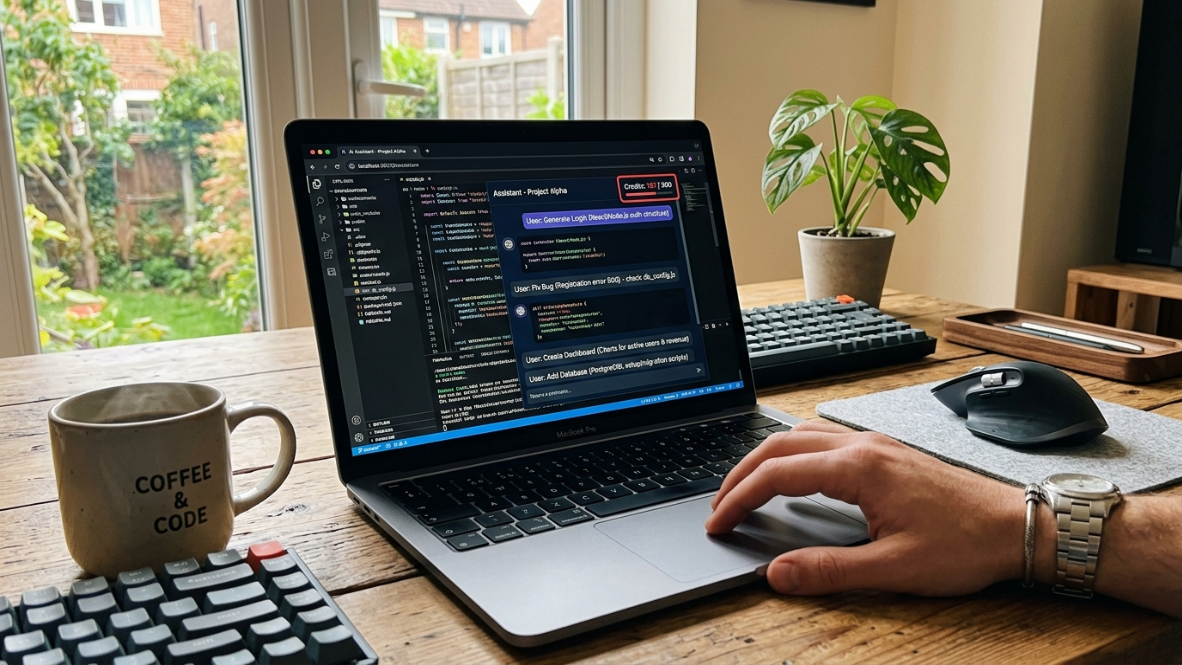
Not all actions cost the same. Here’s what typically burns credits across platforms:
Prompts and messages: Asking the AI to build, edit, or explain something
Code generation: Producing or modifying actual application code
Design iterations: Changing layouts, styles, or screen flows
Bug fixes: Each attempt to resolve an issue costs credits, whether it works or not
Integrations: Connecting to databases, APIs, or external services
Runtime AI calls: If your published app uses AI features, those consume credits too
That last point catches most builders off guard. We’ll cover it in detail below.
Daily, Monthly, and One-Time Allotments
Platforms structure credit resets differently:
Daily caps limit how much you can build in a single session. Lovable’s free tier, for example, gives 5 credits per day.
Monthly caps set the total ceiling. Those same Lovable free credits max out at 30 per month, meaning if you use all 5 daily credits each day, you hit zero after just six days.
One-time allotments are given at signup (often labeled “free credits” or “trial credits”) and don’t replenish.
Most paid plans use monthly allotments that reset on the billing date. Unused credits almost never roll over. Expiration is the norm, not the exception.
Pool-Based vs. Per-User Allocation
On team plans, credits might be shared across all team members (pooled) or assigned individually. Pooled credits mean one heavy user can drain the team’s budget in a day. Per-user allocation prevents this but limits flexibility. This distinction matters most at the small-team stage, where one founder might be doing 80% of the building.
Credit Consumption by App Complexity
One of the hardest questions for new builders is how many credits they'll actually use. While every platform measures credits differently, development complexity has a much larger impact than the platform itself.
App Type | Typical AI Work | Relative Credit Usage |
|---|---|---|
Landing page | UI generation only | Very Low |
CRUD business app | Forms, database, authentication | Medium |
Marketplace | Search, users, messaging | High |
SaaS dashboard | APIs, charts, permissions | High |
AI chatbot | Prompt engineering, model integrations | Very High |
Mobile app with backend | Multiple screens + APIs | Very High |
Biggest Factors That Increase Credit Usage
Authentication systems
Payment integration
Database schema changes
API debugging
AI prompt refinement
Frequent UI redesigns
Repeated bug fixing
The complexity of the app usually affects total credit consumption far more than the monthly credit allowance itself.
Credits vs. Tokens vs. Requests: A Quick Comparison
The AI app builder market uses at least five different billing units, often without explaining the differences. Here’s a practical breakdown:
Billing Unit | What It Measures | Who Uses It | Transparency |
|---|---|---|---|
Credit | Vendor-defined unit of AI work | Lovable, Base44, Builder.io, most no-code builders | Low to medium |
Token | Raw text processed by the AI model | OpenAI API, direct model access | High (but technical) |
Premium Request | A single action against a frontier model | Cursor, some coding assistants | Medium |
Message Credit | One conversational exchange with AI | Base44, Lovable (build mode) | Medium |
Integration Credit | One external API call or connection | Base44, Create.xyz | Low |
The reason headline numbers are misleading: 3,000 credits on one platform might equal 30 minutes of active building, while 100 credits on another might last a full week. Practitioners on Reddit regularly point out that Create.xyz doesn’t publish a credit-to-prompt or credit-to-token guide, making its 3,000-credit free tier impossible to evaluate until you’ve already started using it.
You cannot compare AI builder plans priced in different billing units without first converting them to a common measure: dollars per unit of your actual work.
Question | Credits | Tokens | API Requests |
|---|---|---|---|
Standardized? | No | Yes | Usually |
Easy for beginners? | Yes | Moderate | Yes |
Predictable costs? | Medium | High | High |
Comparable across vendors? | No | Yes | Usually |
Hidden pricing? | Common | Rare | Rare |
Common Credit Models Across AI App Builders
Per-Message Credits
The simplest model. Each message you send to the AI costs one credit (or a defined fraction). Lovable’s Plan Mode works this way: 1 credit per message for simple conversations. Build Mode varies by complexity.
Per-Generation Credits
Each time the AI produces a meaningful output (a screen, a feature, a code block), it costs credits. The amount varies by what’s being generated. Builder.io’s Agent Credits work on this principle, where each credit represents a fixed dollar value covering model costs plus Builder’s service margin.
Per-Integration Credits
Base44 splits credits into two types: message credits for AI interactions during building, and integration credits for connecting to external tools. This separation at least makes it possible to predict costs for integration-heavy apps versus simple standalone builds.
Enterprise Credits (Microsoft Context)
Microsoft AI Builder credits appear prominently in search results for this topic, so it’s worth noting: Microsoft announced in October 2025 a progressive phase-out of AI Builder credits, replacing them with Copilot Credits. On pay-as-you-go billing, 1 Copilot Credit equals $0.01. This is an enterprise context, not directly relevant to indie app builders, but it illustrates where the credit model is heading industry-wide.
Hidden Charges That Aren't Included in Credit Counts
Many builders advertise generous credit allowances while charging separately for services that developers eventually need.
Common extra costs include:
cloud hosting
database storage
image generation
premium AI models
API requests
email services
authentication providers
deployment
custom domains
analytics
Always calculate the total monthly operating cost, not just the advertised credit allowance.
The Real Cost: Why Credits Burn Faster Than Expected
This is where the glossary definition meets painful reality.
The Regression Loop Problem
AI builders don’t hold a persistent mental model of your entire app between turns. They fix problem A, accidentally break feature B, fix B, and reintroduce A. This cycle, called a regression loop, is the single fastest way to drain credits.
One founder documented spending $4,800 in Bolt.new credits on a single OAuth redirect bug over six weeks. The eventual fix took 40 minutes of manual coding. Practitioners across vibe-coding communities report the same pattern: you spend an afternoon and $40 in credits and end the session with more broken features than you started with.
A planning-first approach, where you map screens, define features, and decide on architecture before generating code, directly reduces this waste. When the AI has clear context for each step, it generates fewer contradictory outputs. That’s the thinking behind x1’s product methodology, which sequences the work into Plan, Design, Build, and Launch phases to avoid exactly this kind of expensive thrashing.
Build Credits vs. Runtime Credits
Here’s the hidden layer most builders don’t discover until their app is live.
During development, credits are consumed when you’re actively building. That makes sense. But once real users are interacting with your published app, any AI-powered features in that app continue consuming credits. The baseline consumption doesn’t stop when you close the laptop.
Lovable’s pricing bundles two things into its credit system: subscription credits for chat and edits during development, and a separate usage-based bill for the Cloud and AI features your finished app calls at runtime. That second layer is what surprises most buyers. Enterprise AI deployments commonly see 40-60% cost inflation above sticker price once runtime and scaling costs are factored in.
Credit Multipliers for Advanced Models
Using frontier models (GPT-4, Claude Opus) triggers hidden multipliers that can more than double your burn rate compared to standard models. Some platforms default to the most expensive model without making this obvious. Always check which model your builder is using and whether you can switch to a lighter one for routine tasks.
Warning Signs of a Poor Credit System

Not every pricing model is transparent. Before committing to a platform, watch for these red flags.
No published credit conversion
If the company never explains what one credit represents, budgeting becomes impossible.
Credits expire monthly
Many platforms remove unused credits at the end of the billing cycle.
Runtime pricing is hidden
Development credits may not include production usage.
Premium models consume multiple credits
Advanced AI models often have hidden multipliers.
No usage dashboard
Without detailed usage reporting, it's difficult to identify where credits are being spent.
How to Evaluate Any AI App Builder’s Credit System
Before committing to a platform, ask these five questions:
What exactly does one credit represent? If the platform can’t answer this clearly, that’s information you need. The opacity is usually intentional.
What’s the credit-to-output ratio for your use case? Building a simple three-screen app uses dramatically fewer credits than a feature-rich app with authentication, payments, and database operations. Ask for examples or try the free tier first.
Do credits cover build-time only, or runtime too? This is the question that separates informed buyers from surprised ones. If your app will use AI features in production, runtime costs must be part of the equation.
What happens when you hit zero? Some platforms pause your work. Others let you continue at reduced speed. Others block all access until you upgrade. Know which one you’re signing up for.
Can you export your work if you stop paying? If your app exists only on the platform’s servers and you lose access when credits run out, that’s a form of lock-in worth understanding upfront.
For a deeper evaluation framework, the AI app studio buyer’s guide walks through additional criteria beyond just credits.
Tips for Conserving Credits
These strategies apply regardless of which platform you use:
Plan before you prompt. Every message costs credits. Spending 20 minutes mapping your app’s screens, data model, and user flows on paper (or in a planning tool) before touching the AI builder can cut your credit consumption in half.
Stop the regression loop early. If you’ve prompted the same bug fix more than three times, stop. The AI isn’t going to solve it on the fourth try. Copy the error, research it manually, or ask a human developer. Five failed attempts at $2-5 each adds up fast.
Use the lightest model available. For simple text changes, layout adjustments, or non-critical iterations, a smaller model costs fewer credits. Save frontier models for complex logic.
Batch related changes. Instead of sending five separate prompts (“change button color,” “update header text,” “move the image left,” etc.), combine them into one detailed prompt. Most platforms charge per message, not per instruction within a message.
Separate build and runtime budgets. If your platform charges for both, track them independently. A $25/month plan that looks cheap for building can become $100/month once your app has active users calling AI features.
Market Pricing Benchmarks
Understanding the broader pricing landscape helps you evaluate whether a credit system is fair:
The median cheapest paid plan across AI app builders is $25/month, with an average of $29.71
81% of builders price their entry plan below $29
95% price below $49, meaning anything above that needs a clear professional justification
A solo founder’s total app cost (builder + backend + hosting) typically runs $50-100/month
Small teams should expect $150-300/month
These numbers come from a pricing survey of 21 AI app builders conducted in 2026.
How x1 Handles Credits
x1 takes a different approach to the credit problem in a few ways worth noting.
x1 offers roughly 100 free credits to try the product or build out a feature. Beyond that, the paid tiers (Builder at $99/month, Pro at $199/month, Max at $299/month) scale on build capacity, iteration speed, and priority access rather than opaque per-message credit math. Yearly billing brings the effective cost down significantly (Builder drops to $66/month, for instance).
The structural difference is what happens after you build. Because x1 produces native Swift/Xcode projects for iOS, the code you generate is yours. There’s no runtime credit layer where x1 meters your app’s production usage. Once the app is built and submitted to the App Store, it runs on Apple’s infrastructure, not x1’s servers. That eliminates the build-vs-runtime credit split that surprises users on web-app platforms.
x1’s five-stage workflow (Plan, Design, Build, Launch, Iterate) is also designed to minimize the regression loops that eat credits on less structured platforms. By mapping screens and features before generating code, each build step has clear context, which means fewer wasted iterations.
Compare x1’s pricing tiers to see which plan matches your build pace, or read the detailed pricing breakdown for specifics on what each tier includes.
Frequently Asked Questions
What is the difference between AI app builder credits and tokens?
Credits are a vendor-defined currency that wraps tokens and other costs into a single number. Tokens are the raw text-processing units used by the underlying AI model. One credit might represent hundreds or thousands of tokens depending on the platform. Credits show cost; tokens show usage.
Why do credit counts vary so much between platforms?
Because there’s no industry standard for what a credit represents. One platform’s credit might cover an entire code generation step, while another’s might cover a single micro-action. Comparing headline credit numbers across platforms is meaningless without knowing the credit-to-output ratio.
Do I use credits when my published app is running?
On many web-app builders, yes. If your live app calls AI features, database queries, or cloud functions provided by the builder, those consume runtime credits even when you’re not actively developing. Platforms like Lovable bill this separately from build-time credits. Builders that export native code (like x1) avoid this because the finished app runs independently.
How many credits does a typical app take to build?
It depends heavily on complexity. A simple three-screen app might take 20-50 credits on most platforms. A full-featured app with authentication, payments, and multiple data flows could consume hundreds. The biggest variable isn’t the app’s scope but the number of regression loops you hit during building.
What happens when I run out of free credits?
Most platforms either block further AI interactions until the next billing cycle or prompt you to upgrade to a paid plan. Some reduce functionality (slower models, limited features) instead of blocking entirely. Always check the specific platform’s policy before starting a project on free credits.
Can I avoid wasting credits on bug fixes?
Planning before prompting is the single most effective strategy. Map your app’s structure, data model, and user flows before you start generating code. When the AI has clear context, it produces more coherent output and you spend fewer credits fixing contradictions. Stopping a regression loop after three failed attempts (instead of continuing to throw credits at it) also preserves your budget.
Are AI app builder credits refundable?
Almost universally, no. Credits that are consumed are gone. Unused credits typically expire at the end of the billing period and don’t roll over. Some platforms offer refunds on unused portions of a subscription cancellation, but the credits themselves are treated as consumed capacity, not a stored balance.
Is $25/month enough to build a real app?
For simple projects on web-app builders, a $25/month entry plan can get you to a working prototype. For production-quality native apps, especially iOS apps with complex features, you’ll likely need a higher tier or supplemental tools. A realistic solo-founder budget for a production app is $50-100/month across all tools and services.