

TL;DR
An app launch with AI means using artificial intelligence tools to take an app from idea to live in the App Store or Google Play. AI can help at every stage, from planning and design to code generation and metadata writing, but building the app is only half the battle. The real challenge is the last mile: passing App Store Review, creating launch assets, and meeting 2026 compliance requirements that most AI tools don’t handle for you.
App releases surged 60% year-over-year in Q1 2026, with iOS alone seeing an 80% jump. The working theory behind this boom? AI-powered tools are making it possible for people who’ve never written a line of code to ship real software. Practitioners on Reddit confirm the trend. One user on r/nocode wrote: “Two months ago, I couldn’t code. Today, I still can’t code, but somehow my iOS app is live on the App Store with users across three continents.”
That’s the promise. But the reality is more nuanced than the viral stories suggest. This guide breaks down what an app launch with AI actually involves, defines the key terms you’ll encounter, and flags the pitfalls that trip up most first-time builders.
See how the idea-to-launch workflow works inside an AI app studio before diving into the details.
Direct Answer: Can You Launch an App with AI in 2026?
Yes — you can use AI to build and launch an app, but AI only handles the “build” phase well. The real challenge is passing App Store review, which requires native code (Swift/Kotlin or Xcode-ready builds), compliance with Apple’s 2026 rules, and properly prepared metadata, screenshots, and privacy disclosures. Most AI tools fail at the final 20%: App Store submission and compliance.
What “App Launch with AI” Actually Means
An app launch with AI refers to using AI-powered tools and workflows to take a mobile application from initial concept through to live availability in an app store. That includes everything: ideation, planning, screen design, code generation, testing, metadata creation, and submission to Apple’s App Store or Google Play.
The phrase carries two distinct meanings, and the difference matters:
Meaning 1: Using AI to build and launch an app. This is what most people are searching for. You describe your app in plain English, an AI tool generates the code, and (ideally) you end up with a live listing. Tools like Cursor, Claude Code, Replit, and dedicated AI app studios fall into this category.
Meaning 2: Launching an app that uses AI features internally. Think apps with built-in chatbots, image generation, or recommendation engines. This is a product strategy question, not a build-process question.
This guide focuses primarily on meaning 1, which matches what the overwhelming majority of searchers want to know. If you’re earlier in the process and still exploring how to turn an idea into a real app, start there.
Why Most AI-Built Apps Fail at Launch (Critical Gap Most Guides Ignore)

Most AI-generated apps fail not during development, but during App Store submission. The failure point is almost always the same: the app is technically functional but not compliant with Apple’s requirements.
The most common failure causes include:
1. Web App Confusion (No Native Build)
Many AI tools output React or web-based apps that cannot pass App Store Review.
2. Missing Privacy Compliance
Apps often lack:
Privacy manifests
Data usage disclosures
Consent screens for AI APIs
3. Minimum Functionality Rejection (Guideline 4.2)
Apps that behave like simple wrappers or clones are rejected.
4. Incomplete App Store Assets
Missing screenshots, keywords, or incorrect metadata formatting leads to rejection or poor ranking.
5. SDK and iOS Version Mismatch
Apps built on outdated SDKs (pre-iOS 26 requirement) are automatically rejected.
Key Terms Every Builder Should Know
The vocabulary around AI app launching can be confusing, especially because marketers use terms loosely. Here are the ones that actually matter, grouped by when you’ll encounter them.
Planning and Building
Vibe Coding — A term coined in early 2025 that describes building software by telling an AI what you want in plain language and letting it write the code. Instead of manually writing functions, you guide the AI through conversation. The term is now standard across builder communities. For a deeper look at how vibe coding tools compare in practice, we tested several side by side.
AI App Builder — Any tool that generates application code from natural-language prompts. The category is broad: it includes everything from coding assistants like Cursor to full platforms like Replit. Quality and output type vary wildly.
AI App Studio — A more specific term for an integrated environment that covers planning, design, building, and launching under one roof. Rather than stitching together five different tools, an AI app studio handles the full journey. x1 is an example of this approach, using modular “studios” for each stage (Plan, Design, Build, Launch, Iterate) instead of relying on a single prompt window. You can explore the x1 AI app studio to see how these stages connect.
Coding Agent — An AI that writes, tests, and debugs code with minimal human intervention. Different from a code autocomplete tool. Agents can handle multi-step tasks like “add a login screen with Apple Sign-In and save user preferences to local storage.”
The Native vs. Web Distinction
This is the single most important concept to understand before attempting an app launch with AI.
Native App — An application built with platform-specific code (Swift/SwiftUI for iOS, Kotlin for Android) that runs directly on the device. Native apps can access hardware features, appear in the App Store, and meet Apple’s performance expectations.
Web App / PWA — A website designed to look like an app on a phone. It runs in a browser, can’t be submitted to the App Store in most cases, and lacks access to native device features. Most AI app builders, including Lovable, Bolt.new, Base44, and v0, produce web apps only. They look good on phones but cannot be submitted to Apple or Google.
This distinction determines whether “launch” is even possible. If your AI tool outputs a React-based web app, you have not built something you can launch in the App Store. Understanding the different types of AI app builders and their output formats prevents wasted weeks.
Launch and Distribution
App Store Optimization (ASO) — The practice of optimizing your app’s name, subtitle, keywords, description, and screenshots to rank higher in App Store search results. iOS limits your app name to 30 characters. Your subtitle gets another 30. Google Play gives you 50 characters for the name and 80 for a short description. The primary keyword should appear in both the app name and subtitle.
App Store Review (App Review) — Apple’s gating process before any app goes live. Every submission is reviewed against Apple’s guidelines. According to Apple’s 2024 Transparency Report, the review team rejected approximately 1.93 million out of 7.77 million submissions — roughly 1 in 4. Ninety percent of reviews complete within 24 hours, but first-time submissions can take 7 to 14 days.
TestFlight — Apple’s official beta testing platform. Before submitting to App Review, you distribute builds through TestFlight to catch bugs and gather feedback. It’s the step between “my app works on my machine” and “my app is ready for strangers.”
Soft Launch vs. Hard Launch — A soft launch releases the app to a limited audience (one country, a small beta group) before going wide. AI-built apps especially benefit from this approach because initial code quality is uncertain and real-user feedback catches problems automated testing misses. A hard launch is the full public release.
Privacy Manifest — A required file in your app bundle that declares exactly what data each SDK collects and why. Apple mandates these for all bundled third-party SDKs.
SwiftUI / Xcode — SwiftUI is Apple’s modern framework for building user interfaces. Xcode is Apple’s development environment where you compile, test, and submit iOS apps. If you want a native iOS app in the App Store, your build process goes through Xcode. For a deeper dive into native iOS terminology, we cover SwiftUI, Xcode, and related concepts in a dedicated glossary.
AI App Builder vs AI App Studio vs Coding Agent
Category | What It Does | Output Type | App Store Ready? | Main Limitation |
|---|---|---|---|---|
AI App Builder | Generates app from prompts | Usually web apps | ❌ No | Not native |
AI App Studio | Full workflow from idea to launch | Native + assets | ✅ Yes (sometimes) | Tool complexity |
Coding Agent | Writes/debugs code autonomously | Source code | ⚠ Depends | Needs setup |
App Store Review Checklist (2026 Requirements)
Before submitting your AI-built app, ensure it meets Apple’s 2026 requirements:
Technical Requirements
Built with iOS 26 SDK (Xcode 26 or later)
Native app structure (not WebView wrapper)
No dynamic code injection
Compliance Requirements
Privacy manifest included for all SDKs
AI consent screen if external APIs are used
C2PA metadata for AI-generated media (if applicable)
App Store Metadata
App name ≤ 30 characters (iOS)
Subtitle clearly describes core function
Keywords aligned with actual functionality
Accurate category selection
Functional Requirements
App must do more than display static content
No broken login flows or placeholder screens
No “empty shell” apps
The Stages of an AI-Assisted App Launch
Launching an app with AI is not a single step. It’s a sequence, and skipping stages is how most projects fail. Here’s what the workflow looks like in practice.
1. Ideation and Planning
You describe your app concept. AI maps out the screens, features, user flows, and technical requirements. Good tools ask clarifying questions: Who is this for? What’s the core action? Do you need authentication? Payments? The planning stage determines whether the rest of the project holds together or collapses under its own weight.
2. Design
AI generates UI layouts, color schemes, typography, and brand elements. You refine. The important thing here is that design decisions made now directly affect code generation quality later. Changing a fundamental layout after the build stage introduces significant rework, even with AI.
3. Build
This is where AI generates actual application code. The output format matters enormously. Native Swift code for iOS? React Native for cross-platform? A web app in React? The answer determines whether your app can actually reach the App Store.
One practitioner shared on Reddit that they “built 3 apps (iOS, web, macOS) and a website in 2 months using Claude in Warp terminal, zero coding knowledge, shipped to the App Store.” Stories like these are real, but they tend to omit the hours spent debugging, configuring provisioning profiles, and fixing App Review rejections.
4. Pre-Launch Preparation
This is where most non-technical founders hit a wall. The app might work, but it’s not ready for submission. Pre-launch prep includes:
Creating App Store screenshots (multiple device sizes)
Writing the App Store listing (title, subtitle, description, keywords)
Preparing a privacy policy URL
Setting up provisioning profiles and certificates
Completing the age rating questionnaire
Ensuring all metadata claims match actual app functionality
A complete walkthrough of the idea-to-App-Store process covers each of these requirements in detail.
App Store Optimization (ASO) Strategy for AI-Built Apps
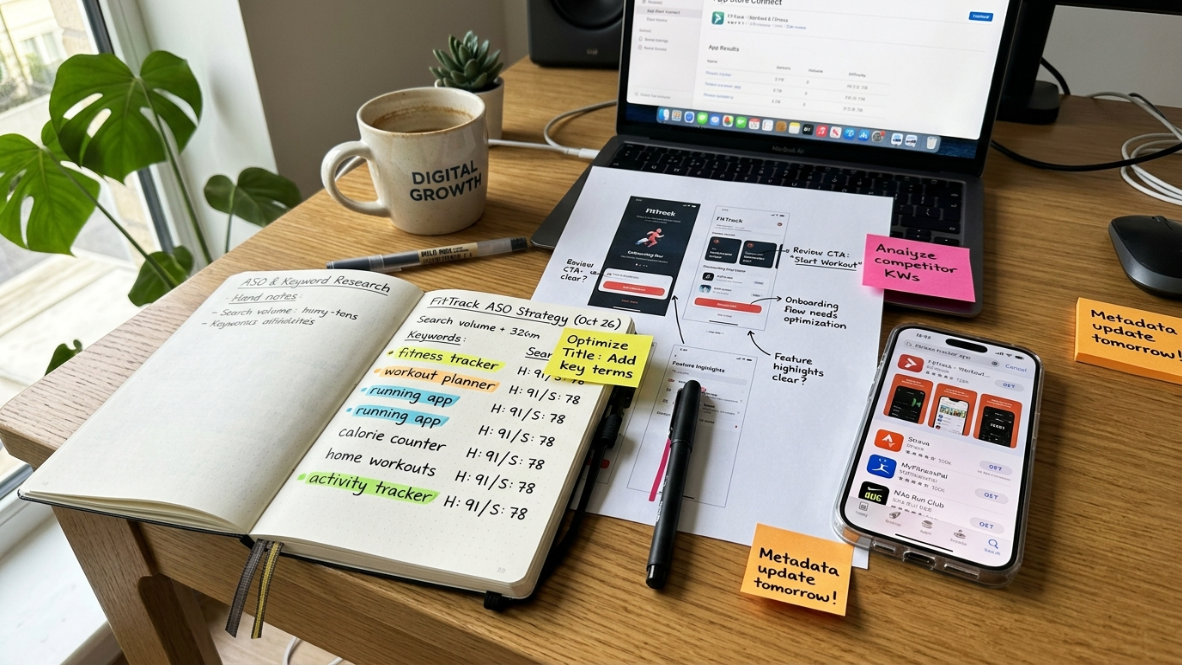
AI-built apps often fail not because of rejection, but because of zero visibility after launch.
Key ASO Factors in 2026
App Title: include primary keyword naturally
Subtitle: reinforce use case in 30 characters
Keywords field: avoid repetition, focus on intent clusters
Screenshots: must show real workflows (not AI mockups)
Conversion rate: affects ranking within 48–72 hours
5. Submission and Review
You upload the build through Xcode or App Store Connect, fill in metadata, and submit. Then you wait. Apple reviews every submission against its guidelines, and the rejection rate on first submissions runs between 20% and 30%, usually for missing privacy disclosures, broken sign-in flows, or metadata that doesn’t match what the app actually does.
6. Post-Launch
The app is live. Now you monitor crash reports, read user reviews, track retention, and iterate. AI tools can help here too, generating code fixes and suggesting improvements. But the feedback loop between real users and your next update is where the product actually gets good.
Common Confusion Points
“My AI tool built an app. Why can’t I launch it?”
Because most AI app builders produce web apps, not native apps. A web app running in a browser frame (a “WebView wrapper”) will get rejected by Apple under Guideline 4.2: Minimum Functionality. This is the single most common rejection reason for AI-built apps. If your tool generated a React-based web app and you wrapped it for mobile submission, you’re going to hit this wall.
Reddit communities like r/vibecoding have shifted away from recommending one tool for everything. The consensus now is tool specialization: pick the right builder for your project type. A web app builder is great for web apps. It’s the wrong tool for an App Store launch.
“Will Apple reject my AI-built app?”
Not because it was built with AI. Apple doesn’t care how the code was written. It cares whether the app meets its guidelines. That said, AI-generated apps tend to trigger specific rejections at higher rates:
Guideline 4.2 (Minimum Functionality) — The app doesn’t do enough, or it’s just a web wrapper.
Guideline 4.3 (Spam) — The app is too similar to existing apps. Spam rejections account for roughly 28% of all App Store rejections right now, which makes sense given the flood of AI-generated submissions.
Guideline 2.5.2 — Apps must be self-contained and not install other executable code.
“Do I need to know how to code?”
Not necessarily. But you need to understand what your AI tool is producing and what App Review requires. The gap between “I built something” and “I launched something” is filled with platform-specific knowledge: provisioning profiles, entitlements, SDK requirements, metadata formatting. You don’t need to write Swift, but you do need to know what Swift is and why it matters for iOS.
2026 Compliance Requirements That Most Guides Skip
Apple tightened standards significantly in 2026, and AI-built apps are directly in the crosshairs. Here’s what you need to know.
iOS 26 SDK Requirement. Starting April 2026, all new submissions must be built with the iOS 26 SDK using Xcode 26. If your AI tool generates code targeting an older SDK, your submission will be rejected automatically.
AI Consent Screen. If your app sends any user data to an external AI service, you must display a clear consent screen that names the provider. This applies to apps that use OpenAI, Anthropic, Google, or any other external AI API.
C2PA Metadata for AI-Generated Content. Any AI-generated visual content in your app must include C2PA metadata. This is Apple’s response to concerns about synthetic media and misinformation. Almost no competing guide mentions this requirement, but it’s a concrete, checkable standard that can trigger rejection if ignored.
Expanded Age Ratings. Apple added 13+, 16+, and 18+ tiers to its age rating system. All developers had until January 31, 2026 to complete the updated questionnaire. New submissions must use the expanded system.
Privacy Manifests. Required for all bundled SDKs. If your AI tool pulls in third-party libraries (and most do), each one needs a manifest declaring its data collection practices.
In March 2026, Apple quietly blocked App Store updates for popular vibe coding platforms including Replit and Vibecode, according to reporting from The Information. The crackdown hit harder than most founders expected and signaled that Apple is serious about quality control in the AI app era.
How to Evaluate AI App Launch Tools
Not all AI app builders are AI app launchers. When evaluating tools, ask these questions:
Does it output native code or web code? This is the first filter. If the tool produces a web app, you cannot submit it to the App Store without significant additional work (and even then, approval is unlikely). Native Swift/Xcode output for iOS, or Kotlin for Android, is what you need for a real launch.
Does it cover the full path to submission? Many tools stop at “build.” They hand you working code and leave you to figure out screenshots, ASO metadata, provisioning, and submission on your own. That last mile is where 80% of non-technical founders get stuck.
Does it handle App Store assets? Screenshots, app previews, descriptions, and keyword fields are not optional. They directly affect whether anyone finds your app after launch. Tools that include asset generation save significant time and reduce errors.
Does it produce code you own and can extend? Some platforms lock you into their ecosystem. If you can’t export your codebase, you can’t hire a developer later to add features the AI couldn’t handle.
Does it account for App Review requirements? Privacy manifests, age ratings, consent screens, the iOS 26 SDK. A tool aware of these requirements saves you from the most common rejection scenarios.
According to Gartner, 75% of new applications will be built using low-code or no-code tools by the end of 2026, up from less than 25% in 2020. The market is moving fast, but the tools vary enormously in what they actually deliver at launch time.
For a side-by-side look at how different builders compare, the best app builders for non-technical founders guide breaks down the options by output type, launch support, and pricing.
The Build-to-Launch Gap: Why It’s the Real Challenge
A LinkedIn post that ranked on the first page for this topic asked a pointed question: “Why can AI build your app but not launch it?” The answer is that building and launching require fundamentally different capabilities.
Building is a code generation problem. AI is genuinely good at this now. You can describe a screen, and AI will produce functional SwiftUI or React Native code in seconds.
Launching is a compliance, marketing, and platform-knowledge problem. It requires understanding Apple’s review guidelines, creating visual assets at specific pixel dimensions, writing metadata that serves both ASO and accuracy requirements, configuring certificates and provisioning profiles, and navigating a submission interface designed for professional developers.
iOS consumer spending reached $117.6 billion in 2025. Users expect apps that feel native, load instantly, and work seamlessly. The bar for “good enough to launch” keeps rising, even as AI makes “good enough to demo” easier than ever.
This gap is why the concept of an AI app studio exists. Rather than handling just the build, an AI app studio covers the full journey: planning, design, code generation, launch assets, and submission support.
Explore x1’s pricing to see what’s included at each tier for builders ready to go from idea to App Store.
Most Common App Store Rejection Reasons for AI-Built Apps (2026)
Reason | Apple Guideline | Why It Happens |
|---|---|---|
Web wrapper app | 4.2 Minimum Functionality | No native functionality |
Spam / clone app | 4.3 Spam | Too similar to existing apps |
Missing privacy disclosure | Privacy Policy rules | AI tools skip compliance |
Broken login/payment flow | 2.1 App Completeness | AI-generated bugs |
Outdated SDK | iOS 26 requirement | Old toolchain |
FAQ
What does “app launch with AI” mean?
It means using AI-powered tools to take a mobile app from concept to live availability in the Apple App Store or Google Play. AI assists with planning, design, code generation, testing, metadata creation, and submission. The term covers the entire journey, not just the build step.
Can I launch an app with AI if I don’t know how to code?
Yes. Multiple practitioners have shipped App Store apps with zero coding experience using AI tools. However, you still need to understand platform requirements like App Review guidelines, provisioning profiles, and metadata formatting. You don’t write the code, but you need to understand the launch process.
What’s the difference between an AI app builder and an AI app studio?
An AI app builder generates code from prompts. An AI app studio covers the full workflow: planning features, designing screens, generating code, creating launch assets, and supporting App Store submission. The distinction matters because building the app is only part of launching it.
Will Apple reject my app because AI built it?
Apple does not reject apps for being AI-generated. It rejects apps that violate its guidelines. AI-built apps commonly fail on Guideline 4.2 (Minimum Functionality, often because they’re web wrappers), Guideline 4.3 (Spam), or missing privacy disclosures. Roughly 1 in 4 submissions gets rejected overall.
Why can’t I submit my AI-built app to the App Store?
Most likely because your AI tool produced a web app, not a native iOS app. Tools like Lovable, Bolt.new, and v0 generate browser-based applications that look like apps on phones but cannot be submitted to Apple. You need native Swift/Xcode output for an iOS launch.
What are the biggest 2026 compliance changes for AI app launches?
New submissions must use the iOS 26 SDK and Xcode 26. Apps using external AI services need explicit consent screens. AI-generated visual content requires C2PA metadata. Age ratings now include 13+, 16+, and 18+ tiers. Privacy manifests are required for all bundled SDKs.
What is vibe coding?
Vibe coding is building software by describing what you want in natural language and letting AI write the code. The term was coined in early 2025 and has become the standard way to describe prompt-driven development. It works well for prototypes but often produces code that needs significant refinement before it’s App Store ready.
Should I soft launch or hard launch my AI-built app?
Soft launch. Release to a small audience first (one geography, a beta group through TestFlight) and use real-world feedback to fix problems before going wide. AI-generated code has a higher rate of edge-case bugs, making the soft launch feedback loop especially valuable.