


TL;DR
Rork and Vibecodeapp are both AI-powered mobile app builders, but they serve different users. Rork is the stronger choice for serious app development with its React Native and native Swift options, while Vibecodeapp’s build-from-your-phone approach suits casual experimentation. Both tools share a critical limitation: chat-only interfaces that struggle with the last mile of shipping a production app. If your goal is a real native iOS app in the App Store, x1’s guided studio workflow offers a more structured path from idea to launch.
Quick Answer: Rork vs Vibecodeapp — Which AI App Builder Is Better?
Rork is the better choice for developers and founders who need a more capable AI app builder with cross-platform support, React Native output, and native Swift options through Rork Max. Vibecodeapp is better for beginners who want to experiment with app ideas directly from their phone. However, both rely heavily on chat-based workflows, which can create problems when moving from prototype to production. For launching a serious native iOS app, a structured workflow with design, testing, and App Store preparation provides a more complete path.
Who Should Use Rork vs Vibecodeapp?
The right choice depends on what you are trying to build.
User Goal | Best Choice | Reason |
|---|---|---|
Build an MVP quickly | Rork | Better feature depth and platform coverage |
Create an app from a phone | Vibecodeapp | Mobile-first workflow |
Launch an iOS App Store product | Rork Max / x1 | Better native iOS focus |
Build Android + iOS | Rork | React Native cross-platform support |
Test a startup idea | Rork or Vibecodeapp | Both are fast for prototypes |
Non-technical founder | x1 | More structured workflow |
Learn AI app building | Vibecodeapp | Lowest barrier to entry |
At-a-Glance: Rork vs Vibecodeapp vs x1
Dimension | Rork (Pro) | Rork Max | Vibecodeapp | x1 |
|---|---|---|---|---|
Starting price | Free (5 credits/day); $25/mo paid | $200/mo | Free; $20/mo paid | ~100 free credits; $99/mo ($66/mo yearly) |
Code output | React Native (Expo) | Native Swift/SwiftUI | React Native (Expo) | Native Swift/Xcode |
Platform coverage | iOS + Android + Web | Apple ecosystem only | iOS + Android | iOS only |
App Store submission | Supported | 2-click publishing | Supported, but Apple removed Vibecodeapp from iOS (March 2026) | Built-in screenshots, ASO, submission flow |
Build approach | Chat-only | Chat-only | Chat (mobile-first) | Five-stage guided studios |
Design control | Limited, via prompts | Limited, via prompts | Styling via prompts | Dedicated design canvas |
Launch assets | No | No | No | Built-in (screenshots, listing copy) |
Best for | Cross-platform MVP validation | Apple-only native apps | Phone-based prototyping | End-to-end native iOS launch |
For a broader look at how these tools fit into the AI app builder category, see this vibe coding tools comparison.
How We Compared Rork and Vibecodeapp
This comparison evaluates AI app builders across the factors that matter most when moving from idea to published application:
Code ownership and export options
Platform support
Native app capabilities
App Store publishing workflow
Pricing and credit systems
Design flexibility
Developer control
Production readiness
User feedback and reported limitations
The goal is not to identify the tool with the most impressive demo, but the platform that provides the strongest path from prototype to a usable product.
1. x1: A Structured Alternative for Native iOS
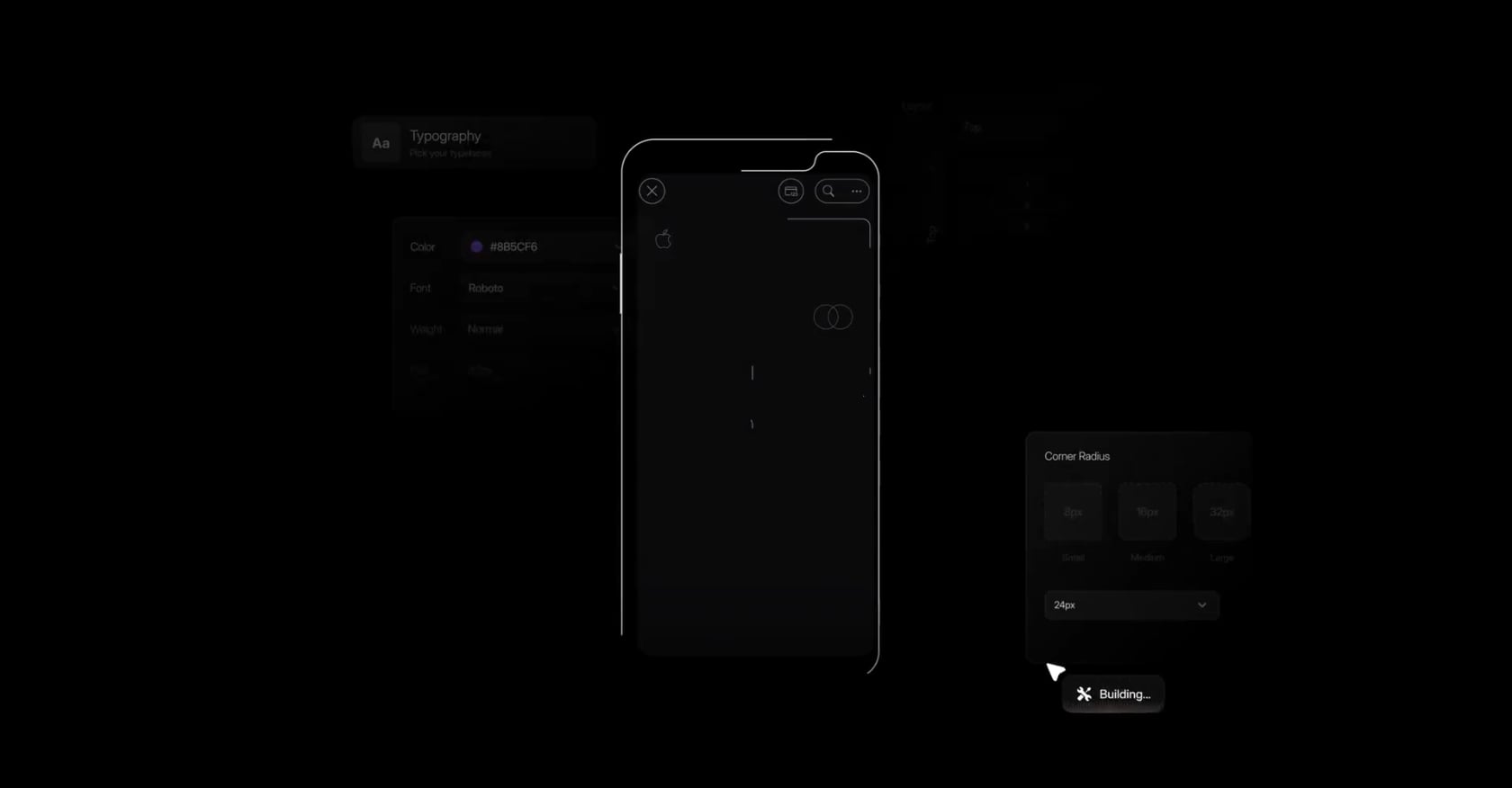
Best for: Founders who want to ship a real, production-quality native iOS app to the App Store with guided structure from idea through launch.
What x1 Is
x1 is an AI app studio that replaces the chaotic prompt loop with five purpose-built studios, each handling a distinct phase of app development. Instead of one chat window that tries to do everything, x1 separates the work into Plan, Design, Build, Launch, and Iterate stages.
The output is native Swift/Xcode projects, not React Native, not web wrappers, and not demos. This matters because Apple increasingly enforces guidelines that favor truly native apps.
How the Workflow Differs
Plan: Answer questions, and x1 maps out screens, features, and flows. Choose how things work: taps, saves, payments, return states.
Design: A visual canvas for shaping brand identity, screens, and details before any code is generated. You control icon, colors, fonts, layouts, buttons, spacing, and copy directly.
Build: x1 generates the actual iPhone app, working through each screen and feature in order. Includes testing and App Store prep.
Launch: Create App Store screenshots, write the listing copy, and submit for review, all within the same tool.
Iterate: Refine and polish post-launch.
This staged approach directly addresses the context-loss problem. Each studio maintains focused context for its specific phase rather than trying to hold an entire app’s worth of decisions in a single conversation thread.
Pricing
Builder: $99/month ($66/month billed yearly). Full workflow, native iPhone app creation, fast iteration, all core studios.
Pro: $199/month ($133/month billed yearly). Increased build capacity, faster iteration, higher priority.
Max: $299/month ($200/month billed yearly). Highest capacity, fastest speeds, top priority.
New users get approximately 100 free credits to try the product. See the full x1 pricing breakdown for quarterly and yearly options.
Strengths
Native Swift/Xcode output that aligns with Apple’s direction on App Review enforcement
Dedicated design canvas, not just chat-based styling
Built-in App Store launch assets (screenshots with device frames, listing copy, ASO metadata)
Modular studios prevent the context-loss problem that plagues chat-only tools
Ownership-first: you get real Swift/Xcode projects you can extend, modify, and monetize
Tradeoffs
iOS only. No Android, no web, no cross-platform output. If you need Android, x1 is not the right tool today.
Early-stage product with a smaller team and fewer public case studies than more established tools.
No free tier beyond the initial credits. The $99/month starting price requires commitment.
x1 Verdict
x1 is purpose-built for the specific workflow that both Rork and Vibecodeapp struggle with: getting from idea to a real, published iOS app. The five-stage studio approach solves the context-loss and last-mile problems, and the inclusion of launch assets eliminates a major source of friction that other tools ignore entirely. The iOS-only limitation is real, but for founders whose primary goal is the App Store, it’s a focused tradeoff rather than a weakness.
2. Rork
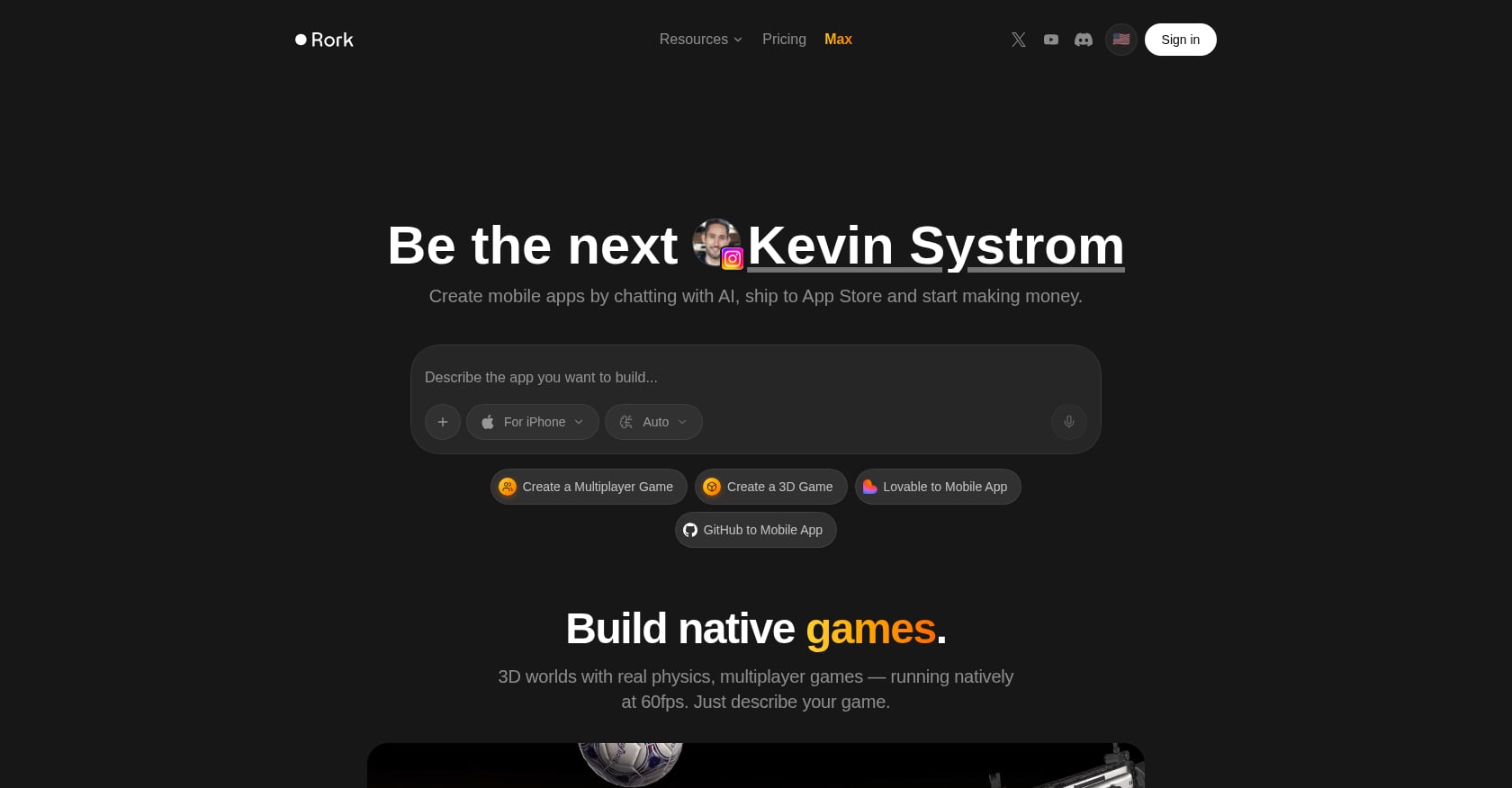
Best for: Cross-platform MVP validation and native iOS apps through a no-code chat interface.
What Rork Is
Rork AI is a no-code platform where you describe an app idea in plain English and get a functional mobile app in return. Founded by Levan Kvirkvelia and Daniel Dhawan, the company has raised roughly $15 million in funding and reportedly hit $1.5 million in annual recurring revenue within three days of launching its Max tier in February 2026.
The platform runs on two distinct engines. Rork Pro generates cross-platform apps using React Native and Expo, covering iOS, Android, and web from a single codebase. Rork Max generates native SwiftUI apps targeting the Apple ecosystem, including iPhone, iPad, Apple Watch, and Vision Pro.
Everything compiles on Rork’s cloud Mac fleet, so you never need to install Xcode or own a MacBook to ship an app.
Rork Pricing
Rork uses a credit-based system where each AI prompt counts as one message:
Free: 35 credits/month, capped at 5 per day
Junior: $25/month, 100 credits
Middle: $50/month, 250 credits
Senior: $100/month, 500 credits
Rork Max: $200/month, 1,000 credits + native Swift output
Hidden costs to factor in: Apple Developer Program ($99/year) and Expo EAS fees for builds.
Key Capabilities
Cross-platform output (iOS, Android, web) from a single prompt on the Pro tier
Native Swift/SwiftUI apps with deep hardware integration on the Max tier (HealthKit, ARKit/LiDAR, NFC, Dynamic Island, Metal 3D)
Cloud-hosted compilation, no local development tools needed
Two-click App Store publishing on the Max tier
Weaknesses and Real User Feedback
Credit consumption is the most common complaint. Practitioners on Reddit and review forums report that iterative builds burn through credits fast because every refinement, bug fix, and follow-up prompt costs a message. A real app needs dozens or hundreds of refinements, not just one prompt.
One practitioner who tested multiple vibe coding tools summed it up: “The logic layer is where it struggles. Streak calculations, state management, anything beyond surface-level CRUD needs significant manual rework before it’s production-ready.” They added that credit-based pricing “gets expensive fast on iterative builds.”
A solo developer’s three-month review highlighted another risk: “Once features accumulate, you cannot move quickly through fixes in code whose structure you never internalized.” This is the hidden cost of no-code generation. You get speed upfront but lose control as complexity grows. Understanding this tradeoff is important when comparing AI app builder types.
ICON POLLS rates Rork Max 3.8 out of 5, reflecting a tool that’s impressive but not yet polished.
Rork Verdict
Rork is the strongest option if you need cross-platform coverage (iOS and Android from one codebase) or want deep Apple hardware integration through Rork Max. The credit system makes it expensive for iterative development, and the chat-only interface provides limited design control.
3. Vibecodeapp
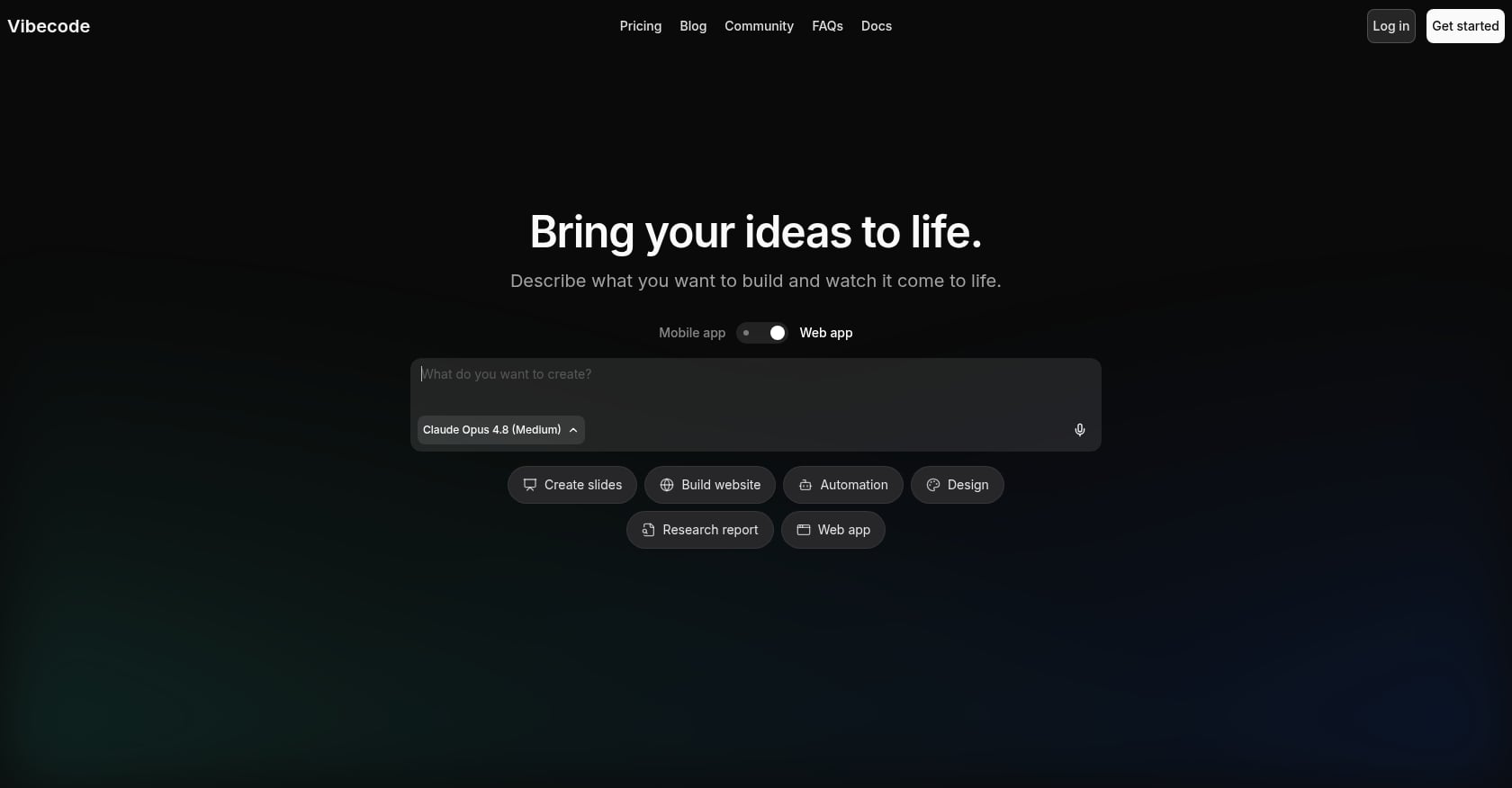
Best for: Casual prototyping and experimenting with app ideas from your phone.
What Vibecodeapp Is
Vibecodeapp takes an unusual approach to AI app building: it is literally a mobile app that lets you build mobile apps. You can sit on your couch, open Vibecodeapp on your iPhone, describe what you want, and get a working prototype without ever touching a laptop. It’s also available as a web app at vibecodeapp.com.
The platform is powered by Claude Code, which translates voice or text prompts into functional apps. An interesting differentiator is model flexibility: you can plug in different AI models, including Claude, GPT, Gemini, and ElevenLabs, depending on what your app needs.
Vibecodeapp Pricing
Free Plan: Core features at no cost
Plus Plan: $20/month, includes Vibecode Sandbox and App Store submission support
Pro Plan: $50/month, adds SSH to Cursor, downloadable source code, and enhanced support
Max Plan: $200/month, adds 24/7 priority support
A notable perk: credits roll over each billing cycle and never expire. The company notes these tiers are “experimental and may evolve.”
Key Capabilities
Build apps directly from your iPhone, no laptop required
Real-time preview and testing on your device
App Clips sharing (send a link before publishing to the App Store)
AI and API integrations (GPT, Gemini, image generation, maps, weather) billed through credits at no markup
Sandbox environment for testing before deployment
Critical Issue: Apple App Store Removal
In March 2026, Apple removed apps built with Vibecodeapp (and Replit) from the iOS App Store under Guideline 2.5.2, which prohibits apps that execute arbitrary downloaded code. Apple also blocked Vibecodeapp from distributing its app-building tools on iOS under the same guideline.
This is the single most important piece of context in any Rork vs Vibecodeapp comparison. If you’re building an iOS app, the platform you use to build it has been flagged by Apple’s review team. That doesn’t necessarily mean every app created with Vibecodeapp will be rejected, but it introduces a layer of risk that didn’t exist before March 2026.
Real User Feedback
Vibecodeapp’s public review footprint is thin. On Trustpilot, only four reviews exist as of mid-2026. On SourceForge, the platform has zero user reviews and a 0.0/5 rating.
The Trustpilot reviews that do exist paint a concerning picture. One user wrote: “Seems promising until you actually try making an app with the tool. Spent $200 working on an app. It makes a pretty good MVP but impossible to actually get the paywalls to work properly and get user accounts to work. Support has not been able to fix these issues and takes on average 5-6 hours to respond to each message.”
Another reviewer complained that the platform only builds apps for Apple (no good for Android) and that downloading your own source code requires the $50/month Pro plan.
Vibecodeapp Verdict
Vibecodeapp’s build-from-your-phone concept is genuinely clever, and the free tier makes it easy to experiment. But the Apple App Store removal, sparse reviews, and user reports of paywall and authentication bugs make it a risky choice for anyone trying to ship a production app. It’s best suited for quick prototyping and idea validation, not serious launches.
Head-to-Head: Rork vs Vibecodeapp
Now that both tools are profiled, here’s how they compare across the dimensions that matter most.
Pricing
Vibecodeapp wins on entry price. Its free tier is more generous for getting started, and the $20/month Plus plan is cheaper than Rork’s $25/month Junior plan. Vibecodeapp’s credits also roll over, while Rork’s reset monthly.
At the high end, both charge $200/month for their top tiers. The difference is what you get: Rork Max delivers native Swift output with deep Apple API access, while Vibecodeapp’s Max plan is essentially priority support. For a deeper look at how credit systems work across tools, see this guide to AI app builder credits.
Winner: Vibecodeapp for budget; Rork for value at the top tier.
Feature Depth
Rork is significantly more capable. Its React Native output covers three platforms (iOS, Android, web), and Rork Max supports advanced iOS features like HealthKit, ARKit, NFC, and Metal 3D graphics. Vibecodeapp generates React Native via Expo as well, but doesn’t match Rork’s hardware integration depth.
Winner: Rork, clearly.
Ease of Use
Vibecodeapp’s mobile-first approach is unmatched. Building an app from your phone while riding the bus is something no other tool offers. Rork’s interface is straightforward too, but it’s a traditional web-based tool.
Winner: Vibecodeapp for accessibility; tie for general ease of use.
App Store Readiness
This isn’t close. Rork supports App Store submission across both tiers, with Rork Max offering two-click publishing. Vibecodeapp had App Store submission support, but Apple’s March 2026 enforcement of Guideline 2.5.2 removed Vibecodeapp-built apps from iOS. That enforcement drew a sharper line around what “native” actually means to Apple.
Winner: Rork, by a wide margin.
Design Control
Neither tool excels here. Both rely on chat-based prompting for visual changes, with no dedicated design canvas. You describe styling adjustments in text, and the AI interprets them. This works for basic tweaks but falls apart for precise brand-level control over layouts, spacing, and typography.
Winner: Neither. This is a shared weakness.
Overall Verdict
Rork wins this head-to-head comparison for anyone building a real app. It’s more powerful, more reliable for App Store submission, and has a proven track record. Vibecodeapp is fine for casual experimentation, especially from your phone, but the Apple removal and user complaints about core functionality (paywalls, authentication) make it unsuitable for production apps.
Rork vs Vibecodeapp Scorecard
Category | Winner | Why |
|---|---|---|
Ease of first app creation | Vibecodeapp | Phone-first experience reduces friction |
Cross-platform development | Rork | Supports iOS, Android, and web |
Native iOS capability | Rork Max / x1 | Swift-based output |
Beginner friendliness | Vibecodeapp | Simplest starting experience |
Production scalability | Rork | More mature development options |
Design workflow | x1 | Dedicated visual design process |
App Store preparation | x1 | Includes launch assets |
Pricing flexibility | Vibecodeapp | Lower entry cost |
Professional development | Rork | More technical control |
The Problem Both Rork and Vibecodeapp Share
Winning the Rork vs Vibecodeapp comparison doesn’t mean Rork is without serious limitations. Both tools share structural problems that become obvious once you try to ship a real, polished app.
Chat-Only Interfaces Hit a Wall
Both Rork and Vibecodeapp are chat-first tools. You type what you want, the AI generates code, and you iterate through more prompts. This works well for the first 80% of an app. It breaks down badly for the last 20%.
AI models have a limit on how much context they can hold at once. Exceed that limit and the model starts “forgetting” earlier parts of the conversation. It drops requirements you mentioned ten prompts ago. It contradicts decisions it made twenty prompts ago. Features that were working start breaking because the model no longer remembers they exist. If you want to understand how different AI app builder approaches handle this, the distinction between chat-only and modular workflows is fundamental.
The “Last Mile” Is Where Apps Die
The vibe coding community talks about the “1% finish” problem. Getting from 0% to 90% of an app is easy with AI tools. Getting from 90% to 100%, handling edge cases, authentication flows, payment processing, App Store metadata, compliance, and deployment, is where most projects stall or die.
Apple’s App Review team rejected approximately 1.93 million submissions out of 7.77 million in 2024. That’s nearly 1 in 4 apps. Many of those rejections involve exactly the kind of details that chat-based AI builders don’t address: metadata formatting, screenshot requirements, permission justifications, and paywall compliance.
No Launch Assets
Neither Rork nor Vibecodeapp generates App Store screenshots, writes listing copy, or handles ASO metadata. After spending hours or days building your app, you still need to figure out screenshots (with proper device frames), write a compelling description, choose keywords, and navigate Apple’s submission requirements manually. This App Store launch checklist covers what’s actually required.
Security Gaps in AI-Generated Code
A fractional CTO who specializes in rescuing vibe-coded apps noted a disturbing pattern: “The average vibe-coded app has zero error handling for network failures, zero error boundaries for rendering failures, and zero user-facing error messages.” This isn’t unique to Rork or Vibecodeapp. It’s a systemic issue with chat-generated code that no one reviews line by line.
Can Rork or Vibecodeapp Build a Production App?
Building a prototype is different from launching a production application.
Requirement | Rork | Vibecodeapp |
|---|---|---|
Generate working UI | ✅ | ✅ |
Create database logic | ✅ | ✅ |
Handle authentication | ⚠ Requires testing | ⚠ Reported issues |
Payments/subscriptions | ⚠ Requires manual work | ⚠ Requires testing |
App Store metadata | Limited | Limited |
Native optimization | Stronger with Max | Limited |
Security review | Manual | Manual |
Long-term maintenance | Requires developer involvement | Requires developer involvement |
AI app builders accelerate development, but they do not replace product testing, security review, or software engineering practices.
Which Tool Should You Choose?
The right pick depends on what you’re actually trying to accomplish.
Choose x1 if your goal is a real, native iOS app in the App Store. The guided five-stage workflow handles everything from planning through launch assets, the native Swift output aligns with Apple’s enforcement direction, and the dedicated design canvas gives you control that chat-only tools can’t match. For non-technical founders in particular, the structured approach removes the guesswork that makes chat-based tools overwhelming as complexity grows.
Choose Rork if cross-platform output is critical to your project. If you need iOS, Android, and web from a single codebase, Rork Pro is the only option here that covers all three. If you specifically need deep Apple hardware APIs (HealthKit, ARKit, NFC) and can justify $200/month, Rork Max is powerful despite its credit consumption issues.
Choose Vibecodeapp if you want to casually experiment with an app idea from your phone for free. It’s a fun, low-commitment way to see what AI app building feels like. Just understand the risks: Apple’s removal of Vibecodeapp from the App Store, thin user reviews, and reported bugs with core features like paywalls and authentication mean this isn’t a tool for shipping production apps.
Try x1 with free credits and see how the studio workflow compares to chat-based building.
Alternatives to Rork and Vibecodeapp
Depending on your goals, other AI app builders may be worth considering:
Tool Type | Best For |
|---|---|
AI coding assistants | Developers who want control |
No-code builders | Business apps and internal tools |
AI app studios | Founders launching consumer apps |
Traditional frameworks | Teams needing full customization |
The best AI app builder depends on whether your priority is speed, ownership, scalability, or publishing.
FAQ
Is Vibecodeapp still available on the iOS App Store?
As of March 2026, Apple removed Vibecodeapp (along with Replit) from the iOS App Store under Guideline 2.5.2, which prohibits apps that execute arbitrary downloaded code. Vibecodeapp’s web version at vibecodeapp.com still works, but the mobile app that made it unique is no longer distributed through Apple’s platform.
Is Rork Max worth $200/month compared to Rork Pro at $25/month?
It depends on your platform needs. Rork Max generates native SwiftUI code with access to deep Apple APIs like HealthKit and ARKit, while Rork Pro generates cross-platform React Native code. If you’re building exclusively for Apple devices and need hardware-level features, Max offers genuine native capability. But $200/month adds up fast when combined with credit consumption for iterative development.
Can I export source code from Rork or Vibecodeapp?
Rork provides access to your codebase. Vibecodeapp requires the Pro plan ($50/month) to download source code, which drew complaints from users who felt basic ownership was paywalled.
What does “Guideline 2.5.2” mean for apps I’ve already built with Vibecodeapp?
Guideline 2.5.2 prohibits apps from downloading and executing code not included in the original App Store submission. Apps already live may face scrutiny during updates or re-review. The enforcement signals that Apple is drawing a firmer line around what qualifies as a native app, which has implications for any tool generating code that runs through intermediary frameworks.
How does x1’s pricing compare to Rork and Vibecodeapp?
x1 starts at $99/month ($66/month if billed yearly) for its Builder plan, which includes the full five-stage workflow and native Swift/Xcode output. That’s more than Vibecodeapp’s $20/month Plus plan or Rork’s $25/month Junior plan, but x1 includes launch assets (App Store screenshots, listing copy) that neither competitor offers. For native iOS output comparable to what Rork Max provides, x1’s Builder plan is less than half the cost of Rork Max’s $200/month.
Do any of these tools handle App Store screenshots and metadata?
Only x1 includes built-in App Store screenshot creation and listing copy generation as part of its workflow. Both Rork and Vibecodeapp stop at code generation, leaving you to handle all launch assets separately using other tools or manual effort.
Which tool is best for someone with zero coding experience?
All three tools are designed for non-technical users. Vibecodeapp is the easiest to start with (free, from your phone), but its limitations surface quickly. Rork is more capable but relies on a chat interface that can be disorienting as projects grow. x1’s staged studio approach provides the most structure, walking you through each decision in sequence rather than expecting you to know what to prompt for next.
Can I build an Android app with any of these tools?
Rork Pro generates cross-platform apps that work on iOS, Android, and web. Vibecodeapp also generates React Native code for both platforms, though the Apple removal complicates iOS distribution. x1 is iOS-only, generating native Swift/Xcode projects exclusively for iPhone. If Android support is a requirement, Rork Pro is the clear choice among these three options.