

TL;DR
An app launch checklist template is a reusable, phase-organized list of every requirement, asset, and compliance step needed to get a mobile app from “build complete” to live in the App Store. With Apple rejecting roughly 1 in 4 submissions (and over 40% of first-time apps), a structured checklist is the cheapest form of risk management available. This guide covers what a complete template includes across six phases, from pre-launch foundations through your first 30 days live, updated for 2026 requirements like privacy manifests, AI consent modals, and Xcode 26 SDK mandates.
Quick Answer: What Should an App Launch Checklist Include?
An app launch checklist template should include six phases:
Phase | Goal | Number of Checklist Items |
|---|---|---|
Pre-launch foundations | Planning and account setup | 10-15 |
Technical readiness | Code, SDK, testing, privacy | 15-20 |
App Store metadata | ASO and listing assets | 10-15 |
Compliance and legal | Policies and regulations | 10-12 |
Submission | Review preparation | 8-10 |
Post-launch | Monitoring and optimization | 8-10 |
A complete template should contain 60-80 individually checkable tasks covering development, compliance, App Store assets, submission, and the first 30 days after launch.
The fastest way to fail an app launch is to treat submission as a single event instead of a six-phase process.
What Is an App Launch Checklist Template?
An app launch checklist template is a structured document that organizes every task, asset, and compliance requirement into phases so you can move from a finished build to a live App Store listing without forgetting anything critical. The word “template” is important: a good checklist isn’t a one-time to-do list. It’s a reusable framework you can copy and adapt for each new app or major update.
Templates come in many formats (Notion pages, spreadsheets, interactive tools, markdown files), but the best ones share a common structure: they break the launch process into distinct phases, each with specific, checkable items. Think of it like a pilot’s pre-flight checklist. You don’t improvise it each time you fly.
For a full step-by-step walkthrough, see the complete App Store launch checklist.
Try building with x1’s free credits to see how much of this checklist gets handled inside a single workflow.
Why You Need One (The Cost of Skipping It)
The numbers make the case better than any argument could.
Apple reviewed approximately 7.7 million app submissions in 2024, rejecting over 1.93 million of them for failing to meet its standards. That’s nearly one in four denied. First-time submissions fare even worse: over 40% get rejected on their initial attempt.
Here’s the part that should frustrate you: the top rejection reasons aren’t exotic technical failures. They’re administrative oversights. A broken support URL (Guideline 1.5). A missing or inaccurate privacy policy (5.1.1). An App Privacy disclosure that contradicts what the binary actually does. Practitioners on Reddit confirm this pattern. One developer on r/iOSProgramming shared: “After 9 Apple rejections across 5 apps, here’s my pre-flight checklist.” The term “pre-flight checklist” resonated with the community precisely because it frames the problem correctly: these rejections are preventable with a systematic final check.
The situation has gotten more complicated in 2026. The wave of AI coding tools (Cursor, Claude Code, GitHub Copilot, ChatGPT) has enabled a flood of new developers to ship apps at unprecedented speed. Apple’s reviewers now see far more first-time submissions from builders unfamiliar with platform policies. By April 2026, total releases were up 104% across both stores versus April 2025, with Apple’s review team processing close to twice the submissions it handled 18 months ago.
More submissions, more first-timers, stricter rules. An app launch checklist template catches the boring mistakes before Apple’s reviewers do.
Why Apps Get Rejected
Rejection Cause | Frequency |
|---|---|
Performance issues | Highest |
Privacy problems | Very high |
Broken support URLs | High |
Metadata inaccuracies | High |
Missing account deletion | Moderate |
App Privacy Label mismatches | Moderate |
Missing demo credentials | Common among first-time developers |
In 2024, Apple rejected 1.93 million app submissions.
Nearly 25% of all submissions failed review.
More than 40% of first-time submissions were rejected.
What a Complete App Launch Checklist Template Covers
The strongest templates organize work into six phases. Each phase has specific, verifiable items. Skip a phase and you create gaps that surface as rejections, delays, or a weak launch.
Phase 1: Pre-Launch Foundations
This is the planning work that happens before you write a line of code or open a design tool.
Apple Developer account: $99/year for individuals. If you’re enrolling as an organization, you need a D-U-N-S number, which takes 2 to 4 weeks to obtain. Start this early.
Idea validation and scope lock: Define your v1 feature set. Cut ruthlessly. A focused v1 ships faster and reviews faster.
Monetization model: Decide between free, freemium, paid, or subscription before building. This choice affects your compliance requirements, App Store metadata, and whether you need StoreKit integration.
Platform targeting: If you plan to launch on both iOS and Google Play, note that Google Play now requires new developer accounts to have at least 12 testers for a minimum of 14 days before public release.
For guidance on choosing the right app builder for beginners, that decision shapes how many of these items you handle manually versus through tooling.
Phase 2: Technical Readiness
The build is done, but is it actually ready for submission? This phase catches the technical gaps that trigger automated rejections before a human reviewer even looks at your app.
Xcode 26 SDK compliance: As of April 2026, Apple mandates building with the Xcode 26 SDK. Older SDKs will cause automatic rejection.
Code signing and provisioning profiles: Certificates, identifiers, and profiles must be configured correctly in App Store Connect. This trips up almost every first-timer.
Privacy manifest (PrivacyInfo.xcprivacy): Since spring 2024, apps must include this file declaring required-reason API usage. The most common culprit is
NSPrivacyAccessedAPICategoryUserDefaults, because every app usesUserDefaults.standardbut few developers declare it. This file is required for your app and every third-party SDK you include.App Tracking Transparency (ATT): If your app does any tracking (analytics, ad attribution, cross-app identification), you must present the ATT prompt before collecting data.
Account deletion flow: If your app lets users create an account, it must let them delete it with a visible, functional “Delete Account” button. This has been required since 2022 and still causes rejections in 2026. Apple’s reviewers specifically test for it.
Real-device testing: Simulator testing is not enough. Test on actual hardware across your supported device range.
Our detailed iOS QA checklist covers each of these technical requirements in depth.
Phase 3: App Store Metadata and ASO
This is where indie developers consistently lose the most time relative to the effort required. One practitioner put it bluntly: developers spend months building the app, then need 6 to 10 polished screenshots per device class, formatted to exact pixel dimensions, with captions that sell. Screenshots alone can eat a week if you’re doing them manually.
Your metadata checklist:
App name: 30 characters maximum. Make it searchable and memorable.
Subtitle: 30 characters. Use this for your primary keyword phrase.
Keywords field: 100 characters. Comma-separated, no spaces after commas.
Description: Up to 4,000 characters. The first three lines matter most since that’s what shows before “Read More.”
Promotional text: 170 characters. Can be changed without a new app review.
Screenshots: Required for iPhone 6.7" and 6.5" displays, plus iPad 12.9" if you support iPad. Six to ten per device class is the standard.
App icon: 1024×1024 pixels, no transparency, no rounded corners (the system applies those).
Age rating questionnaire: Answer honestly. Updated age rating categories took effect in July 2025.
Privacy policy URL: Must be live and return a 200 status code at review time.
Support URL: Must also be live. A broken support URL is one of the top three rejection reasons in 2026.
For the full breakdown of character limits and optimization strategies, see the App Store metadata rules and limits guide. If you need help choosing screenshot tools, the screenshot tools comparison is worth reading.
Phase 4: Compliance and Legal
The 2026 compliance bar is meaningfully higher than it was even two years ago. Three new requirements deserve special attention:
AI consent modal: Under Apple’s November 2025 rule update, apps that use external AI services must include a consent modal specifying the AI provider and data types before sharing any personal data. This is a hard stop in review if your app calls any external LLM or AI API.
App Privacy Labels: These must match your app’s actual data collection behavior. Mismatches between your privacy label declarations and what the binary does are a top rejection trigger.
In-app purchase configuration: If you monetize digital content, it must go through StoreKit. You also need a “Restore Purchases” button for non-consumable purchases. Omitting this is an automatic rejection.
Additional compliance items:
EULA or Terms of Service (required if your app has subscriptions)
GDPR considerations for EU users, CCPA for California users
Subscription pricing displayed clearly, with free trial terms shown before the user commits
New App Store Requirements for 2026
Requirement | Mandatory |
|---|---|
Xcode 26 SDK | Yes |
Privacy manifest | Yes |
AI consent modal | Yes |
App Privacy Labels | Yes |
Account deletion | Yes |
ATT prompt | Required for tracking |
Updated age ratings | Yes |
Phase 5: Submission
You’ve built it, tested it, prepared all the assets. Now you submit. This is where momentum dies for most first-time builders if they haven’t prepared.
TestFlight beta testing: Run at least one round of external beta testing. This validates the binary that will go to review.
Demo credentials: If your app requires login, put test credentials in the “Notes for Review” field in App Store Connect. Missing login info is a common rejection trigger because the reviewer simply cannot access the app to test it.
Build upload and processing: Upload via Xcode or Transporter. Wait for processing to complete and all compliance warnings to resolve.
Review notes: Write a brief explanation of key flows, especially anything that might look unusual to a reviewer (like a paywall that only appears after onboarding).
Screenshot-to-UI match verification: Every screenshot must accurately represent the current build. Showing features that don’t exist in the submitted binary will get you rejected.
Timing strategy: Submit on Tuesday morning if possible. Friday afternoon submissions won’t enter review until Monday. New app reviews typically take 2 to 5 days, with spikes of 7+ days during peak periods (September and December are the worst). Updates are faster, usually 24 to 72 hours.
For a walkthrough of App Store submission tooling that handles much of this inside a single workflow, that’s worth exploring before you start the manual process.
Phase 6: Launch Day and the First 30 Days
Most app launch checklist templates stop at submission. That’s a mistake. The first 30 days determine your long-term ranking and retention. A comprehensive template includes post-launch:
Confirm listing is live: Check your App Store listing on multiple devices.
Monitor crash reports: Use Xcode Organizer or a third-party service. Crashes in the first 48 hours tank your quality score.
Respond to every review: Including negative ones. Apple rewards engagement, and potential users read your responses.
Ship 1.0.1 within the first week: If any bug surfaces (and something always surfaces), get a fix out fast. Update reviews are faster than new app reviews.
Revisit ASO at day 21: By now you have real impression and conversion data. Adjust your keywords, subtitle, and screenshots based on what’s actually working.
Enable the review prompt around day 10: Wait until initial users have had time to form a positive impression. Prompting too early invites low ratings.
One indie dev blog captured it well: a great app launch takes over 100 calendar days, roughly 45 before you ship, launch day itself, and up to 60 after. Most indie launches fail for a boring reason: all the marketing got crammed into day zero.
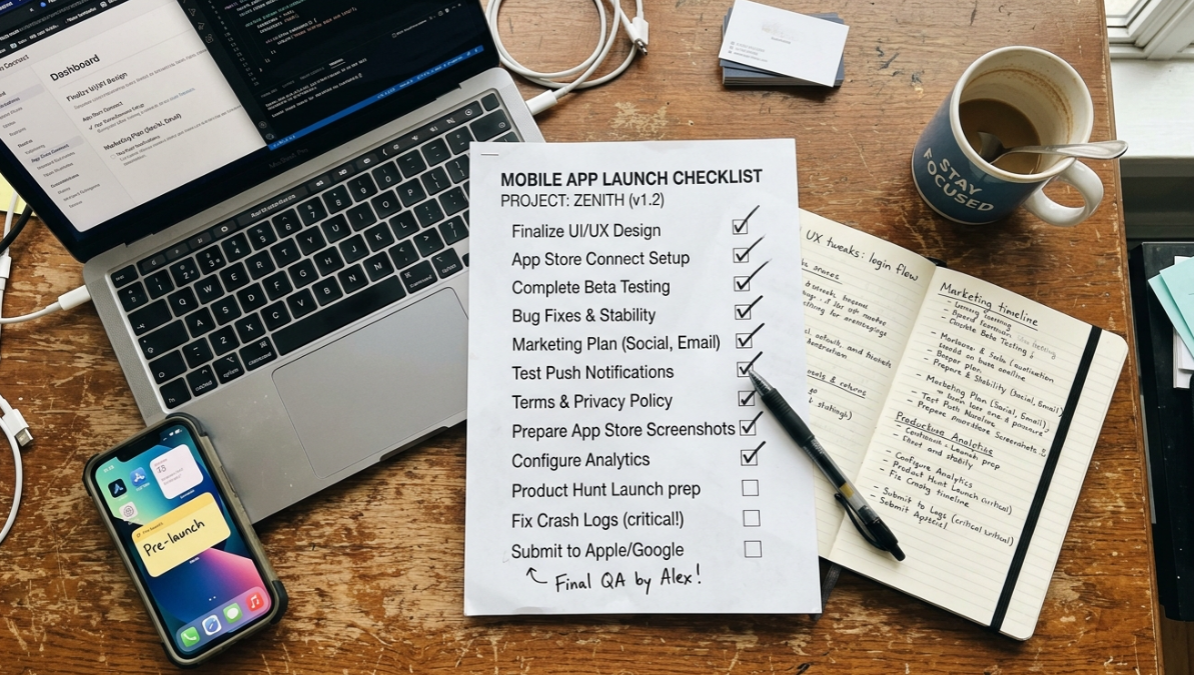
Free App Launch Checklist Template
Phase 1: Pre-Launch Foundations
Apple Developer account created
D-U-N-S number verified
App concept validated
v1 features finalized
Monetization model selected
Platform requirements documented
Analytics platform chosen
Third-party SDKs approved
App name reserved
Release timeline established
Phase 2: Technical Readiness
Xcode 26 SDK installed
Provisioning profiles configured
Certificates verified
Privacy manifest added
App Tracking Transparency implemented
Account deletion workflow tested
Push notifications tested
Crash reporting enabled
Real-device testing completed
Accessibility testing completed
Phase 3: App Store Metadata
App title finalized
Subtitle optimized
Keywords selected
Description written
Promotional text added
Screenshots generated
App icon uploaded
Age rating completed
Privacy policy URL verified
Support URL verified
Phase 4: Compliance and Legal
AI consent modal implemented
App Privacy Labels completed
StoreKit configured
Terms of Service published
GDPR requirements verified
CCPA requirements verified
Subscription disclosures reviewed
Data collection disclosures audited
Phase 5: Submission
TestFlight testing completed
Demo credentials added
Build uploaded
Review notes completed
Screenshots verified
Metadata reviewed
Final submission completed
Phase 6: Post-Launch
App listing verified
Crash reports monitored
User reviews answered
Analytics reviewed
ASO performance analyzed
Keywords adjusted
Screenshots optimized
Version 1.0.1 scheduled
Typical App Launch Timeline
Stage | Duration |
|---|---|
Planning | 1-2 weeks |
Development | 4-12 weeks |
Testing | 1-2 weeks |
Metadata preparation | 3-5 days |
App review | 2-5 days |
Bug fixes and resubmission | 3-5 days |
Post-launch optimization | 30 days |
Total timeline: 8-16 weeks for most first-time app launches.
Common Mistakes That Templates Help You Avoid
Even experienced developers hit these. A well-structured app launch checklist template makes each one a visible, checkable item instead of a hidden assumption.
Missing the privacy manifest. This triggers automated rejection before a human reviewer even sees your app. It’s the single most common technical rejection in 2026, and it catches developers who haven’t updated their workflow since 2023.
Forgetting demo credentials. If the reviewer can’t log in, they can’t review. Your app gets bounced and you lose days in the queue.
Screenshots showing features not in the build. This happens when you update the app after creating screenshots but forget to regenerate them. It’s an immediate rejection.
Referencing other platforms in iOS metadata. Mentioning “also available on Android” or including Google Play branding in your iOS listing violates Apple’s guidelines.
Submitting on Friday afternoon. Your review won’t start until Monday. You’ve just added two dead days to your timeline for no reason.
Not planning buffer time. Even with a perfect checklist, plan for at least one rejection-and-resubmission cycle. Of the 1.93 million rejected submissions in 2024, 295,109 were approved after developers addressed the issues. That resubmission cycle takes time.
How AI App Studios Change the Checklist
A checklist in a Notion doc or spreadsheet is useful. But it still requires you to manually execute each step across multiple tools: Xcode for building, Figma for design, a screenshot generator, App Store Connect for metadata, and so on.
This is where the concept of an AI app studio becomes relevant. End-to-end tools compress many checklist items into a single workflow, handling planning, design, build, screenshots, metadata, and submission prep inside one product.
x1, for example, structures its workflow into studios that map directly to checklist phases: Plan (scope and screen mapping), Design (brand, layouts, UI), Build (native Swift code generation and testing), and Launch (App Store screenshots, listing copy, submission). The items that eat the most time on a traditional checklist, particularly screenshots and metadata drafting, happen inside the build tool rather than requiring separate applications and manual formatting.
This doesn’t eliminate the need for a checklist mindset. You still need to verify compliance, test on real devices, and plan your post-launch strategy. But it collapses the most error-prone “last mile” steps that templates exist to manage. For a deeper look at how x1’s studios work, the walkthrough explains each stage.
Understanding why one-shot app generation breaks down also matters here. A tool that generates everything in one prompt produces brittle code that often fails review. The phased approach, both in checklists and in studio-based tools, exists because sequential verification catches problems early.
See x1’s pricing and tiers to compare the cost of an integrated studio against managing each checklist step with separate tools.
Related Terms
If you’re working through an app launch checklist template, these related concepts will come up frequently:
App Store Optimization (ASO): The practice of improving your app’s visibility through keyword optimization, screenshot design, and conversion rate testing.
App Store Connect: Apple’s web portal where you manage your app listing, builds, TestFlight, pricing, and analytics.
Privacy Manifest: The
PrivacyInfo.xcprivacyfile required since 2024 that declares your app’s use of restricted APIs.TestFlight: Apple’s beta testing platform for distributing pre-release builds to testers.
Code Signing: The cryptographic process that verifies your app’s identity and integrity before it can run on iOS devices.
In-App Purchase: Digital content or subscriptions sold within your app through Apple’s StoreKit framework.
App Review Guidelines: Apple’s published rules governing what apps can and cannot do, updated multiple times per year.
Download the App Launch Checklist Template
Different teams prefer different formats.
You can convert this template into:
Notion
Google Sheets
ClickUp
Asana
Trello
Markdown
Excel
The structure remains the same: six phases with individually checkable tasks.
Frequently Asked Questions
How often should I update my app launch checklist template?
At minimum, annually. Apple updates its review guidelines, SDK requirements, and compliance rules multiple times per year. The 2025-2026 cycle alone added AI consent modals, updated age ratings, and the Xcode 26 SDK mandate. A checklist from 2024 will miss requirements that cause rejections today.
What’s the most common reason apps get rejected on the first submission?
Performance issues are the single largest category, accounting for over 1.2 million of the 1.93 million rejections in 2024. But for first-time indie developers specifically, the most common rejections are compliance-related: broken support URLs, missing privacy policies, and privacy label mismatches. These are exactly the items a good checklist catches.
How long does App Store review take in 2026?
Updates typically take 24 to 72 hours. New app submissions take 2 to 5 days on average, with spikes of 7+ days during peak periods like September and December. Real-world data shows updates average about 8 hours 38 minutes of waiting plus 1 hour 52 minutes of actual review time.
Do I need separate checklists for iOS and Android?
The core structure is similar, but the specific requirements differ significantly. Apple requires privacy manifests, App Tracking Transparency prompts, and specific screenshot dimensions. Google Play has its own requirements, including the new 12-tester, 14-day closed testing requirement for new developer accounts. A reusable template should have platform-specific sections.
Can an AI app builder replace the need for a checklist?
It can automate large portions of it, particularly asset creation, metadata drafting, and build configuration. But a checklist mindset is still necessary for compliance verification, real-device testing, legal requirements, and post-launch monitoring. The best approach is using an integrated tool that handles the mechanical steps while you focus on the judgment calls.
Should I submit my app on a specific day of the week?
Tuesday morning is the most commonly recommended timing among experienced developers. It gives you the full workweek for Apple’s review team to process your submission. Avoid Friday afternoons and weekends. Also avoid submitting in late September (new iPhone launch rush) or mid-December (holiday app surge) if your timeline allows flexibility.
What format works best for an app launch checklist template?
Whatever format you’ll actually use. Interactive tools with checkbox functionality are ideal for team use. For solo developers, a simple markdown file or Notion page works well. The key is that items must be individually checkable and organized by phase, not dumped into one flat list.
How much time should I budget between “build complete” and “live on the App Store”?
Plan for a minimum of two weeks. That accounts for metadata and screenshot preparation (3 to 5 days), submission and initial review (2 to 5 days), one rejection-and-fix cycle (3 to 5 days), and buffer. If it’s your first submission, budget three weeks to be safe.