
![App Requirements Document Template 2026 [Free Guide]](https://cdn.rankai.ai/blog-images/1786904343026-vipziw.avif)
TLDR
An app requirements document template is a reusable outline for defining your app’s goals, users, screens, features, data rules, and launch requirements before development begins. It prevents the costly ambiguity that causes scope creep, rework, and App Store rejections. This guide includes a copyable template you can paste into any doc or AI app builder, plus mobile-specific sections most templates miss: screen states, permissions, privacy details, paywall requirements, and a reviewer path. The best requirements document is the shortest one that lets the right app get built.
Quick Answer: What Is an App Requirements Document?
An app requirements document is a structured plan that defines what a mobile app should do, who it is for, how users move through its screens, what data and integrations it needs, and how each feature will be tested. A good document typically includes the app goal, target users, screen map, user flows, functional requirements, non-functional requirements, data rules, permissions, acceptance criteria, and launch requirements.
In short: the document turns an app idea into specific instructions that a designer, developer, agency, or AI app builder can implement without having to guess what you mean.
What Is an App Requirements Document?
An app requirements document is the plan that explains what your app should do before you build it. It turns an idea into users, screens, flows, features, data rules, acceptance criteria, and launch requirements.
You might also hear this called a PRD (product requirements document), mobile app spec, software requirements specification, or simply “the spec.” The exact name matters less than whether the document removes enough ambiguity for a designer, developer, or AI builder to produce the app you actually want.
Atlassian describes a PRD as a source of truth for cross-functional teams, covering product purpose, key features, user needs, and success criteria. An app requirements document is broader. It blends business goals, user needs, solution behavior, and the transition and launch steps needed to get the app into users’ hands.
If you want to test whether an AI app studio can turn your idea into a real native iPhone app, try x1 with free credits and see how structured input shapes the output.
Why App Requirements Matter Before You Build
The purpose of a requirements document is not to make your idea sound corporate. It is to make sure the app in your head is the same app that gets designed, built, tested, and submitted.
PMI research found that 47% of unsuccessful projects fail to meet goals because of poor requirements management. The causes are predictable: scope creep, miscommunication, weak stakeholder alignment, and assumptions that never get written down.
For mobile apps, the stakes are even more specific. Apple’s 2025 App Store Transparency Report shows that out of 9.1 million reviewed submissions, over 2 million were rejected. Performance issues, legal problems, and design violations topped the rejection categories. Many of these rejections trace back to decisions that should have been captured in requirements: missing privacy policies, broken paywalls, placeholder content, vague permission strings, and incomplete metadata.
A requirements document does not eliminate risk entirely. But it forces the conversations that prevent “that’s not what I meant” moments after the app is already built. As one practitioner put it in a Reddit discussion about PRDs: the document should capture “the set of decisions engineering should not have to rediscover.”
Understanding why one-shot app generation breaks makes the case even clearer. Vague inputs produce brittle outputs, whether the builder is a human or an AI.
App Requirements Document vs. PRD vs. BRD vs. SRS
Terminology confusion stops a lot of founders before they start. Here is the practical difference.
Term | What it covers | Best for |
|---|---|---|
App requirements document | Goals, users, screens, features, data, launch requirements | Founders, app builders, agencies |
PRD | Product purpose, users, features, success criteria | Product teams, MVP planning |
BRD | Business goals, stakeholders, risks, revenue model | Executives, funding rounds, vendor alignment |
SRS | Detailed system behavior, constraints, interfaces, quality attributes | Engineering and QA |
User stories | User-centered statements of desired functionality | Agile teams |
Acceptance criteria | Testable conditions defining when a feature is done | QA, engineering, PM sign-off |
Do not get stuck choosing the perfect acronym. If your document clearly defines the app, user flows, build requirements, and launch criteria, it is doing its job. For most founders building an MVP, a single app requirements document template covers everything a PRD, BRD, and basic SRS would separately address.
Free App Requirements Document Template
Then add a short introduction that explicitly tells Google and users what they are getting.
Free App Requirements Document Template
Use the following app requirements document template to define an MVP, native iPhone app, Android app, or cross-platform application. It covers product goals, users, screens, user flows, features, acceptance criteria, data, permissions, payments, accessibility, App Store requirements, QA, and open questions.
You can copy the template into Google Docs, Notion, Word, Markdown, or an AI app builder and customize the sections for your project.
For a simple MVP, you do not need to complete every field. Start with the app overview, target user, screen map, core user flows, feature requirements, acceptance criteria, and out-of-scope items.
# App Requirements Document

## 1. App Overview
- App name:
- One-sentence description:
- Primary problem solved:
- Primary user:
- Target platform:
- MVP launch goal:
- Success metric:

## 2. Business Goals
- Why are we building this?
- What outcome should the app create?
- How will the app make money, if applicable?
- What is in scope for V1?
- What is explicitly out of scope for V1?

## 3. Target Users
### Primary User
- Who they are:
- What they need:
- When/where they use the app:
- Current workaround:
- Main pain point:

### Secondary Users (if any)
- User type:
- Role and permissions:
- Key needs:

## 4. Platform and Device Requirements
- iOS, Android, or both:
- Minimum OS version:
- Device support (phone, tablet, watch):
- Orientation:
- Required capabilities: camera, location, push notifications,
  contacts, health data, Bluetooth, other

## 5. Screen Map
| Screen | Purpose | Entry point | Main actions | Empty/error states |
|---|---|---|---|---|
| Onboarding | | | | |
| Home | | | | |
| Detail | | | | |
| Settings | | | | |
| Paywall | | | | |

## 6. Core User Flows
### Flow 1: [Name]
- Trigger:
- Starting screen:
- Steps: 1. / 2. / 3.
- Success state:
- Failure states:
- Data saved:
- Analytics event:

## 7. Feature Requirements
| ID | Feature | User story | Priority | Acceptance criteria |
|---|---|---|---|---|
| F-001 | | As a [user], I want [action], so I can [benefit]. | Must | |
| F-002 | | | Should | |
| F-003 | | | Could | |

## 8. Non-Functional Requirements
### Performance
- App launch time target:
- Offline behavior:
- Sync behavior:

### Security and Privacy
- Data collected:
- Data stored locally vs. server:
- Authentication method:
- Account deletion path:
- Privacy policy needed: Yes/No
- Third-party SDKs:

### Accessibility
- VoiceOver / screen reader support:
- Color contrast:
- Text scaling:
- Minimum touch target size:

## 9. Data Requirements
| Data type | Source | Stored where | User control | Privacy disclosure |
|---|---|---|---|---|
| Email | Sign-up | | | |
| Location | Permission | | | |

## 10. Monetization and Payments
- Model: free, paid, subscription, ads, IAP
- Products or tiers:
- Trial terms:
- Restore purchases behavior:
- Paywall screen details:
- Terms of Use link location:
- Privacy Policy link location:
- Cancellation instructions:

## 11. Launch Requirements
- App Store listing name:
- Subtitle:
- Description:
- Keywords:
- Category and age rating:
- Screenshots needed:
- App icon:
- Support URL:
- Privacy Policy URL:
- Demo account for reviewer:
- Review notes:
- Sample data for reviewer:
- Screen recording (if needed):

## 12. QA and Acceptance Checklist
- [ ] All must-have flows tested
- [ ] Happy paths verified
- [ ] Error states handled
- [ ] Empty states designed
- [ ] Offline behavior confirmed
- [ ] Permissions tested (granted and denied)
- [ ] Payments tested
- [ ] Account deletion works
- [ ] Store metadata matches app behavior
- [ ] Screenshots match current build

## 13. Open Questions
| Question | Owner | Decision needed by | Status |
|---|---|---|---|

## 14. Changelog
| Version | Date | Change | Owner |
|---|---|---|---|
| 0.1 | | Initial draft | |
This template structure was informed by what practitioners actually reference. A widely-shared GitHub Markdown template ranks well because it is directly copyable and developer-friendly. The version above adds the launch, privacy, and state-mapping sections that most templates skip.
For more starting points beyond requirements docs, see this guide to AI app templates.
What Should an App Requirements Document Include?
A complete app requirements document should define the product from both the user's perspective and the implementation perspective. The exact level of detail depends on the complexity of the app, but most projects should document at least these areas:
Section | What it defines |
|---|---|
App overview | What the app does and the problem it solves |
Business goals | Why the app is being built and how success is measured |
Target users | Who will use the app and what they need |
Platform requirements | iOS, Android, devices, OS versions, and capabilities |
Screen map | Every important screen and how users reach it |
User flows | The steps users take to complete important tasks |
Feature requirements | What each feature must do |
Acceptance criteria | How the team determines whether a feature is complete |
Non-functional requirements | Performance, security, reliability, accessibility, and offline behavior |
Data requirements | What data is collected, stored, displayed, and deleted |
Permissions | Why the app requests access to device capabilities |
Monetization | Subscriptions, purchases, advertising, or other revenue mechanisms |
Launch requirements | Store metadata, privacy information, screenshots, reviewer instructions, and support information |
QA requirements | What must be tested before release |
Open questions | Decisions that have not yet been finalized |
Changelog | How requirements change over time |
For most MVPs, the most important sections are the app overview, target users, screen map, core flows, feature requirements, acceptance criteria, and out-of-scope list.
Functional vs. Non-Functional App Requirements
Functional requirements describe what the app must do. Non-functional requirements describe how the app must perform or behave.
Requirement type | Example |
|---|---|
Functional | Users can create an account with email and password. |
Functional | Users can save an item to their favorites. |
Functional | Users can restore a previous purchase. |
Performance | The home screen should load within the defined performance target. |
Security | Authentication credentials must be handled securely. |
Accessibility | Core screens must support VoiceOver and dynamic text sizing. |
Reliability | Failed network requests should provide a retry path. |
Offline | Previously cached content remains available without a connection. |
A strong app requirements document includes both. An app can have every requested feature and still fail if it is slow, inaccessible, insecure, unreliable, or unusable when a network request fails.
How to Fill Out Each Section
A blank template can feel as overwhelming as no template at all. Here is how to approach each section without overthinking it.
App Overview
Write one sentence that a stranger could read and understand. Not “a revolutionary platform for wellness optimization,” but “a native iPhone habit app that helps first-time runners build a 3-day-per-week running habit with reminders, streaks, and simple progress tracking.”
Business Goals
Avoid vague goals like “make a great app.” Write measurable outcomes: “Get 500 beta users in 60 days.” “Convert 5% of active users to a paid subscription.” “Validate whether users complete at least 3 workouts in week one.”
Target Users
Keep personas grounded in usage context, not fictional biographies. Bad: “Sarah is 29 and likes coffee.” Better: “New runner, age 25 to 45, uses the app before or after work, wants a simple plan, quits if setup takes more than two minutes.”
Screen Map
This is the most important app-specific section. Features are experienced as screens and flows, not bullet points. List every screen: welcome, sign up, onboarding, home dashboard, detail view, paywall, settings, account deletion, error state. If you have not listed your screens, you have not defined your app.
Feature Requirements and Prioritization
Use requirement IDs (F-001, F-002) so discussions stay specific. Prioritize using Must/Should/Could or a similar framework. If you need help deciding what goes into V1, this feature prioritization template breaks down the common frameworks.
Acceptance Criteria
Each major feature needs testable conditions. The SAFe framework defines acceptance criteria as the information needed to confirm correct implementation. Use a simple format:
Given I am a new user
When I complete onboarding
Then I should land on the Home screen
And my selected goal should be saved
And I should see my first recommended action
Practitioners on Reddit emphasize that the sections engineers actually read in a PRD are the problem statement, user stories with acceptance criteria, and “what we’re not building.” The out-of-scope section is not optional. It is one of the best defenses against scope creep.
Empty, Error, Offline, and Permission States
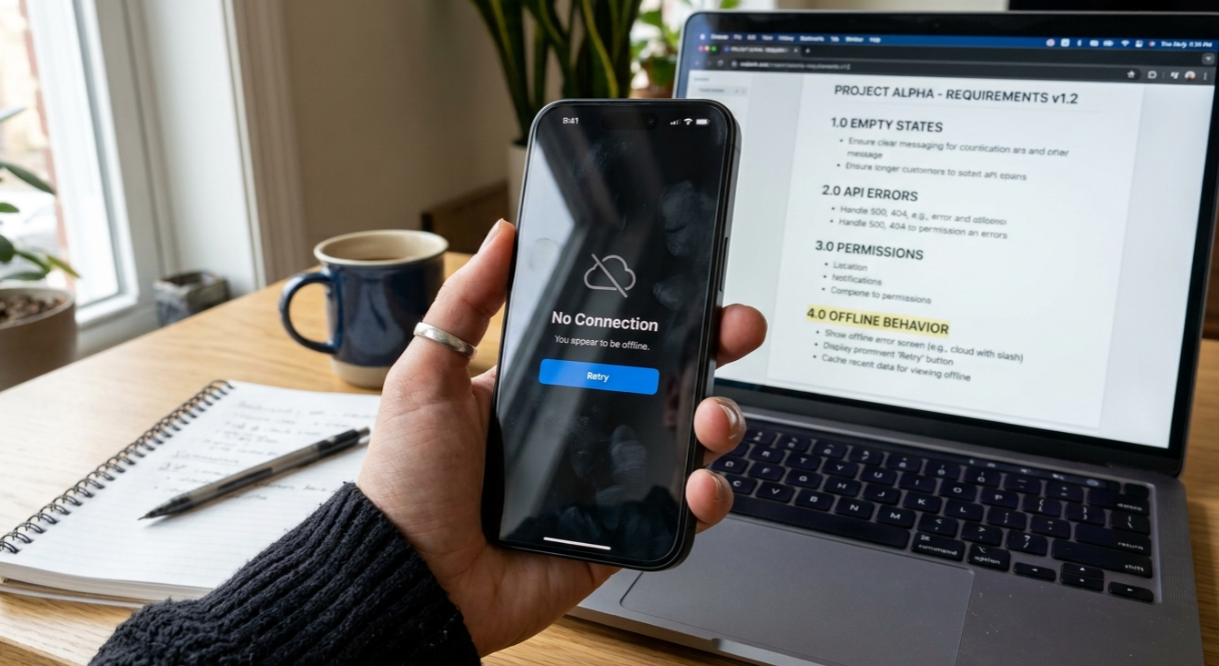
Most mobile app requirements templates mention “edge cases” without forcing specifics. For each core flow, define what the user sees and what the system does in these states:
State | What user sees | System behavior |
|---|---|---|
First launch (no data) | Empty dashboard + prompt | Show onboarding or sample data |
Offline | Offline banner | Queue changes locally, sync later |
Permission denied | Explanation screen | Disable feature, offer Settings link |
API error | Retry message | Log error, preserve user input |
Mobile-Specific Requirements Checklist
Generic software requirements templates miss the details that matter most for mobile apps. Your app requirements document template should address these areas.
Privacy and Permissions
Apple’s App Privacy Details require developers to identify whether data is linked to identity and whether it is used for tracking. For each permission (location, camera, photos, contacts, push notifications, health data), document why you need it, when you request it, and what happens if the user says no.
One iOS developer on Reddit reported getting rejected because a vague location permission string triggered a privacy violation. The fix was a more specific description explaining exactly how location data is used. These details belong in requirements, not in a last-minute scramble.
Accessibility
WCAG 2.2 recommends pointer targets of at least 24 by 24 CSS pixels. For mobile, add VoiceOver labels, contrast ratios, text scaling support, and error messaging to your requirements. These are not “nice to have” items.
Payments and Subscriptions
If your app has a paywall, document product IDs, trial terms, subscription duration, pricing, restore purchase behavior, and where Terms of Use and Privacy Policy links appear. Apple requires complete metadata and functional URLs for review. Practitioners on LinkedIn consistently flag missing paywall links to Terms and Privacy as a top rejection cause.
App Store Launch Requirements
Apple requires submissions to be final versions with complete metadata, tested on device, with demo account info if login is required. App names must be 2 to 30 characters. Subtitles cannot exceed 30 characters. Screenshots must be JPEG or PNG with no alpha channels.
Document all of this in your requirements, not after the build. For a detailed walkthrough, see this App Store metadata guide.
The Reviewer Path
Reddit iOS developers repeatedly share stories of App Store rejections where the reviewer simply could not evaluate the app. One developer reported 9 rejections across 5 apps and built a pre-flight checklist. Another fixed a rejection by adding better review notes, a screen recording, and seeded sample content.
Your mobile app requirements document should include a reviewer path: demo account credentials, sample data, a screen recording showing the core flow, instructions for finding paid features, and working support and privacy URLs.
For a complete pre-submission checklist, check this iOS App Store QA checklist.
The Ready-to-Build Test
How do you know when your requirements are specific enough? Use this rule: if two competent builders read your document and would build meaningfully different apps, it is not ready.
Reddit practitioners reinforce this. In a 2026 discussion about what PRDs should look like, multiple respondents argued that a good PRD should leave two competent engineers with roughly the same interpretation of what to build.
A requirement is ready when it answers these questions:
Who is the user?
What are they trying to do?
What screen are they on?
What action do they take?
What should happen next?
What data is created, read, updated, or deleted?
What happens if it fails?
What happens if the user has no data yet?
What happens offline?
How will QA know it is done?
Weak requirement: “Users can save workouts.”
Ready requirement: “On the Workout Detail screen, a signed-in user can tap Save Workout. The app stores the workout to the user’s saved list, changes the button to Saved, and shows it on the Saved tab. If offline, the app saves locally and syncs when connection returns. Acceptance criteria: saved state persists after app restart; duplicates are prevented; user can remove from Saved tab.”
How to Use This Template with an AI App Builder
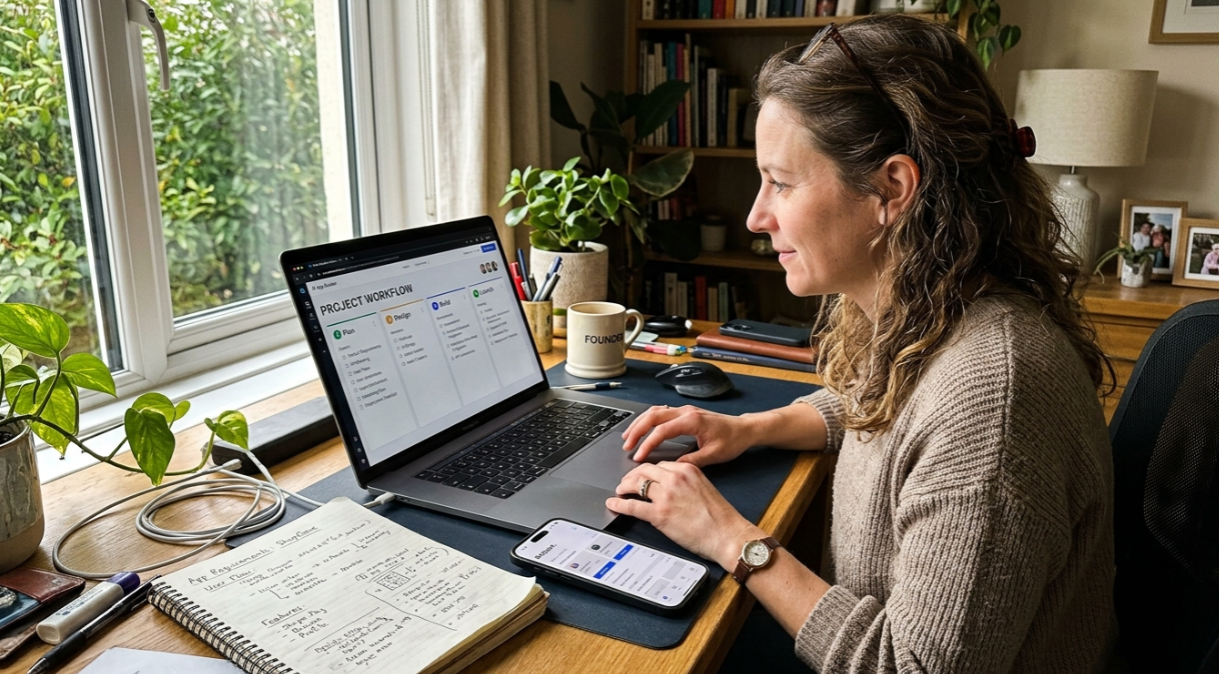
With an AI app builder, your requirements document works like a structured prompt. Instead of asking for “a habit app,” you give the builder your screen map, flows, feature rules, data requirements, visual direction, and launch checklist. That structure helps the AI produce a more coherent app and gives you a way to review what it builds.
The practical sequence looks like this:
Paste the app overview and business goals
Define the screen map
Confirm user flows
Add feature requirements one by one
Specify visual style
Add data and permission details
Include acceptance criteria
Build and review in phases
Validate against your App Store checklist
In x1’s AI app studio, this kind of structured input maps naturally to the workflow. Plan maps screens and flows. Design shapes the visual system. Build generates the native iPhone app in Swift and Xcode. Launch prepares App Store screenshots, listings, and submission materials. Iteration refines the product after the first build.
AI can help draft a requirements document, but it cannot know your user, tradeoffs, constraints, or business model unless you give it that context. Practitioners on Reddit warn that many recent PRDs are “AI slop,” meaning they have structure but no real substance. The template is the starting point. Your decisions are what make it useful.
Right-Size Your Requirements Document
A to-do app does not need the same document as a fintech app. Reddit practitioners argue against giant templates applied uniformly and recommend adjusting depth based on project complexity.
Project type | Suggested length | Must include |
|---|---|---|
Simple MVP | 1 to 3 pages | Overview, users, screen list, core flow, acceptance criteria, out of scope |
Standard consumer app | 3 to 8 pages | All of the above + data, permissions, integrations, analytics, launch checklist |
Payments or subscription app | 5 to 12 pages | All of the above + paywall behavior, IAP products, restore purchases, terms/privacy links |
Regulated or sensitive-data app | 10+ pages | All of the above + compliance, data retention, access control, audit logs, legal review |
Common Mistakes That Cause Rework or Rejection
Writing a feature wish list instead of flows. “Login, payments, notifications” is not a requirements document. The template should explain how those features behave in screens and states.
Ignoring unhappy paths. A strong Reddit PRD example emphasizes covering both happy and unhappy paths, like what happens when a form is submitted with invalid data, when a network call fails, or when a user has no content yet.
Skipping non-functional requirements. Performance, security, accessibility, offline behavior, and reliability describe how the system operates. If they are not documented, they will not be built consistently.
No out-of-scope section. This is where scope creep starts. Explicitly listing what V1 will not include saves more time than almost any other section. For guidance on getting from requirements to submission, this app launch checklist template covers the operational steps.
Treating App Store requirements as a last step. With roughly 23% of Apple submissions rejected in 2025, store readiness should be part of requirements from the start, not an afterthought after the build.
Using AI to generate a generic document and never adding context. Structure without substance wastes everyone’s time. Fill in the template with real decisions about real users.
Requirements Traceability Matrix
For larger apps, connect each requirement to a screen, user flow, and test. This makes it easier to identify missing functionality before launch.
Requirement ID | Feature | Screen | User Flow | Acceptance Test | Status |
|---|---|---|---|---|---|
F-001 | Create account | Sign Up | Registration | AC-001 | Draft |
F-002 | Save item | Detail | Save workflow | AC-002 | Ready |
F-003 | Subscription | Paywall | Purchase flow | AC-003 | Testing |
A simple traceability system prevents requirements from disappearing between planning, design, development, and QA.
FAQ
What is an app requirements document?
An app requirements document is a structured plan that explains what a mobile app should do, who it is for, how users move through it, what features and data it needs, and how the team will know the app is ready to build, test, and launch.
Is an app requirements document the same as a PRD?
They overlap significantly. A PRD focuses on product purpose, features, users, and success criteria. An app requirements document typically goes wider to include technical constraints, platform requirements, launch details, and App Store readiness. For most founders, a single document covers both.
How long should an app requirements document be?
It depends on complexity. A simple MVP might need 1 to 3 pages. A consumer app with authentication, payments, and integrations might need 5 to 8 pages. Regulated apps can require 10 or more. The goal is not length but removing ambiguity.
Do I need an app requirements document for an MVP?
Yes, though it can be shorter. Even a simple MVP needs a defined user, screen map, core flow, acceptance criteria, and out-of-scope list. Without these, “minimum viable” tends to become “maximum confusion.”
What are functional vs. non-functional requirements?
Functional requirements describe what the app does: “A user can create an account with email.” Non-functional requirements describe how the app performs: “The app loads the home screen within 2 seconds on a 4G connection.” Both belong in the template.
What are acceptance criteria?
Acceptance criteria are testable conditions that define when a feature is done. They remove opinion from the “is this finished?” conversation and give QA, engineers, and product managers a shared definition of complete.
Can I use this template with an AI app builder?
Yes. An AI app builder benefits from structured input the same way a human developer does. Paste sections of your completed template into the builder’s workflow to produce more coherent, buildable results. See how x1 works for an example of a guided AI workflow that moves from plan to design to build to launch.
What App Store requirements should I capture early?
App name, subtitle, privacy policy URL, support URL, age rating, screenshots, demo account credentials, reviewer notes, permission purpose strings, paywall terms, and account deletion path. Documenting these in your requirements prevents last-minute rejections.
Have your app requirements ready? Turn them into a real native iPhone app.