

x1 is a guided AI app studio for turning an app idea into a working iPhone app. Instead of compressing app creation into a single prompt, x1 walks builders through a structured workflow: idea input, a feasibility check, guided planning, a studio workspace, visual design, milestone-based building, QA, publishing prep, and revenue planning. The word "studio" is the important part. It signals that x1 handles more of the app creation process than a typical prompt-to-app tool, and is built for people who have a real idea but no mobile engineering background.
What is x1 AI App Studio? x1 AI App Studio is a guided AI platform that turns a plain-English app idea into a working iPhone app. It walks builders through feasibility checking, product planning, visual design, milestone-based building, QA, and publishing preparation, organizing the work into specialized studios instead of a single open-ended prompt thread.
Start building your app idea and see what the guided workflow looks like end to end.
x1 AI App Studio Definition
x1 AI app studio is a guided AI platform for building iPhone apps, taking an idea from a rough description through planning, design, milestone-based building, QA, and App Store preparation.
The word "studio" is doing real work in that name. x1 isn't a single prompt box that spits out code and leaves you to deal with the rest. It organizes app creation into purpose-built studios: an Idea Studio that tracks decisions and milestones, a Brand Studio for naming and identity, a Build Studio that designs and builds the product in stages, a Publishing Studio for launch assets, and a Revenue Studio for monetization strategy. Most AI app builders push you to one-shot the whole product in a single prompt. x1 takes the approach a real product team would take instead: capture intent, plan the product, design it, build it in structured steps, QA the work, and help you publish it.
A simple example: you describe a habit-tracking app in plain English. x1 first checks whether the idea is realistic to build, then asks the questions a product manager would ask — who it's for, what the core flow looks like, what data it needs — before it touches a single screen. From there it builds the app milestone by milestone rather than generating the whole thing in one pass.
If you want the full step-by-step breakdown, the how-it-works page walks through every stage of the process.
Why It's Called an App Studio, Not Just an App Builder
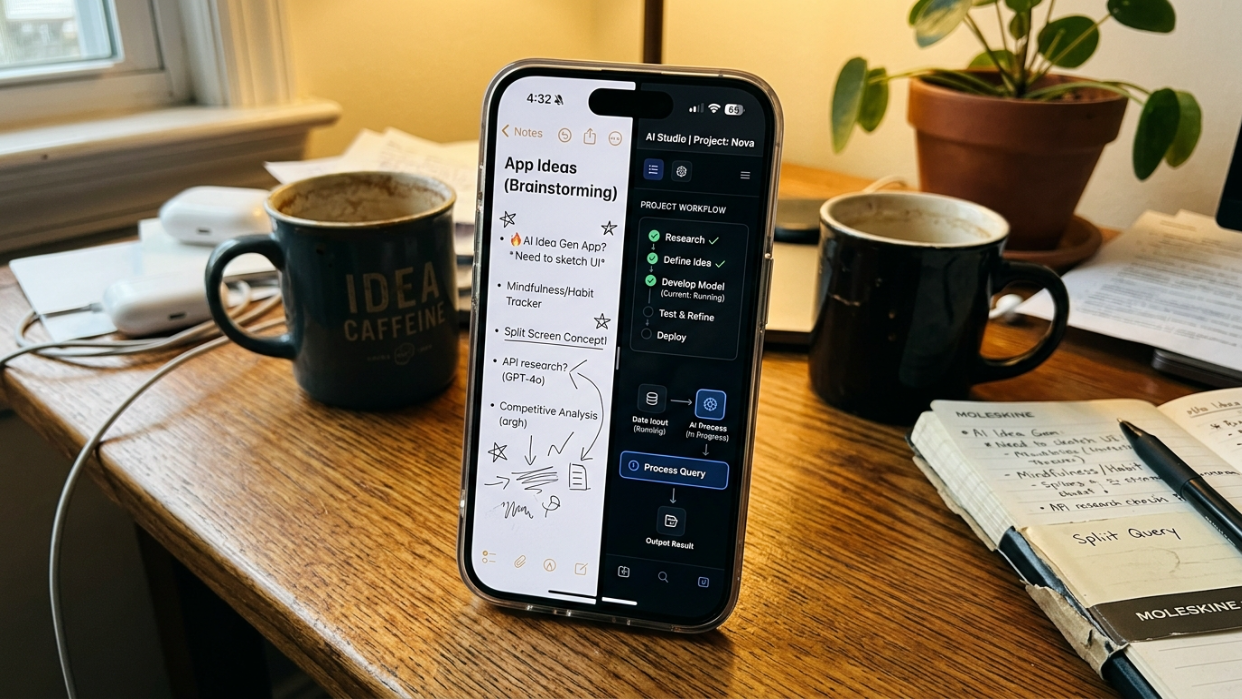
"Builder" implies a single action: describe something, get output. That's how most AI app tools work today, and it's a big part of why most of them produce demos rather than finished products.
"Studio" implies multiple workspaces, stages, and types of work. Building a real app isn't one task — it's a sequence: clarifying the idea, checking whether it's actually feasible, shaping the brand and visual identity, building in controlled milestones, testing each one, preparing for launch, and figuring out monetization. Treating those as separate, structured steps is what separates a studio from a chatbot with a "generate app" button.
This distinction matters more now than it did a year ago, because the broader AI development landscape has split into two very different lanes. On one side, tools like OpenAI's Codex, Anthropic's Claude Code, and Cursor operate as coding agents — they read codebases, plan changes, run tests, and ship committed code with real autonomy. That's powerful if you already have a repository, a technical workflow, and the judgment to review what the agent did. On the other side, prompt-first app generators hand you a fast first draft and leave everything after that — data, auth, edge cases, launch prep — as your problem.
x1 sits in neither lane. It's built for people who have a real app idea and the product sense to evaluate it, but who don't necessarily know the difference between a build milestone and a merge conflict. It also doesn't pretend every idea is buildable: the feasibility check up front exists specifically to flag ideas that are too vague, too ambitious, or out of scope before you sink time into them.
How x1 AI App Studio Works
The x1 workflow breaks app creation into stages that mirror how a real product gets made — without requiring you to assemble an engineering team first.
Start With an Idea (or a File)
You describe your app in plain English, or upload something like a PDF if you already have notes or a spec written up. From there, x1 analyzes the concept and identifies the likely app category, target user, core flow, and rough launch complexity.
x1 Checks Feasibility Before You Build
This step is easy to overlook, but it's one of the more meaningful differences between x1 and a typical prompt-to-app tool. Before pushing you into a full build, x1 checks whether the idea is realistic for the platform. If the scope is too broad, too vague, or outside what's currently buildable, x1 helps narrow it into something you can actually ship — instead of letting you burn cycles on a plan that was never going to work.
Guided Planning
Once the idea clears the feasibility check, x1 asks the questions a product manager would ask: who the app is for, what users do first, what the home screen should prioritize, what data the app needs, what belongs in v1 versus later, and whether the app needs paid features. Your answers become a structured product plan — a screen map, core flows, build milestones, and launch priorities — that everything downstream is built against.
Enter the Studio Workspace
Instead of one long, sprawling chat thread, your project gets organized into specialized studios:
Studio | What it handles |
|---|---|
Idea Studio | Tracks product memory, decisions, milestones, and changes |
Brand Studio | Shapes the app's name, icon direction, subtitle, and description |
Build Studio | Designs, builds, and QAs the app through milestones |
Publishing Studio | Prepares launch assets and App Store submission materials |
Revenue Studio | Helps define monetization, paid features, and pricing logic |
Design Before You Build
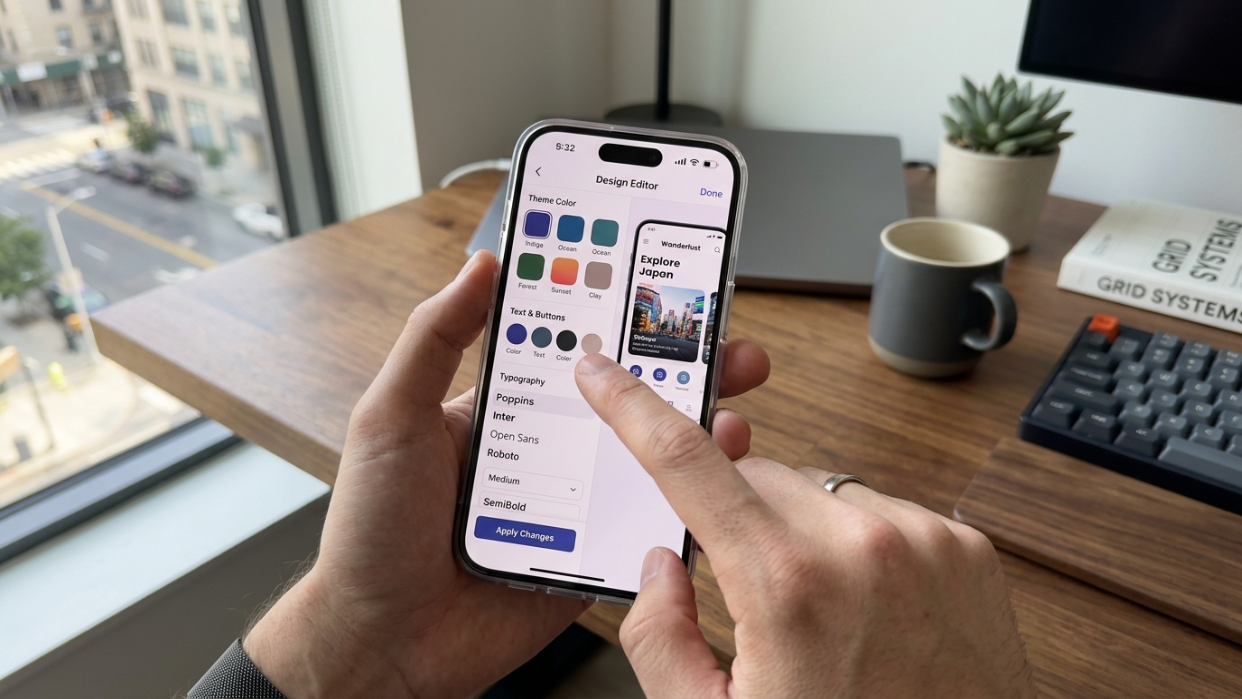
Inside Build Studio, x1 lets you review screens and flows visually before each milestone gets generated — so you're making design decisions up front instead of discovering them halfway through a build.
Build in Milestones, Not One Shot
Rather than generating the whole app in a single pass, Build Studio breaks the product into focused milestones. Each one handles a meaningful chunk of the app, and x1 QAs the milestone after it's built — so problems get caught while the app is still small enough to fix cleanly, rather than compounding into something unmanageable three features later.
Prepare for App Store Launch
This is the stage most prompt-only AI tools skip entirely. Getting an app onto the App Store takes more than working code: icons, screenshots, listing copy, a privacy policy, review notes, and subscription disclosures all have to be in place, and getting any of them wrong is a common source of rejection. Publishing Studio handles this preparation inside the product instead of leaving it as a problem you solve alone at the very end.
Keep Iterating After the Build
Once the structured milestones are done, x1 doesn't lock you out. Free Flow Mode lets you keep editing and refining the app in a more open-ended environment — useful for the kind of polish and iteration that only becomes obvious once you're using the real thing.
You can see this entire sequence laid out visually on the how-it-works page, and the full feature breakdown lives on the product page.
x1 AI App Studio Workflow Summary
Step-by-step process:
Idea input (text or file upload)
Feasibility check
Guided product planning
Studio setup (Idea, Brand, Build, Publishing, Revenue)
Visual design review before each milestone
Milestone-based building
QA after each milestone
Publishing prep and App Store submission materials
Revenue and monetization planning
Free Flow Mode for post-build iteration
The Demo-to-App Gap
Most AI app tools can produce a convincing first draft. The hard part is everything after that. Here's what actually separates a demo from a real, shippable app:
Stage | What seems simple | What actually matters |
|---|---|---|
Idea | "I describe the app" | Problem clarity, audience definition, whether the idea is even feasible to build |
Screens | "AI makes the UI" | Navigation hierarchy, empty states, permissions, onboarding, accessibility |
Functionality | "Buttons work" | Data persistence, authentication, error handling, edge cases |
App behavior | "It looks mobile" | Platform-appropriate interactions, not a thin web wrapper |
Launch prep | "I submit it" | Icons, screenshots, privacy policy, consent flows, review notes |
Post-launch | "I'm done" | Analytics, bug fixes, retention, monetization, updates, roadmap |
Builder communities consistently describe this same gap. In threads about prompt-to-app tools, a common pattern shows up: someone builds an impressive-looking front end quickly, then gets stuck on hosting, backend infrastructure, logins, and data storage — the screen looks great, but the app doesn't actually exist as a product yet. Elsewhere, builders comparing prompt-to-app tools for SaaS-style products describe them as fast for a first version but weaker once you hit real authentication, payments, sync, and long-term reliability. The common framing: the hard part isn't the first 80% of the app. It's everything after.
x1 is built around closing that gap — structuring the full journey from idea to launch, not just the generation step.
x1 AI App Studio vs Other Ways to Build
The "AI app studio" category sits at a specific intersection. It isn't the same as a coding agent, a no-code builder, or a prompt-only web-app generator. Here's how they stack up.
Tool type | Best for | Key limitation for non-technical builders |
|---|---|---|
AI coding agent (Codex, Cursor, Claude Code) | Developers editing real codebases | Requires technical workflow, IDE familiarity, and code review ability |
No-code builder (Bubble, Glide, FlutterFlow) | Visual drag-and-drop assembly | Can feel manual, template-bound, and harder to customize |
Prompt-only AI app generator (Lovable, Bolt) | Fast prototypes and demos | Strong for a first pass, but can struggle with product coherence as the app grows |
x1 AI app studio | Guided iPhone app creation from idea through launch prep | You still need a real problem and a useful product — x1 structures the build, not the idea |
vs AI Coding Agents
OpenAI positions Codex as a coding agent built for features, refactors, migrations, and multi-agent workflows. Anthropic's Claude Code reads codebases, changes files, runs tests, and delivers committed code. Cursor works across the editor, terminal, and tools like Slack and GitHub.
These are genuinely excellent tools — for people who already think in codebases and pull requests. They're not built for someone whose app idea is sitting in their Notes app and who needs guidance from concept through App Store submission. That's the gap x1 is built to fill.
vs Prompt-Only App Generators
Tools like Lovable, Bolt, and Replit are strong at producing a fast first version. Where they tend to run into trouble is everything that comes after the demo: complex logic, authentication, payments, data sync, and reliability as the product matures. x1's milestone-based build and QA process exist specifically to catch the things that prompt-only generation tends to skip.
vs Traditional No-Code Builders
No-code tools like Bubble, Glide, and FlutterFlow give you manual control through drag-and-drop interfaces and visual logic. That works, but it can get slow and rigid for custom mobile experiences. x1 is AI-native and structured around the same product decisions — planning, design, build, QA, publishing, and monetization — without the manual assembly.
Compare x1's pricing tiers to find the plan that fits how fast you want to move, including the free credits available to new builders who want to try the workflow before committing.
Why App Store Readiness Matters
Getting an app live on the App Store is not the same problem as getting a demo to run on your phone. Apple's App Review Guidelines cover privacy, minimum functionality, spam, payment handling, and self-contained behavior, and Apple rejects a meaningful share of submissions every year for missing pieces like incomplete privacy disclosures, placeholder assets, or incorrect subscription labeling.
That's exactly why x1 treats launch preparation as part of the product instead of an afterthought. Publishing Studio exists so that icons, screenshots, listing copy, and review notes get handled inside the same workflow that built the app — not scrambled together after the fact by someone who's never submitted an app before.
No tool, x1 included, can guarantee App Store approval. Apple's review process evaluates every submission against its own guidelines, and that decision is always Apple's to make. What a structured studio like x1 can do is make sure you've actually addressed the things reviewers consistently check for, rather than finding out about them through a rejection email.
What Can You Build With x1 AI App Studio?
x1 is designed for building real iPhone apps across a wide range of categories, including:
Habit tracking and accountability apps
Fitness and wellness trackers
Productivity tools
AI-powered journaling apps
Creator and fan community apps
Subscription-based micro-SaaS apps
Educational or learning apps
Local discovery and event apps
Community and social apps
Browse the examples page for demo concepts that show how these app types map onto x1's workflow in practice.
Who x1 AI App Studio Is For
x1 is designed for people who know roughly what they want to build but don't want to manage the chaos of stitching together multiple AI tools, learning a mobile engineering stack from scratch, and navigating App Store submission alone.
User | Why x1 fits |
|---|---|
Indie maker or solo founder | Wants to ship a real iPhone app without hiring a mobile team first |
Non-technical founder | Knows the customer and the problem, not the code |
Product designer | Wants to turn product vision into real app screens and flows |
Small startup team | Validating an iOS-first MVP before committing to heavy engineering |
Student or career switcher | Wants a guided path from idea to App Store, including the "App Mafia" generation of student builders shipping and marketing apps on TikTok |
Content creator | Wants a branded companion app for their audience |
Agency or consultant | Needs faster iteration and delivery on client iOS projects |
This last segment is worth calling out specifically: a growing wave of college-aged and early-career builders are producing apps in volume and marketing them directly on TikTok and Reels rather than going through a traditional launch process. They're less "developer," more internet-native app entrepreneur — and a structured, repeatable workflow matters more to that group than raw coding speed does, since they're often testing several ideas rather than betting everything on one.
To distribute any app on the App Store, you'll also need an Apple Developer Program membership — a separate cost from x1 that Apple sets independently. Check Apple's developer site for current pricing, since this is controlled entirely by Apple and not by x1.
When x1 May Not Be the Right Fit
Honesty builds trust, so here are the cases where a different tool probably makes more sense.
Android-first projects. x1 is focused on iPhone apps today. If Android is the priority, you'll want a tool built around that platform specifically.
Existing large codebases. If you already have a repository, an engineering team, and a technical review process in place, coding agents like Codex, Cursor, or Claude Code are built for that workflow. x1 is for starting from an idea, not refactoring code that already exists.
Complex 3D games or deeply custom hardware integrations. These need specialized tooling beyond what a guided app studio is built for.
Web-only validation. If you just need a landing page or a quick web prototype to test demand before committing to mobile, a simple site builder may be all you need.
Highly regulated domains. If the app involves medical claims, financial transactions, children's data, or other compliance-heavy territory, expect to need expert legal review and stricter App Store scrutiny no matter what tool you build with.
Replacing product judgment. x1 does not replace market validation, user research, positioning, or retention strategy. It structures the build. The thinking is still yours.
Checklist: What to Clarify Before You Start Building
Before you open any AI app tool, answer these questions. They'll save you from the most common first-timer mistakes.
Who is the app for? A specific audience, not "everyone."
What's the one core job the app performs? If you can't say it in one sentence, the idea isn't clear enough yet.
What are the first five screens? Home, onboarding, core action, settings, and what else?
What data does the app store? User profiles, content, preferences, history?
Does it need login? If yes, Apple Sign-In support is likely required.
Does it need payments, subscriptions, or in-app purchases? Subscription disclosure and payment configuration are common rejection causes.
Does it use camera, microphone, location, health, contacts, or other sensitive permissions? Each one needs a clear usage description.
What makes it feel like a real app rather than a repackaged website? Apple's reviewers will ask this question implicitly, even if it's never asked directly.
What screenshots and App Store copy will explain it? You need these before submission, not after.
What will you measure after launch? Downloads, retention, revenue, engagement?
x1's guided planning stage is built to walk you through most of this before you ever reach a build milestone — but thinking it through yourself first will make that conversation faster.
FAQ
Is x1 AI app studio a no-code tool?
It shares some accessibility with no-code tools, since you don't need to write code yourself. But the more accurate framing is AI-guided app creation. Instead of dragging and dropping components, you describe your app in plain English and x1 structures the full journey — feasibility, planning, design, build, QA, and publishing — around it.
Does x1 build native Swift apps?
No. x1 builds iPhone apps using React Native. The differentiator isn't a particular code stack — it's the structured product workflow: feasibility checking, guided planning, a studio-based build process, milestone QA, and publishing preparation.
Does x1 build Android apps?
x1 is focused on iPhone apps today.
Can AI-generated apps be published on the App Store?
Yes. AI-assisted development isn't a disqualifier on its own. The app still has to meet Apple's App Review Guidelines around privacy, minimum functionality, spam, payments, and self-contained behavior, so treat review readiness as something to actually prepare for rather than assume.
Do I need an Apple Developer account to publish?
Yes. Distributing an app on the App Store requires an Apple Developer Program membership, which is a separate cost set by Apple. This isn't something x1 controls or includes.
Does x1 guarantee App Store approval?
No tool can guarantee that, including x1. Apple's review process evaluates every submission against its own guidelines covering privacy, functionality, content, design, and business model requirements. x1 helps with app creation and App Store preparation; the review decision is Apple's.
How much does x1 cost?
x1 offers free credits so new builders can try the workflow before paying anything, with paid plans available for ongoing builds and faster iteration. Pricing and current plan details are on the pricing page.
What does x1 not replace?
x1 does not replace market validation, user research, competitive positioning, or retention strategy — the thinking that determines whether anyone actually wants your app. It structures the build and launch workflow. The strategic decisions are still yours.
Is x1 different from Lovable, Bolt, or Cursor?
Yes. Lovable and Bolt are strong for fast prototypes and general web-app generation. Cursor and Claude Code are built for developers editing real codebases. x1 is purpose-built for guided iPhone app creation — from a plain-English idea through feasibility checking, design, milestone-based building, QA, and App Store preparation.
Your app idea doesn't need to stay in your notes app. Plan, design, and build your iPhone app with x1 — see real demo examples, check current pricing and free credits, or read more about the team behind the studio.
Written by Manil Lakabi, Co-Founder of x1.