

TL;DR
An AI app studio is a guided, multi-stage
platform that takes you from idea to published mobile app using AI at every step — not just code generation. It differs from one-shot prompt-to-app tools by imposing structure across planning, design, building, QA, and launching. This glossary covers every term indie hackers encounter on that journey, organized by workflow stage so you can follow along as you build. The category matters now because solo-founded startups have surged to 36.3% of new ventures, and the tools to support them are finally catching up.
AI App Studio for Indie Hackers: Quick Answer
An AI app studio is a structured platform that helps you build and publish a mobile app by guiding you through planning, design, coding, testing, and App Store submission with AI assistance.
Unlike traditional AI app builders that generate an app from one prompt, AI app studios use a step-by-step workflow that reduces technical debt, improves code quality, and prepares apps for production.
In short:
AI App Studio | Traditional AI App Builder |
|---|---|
Multi-stage workflow | Usually one prompt |
Product planning included | Usually skipped |
Visual design workflow | Limited |
QA before launch | Usually manual |
App Store publishing support | Rare |
Better suited for production apps | Better suited for prototypes |
Best for: Indie hackers, solo founders, creators, and one-person software companies building mobile apps.
What Is an AI App Studio?
An AI app studio is a platform that walks you through multiple structured stages — planning, design, build, QA, launch — using AI at each step to produce a production-ready mobile app. Think of it as a series of purpose-built rooms, not one giant prompt window.
This is the key distinction from adjacent tools. An AI code assistant like Cursor or Copilot accelerates coding inside an IDE. A prompt-to-app generator like Bolt or Lovable takes a text description and outputs an app in one shot. An AI app studio does something different: it sequences the work and keeps your architecture, design intent, and launch requirements aligned throughout the entire process.
The "studio" metaphor is intentional. Just as a recording studio has separate rooms for tracking, mixing, and mastering, an AI app studio separates planning from design from building from publishing. Each stage has its own focused interface and dedicated AI capabilities rather than cramming everything into a single chat thread.
For a deeper breakdown of how these categories differ, see this guide on AI app builder types.
x1 is one clear example of this model — built specifically for mobile apps, with a guided workflow that runs from idea capture through feasibility check, brand and design, milestone-based building, QA, and App Store submission. See how x1's studio workflow operates from idea through launch.
Why indie hackers care: Most AI tools optimize for the first 30% of building an app. The remaining 70% — product planning, visual design, QA, App Store compliance, launch assets — is where projects stall. An AI app studio for indie hackers is built to cover that full distance.
How an AI App Studio Works
Most AI app studios follow a similar workflow:
Capture the app idea
Validate feasibility
Create product specifications
Design user flows
Generate production code
Test every milestone
Prepare App Store assets
Publish
Continue improving after launch
This structured process is the biggest difference between an AI app studio and a prompt-based generator.
The Indie Hacker Context: Why This Category Exists Now
What Is an Indie Hacker?
An indie hacker is a founder who builds and ships products independently — typically self-funded, often solo. The term originated on the Indie Hackers community and has since become shorthand for anyone bootstrapping a software product outside the traditional VC-backed startup path.
The One-Person App Company
A one-person app company is not one person doing every job manually. It is one operator directing a system of AI tools, automations, and services that handle execution while the human retains control over strategy, quality, and customer relationships.
This is not theoretical. Solo founders like Pieter Levels (reported $3M+ per year, zero employees) have proven the model works. And the trend is accelerating: solo-founded startups rose from 23.7% in 2019 to 36.3% by mid-2025, according to data tracked by Entrepreneur Loop.
The economics make sense too. A solopreneur tech stack now costs roughly $3K to $12K per year — a 95–98% reduction compared to hiring a development team.
For more on how this model is reshaping app development, read about the era of the one-person unicorn.
Why Mobile Apps Matter for Indie Revenue
Most AI app builders produce web apps. That works for some use cases, but indie hackers chasing subscription revenue consistently gravitate toward mobile. The App Store provides built-in distribution, push notifications, and a payment infrastructure that millions of users already trust. Apple's ecosystem rewards quality, and users who download native apps tend to pay more than users of browser-based tools.
Fresh data from Appfigures shows a dramatic uptick in new app launches throughout 2026, suggesting that AI-powered development tools are lowering the barriers to entry. The App Store is seeing its most dramatic surge in submissions since the early 2010s.
Why AI App Studios Are Growing So Quickly
Several trends have made AI app studios attractive to indie hackers:
AI coding models have become significantly more capable.
Mobile subscription businesses continue growing.
Solo founders are replacing small development agencies.
App creation costs have fallen dramatically.
Distribution through the App Store remains attractive.
AI now assists with design, coding, QA, and marketing.
Together, these trends allow one person to accomplish work that previously required multiple specialists.
The App Mafia Generation: A New Kind of Indie Builder
Something new is happening in mobile. A generation of young, internet-native builders — many of them college students — are treating app creation the way a previous generation treated dropshipping. They build apps in volume, market them on TikTok and Reels, and iterate fast.
This is the "App Mafia" generation. They do not want to hire developers or learn Swift. They want to move from app idea to App Store listing as quickly as possible, then use social content to drive downloads.
For this segment, one-shot prompt tools often fail because they generate something demo-worthy but not product-worthy. What they actually need is a structured workflow that keeps ideas organized, handles design and QA, and automates the submission process. That is exactly what an AI app studio is built for.
See what kinds of apps people are building with x1.
AI App Studio Workflow at a Glance
Stage | Goal | Typical AI Assistance |
|---|---|---|
Idea | Validate concept | Brainstorming |
Planning | Product spec | AI Product Manager |
Design | UI and UX | Screen generation |
Build | Source code | AI coding |
QA | Find bugs | Automated testing |
Publish | App Store | Metadata generation |
Growth | Improve retention | Analytics and ASO |
Glossary: Planning and Ideation Terms
Vibe Coding
Vibe coding is a development practice where you describe what you want to an AI, and it generates the source code. You guide the project through prompts and conversation rather than writing code line by line. The term was coined in February 2025 by computer scientist Andrej Karpathy and named Collins English Dictionary's Word of the Year for 2025.
The risk is real. Roughly 45% of AI-generated code contains security flaws, and vibe coding often involves accepting generated code without thorough review.
Why indie hackers care: Vibe coding gets you to a demo fast. It does not get you to a production app fast. The gap between those two outcomes is where most projects die. For a detailed comparison of how vibe coding tools perform on mobile, see this vibe coding for mobile apps analysis.
Spec-Driven Development
A spec is a written document — often just a Markdown file — that captures your app's requirements before you start building. It defines screens, features, user flows, data models, and edge cases.
This is the single highest-leverage step most indie hackers skip. Writing a spec forces you to think through the application before prompting any AI tool. It also gives the AI better context, which means better output.
A spec does not have to be long. A few hundred words covering your core screens, who uses them, and what data flows between them is enough to transform results.
Why indie hackers care: Without a spec, you are asking AI to guess what you want. It will guess wrong. The time you "save" by skipping the spec gets spent on rework.
x1 handles this differently from most tools. Instead of expecting you to write a spec manually, x1 acts like a product manager — asking focused questions to clarify intent, surface the core flow, and build the plan before a single line of code is written.
One-Shot Generation
One-shot generation means giving an AI a single prompt and expecting it to produce a complete, working application. For simple tools — a calculator, a timer — this sometimes works. For anything with authentication, data persistence, or multiple screens, it consistently falls apart.
Practitioners on Indie Hackers forums confirm this repeatedly. The result of a one-shot approach is often a brittle, tangled mess that is a nightmare to maintain. You are signing up for technical debt before you have even launched.
Why indie hackers care: The marketing videos for prompt-to-app tools show the one-shot magic trick. They do not show the hours of debugging that follow. An AI app studio replaces one-shot generation with iterative, stage-by-stage building.
Prompt Engineering (for App Building)
In the context of app building, prompt engineering means structuring your instructions to an AI so it produces useful code or designs. This is different from chatbot prompting. You are describing screens, interactions, data relationships, and business logic.
Prompts in a studio context tend to be scoped to specific stages. "Design the onboarding flow" is a different prompt than "build the subscription paywall." Separating these produces more coherent results than cramming everything into one request.
Screen Mapping and Flow Planning
Screen mapping means defining every screen your app will have and how users move between them. Flow planning adds the logic: what happens when a user taps this button, what data gets saved, where does an error state lead?
This is architecture work disguised as simple planning. Getting it right before building saves enormous rework later. For practical steps on this process, see this guide on turning an app idea into a real app.
Glossary: Design and Architecture Terms
Native Mobile App vs. Web App
A native mobile app is built for a specific operating system and installs from an app store. It runs directly on device hardware and can access platform features like the camera, push notifications, health data, and offline storage.
A web app runs in a browser. No installation required, no app store review, but also no push notifications on iOS, no app store distribution channel, and no native device access.
Most AI app builders — including Lovable, Bolt.new, Base44, Replit, and v0 — generate web apps only. They can look good on a phone but cannot be submitted to the Apple App Store or Google Play.
Why indie hackers care: If your monetization strategy depends on App Store subscriptions, push notification re-engagement, or the credibility of an app store listing, you need mobile output, not a web app with a mobile-friendly layout.
React Native
React Native is a cross-platform framework that lets developers write one codebase that compiles for both iOS and Android. It produces apps that run natively on device hardware and can be submitted to the App Store — while sharing code across platforms.
x1 builds iPhone apps using React Native. This is a deliberate choice: React Native gives builders real mobile output without requiring Swift expertise, while still producing an app that can be reviewed and approved by Apple.
Why indie hackers care: If a tool tells you it generates mobile apps, ask specifically what it outputs. React Native apps can be published to the App Store. A web app wrapped in a mobile-looking interface cannot.
Cross-Platform / Hybrid
Cross-platform frameworks like React Native, Flutter, and Expo let you write one codebase that compiles for both iOS and Android. The advantage is reach. The tradeoff is performance, platform fidelity, and added complexity when features are specific to one operating system.
Coherent Architecture
Coherent architecture means all parts of your app — authentication, data models, UI components, navigation, permissions — stay aligned as you make changes. When you modify one screen, the rest of the app does not break.
This is where one-shot tools fail hardest. They generate code that works in isolation but falls apart when you change anything. Practitioners on Reddit report spending more time fixing cascade failures from AI-generated code than they spent generating it in the first place.
Why indie hackers care: You will change your app. Constantly. A coherent architecture means those changes do not create a house of cards.
Design-to-Code
Design-to-code is the translation of visual designs — layouts, spacing, colors, typography — into functional code. In the AI app studio context, this means the platform takes your design decisions and generates code that actually matches them, not an approximation.
x1 includes a visual Design Mode where you can review screens and flows before the build step starts. This means you make design decisions before spending build cycles — not after.
Glossary: Build and Iteration Terms
AI Code Generation
AI code generation uses large language models to write application code from natural language prompts. The AI app builder market is projected at $2.96B and growing at a 36% CAGR. It is the fastest-growing segment of developer tooling.
A quarter of Y Combinator's Winter 2025 batch had codebases that were 95% or more AI-generated. This is no longer experimental.
The Technical Cliff
The technical cliff is the moment where generated code meets production reality. The first 30% of building an app is what AI tools show you in demos. The remaining 70% is what they leave to you: authentication edge cases, data migration, error handling, accessibility, and App Store compliance.
Why indie hackers care: You will hit this wall the moment you try to take a demo app to the App Store. Apple's review team does not care that your app was "generated by AI." They care that it works, handles edge cases, and follows their guidelines.
One practitioner noted in a widely-shared post that for indie devs, authentication is where a lot of projects stall or ship broken. AI tools tend to stub it out in ways that do not hold up.
Milestone-Based Building
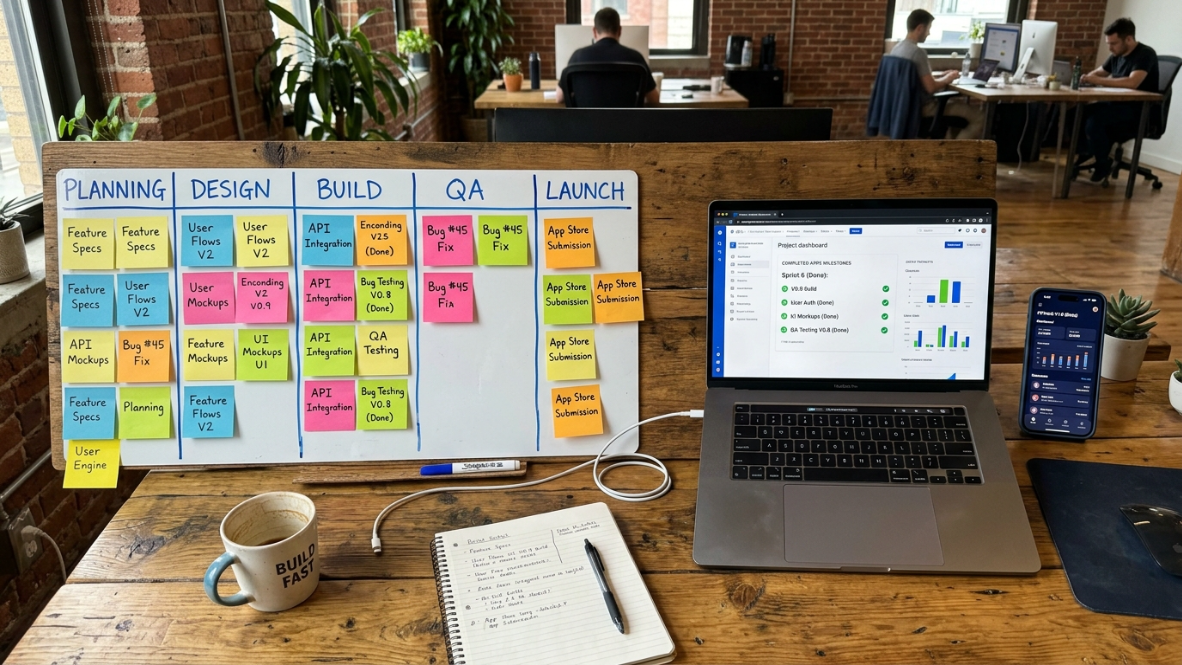
Milestone-based building means developing your app in focused, reviewable chunks rather than trying to generate everything at once. Each milestone handles one meaningful part of the product. After each milestone is built, it gets reviewed before the next one begins.
This is how x1's Build Studio operates. You do not get a fragile one-shot dump of code. You get a step-by-step build where each stage is tested before the next one starts.
Why indie hackers care: You catch problems while they are still small. A bug in milestone two is much cheaper to fix than a structural failure you discover at launch.
QA (Quality Assurance) in AI Building
QA means reviewing and testing each part of your app to catch issues before they compound. In a traditional dev process, QA is its own role. In the AI app studio model, QA is built into the workflow — x1 reviews each milestone after it is built so problems are caught while the app is still manageable.
Most one-shot tools skip this entirely. You get the output, and whatever is broken is your problem to find.
Iterative Building
Iterative building means developing your app feature by feature, testing each piece before moving to the next. This is the opposite of one-shot generation. It is slower per step but dramatically faster overall because you catch problems early.
Curious what real apps built this way look like? Browse examples built through this kind of iterative workflow.
Code Ownership
Code ownership means you get the actual source code for your app, not just access to a hosted version. You can download it, modify it, hire a developer to extend it, or move to a different platform entirely.
Why indie hackers care: Lock-in is the silent killer of indie projects. If you build on a platform that does not export real code, you are renting your own product.
Free Flow Mode
Free Flow Mode is what comes after the structured milestone build is complete. Once the guided process has run its course, you can keep editing and refining the app in a more flexible environment — without losing the organized foundation you built through the studio workflow.
Technical Debt
Technical debt is the accumulated cost of shortcuts in your codebase. Every time AI generates code that "works for now" but is not properly structured, you are adding debt. Eventually, that debt makes changes slow, expensive, or impossible.
Glossary: Launch and Growth Terms
App Store Optimization (ASO)
ASO is the practice of optimizing your app's title, subtitle, keywords, description, and screenshots to rank higher in App Store search results. It is SEO for apps.
ASO is not a one-time task. App Store algorithms update regularly, competitors adjust their strategies, and user search behavior shifts with trends and seasons. The developers who consistently rank well track their keyword positions weekly and update metadata accordingly.
Why indie hackers care: Organic App Store search is the primary discovery channel for most indie apps. Getting ASO right can mean the difference between 10 downloads per day and 1,000.
App Store Submission and Publishing Studio
App Store submission is the process of packaging your app, uploading it to App Store Connect, filling out metadata, and sending it for Apple review. It involves certificates, provisioning profiles, app descriptions, screenshots in multiple device sizes, and compliance declarations.
For indie devs and small teams, submission overhead is brutal. You finish the feature, you are excited, and then you spend the next hour clicking through dashboards and resizing PNGs.
x1 addresses this directly. The Publishing Studio helps prepare launch assets and App Store submission materials as part of the workflow — not as an afterthought you handle alone at the end.
App Review
App Review is Apple's process for evaluating every app before it goes live on the App Store. A combination of automated checks and human reviewers examines your app for crashes, guideline violations, misleading metadata, and privacy issues.
Common rejection reasons for AI-built apps include incomplete functionality, placeholder content, missing privacy policies, and improperly implemented paywalls.
Launch Assets
Launch assets include App Store screenshots, preview videos, app descriptions, keyword lists, and promotional text. These are not afterthoughts. They are the first thing a potential user sees.
An AI app studio that includes launch asset generation removes one of the most tedious steps in the shipping process.
Paywall and Subscription Compliance
iOS has strict rules about how apps present in-app purchases and subscriptions. You must use Apple's StoreKit framework, clearly disclose pricing, provide a way to manage subscriptions, and follow specific UI patterns. Getting this wrong is one of the fastest paths to App Review rejection.
x1's Revenue Studio helps you think through monetization, paid features, subscriptions, paywalls, and upgrade logic before these decisions get baked into code the wrong way.
Monetization Models
The main options for indie mobile apps: freemium (free download with paid upgrades), subscription (recurring revenue), one-time purchase, and ad-supported. Subscription is the dominant model for indie hackers because it generates predictable recurring revenue and Apple takes a reduced commission (15%) after the first year.
Glossary: Tool Category Terms
Understanding the different types of AI building tools prevents you from choosing the wrong one.
Frontend Generators
Tools like Bolt, Lovable, and v0. They take a prompt and generate polished UI — typically React or HTML. Fast output, clean designs. But no built-in database, authentication, or backend unless you connect your own.
Best for: Landing pages, simple tools, prototypes you plan to rebuild later.
AI Code Assistants
Tools like Cursor, GitHub Copilot, and Claude Code. These live inside your code editor and autocomplete, suggest, or generate code as you work. They assume you already know how to code. They make experienced developers faster.
Best for: Developers who want acceleration, not replacement.
Prompt-to-App Generators
These take a natural language description and produce a full-stack app in one pass. Key takeaway: they optimize for speed to demo, not for production readiness. If your application needs real authentication, data security, or App Store compliance, a prompt-to-app tool will not get you there on its own.
End-to-End AI App Studios
Multi-stage platforms that guide you from idea through planning, design, build, QA, and launch. Each stage has dedicated AI capabilities. The studio model is designed for indie hackers who need production output, not just a demo.
See how x1's full studio workflow compares.
No-Code Platforms
Tools like Bubble and Glide. Visual editors where you build logic by dragging components. No code writing at all. The tradeoff: proprietary formats that cannot be exported, limited customization, and typically web-only output.
AI App Studio vs Other AI Development Tools
Tool Type | Best For | Weakness |
|---|---|---|
AI Studio | Production mobile apps | Longer workflow |
Prompt Generator | Fast demos | Technical debt |
AI IDE | Developers | Requires coding |
No-Code | Business tools | Limited flexibility |
Low-Code | Internal apps | Less customization |
How to Choose the Right AI Building Tool
The right tool depends on four things: your technical level, your target platform, the quality of output you need, and your budget.
If you can code and want to move faster: AI code assistants (Cursor, Copilot) are the natural fit. You keep full control.
If you want a quick web prototype to test an idea: Frontend generators or prompt-to-app tools (Bolt, Lovable, Replit) get you to a demo fast. Accept that you will likely rebuild for production.
If you need a real mobile app on the App Store: The options narrow significantly. Most tools produce web apps. You need either a mobile-focused AI app studio or the skills to take generated code and port it to mobile yourself.
If you want to go from idea to App Store without managing five different tools: An AI app studio for indie hackers is the category built for this. One environment handles planning, design, building, QA, and launch prep.
The common mistake is choosing based on the demo video. Every tool looks magical in a 90-second screencast. The real question is: what happens at minute 91, when you need to change something, connect real data, or submit to App Review?
Ready to see how x1 compares?
x1 is a guided AI app studio for building mobile apps — from idea to App Store, without getting stuck in chaotic prompt loops. Start with 100 free credits and see how far the workflow takes you before you spend a dollar.
Explore x1 pricing | See what people have built | Read what builders say | Start Building →
FAQ
What is the difference between an AI app builder and an AI app studio?
An AI app builder typically generates code from a single prompt. An AI app studio adds structured stages — plan, design, build, QA, launch — with AI at each step. The studio model keeps your app's architecture coherent as you iterate, instead of regenerating everything from scratch each time you make a change. Learn more about how x1's studio system works.
Can indie hackers really build production apps with AI tools?
Yes, but the tool matters. Web prototypes are easy to generate. Production mobile apps with proper planning, design, QA, and App Store compliance require either significant coding skill or a tool specifically designed to handle those requirements. A quarter of YC's W25 batch shipped with 95%+ AI-generated codebases, so the technology is proven at scale.
What is vibe coding and should I use it?
Vibe coding is describing what you want to an AI and letting it generate the code. It works well for prototyping and simple tools. For production mobile apps, you need more structure. The risk of accepting AI-generated code without review is real — roughly 45% of it contains security flaws.
Why do most AI app builders only produce web apps?
Building for the web is technically simpler. HTML, CSS, and JavaScript run everywhere. Mobile apps require platform-specific frameworks, developer certificates, provisioning profiles, and compliance with App Store guidelines. Most AI tools avoid that complexity. x1 addresses it directly by using React Native and including a Publishing Studio in the workflow.
What is the technical cliff?
The technical cliff is the gap between a working demo and a production-ready app. It includes authentication, error handling, data persistence, accessibility, and platform compliance. Most AI tools help with the first 30% of building. The technical cliff is the other 70%.
How much does it cost to run a one-person app company?
A full solopreneur tech stack now costs roughly $3K to $12K per year — a 95–98% reduction compared to hiring developers. x1 plans start around $19 per month, with higher tiers for more credits, more active projects, and faster iteration. New users get 100 free credits to test the workflow before committing. See x1 pricing.
What is App Store Optimization and why does it matter for indie apps?
ASO is the practice of optimizing your app's metadata — title, keywords, description, screenshots — to rank higher in App Store search results. For indie hackers without marketing budgets, organic App Store search is often the primary source of downloads. Good ASO can dramatically change your app's visibility without spending on ads.
Do I own the code if I use an AI app studio?
It depends on the platform. Some tools lock your app inside their ecosystem with proprietary formats. Others export real source code you can open, modify, and extend independently. Code ownership should be a non-negotiable requirement for any serious indie project.
What makes x1 different from Rork or Vibecodeapp?
The main difference is the level of structure in the workflow. Most prompt-first tools generate a first version quickly. x1 is built around the full arc of mobile product creation: feasibility check, product planning, visual design, milestone-based building, QA, App Store submission, and revenue planning. See how builders describe the difference.
Article by Manil Lakabi · About x1